We remain fully operational. Our teams are working around the clock to ensure your deliveries continue safely.

下载应用程序


Buy anything from 5,000+ international stores. One checkout price. No surprise fees. Join 2M+ shoppers on Desertcart.
Desertcart purchases this item on your behalf and handles shipping, customs, and support to Taiwan.
💡 Light up your life smarter, not harder!
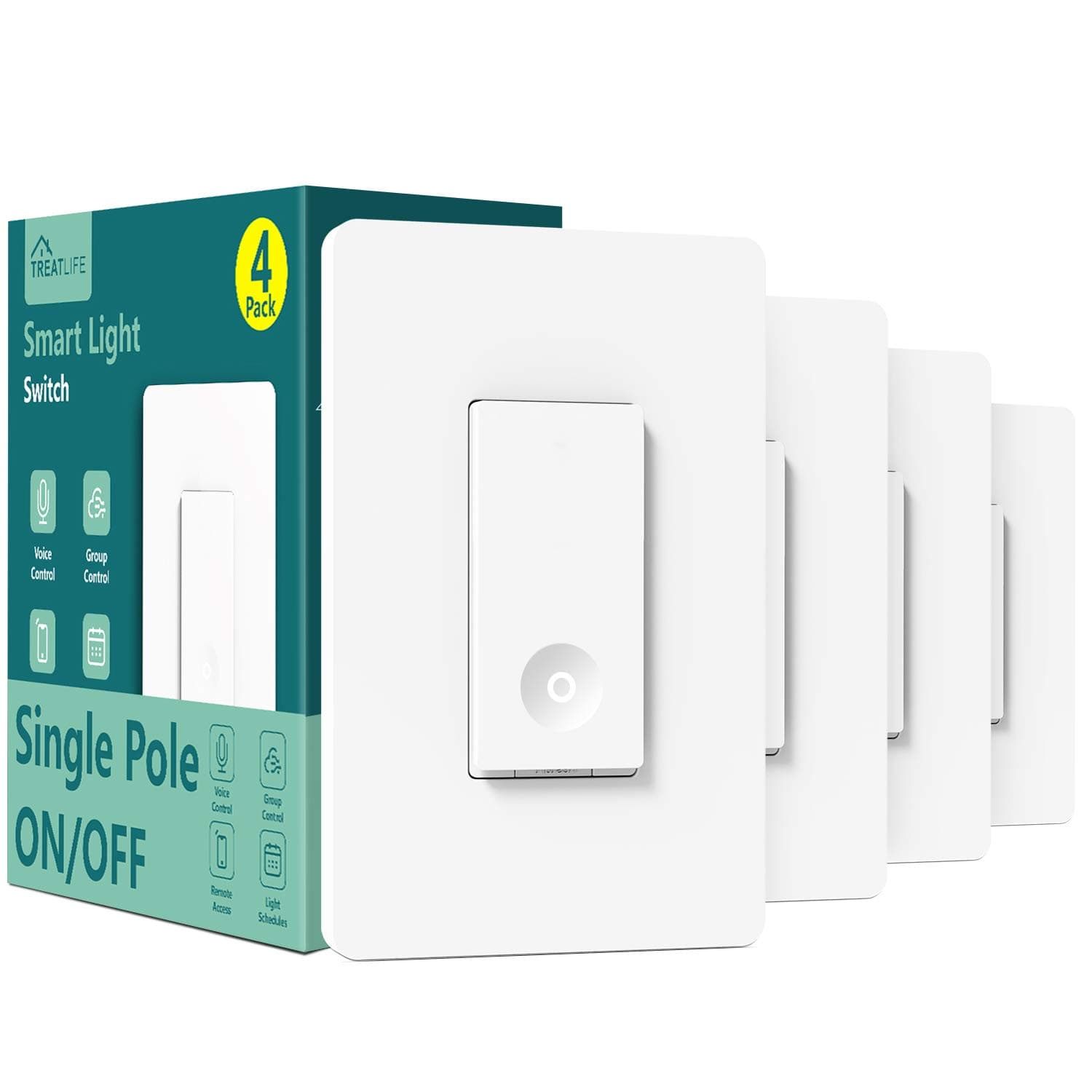
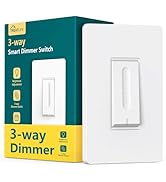
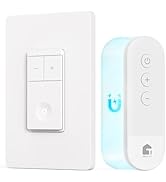
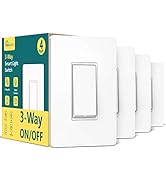
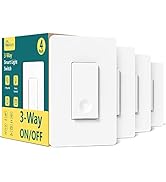
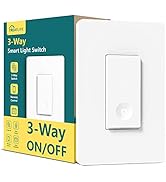
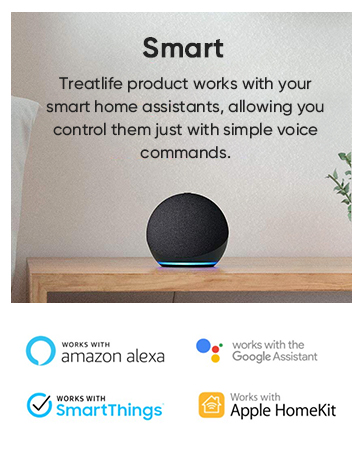
The TREATLIFE Smart Switch 4 Pack offers 2.4GHz WiFi connectivity and voice control compatibility with Alexa, Google Home, and SmartThings. Designed for single-pole setups requiring a neutral wire, it supports up to 1250W and 10A current. With easy installation, remote app control, and customizable schedules, it transforms any home into a smart, efficient, and secure environment—all backed by FCC certification and a 2-year warranty.








| ASIN | B07WWYQJFR |
| Actuator Type | Push Button |
| Best Sellers Rank | #59,754 in Tools & Home Improvement ( See Top 100 in Tools & Home Improvement ) #207 in Electrical Light Switches |
| Brand | TREATLIFE |
| Brand Name | TREATLIFE |
| Circuit Type | 1-way |
| Color | White |
| Connectivity Protocol | Wi-Fi |
| Connector Type | Screw |
| Contact Material | Plastic |
| Contact Type | Normally Closed |
| Control Method | App |
| Controller Type | Amazon Alexa, Android/iOS, Google Assistant |
| Current Rating | 10 Amps |
| Customer Reviews | 4.5 out of 5 stars 4,196 Reviews |
| Included Components | Household |
| International Protection Rating | IP65 |
| Item Dimensions | 5.63 x 5.83 x 4.57 inches |
| Manufacturer | TREATLIFE |
| Material Type | Acrylonitrile Butadiene Styrene, Plastic |
| Model | bosma-171 |
| Mounting Type | Wall Mount |
| Number of Items | 4 |
| Number of Positions | 1 |
| Operating Voltage | 120 Volts (AC) |
| Operation Mode | ON-OFF-ON |
| Specification Met | FCC |
| Switch Type | Push Button |
| Terminal | Spst |
| UPC | 756171582837 |
| Unit Count | 4 Count |
| Warranty Description | 2 years |
| Wattage | 1250 watts |
J**D
Easy to install, use... good pricing. Completely worth it.
Great product. Works perfectly well and we can use it with treatlife app or alexa (and probably others we don't know). Good pricing, too. I am glad we bought them (it's our second purchase). Easy to install...!
C**K
Good Smart Switches - Easy to Install and Integrate with Alexa
My motivation for Smart Switches was the ability to have some automations and be able to close the light without going to the actual room. Firstly I wanted my Porch Light to turn on as soon as someone rings my Video doorbell. Also, I often left lights on in rooms before going into the next room and it was a pain to go back to the earlier room to switch it off. These switches addressed both my requirements. I was able to set up Automations to turn on Porch Light on the Doorbell Ring. I also was able to integrate the switches into Alexa so that I can turn off the lights on Voice Commands. I was also able to set up automations to turn off lights after a certain time. After researching several different switches, I chose the Treatlife product as it has an excellent review rating and is competitively priced. One of the important points distinguishing these from KASA switches was the unlimited amount of automations that you can setup on these switches. KASA limits to three automations. Product was well packaged with clear instructions (including images) and necessary components for installation. It had Foam in between to prevent switches from rubbing against each other as well. The First install took me around 45 minutes. This includes connecting to WiFi and linking with Alexa for voice control. The next two switches I was able to install in 40 minutes though most of my time was spent in cramming all the wires into the very limited space available in the Junction Box. With two switches, it takes quite a bit of effort to cram everything in. The last switch gave me some problems while connecting to WiFi but I restarted the switch and then it was able to connect. I wasn't able to use the Wall Plates provided with the switch as my installs were all on 2 gang wall plates. I bought some inexpensive ones from Amazon. I would have liked them to have the option of including single Gang Plates or Double Gang Plates. The look and feel of the switch is excellent. The switch has a nice button with a small depression. The built in LED light glows when the switch is off which helps locate it in the dark. The only cons I felt about this would be that the whole switch feels very plasticky. I would have preferred the part with the screws to be metal similar to my old switch. Overall a very good product. I am pretty sure, I will be buying more of this switches to install around the house.
J**R
Awsome addition to your house.
General info about the switches: Let me start off by saying this is not a paid review. I had been looking for a smart switch for a while now that was reliable, cheap, and easy to use and install. I found it with this switch. This switch is a single pole switch and can be used on any type of light as long as the total usage does not exceed 1250W, 10A or 5A on incandescent. I installed 3 of the 4 so far. One is in the kitchen on a florescent fixture, another is installed on the back porch used to control some incandescent flood lights, and the last was installed to control just a ceiling fan alone, not the lights since they are on a 3-pole switch. Well it has been two weeks since they have been installed and they have worked flawlessly. Every switch comes with a pack of wire nuts to easily intergrade them into existing wiring, and every switch comes with a screw less face plate as well, which was a nice added bonus. Smart Home Integration: Getting these switches integrated was easy with Alexa but not as easy as it was with google home. First you download the Smart Life App, I am using an Android, once you have created an account just tap the + button in the corner. Follow the steps and it will set up within a few minutes. There were two things I noticed when setting up: 1. If you have a home network that is 2.4ghz and 5ghz that share the same name, SSID, and the device chooses the best bandwidth for the connecting device, you will have to separate the bands to get these to work. Not really too big of a deal and by no means a deal breaker. 2. The rapid blink set-up would not work and I had to use the slow blink method which requires you to connect your phone/tablet to the switch then enter in your SSID and password. Again, not really an issue but I am glad they have thought of multiple ways to get it connected to your home network. As for integration into the individual apps be it google or Alexa; google home was easier. When setting up in Alexa it would not find the switches automatically and I had to scan the network and add them into individual groups one at a time, again not really a big deal just a few extra steps. For google home, I selected add device and It found every switch at once and integrated the name they we called from the smart life app and automatically grouped them. Overall thoughts on the Switches: I am glad I chose Treatlife as the smart switch for my house. It does everything that their site lists and more. It was easy to integrate and looks loads better than what I original had in place. I have not had a chance to test out the scheduling that is built into them but will in the future. I will be ordering the other varieties they have as well, the dimmable ones and definitely a 4 pack of the 3 pole ones to control the light on the fan that already has the single pole one.
R**N
Awesome, with a few quirks!
When purchasing, I debated between these and the Kasa smart switch 3-pack bundle. Ultimately I decided on these because I thought they looked slightly better, and also there was a promotion going on so it seemed like I would get more bang for my buck - cost about $40 for this 4-pack of switches. INSTALLATION: The wiring was definitely pretty easy to set up. I don’t remember if the product came with instructions or not but either way I didn’t need to refer to them. The installation itself is simple enough as long as you got the basics of electrical wiring down. SIZING: This was undoubtedly my biggest concern with these switches. The box for the switch itself is kind of bulky, and especially in multi-gang applications such as 3-gang locations, it’s gonna be a tough job to fit all the wires in tight (or fold them in on itself for longer wires instead of trying to stuff them in the back of the box) before you try to push the switches in at the end. This is without question the most challenging problem that I had, as I installed these switches as pairs in 3-gang locations. SETUP WITH THE APP / ALEXA: I was able to set these up with the Smart Life app and with Alexa pretty easily. It was straightforward enough and there are also instructions with the product to guide you through the instructions. Basically you just need to hold down the button on the switch until it’s blinking, which indicates it’s in setup or pairing mode; from there you would just go into the Smart Life app and add your smart switch, and once added you can easily confirm that it was a success by turning it ON/OFF with the app. You’d just need to search for the similarly-named skill on the Alexa app and then link it that way. On each switch that you add in Alexa, I would also change the device type to “light” so that you are able to control them simultaneously when you say “Alexa, lights on/off” — the prerequisite here of course being that you need to add these switches to the same group that your Echo device is under. SOUND: The switches make a “click” sound that is strangely reminiscent of a mouse button when you press down on them to turn the switch ON/OFF. I guess some people might find that satisfying, however I certainly was not sold on the “click” sound. I found myself hoping (against reason perhaps) that this sound would be customizable from within the app. It is obviously not, and while the mouse-click sound is not ideal, I find it as passable and am able to overlook it; besides, I suppose it’s not much of a concern since this is a “smart” switch, so you can control them via Alexa routines or the app, and also set up schedules to have them automatically turn on. LOOKS: You can easily see these switches look well enough, as I have included pictures of one of the locations where I have added these switches. The circular dots stay lit (dim and not too bright) when the switch is in the OFF position, so that you can easily find them in the dark; when they are in the ON position, the circular indicator should be not be visible. They do seem to fit well enough in the wall plates, and they paired well with the Bates screw-less wall plates (ASIN: B086H725L9) that I purchased. However, I did find myself wishing they might stick out of the plate just a touch more; if you look at the pictures you can see the bottom part of the switch where you would press down is only protruding about a half-inch out, but I would have liked to seen that it’s about 3/4 of an inch or so, as a typical rocker switch might have. Overall, I do find this to be an excellent switch apart from a few minor quirks. This works perfectly fine for my smart home setup, and I am very pleased with it! Would definitely recommend it.
T**L
These are high quality switches for the price and value!
I was pleasantly surprised with the product itself. The build quality is quite good. It is made of plastic and looks great installed. I also like the fact that it comes with a nice high glass white plastic switch cover that hides the installation screws. Once installed it was very easy to setup and pair. Each switch paired the first time. The app is surprisingly very user friendly and is quite well designed. I was not expecting the app to be as fully featured for this particular product. You could set scenes and automations straight from the app. Connecting to Amazon, Google Home, and IFTTT was quite easy. I will say installing 3 of them in a single Gang box was quite challenging, but that's no fault of the light switch. It was a matter of space and how many wires I had to connect in the gang box as the switches were side by side in a 3 gang box, and it took me several hours because I had to connect 8 wires with a wire nut on the Neutral. I finally had to strip more of the neutral wire back so I could wrap it around the bundle of Neutral wires...and that's not too easy to do since the neutral wires are solid copper. I don't think you can find a better deal for a set of 4 smart fully featured WiFi switches. I will definitely be purchasing more of these and the 3-way WiFi 4x switch set.
A**S
Initially, the switches turned ON then immediately OFF...but then I discovered the solution.
I put two of these switches in the main bathroom. One switch for the light and the other for the fan. The installation and setup were straight forward, as hoped. I was able to quickly connect to the switches using the Smart Life app. They worked great with the app turning on/off. Through the app, I set up the switches to automatically turn off, 10 min after being turned on. This features was important to save electricity as I have kids and a wife that never remember to turn the lights/fan off. I tested the program and it worked great! However, when we started using the bathroom, the switches took 2-20 presses to get the switch to stay on. Most of the time pressing the switch turned it ON, then immediately OFF. I tried pressing the switch in different areas, using different pressures, and for different lengths of time. The switches seem to stay on by chance. On one occasion, I found myself in a rush to get on the toilet. Entering the dark bathroom, I tried clicking the switch 3 times to turn the lights on, without any luck. I finally had to sit on the toilet, in the dark, before I had an accident. This product was not going to work out. Any guests coming over would have issues turning on the light. Bummed, but determined. After messing around with the Smart Life app, I discovered that if I turned off the automatic "turn the switch off after 10 min" program, the switch functioned just fine. It turned on every time it was pressed. So the issue was with the automatic program on the Smart Life app. I fiddled with the program for a while and finally got the program to work as I wanted and the switch to turn on with one press. To set up a switch to turn off after a certain time, launch the Smart Life app, then at the bottom go to Smart, then Automation tab, and click the + in the upper right... *** Incorrect Setup*** I originally created the automated setup below, using Countdown: When device status changes -> [selected switch]-> Switch 1 -> ON Run the device ->[selected switch] -> Countdown 1 -> 600 sec -> Save Click + in the Task area -> Run the device -> [selected switch] -> Switch 1 -> OFF -> Save ***Working Setup*** Using Delay, instead of Countdown, made the switch work properly When device status changes -> [selected switch]-> Switch 1 -> ON Delay -> 10 min -> Next Click + in the Task area -> Run the device -> [selected switch] -> Switch 1 -> OFF -> Save Using delay instead of a countdown made all the difference. Now the light switch turns on with a single press. I went from being very frustrated to very pleased!
T**D
An absolute money saver
For me, there are absolute money savers. We first started looking into smart switches because my pre-teen in the basement had apparently not learned how to turn off a light switch, leaving dozens of lights on for hours and hours at a time while she is at school and I am at work. I decided I don't much love having to illuminate a space nobody is using. To answer the question "if a light is on and nobody is there to see it, does it really matter?" The answer would be"yes." It matters to my bills in my mailbox, it matters to the lightbulbs I have to replace, and it matters the most to my bank account. With these switches, from the comfort of my desk at work, I can view which lights in the house are on (always the basement) and which lights are off (which are always the upstairs lights). Then, using either my voice via the Google Assistant or the app on my phone, I turn off one or all of the lights. It's super easy. It is not about laziness, it's about being cost-effective. I also found it nice to turn on my outside lights or my garage lights when I am on my way home using my voice so I can see when I enter my home. It has an extraordinary amount of applications. Installation was a breeze, once you identify your load and line wires. Their instructions and wire labels help a lot. Get a pen tester. They are cheap, super easy to use, WILL save you from getting shocked someday, and identify immediately which line is coming into your home. Also, before you order, turn off your breaker, open up your current switch you want to replace, and verify you have a set of common (usually white) wires. This will not work without them. It is very important that you make sure the switch you are replacing is the ONLY switch to turn the light on or off. If two switches turn a light in or off, you will need a 3-way switch. These are not 3-way switches, though this manufacturer does sell them. If you just read that last paragraph and feel like this is over your head, it isn't. Though replacing some switches are much harder than others, most of the time it is a breeze. I say this as someone who knows nothing about electrical wiring. If I can figure it out, so can you. 3-way switches are another beast entirely, however. I'm pretty sure those ones function entirely off of witchcraft. As I am not trained in the dark arts, I will stick to these switches. Oh, and don't forget to turn your breaker back on.
A**R
If you want matching switches for your 3-way lights, STAY AWAY FROM TREATLIFE!
I recently embarked on a large home renovation project and decided to install smart switches for all my lights, ordering 20 TreatLife switches, along with multiple 2-gang and 3-gang wall plates. Unfortunately, this decision turned into the biggest headache of the project. During installation, my electricians discovered that the TreatLife smart 3-way switches didn’t work with the other TreatLife 3-way switches and would need to be paired with non-smart switches. The lights would randomly go to the dimmest setting. Worse, I had no choice in which side the smart switch went on due to existing wiring, leading to awkward placements where smart switches were alone, and non-smart switches were grouped with others—resulting in a messy, unattractive look (see images). I contacted TreatLife, and while each response took a day or more, they finally confirmed that their 3-way smart switches only work with 3-way non-smart switches, WHICH THEY DON’T EVEN MAKE! Not very smart for a ‘smart’ switch company. They offered no solution for the mismatched look, and to top it off, refused to accept returns on the unopened switches that would not work with their other switches as it had been over 30 days. I ultimately found a solution with Lutron Caseta switches, which allow two matching switches on either side of the 3-way configuration through an innovative remote that can be installed to look just like the hard-wired switch while allowing way more flexibility with installation locations since no wiring is needed for the remote side. The result? A seamless, functional setup I love. While it required an additional investment and another electrician visit, the new system is worth every penny. If you want matching switches for your 3-way lights, STAY AWAY FROM TREATLIFE!
TrustPilot
2 周前
1 个月前