

Desert Online General Trading LLC
Dubai, United Arab Emirates
Desert Online General Trading LLC
Dubai, United Arab Emirates



🎉 Game On! Elevate your play with KINGEAR's ultimate controller!
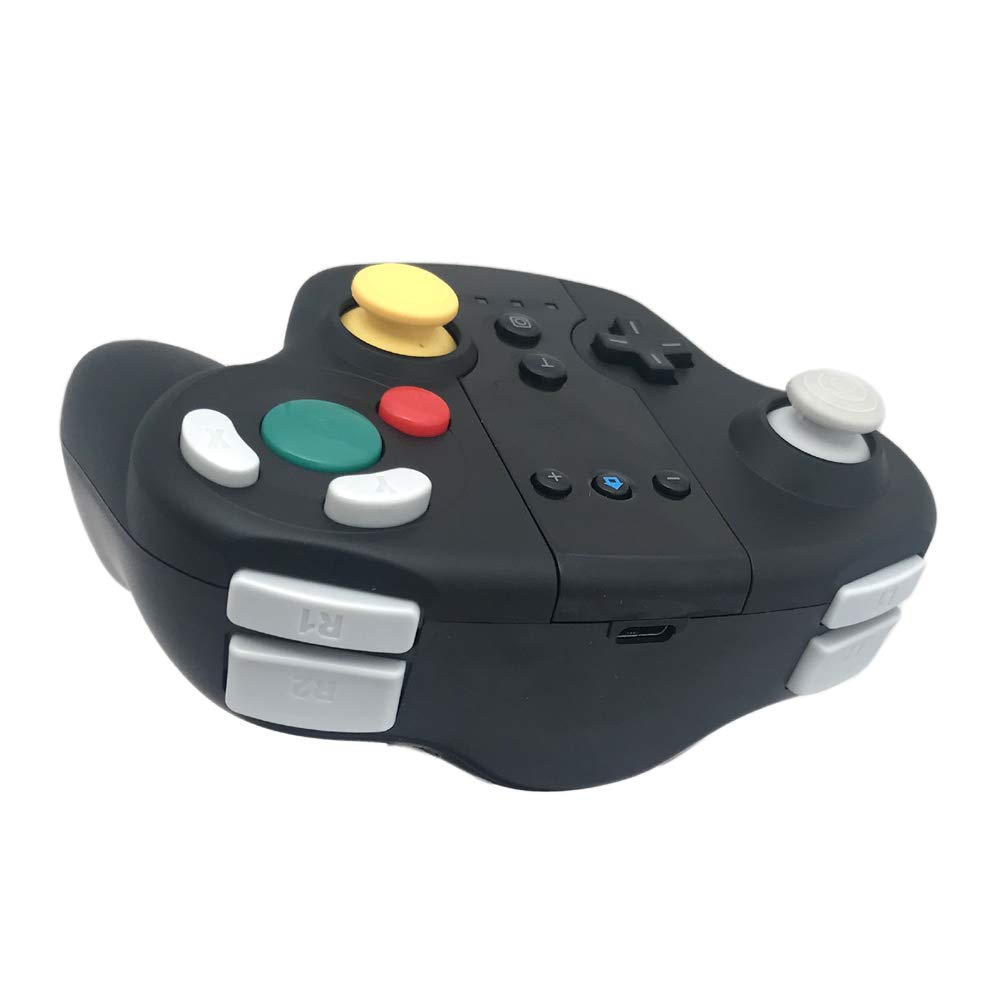
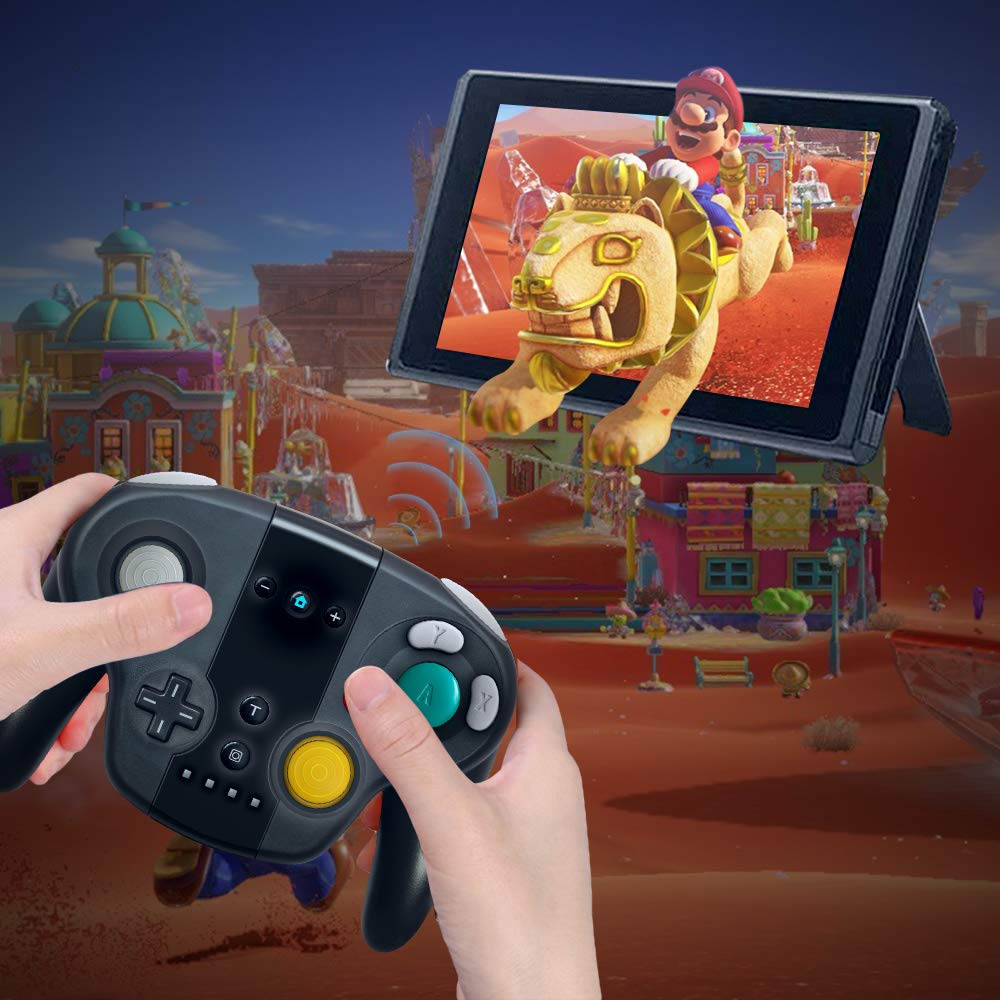
The KINGEAR Wireless Controller for Nintendo Switch offers seamless compatibility with both the Switch console and Windows PC, featuring an 8-meter wireless range, built-in motion sensing, and ergonomic design for extended comfort during gameplay.
J**N
The Long In-depth Review. All you Need to Know
This controller is great. It is an affordable replacement to Joy-cons. I have not once experience drift (which is where the controller detects an input from the joystick when it is in the neutral/center position). Drift is the most commonly cited issue with Nintendo’s official Joy-con product, and my goal in purchasing this third-party controller was to eliminate the possibility of encountering joystick drift completely. The controller has successfully delivered on this front.It contains all the buttons the Joy-cons have, including the capture button to record gameplay and screenshots to the Switch. It also contains an extra button not featured on the original Nintendo Joy-cons, called Turbo, marked with a letter T and placed above the capture button on the face of the controller near the bottom. I do not know what this button is used for. Despite the overall form of this controller being shaped like a classic Gamecube controller, the shoulder buttons do not slowly depress like the original Nintendo Gamecube controller product of the past, so do not expect this. They are more similar to PS2 dual-shock L-1 L-2 R-1 R-2 shoulder buttons, which just depress slightly at a set interval like any of the face buttons of the controller, before springing back into place when released. Also, although the controller appears similar to the original Gamecube controller, the sockets around the joysticks do not feature notches for reliable access to exact cardinal and diagonal directional inputs. Also, it is easy to see, but clearly the yellow joystick is not shaped after the original Gamecube controller design, since this controller is meant to imitate the Joy-cons. The joysticks also can be depressed as additional buttons to click (usually referred to as L3 and R3), which the original Gamecube controller’s joysticks could not do. Once again, this is to imitate the complete functionality of the Nintendo Joy-cons.The controller has NFC (Near-Field Communication) capability, which the Nintendo Amiibo additional products require in order to be used. I have tested the NFC reader with my Amiibo, and it works as intended. Also, the controller features a gyroscope, so that it can be used in games with motion control. This feature works decently well, and playing the newly re-released Super Mario Galaxy on Nintendo Switch while using it was fine (this game originally released on the Nintendo Wii and prominently featured motion controls). The controller also has rumble packs in the handles, so that the controller can vibrate to give cues or feedback in certain video games. The rumble is comfortable, not too gentle to where it can’t be felt, and not too intense to where it is discomforting to hold. Just right.The controller features easy set-up by using a USB-C (this end goes in the controller) to USB (this end goes into the Switch dock) cable. I use the Nintendo Switch undocked to navigate to the controller set-up menu using the touch-screen by opening the home menu, tapping the fourth icon from left-to-right on the bottom shaped like a right Joy-con that says “Controllers”, and then tapping the first menu option which says “Change Grip/Order”. Then, leaving the Nintendo Switch powered on and idling on this menu screen, I place the system into the dock that the third-party controller is connected to by the USB-C to USB cable. The dock must be connected by a separate USB-C to wall outlet plug to a socket in the wall in order to receive power, which should come with the Nintendo Switch. The dock must also be connected by an HDMI cable to an HDMI compatible television, and that television of course must also be plugged in and powered on. After a few moments, the menu that was shown on the undocked Nintendo Switch should appear on the television screen (if not, check that the TV is set to the correct input). Then, push and hold down the L2 and R2 triggers of the third-party controller for a few moments until the system recognizes the controller. It should be labeled by the Nintendo Switch as “USB controller”. This is correct.The controller also features BlueTooth wireless connection, so that it can be played on the Switch without the use of a cable after the initial set-up. The controller can even work with hardware other than the Nintendo Switch. I use it on my PC with the USB-C to USB cable to play games on Steam. To do this, a program like InputMapper should be installed on the PC and launched anytime the use wants to make use of the controller on PC. On this controller, there are four small LED lights located near the bottom of the face of the controller that will light up the color blue. In the attached picture, my controller is connected to my PC, so the first and fourth lights are glowing. When the controller is connected to the Nintendo Switch, the lights will glow according to which “player number” the controller is: one, two, three, or four.Initially, when using the controller with the Nintendo Switch, I did experience an issue where the left joystick of this controller would not detect when it was being fully tilted down and to the right (South-East), and instead only detected a half-tilt in that direction. After using the Nintendo Switch’s joy-stick calibration menu (located under System Settings>Controllers and Sensors>Calibrate Control Sticks), the issue was resolved. I don’t believe this was an issue with the controller; rather, I think it was an issue with the Nintendo Switch being unfamiliar with the peripheral input device. I did not experience this issue at any time while using the controller on PC.While connected to the Nintendo Switch dock, or my computer, the controller charges decently fast, and can hold a charge while in Blue-Tooth wireless mode for a few hours continuously at a time before needing to be recharged. Even then, it can still continue to be used while charging, of course, so the fun and games don’t have to end if the controller’s battery charge begins to run low.I will definitely be purchasing a second one of these controllers, and recommend them to anyone who is dissatisfied with Nintendo’s dysfunctional Joy-con controllers as a great alternative.Of course, as a final note, there is only one thing that the Nintendo Joy-cons can do which this controller cannot, which is connect directly to the left and right side-rails of the Nintendo Switch console to be used in handheld mode. That’s not to say that this controller cannot be used with the Nintendo Switch while it is undocked; it can by using the BlueTooth connection. However, if you are looking to be able to hold the Nintendo Switch in your hands and play it undocked while you walk around (or use the toilet), this is not the controller for you. I often play with the Nintendo Switch undocked by holding it between my knees while I sit, and holding this third-party controller in my hands. This is a fine solution for me, but it may not be exactly what everyone is looking for if you use your Nintendo Switch on-the-go.Thanks for reading if you read this far, and if you purchase this controller as well, leave a review if you like. I would like to know the experiences of other’s with this product as well.
D**L
Best Switch controller I've used
This is easily the best controller I've tried out on the Switch. Unlike the overpriced Nintendo Pro controller I've had zero drift issues, surprising given the fact that it's less than half the price.It has the comfortable feel of the old GC wavebird, possibly the best wireless controller ever made.The X and Y buttons are flipped on this controller (to match the old GC controllers) so it might take a while to get used to it.I've had no issues with the battery life, but I charge it after every other use so I have no idea how many hours it actually lasts. I usually put in 3-5hrs on it before charging, and the battery is always above 50% when I plug it in so it should last long enough for just about anyone.I've had zero connectivity issues with the controller, it connected right away, and I've never had it lose connection (unlike my Nintendo Pro Controller). It won't start your system for you, so that can be a bit of a pain, but that's the only draw back to this controller I've noticed.If you're looking for a cheaper alternative to the Pro Controller, I highly recommend this.
D**N
Fake wavebird
Great price and it works! It has rumble and gyro in it so it's just like the pro controllerJust plug it in and it's ready to go easy right out of the box and Type C is great the only thing I'm not a fan of is the triggers they are good just not like the GameCube but other then that great buy will buy again
B**Y
Approximates Classic GameCube layout, but that's about it...
After picking up Smash Bros, I just couldn't handle not having the classic GameCube controller layout. It didn't feel right. I began looking for something that would give me that layout, but be wireless.I've logged a dozen or so hours of play with this. While I do not hate it, there are some problems. Button throw for face buttons is too far, and the feedback is really stiff. The sticks don't "feel" right either, and input from the left stick doesn't quite seem to line up as you would expect. It's comfortable enough for short play of high input games, but not for extended sessions. Shoulder buttons are definitely not analog, and feel fairly lifeless.Pros:1. Price2. GameCube layout3. Wireless4. Rumble is decentCons:1. High throw face buttons2. Lifeless shoulder buttons3. Poor button feel4. A bit bulky, so for large hands, becomes uncomfortable5. Low quality sticks = poor feedback and input3 stars - While it's a better layout for Switch games than a generic PS/Xbox styled gamepad, it's not going to be great for extended play or for games w/ high levels of input (like Smash).
C**C
Happy with it but search continues
I just got a switch and bought this because I found the switch remote and buttons too small for me. I bought this for the gamecube nostalgic look and feel and it performs well for BOTW but the layout is different and takes some getting used to especially since A is so big and Y isn’t, but Y is still a very important button in this gameplay and sometimes is awkward to press in this layout... I ended up ordering a different controller with a more PS4 style layout since I’m most used to that remote but will be keeping this one as a happy backup.
C**
Terrible
It won't connect to my switch.
C**K
GameCube Controller for Switch!!!!
Ok I just want to say that this is awesome. A wireless GameCube style controller for the switch! For fighting games such as Smash Bros this brings back so many memories. It’s comfortable, with a decent weight without feeling cheap and it’s responsive. I’ve purchased multiple controllers for the Switch and have been pleasantly surprised by the quality you can find for under 30$. I’m very happy so far and will update if anything changes.Pros- USB C- Ergonomically comfortable, familiar feel.- Instant Sync to Switch with cable.- Solid Battery life.Cons- Right joystick is a little firm but not game breaking.
TrustPilot
1 个月前
3天前
2 周前
1 周前