We remain fully operational. Our teams are working around the clock to ensure your deliveries continue safely.

下载应用程序






Buy anything from 5,000+ international stores. One checkout price. No surprise fees. Join 2M+ shoppers on Desertcart.
Desertcart purchases this item on your behalf and handles shipping, customs, and support to Taiwan.
🔗 Unlock Ultimate USB Power & Connectivity — Stay Ahead, Stay Connected!
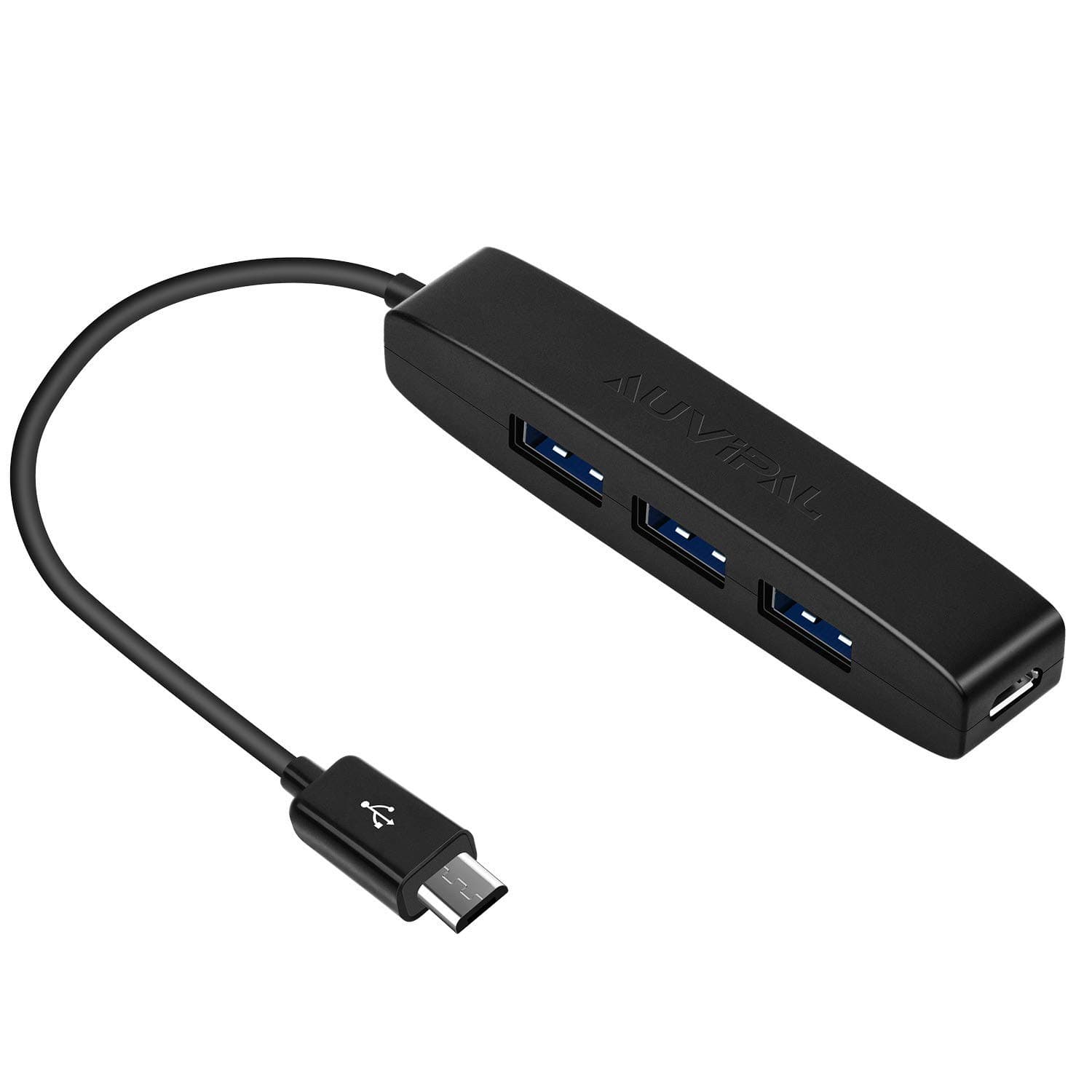
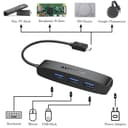
The AuviPal 3-Port Micro USB OTG Hub Adapter transforms your micro USB device by adding three USB ports plus a dedicated power port, enabling connection of multiple peripherals like keyboards, controllers, and flash drives. Engineered with durable ABS material and tested for over 10,000 plug cycles, it delivers reliable 480 Mbps data transfer speeds. Compatible with a wide range of devices including Fire Stick 4K, PlayStation Classic, and Raspberry Pi Zero, this plug-and-play adapter requires no drivers and supports Android, Windows, and Linux systems, making it the perfect connectivity upgrade for professionals and tech enthusiasts alike.


| ASIN | B083WML1XB |
| Additional Features | Powered |
| Best Sellers Rank | #361 in USB Hubs |
| Brand | AuviPal |
| Color | Black |
| Compatible Devices | Fire TV Stick, PlayStation Classic, Raspberry Pi Zero, Sega Genesis Mini, S/NES Classic Mini and More |
| Customer Reviews | 4.5 4.5 out of 5 stars (1,856) |
| Data Transfer Rate | 480 Gigabits Per Second |
| Enclosure Material | Acrylonitrile Butadiene Styrene (ABS) |
| Hardware Interface | USB |
| Item Dimensions L x W x H | 3.4"L x 0.6"W x 0.6"H |
| Manufacturer | AuviPal |
| Mfr Part Number | 3USB |
| Minimum Required Operating System Version | Android 13.0, Windows 11 |
| Model Number | 3USB |
| Number of Ports | 3 |
| Operating System | Android, Winodws, Linux OS and More |
| Total Usb Ports | 3 |
| Unit Count | 1.0 Count |
| Warranty Description | One Year Warranty |
R**7
Inexpensive and gets the job done
I bought this to go with an Onn streaming stick which uses the older micro-USB for power. Makes it possible to plug in up to four USB devices including a flash drive loaded with video files.
R**Z
Great USB ports extender for Raspi Zero
Very compact and performance is great. Recommended for Raspi Zero.
M**J
OTG USB works with Firestick 4K Max....
OTG USB works with Firestick 4K Max....without issues. (After using a singular hub version for awhile bought from Amazon I bought this multi Port OTG Hub to expand different functionality which this review is very much like with a few changes but covers all the bases. My changes to my original review will be noted in these brackets) It just adds to the awesomeness of the (FS4M) Firestick 4K Max, sure the FS4M has limited storage (it would be great to have expanded storage options) but this little device helps with that. Rather than load files into the FS4M limited space, easily run/open them on the FS4M using this USB OTG hub. Simple load up your files onto a formatted FAT32 USB (I use a SanDisk): video, pictures. Connect the USB OTG hub to the FS4M power connector inlet, connect the FS4M power cord into the USB hub inlet (you'll then have power to the hub and FS4M), insert the USB into the OTG hub, use an app like Xplore on the FS4M, a file viewer - there are many, to view/run/open your files. (As well as using a USB thumb drive for extra storage, I've used a mini keyboard with a mouse track pad on it. It works well specially for typing long strings of text, the trackpad mouse only shows up in some apps but keyboard control keys for navigation work well all over. I've also heard about but haven't tested yet, a USB ethernet female connector that can be connected to this hub - keep in mind - ethernet cable speed is always better and runs faster than Wi-Fi - like Gigabit faster - if you have a Gigabit port on your router - imagine clean your FS4M would run. If I get one and test/use it I'll update this review with my results) I hope you found this helpful, this is my opinion of the device and mine alone - I'm not paid for this review, if you purchase and mirror my usage you'll have the same experience. Enjoy, Marc.
M**.
Cheaply made, but effective
If you're going to be installing this in a place like next your TV for use with your FireStick like I did, this until will work fine. USB speeds are excruciatingly slow over USB2.0 in the year 2023 but that's not this device manufacturers fault. I've found storage plugged into the firestick 4k max through these ports is way too slow to store apps on so it's basically only good for data file storage and USB peripherals like mice, keyboards, gamepads. If you're after additional firestick storage i'd recommend a network filestore even more than this device though, again because of the speeds (looking at sub 100mbps, generally speaking). If you're after a USB hub to take with you traveling, I'd spend a bit more to get a sturdier device. The gauge of the wire alone coming out of the hub is pretty flimsy as is the insulation so I wouldn't expect to last long under intensive deformation like it would encounter during repeated disconnections & travel.
D**O
Excellent for backing up digital photos without a laptop
This device is perfect for a traveling photographer. It allows me to make backup copies of my photos (and view the jpg versions on a nicer, larger screen) without having to travel with a laptop. I can use my Android tablet or even my Android phone, instead. This very small and light USB hub plugs into my 2017 Samsung Galaxy Tab S2 Android tablet. I connect a USB flash drive and either a cable to my camera's USB-out connection or a tiny SD card reader with the card from my camera. Then I use a file manager app (the default Samsung Files app works fine, as does the default Android Files app on my phone - which I actually prefer to the Google Files app) to select all the files I want to duplicate and copy them to the flash drive. File transfer is not fast (200 files totaling 2.79 GB took 5 minutes and 50 seconds to copy, or about 8 MB/s [64 Megabits per second]). I think the slowness may be partially the fault of the 512 Gb Sandisk Ultra Flair USB 3.0 flash drive I used, since it slows down drastically on large write operations even when connected to a PC, apparently to prevent overheating. Since it starts fast and then slows down, a larger transfer might produce an even slower average transfer speed. But the bottom line is that for one or two transfers of, say, 2 to 10 Gb per day, even this slow speed is good enough. I can do something else for five, ten, or even twenty minutes while a day's worth of photos copy themselves. In my 2.79 GB test, none of the devices got more than just barely noticeably warm. With a small adapter (micro-USB to USB-C; it MUST be "OTG" [USB "On The Go"] compliant), I can plug this hub into my Pixel 2 phone and transfer files in the same way. So if my tablet dies or I want to travel *really* light, I don't even really need the tablet. Managing files on the small screen of a phone is doable but not as convenient. Note that you CANNOT get a USB-C hub and use an adapter to connect it to a micro-USB tablet or phone, because apparently no one sells a USB-C to micro-USB adapter that is USB "OTG" compliant. So if you want to use a hub with devices that have both types of connectors, you must get a micro-USB hub and an OTG compliant adapter to convert it to USB-C when needed. You apparently can't go the other way. Given this limitation, there are not many competitors to the AuviPal hub reviewed here. You can plug a charger into the hub, as well. I believe that will provide power to the attached USB devices, but not concurrently to the tablet or phone. I have not tried this feature and do not anticipate needing it. Advice: be sure to "eject" or "dismount" the flash drive and camera or SD card before disconnecting. This tells the tablet or phone to finish writing any data or file allocation table entries to the flash drive or SD card. I have already found that just yanking out the flash drive when the file transfer appears to be done can cause it to produce error messages the next time it is plugged into a PC, although interestingly, I did not actually lose any data. The Samsung and Android Files apps make the "eject" or "dismount" command hard to find. On the phone, you can see it by tapping the notification bar on the Android home screen, then the "more" link on the notification for each USB device. I never did find the "eject" function on the Google Files app. Physically, the hub seems reasonably well made, but nothing special. I had been attracted to some USB-C hubs with solid aluminum housings, but as noted above, a micro-USB hub is more flexible. This one is plastic, not premium but probably fine.
P**K
Works for ps classic
This works well. I got it to use two controllers with a Playstation Classic that was modded with a USB in the 2nd controller port. This works perfectly for that, letting me have the extra games along with both controllers. It's fairly cheaply made with just some basic plastic covering everything, but for what it is used for, that's fine. It just stays put and shouldn't be moved much, so it should last fine.
S**M
Worked great with Amazon fire stick
This worked great with our Amazon fire stick so that I could use a keyboard and mouse
A**E
It works!
As described. Good price.
D**A
Funcióna excelente en mi fire tv4k
L**Y
funktioniert tadellos
J**E
Solid product. By far, the best I have used .
A**R
Works well. Used with fire tv and I can connect multiple peripherals.
M**S
A very convenient dongle and works as advertised. Intercepts the power between adapter and FireStick 4k. I needed to add a USB-A bluetooth adapter for a mouse to use on side loaded Brave browser. I considered a power hub, but does not seem to rob signal from the Firestick, so far ok. It is very light duty and not remarkably made, but not expensive either.