We remain fully operational. Our teams are working around the clock to ensure your deliveries continue safely.

下载应用程序


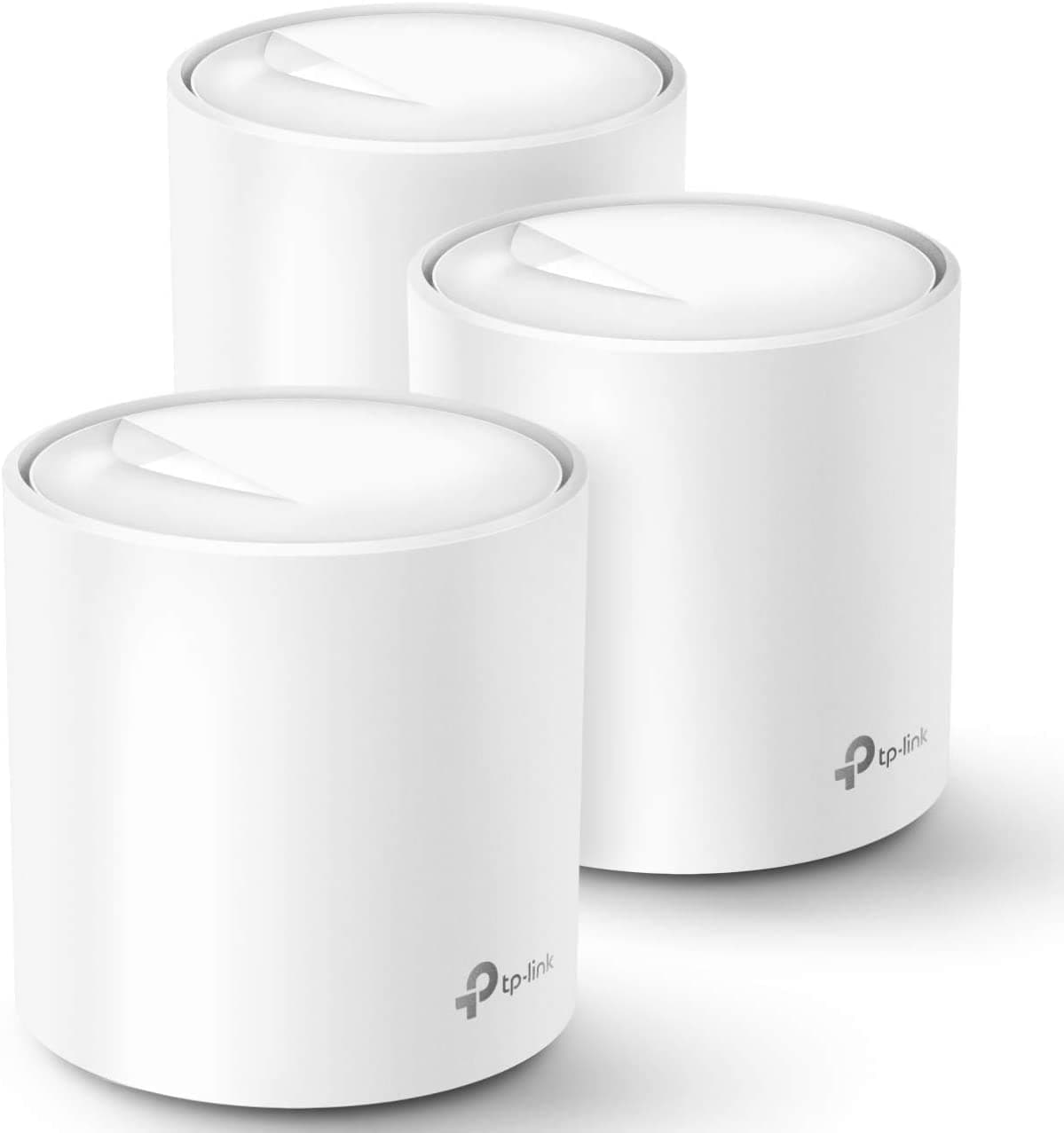

🚀 Upgrade to the future-proof mesh that keeps your whole home connected, fast, and secure!
The TP-Link Deco X20 WiFi 6 Mesh System delivers ultra-wide 5800 sq.ft coverage with next-gen AX1800 speeds, supporting up to 150 devices simultaneously. Featuring 3 units with 6 Gigabit Ethernet ports and wired backhaul support, it ensures seamless roaming and stable connections throughout your home. Easy to set up via the Deco app and Alexa, it also includes advanced security and parental controls through TP-Link HomeShield, making it ideal for busy, tech-savvy households demanding reliable, high-performance Wi-Fi.


| ASIN | B085Z35GY6 |
| Antenna Location | Home |
| Antenna Type | Internal |
| Best Sellers Rank | #95 in Computers & Accessories ( See Top 100 in Computers & Accessories ) #8 in Whole Home & Mesh Wi-Fi Systems |
| Brand | TP-Link |
| Built-In Media | 1 x Ethernet Cable, 1 x Quick Installation Guide, 3 x Deco X20 Units, 3 x Power supply unit |
| Color | White |
| Compatible Devices | All WiFi Enabled Devices |
| Connectivity Protocol | wi-fi |
| Connectivity Range | 5800 Square Feet |
| Connectivity Technology | Ethernet, Wi-Fi |
| Control Method | App |
| Controller Type | App Control |
| Coverage | Whole home |
| Customer Reviews | 4.5 4.5 out of 5 stars (14,900) |
| Data Transfer Rate | 1800 Megabits Per Second |
| Frequency | 5 |
| Frequency Band Class | Dual-Band |
| Global Trade Identification Number | 00840030700330 |
| Has Internet Connectivity | Yes |
| Has Security Updates | Yes |
| Is Modem Compatible | Yes |
| Item Dimensions L x W x H | 4.33"L x 4.33"W x 4.49"H |
| Item Type Name | WiFi 6 Mesh WiFi |
| LAN Port Bandwidth | 10/100/1000 Mbps |
| Manufacturer | TP-Link |
| Maximum Upstream Data Transfer Rate | 1000 Megabits Per Second |
| Mfr Part Number | Deco X20(3-pack) |
| Model Name | Deco X20(3-pack) |
| Model Number | Deco X20(3-pack) |
| Number of Antennas | 2 |
| Number of Ports | 6 |
| Operating System | Android,Ios |
| Other Special Features of the Product | Parental Control |
| RAM Memory Installed | 512 MB |
| Router Firewall Security Level | high |
| Router Network Type | Home Network |
| Security Protocol | WPS |
| Smart Home Compatibility | Smart Home Compatible |
| UPC | 840030700330 |
| Unit Count | 3.0 Count |
| Voltage | 240 Volts |
| Warranty Description | 2 year manufacturer |
| Wi-Fi Generation | Wi-Fi 6 |
| Wireless Compability | 802.11ac, 802.11ax, 802.11b, 802.11g, 802.11n |
I**N
Decos x20
So far I’ve been using them for 2 years. Pros: they are very easy to set up, great quality, they do not drop connection, very stable internet as long as you set them up right, the app allows you to label them, they work fine for connection up to 1Gb. Make sure you connect your main to your modern near an open space centralized and with an Ethernet cable cat 5 or higher. Each has a duel Internet port in case you want to hardwire into a device instead of wife. Cons: the app sometimes prevents them from working properly so sometimes you simply have to open up the app so it can reboot itself, after a reboot sometimes they don’t automatically start working (so you must unplug the power of those showing red, will quickly reboot and show green), my biggest issue, the app displays usually the wrong speed, sometimes showing mbps or kbps, speed fluctuates a lot, even when you perform a 3rd party speed test, not exactly sure why. Location is a must, you must make sure they are set as close to each other as possible while getting a strong signal ( must play round to find the sweet spot). Over all they are great if you set them up properly, they provide great internet, very easy to use and set up, requires no maintenance but updates, so far I’ve had no issues for the last 2 years. I would recommend the Decos.
R**S
Whole House Coverage That Actually Means Whole House
Dead zones are a special kind of frustration. That one corner of the house where your video call freezes, the back bedroom where streaming buffers every few minutes, the garage where your phone gives up entirely. The Deco X20 exists to solve exactly that problem and it does so with a minimum of fuss. Setup is where this system immediately earns goodwill. The Deco app walks you through everything in plain language and the whole network was up and running in under fifteen minutes, which for networking hardware is practically unheard of. No cryptic router menus, no digging through settings pages that look like they were designed in 2003. Just a clean app experience that gets out of your way fast. WiFi 6 makes a tangible difference in a busy household. Multiple people streaming, gaming and on video calls simultaneously without anyone complaining about lag is the real world benchmark that matters, and the X20 handles it comfortably across 4000 square feet without breaking a sweat. Coverage is genuinely seamless as you move between rooms, with devices handing off between nodes so smoothly you never notice it happening. The units themselves are compact and understated enough to sit on a shelf or counter without looking like networking equipment someone forgot to hide. That sounds minor but in a living space it genuinely matters. For very large properties or extremely demanding multi gigabit needs there are more powerful options out there, but for the overwhelming majority of homes this system hits a sweet spot of performance, simplicity and value that is difficult to argue against.
M**W
Helped save me so much money on my Internet bill, I actually profited
You will not regret this choice. Having a reliable mesh system circumvents the need to pay outrageous prices for internet speeds that nobody on earth actually needs. Believe it or not, but you probably don't need more than 100Mbps in your entire home and this device allows you to better utilize every last drop of it. After doing much research, I figured my WiFi needs would be met with the absolutely lowest Spectrum tier of 100Mbps, but a much router or mesh system as the problem was not the theoretical download speeds but the quality of connection. Having a mesh system would allow me to downgrade my bill, as well as saving $5/mo on the "equipment rental" fee for using the Spectrum router, and yet still be able to stream 4K on every device all at once if I so pleased. I live in a one bedroom apartment, smack-dab in the middle of a sea of apartment complexes in a big city so there's a lot of competing signals bouncing off one another. While everyone said all I needed was a better router, my experience proved otherwise. Speed wasn't the issue at all, but latency and spread across the apartment to my 12+ devices. Constantly I suffered from buffering issues, especially surfing the web or watching YouTube. But I didn't need to go faster on the highways, I needed more lanes on the highway for all the cars to run parallel, and to increase the overall range. This is the benefit of a mesh system over a traditional router, as well as the ability to roam from Deco to Deco based on bandwidth/proximity, allowing better prioritization. I've stuck with TP-Link for years, having had seamless experiences with all of their products from WiFi cards to WiFi bulbs, and for much less cost. This was no different. I was very impressed with their easy, intuitive and speedy setup. The app is sleek, and its fun to see which Deco everything is connected to and witness it switch around as bandwidth demands change. The WiFi, despite being much slower on paper than the 400Mpbs I was receiving since the start of 2024, has been a massive improvement, and for less than half the cost. As a stress test, I played a 4K streaming movie on one TV, streamed 4K YouTube on my computer, another 4K video on my laptop, played 1080 streaming movie on another TV, and did an online speed test all at once. Never a single buffer on any of the devices and the speed test still managed to download over 100Mpbs anyway with a 12-14 ping. That's plenty of internet speed and then some. Over 30 days later, its still flawless. In the end, I only wound up using 2 of the 3 Decos (but glad I have the third for only $10 more, just in case). Now, I'm not kidding when I say I actually profited from downgrading my WiFi, and I invite you to do the same... First, I dropped Spectrum, and went over to T-Mobile for $40/mo for exactly 3 months. I qualified for a $200 debit card rebate after that, which I used to pay off my phone/internet bills. I cancelled T-Mobile's internet after the speeds were awful, went back to Spectrum once I qualified for their promo rate of $30/mo for 100Mpbs for two years. So, since July, I have paid T-Mobile 3 months ($120) and will pay Spectrum 3 months ($90) before 2025. That means I paid $10 out of pocket for 6 months of internet after the $200 rebate. Of course, the mesh system sets me back $140, but over the next two years I'm saving $5/mo on router rental fees ($120 after two years). So, it pays for itself. And because its WiFi 6, its backwards compatible and will remain relevant for several more years at the very least. I estimate that in two years I will have saved a total of $960 in internet speeds after the cost of the Decos.
S**H
I have not had any issues with this mesh since initial set up. The set up is easy to follow and straight forward. I did have a minor issue, but that was on my end and my service provider was able to give me the correct information needed to set up. It has been running now for about 4 months and we have had steady connection across all devices - computers, TVs, gaming systems, smart home and surveillance systems. The back room that was often a dead zone now gets a good strong signal. I like that I am able to hard wire certain devices into each unit if I want to. We currently have the main home computer connected to the second unit, and the Xbox and smart TV on the third unit. Not that any of these devices were experiencing any lag or connection issues on wifi. It also has the option to set specific devices to priority on wifi or to set a device to only connect to one unit rather than the mesh to maintain a steady connection on items that are stationary. The parental controls are also a great feature. You do need to pay to unlock everything, but the free features are enough for my needs. It allows to filter content, block websites, and set up screen limits. The only inconvenience on the free side is that you cant set multiple time limits for differentdays of the week. While I can set a bed time daily, if I want to give extra time on the weekend I do need to manually reset it every week. However, it is not a big deal with the app. Wifi to all devices you set to your child's profile will be turned off at the time you set, and not turn back on until a time you set. Bedtime routines have gotten smoother as they quickly learned there is no "just a minute". They now take note of the time and hurry to finish, save their progress and say goodbye to friends before the time runs out.
O**H
Im using it in addition to a huwawei modem that has internet connection from a 4G sim card. I connected router to this device with the included wire and spread the 3 connection points between two floors. Now I have very strong coverage in every room!
J**O
Purchased 2 for a total of 4 units. It's overkill but wanted to make sure I have great coverage inside and outside, plus its was on sale. My house is set up with ethernet cables on every floor and in every room on the main floor. This makes it alot easier to set up and very strong signals with no drops or lost. Moving from room to room and different floors too, makes it seamless. You don't notice it at all. At the beginning I did have 1 main, 1 ethernet , and 2 wifi connectioned all in mesh. The wifi signals are good, but speed tests results are not as fast compared to having them all mesh via ethernet cables. But if you aren't able to mesh them via ethernet cables, and your only choice is through wifi, you won't be disappointed. You'll still get great coverage and good speeds. The set up using the app is very easy and fast. You can make all changes to all the settings at your fingertips. You can also see what device is connected and to which deco. Almost forgot, if you have a switch, prefer TP Link switch, use it after your ISP modem, and main Deco. There is diagrams on TP Link website to help you out. This setup eliminates all my multi wifi routers and the manually connecting to them as you move from one room to another, as you lose wifi signals.
S**R
Haven't found the performance to be particulary great and I had to find power supplies as they arrived with EU plugs and I'm in the UK. Aside from that, they were easy to setup and manage, but I've seen no where close to the speeds they boast :(
S**N
Product is sleek, setup is easy, good user interface for the mobile app. Speed is decent. WIFI/internet keeps dropping especially during video calls, watching netflix, etc. Reached out to TP link support...need to remind them multiple times. You cant get them on the phone....only through chat. This hasnt helped and I have wasted my time for over a month expecting they will fix it. Now I am stuck with a router that I just paid decent money for that is worse than my 5 year old router. Stay away!!!
TrustPilot
1 个月前
2天前