We remain fully operational. Our teams are working around the clock to ensure your deliveries continue safely.

下载应用程序


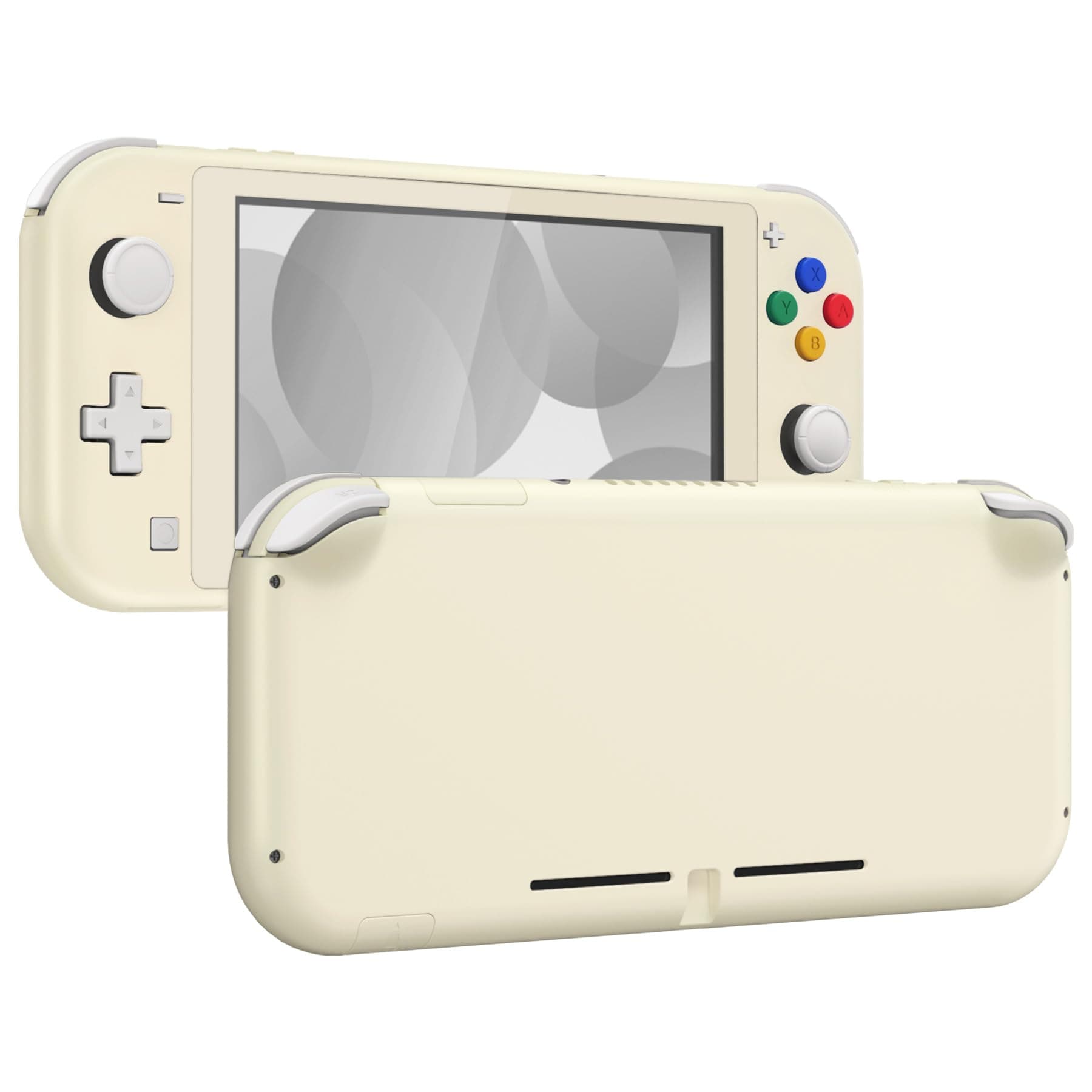
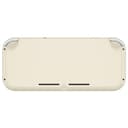
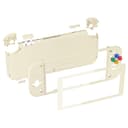
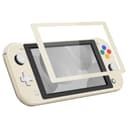
🎨 Transform your Switch Lite into a personalized masterpiece with eXtremeRate’s DIY shell!
The eXtremeRate Antique Yellow DIY Replacement Shell is a premium, precision-cut housing kit for Nintendo Switch Lite, featuring durable ABS material, a protective screen cover, and a full set of tools and buttons. Designed for experienced DIYers, it offers a stylish upgrade that perfectly fits your device, backed by a detailed video installation guide.




| ASIN | B0GJDG4RBQ |
| Best Sellers Rank | #3,493 in Video Games ( See Top 100 in Video Games ) #19 in Super Nintendo Accessories |
| Brand | eXtremeRate |
| Color | Antique Yellow |
| Customer Reviews | 4.3 out of 5 stars 1,109 Reviews |
| Hardware Platform | Super Nintendo |
| Item Weight | 10 Grams |
| Manufacturer | Extremerate |
| Warranty Description | Extremerate |
T**S
⭐️⭐️⭐️⭐️⭐️ Absolutely Perfect Upgrade for My Switch Lite!
I couldn’t be happier with the eXtremeRate Soft Touch Black DIY Replacement Shell. The quality is outstanding—lightweight yet durable, with a smooth, velvety soft-touch finish that feels amazing in the hands. It gives my Switch Lite a premium, almost brand-new feel. The fit is incredibly precise. Every button, port, and screw hole lined up perfectly. It’s definitely a DIY project, but the shell is engineered well enough that the process felt more fun than frustrating. The final result looks sleek, minimalist, and completely factory-level. If you want to refresh your Switch Lite or just give it a stylish new look, this shell is absolutely worth it. High-quality materials, great feel, and a stunning finish—eXtremeRate nailed it! Highly recommended! 🎮
M**N
extremeRate Switch lite Shell- Great price, great project, great result!
This was my first time doing a major shell swap like this on a console, and extremeRate killed it! The video guide that goes along with the shell installation was super helpful, and I was able to do it in under 3 hours. I used my own tools, but the included screwdrivers felt super nice, especially for the price. Installing the shell with all the internals fit just right. The case feels sturdy and has a soft texture to the back, which feels awesome to hold, especially for longer sessions. I didn’t use the white buttons that came with the white shell (I bought a black set also from extremeRate), but both button sets feel nice over the stock rubber membranes. Super worth the effort and the price!
A**E
looks great
the shell feels really nice and soft, and the color looks way better in person. it comes with all of the tools needed and extra screws + springs. the install wasn't too difficult but definitely time consuming (2-3+ hours) as a beginner. I recommend following Erica Griffin's tutorial and using a magnetic screwdriver. my only complaints are that seems to stain more easily than the Nintendo shell, and I had to sand down my L button a teeny bit to get it to not stick in this shell.
L**M
Clean look, great quality — worth the DIY effort
This white replacement shell for the Nintendo Switch Lite is exactly what I was looking for. The build quality is excellent, with smooth edges and a solid, well-fitted finish. It gives my Switch Lite a clean, minimal look that stands out from the standard colors. Installation does take some time and patience — this isn’t a beginner-level DIY job — but if you’re comfortable opening up electronics, it’s very rewarding. All the screw holes lined up perfectly, and the buttons fit snugly without sticking. Overall, I’m extremely satisfied with the result. It feels like a brand new device, and the quality is on par with the original shell. Highly recommended for anyone looking to customize their Switch Lite.
A**R
Great quality!
This kit is great! Everything fits very well! I had to pick up some extra tools and thermal paste but the shell is great quality! I love that I can use my switch lite in my favorite console color. This is my first shell swap and it was easy!
J**A
Looked great, but it stained after months. That is very bad on something permanent...
UPDATE: After some time mine has begun to stain. On the front it's getting a sort of reddish stain wherever my hands are most (so I guess caused by skin oils or something.) On the back it's getting big gray stains I guess from the official Nintendo (so not some generic third party) case I like to keep it in sometimes to protect it. So far nothing I've tried to use to clean it off will remove the stains either. Given that this is supposed to be at least somewhat permanent of a modification, this is actually a pretty serious problem... While initially I really loved it, I have to pretty much deduct all the stars in that it effectively doesn't seem to be made to be permanent, yet it basically has to be. At the very least I must say don't buy the white version because you'll ultimately regret it. As others have said, it is an involved process to do the actual installation. I was quite leery for obvious reasons. Particularly about dealing with the screen, but also ribbon cables are not fun to deal with ever. However, if you follow the instructions properly and pretty much just do it as you watch the video (pausing when necessary to stay with it) the process really isn't too bad. I would suggest that having a phone repair kit handy can help with a few points of the process, but it isn't required. You do need some sort of tweezers though and the long thin kind used in those kits is generally best for dealing with ribbon cables. The screwdrivers they included work just great though. I'm actually glad they didn't include a replacement digitizer because that would add considerably to the cost (and I'm not very confident about replacing a digitizer properly anyway.) Rather than a screen protector, perhaps they could have kept it simpler by just including a simple sticker to put on top of any normal screen protector. I didn't get it right and had to toss it due to dust and such getting in there, but the included protector felt way too thick and I suspect wasn't as sturdy as a good one (though I haven't tested that much I admit.) I had the gray Switch Lite so it doesn't look bad to leave it off on mine, but that may be troublesome for some of the more colorful systems. Overall it looks just amazing and works great. I do worry about the screen potentially being able to come loose and they didn't include any extra tape so you have to be very very careful on the removal process since you have to reuse the old tape (particularly you need to keep it flat without any bunching or misshaping.) Pull it very slowly as you go. It would have been nice if they had at least included one just in case. It seems to be a fairly typical double-sided tape, so I think they could have included one easily enough. Particularly at this pricerange. But if you are careful enough it should probably be ok. I do also want to say that towards the end of the video in the reassembly process I felt like the order of a few parts of reassembly was wrong, including one part where the board should have been secured and everything properly routed through first before attaching a ribbon cable, but overall it was very easy to follow and did do a good job. (Also, it had music all the way through but it wasn't obnoxious. Some are, so I was grateful for that.) I do have to say the "soft plastic" thing doesn't seem to have worked out exactly as described. It actually had less of a grip than the original Switch Lite's plastic did. It's not a deal-breaker though. It's not actually slippery or anything, just with less grip in comparison. Far better than the 3DS XL with its almost glassy smooth surface just for instance. (Thank goodness Nintendo learned from that. It may be shiny to look at, but it's not actually good for use.) I was also a bit annoyed that they didn't include any buttons they didn't absolutely have to. At the overall cost of the whole thing I really don't think it would have added anything significant to include the duplicate buttons, particularly for some of the harder to deal with ones like the screenshot and home buttons. In comparison, they included a full set of duplicate screws and even springs in case any were lost in the process which likely costs more than buttons would have. (It's good to allow for some potential for loss, but I don't think they needed to include a full set and the buttons or membranes can also be lost.) By the way, when you use the heat gun on your original case it will most likely warp -- particularly as you separate the screen. Putting the metal frame back might help straighten it out again, but consider this to be a mostly one-way process.
C**O
cutieeeee
So so pretty! I love this so much. I bought my switch during covid, when the pink one was always sold out. So ever since I really wanted mine to be pink, but I hated how the stickers looked. I'm absolutely clueless when it comes to technology, but I was able to do this pretty easily with help from the guide on their website. I recommend keeping track of the screws and where they go, but there's also a guide for the screws on the website too. It also comes with replacement screws. Also I would use your own screw drivers for this, I ended up stripping one of my screws in the beginning (I had to get my dad to help remove it 😅). You'll also need a heat gun! I actually used my hairdryer, which gets really hot and it worked for me. Also because I don't trust our heat gun. It shoots fire. 😗
A**N
be careful, its cheap
Quality: feels pretty cheap compared to the original shell, very flimsy, the card covers are especially cheap and do not close well Assembly: takes like 6 hours, thier guide on youtube is not very good, you need to be careful keeping the screws organized because they do not have replacements for all of them, YOU NEED THERMAL PASTE, also my set came with 2 sizes of phillips head screwdrivers, you will also NEED a Y00 screwdriver for the original shells exterior. Tips: I reccomend turning the volume up before you turn it off for troubke shooting. While possible with your fingernail i highly recocmend a prying tool like the Ifixit jimmy and a pair of fine point/precision tweezers. Make sure your ribbon cables are secure DO NOT PULL THE CARTIDGE COVER when the shell is open, it might be reassuring to test if its secure but when assembled it clamps together, testing it while its open you will rip it out and strip the screw hole since the case is cheap. If you dont have a heat gun use a space heater, its very slow and dont force it or you can break the screen but its doable, dont worry about the adhesive, when applying it to the new shell you use the included adhesive strips, doing it just at the top and bottom is secure enough and avoids bending the ribbon cables more than neccisary. you can use the old abxy buttons, the coloured ones look and feel cheap. if this is new id reccomend setting this up first and if you are gonna be gifting this waiting till after you shell swap before reformatting, this way you can navigate the menus and open a game for sound when trouble shooting Trouble shooting: if the display doesnt turn on when you press the button, it could be an issue with the button itself being insecure, to test plug it into the charger, if the screen turns on then its the button, if not it may be the screen, if you have enough charge to turn it on try pressing buttons(shoulder and bumper are directly on board) to see if you hear any menu sounds, if so its the screen, if not then it could be that the battery or the daughterboard isnt connected, the power and volume buttons and screen both connect to the daughter board not the main board directly, the boards are connected with the ribbon cable at the bottom of the console attached to the battery cage, try removing that and reinserting, if that doesnt work it may be the battery which is connected to the main board under that ribbon cable, if none of this fixes it you may need a profesional to look at it.
TrustPilot
2天前
1 个月前