We remain fully operational. Our teams are working around the clock to ensure your deliveries continue safely.

下载应用程序







Buy anything from 5,000+ international stores. One checkout price. No surprise fees. Join 2M+ shoppers on Desertcart.
Desertcart purchases this item on your behalf and handles shipping, customs, and support to Taiwan.
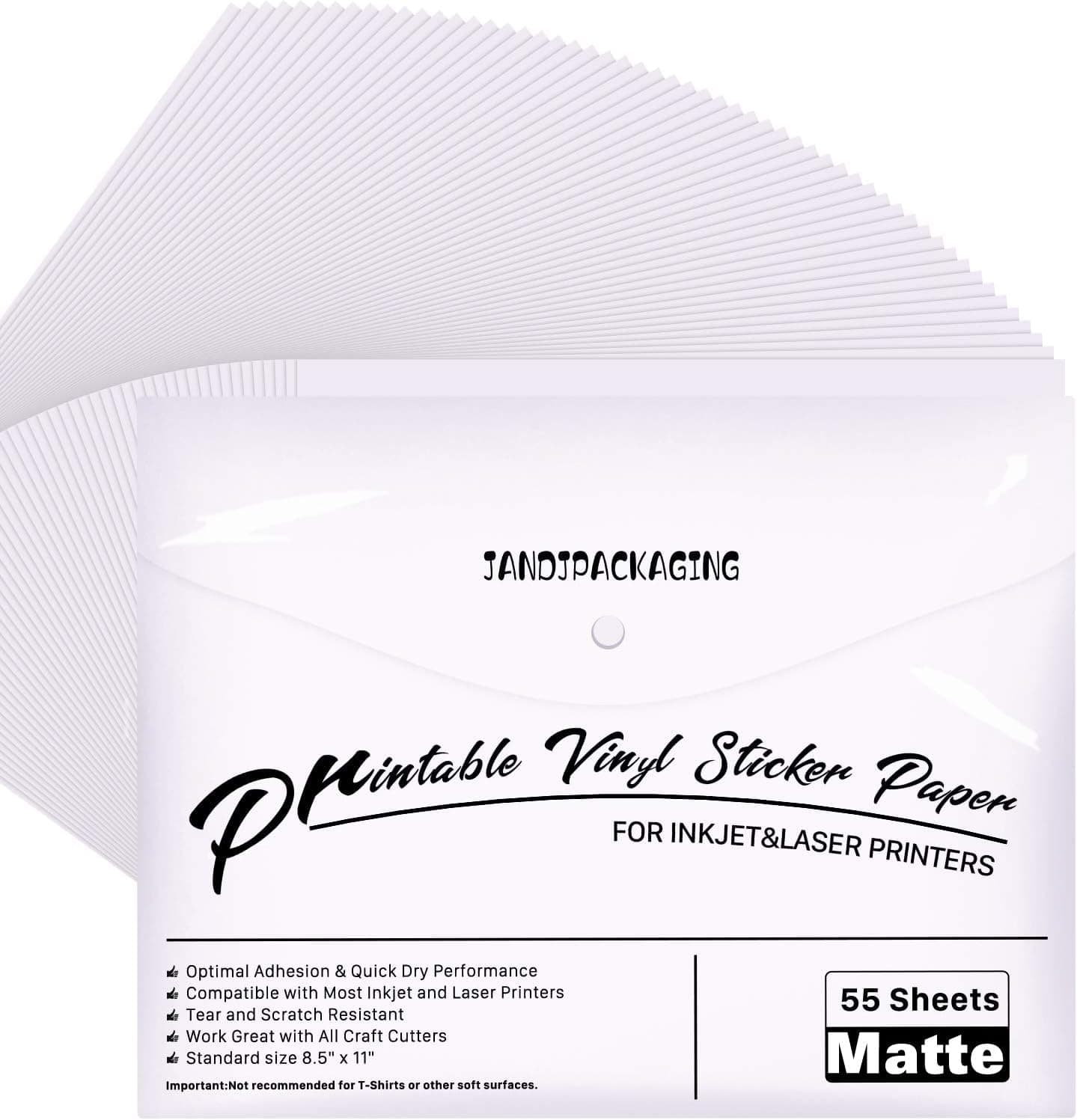
🖨️ Stick Boldly, Print Confidently — Your Creativity, Waterproofed!
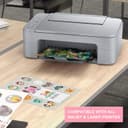
JANDJPACKAGING Printable Vinyl Sticker Paper offers 55 sheets of matte white, water-resistant vinyl compatible with most inkjet and laser printers. Designed for quick-drying, vivid color prints, it features a durable, tear-resistant finish and residue-free removal, making it ideal for professional-quality labels, decals, and creative projects both indoors and outdoors.


| ASIN | B08GK66ZLT |
| Best Sellers Rank | #5,339 in Office Products ( See Top 100 in Office Products ) #44 in Inkjet Printer Paper |
| Brand Name | JANDJPACKAGING |
| Brightness | Matte White |
| Color | Matte White |
| Customer Reviews | 4.5 4.5 out of 5 stars (13,604) |
| Item Dimensions L x W | 11"L x 8.5"W |
| Item Weight | 0.83 Kilograms |
| Material Features | Waterproof |
| Paper Finish | Matte |
| Paper Size | 8.5-x-11-inch |
| Paper Weight | 20 |
| Sheet Count | 55 |
| Unit Count | 55 Count |
R**A
Where has this been!?!?
I was VERY impressed by the packaging! It came in a thick outer plastic envelope that closes with Velcro. The paper had a thin plastic bag wrapped around it, and was easy to remove. I printed a few pages and it was as described. I have an HP printer 300 series that uses pigmented ink (located in the FAQs portion of the HP app) so I was excited to FINALLY find waterproof vinyl sticker paper that is compatible with my printer and allows me to print my projects! The size is like a normal piece of paper, which is fine. It’s super glossy, so it does curl a little bit after printing. It’s easily remedied by turning the page over and laying it on to of regular blank paper. The ink dries super quick, so don’t worry about smearing. Just don’t smudge your fingerprints all over the image because it IS ink, and it IS glossy. I spray a thin layer of sealer and UV protection after allowing the image a full 3-4 hours to sit. Now, the topside (glossy) is a little sticky when you place it in the tray on top of other regular paper so it tends to catch and drag that paper into the printing process right along with it.. so you can take all the paper out of the tray and just put ONE piece of sticker paper in at a time. It may be tedious, but it’s better than wasting ink on a partially printed vinyl paper when the rest is printed on regular paper. Don’t even try putting a stack of vinyl paper in the tray, because you’ll DEFINITELY get this issue. Overall, it prints great images, is compatible with my printer AND ink, dries quick, and the colors are incredibly bright, bold, and even. I’ve found my new sticker paper vendor!! Thank you!
C**S
prints beautifully, sticks really well!
these print really well in my inkjet printer. the print is vibrant and doesn't smudge once dry. I use holographic laminating sheets over the top of my stickers so I can't speak to their long-term longevity as far as holding color, but they stick really well and don't come off unless you really try to peel them up. Great sticker paper! I've bought several packs now and never been disappointed with it.
M**E
Good sticker paper
Good sticker paper, easy to use. Adhesive is of good quality.
G**2
Good printable vinyl
This has been my go to for printable vinyl for just over 2 years now. The price and quality have always been good. I like the resealable envelope the sheets come in and I live the crisp, professional quality my decals always have. I think I got a bad package this last time because the adhesive isn't pulling away from the backing as easily as it normally does. A new blade and no matter what cutting pressure I use, the adhesive is partially sticking to the backing and not the decal as if it's not being cut completely through. I'll still buy again as it's the first time I've ever had this happen and the issue could also be my Cricut machine.
N**A
Kiss Cut Settings & Correct Maker Blade in review
TL;DR-KISS CUT achieved w/Cricut Maker w/GOLD PREMIUM FINE POINT Cricut brand blade, Cut Setting used is Washi Sheet default pressure. (Important Blade info in detail below) So, my review is a few months after having & comparing these to many others on Amazon. These work great with a laser printer, I have a Canon MF232w. I also foil them using a Minc Machine on setting 3 but could probably go setting 2 & it would be fine. Now for the Kiss Cut, I have a Cricut Maker, I’m using the Premium Fine Point (Gold blade, the silver fine point is actually for the original old Cricut Explorer 1 & the silver one sticks out a bit more from the blade housing so even that little bit could mess up your cut, I was told this by Cricut Customer Service & that info is on their website read all the way down the blade info page blade! It’s not to say the silver won’t work, it’s just my recommendation may not since my blade is the gold one & it sits a bit further in the blade housing. It’s confusing when buying blades cause both say for Explorer, but the Original machine was called Explorer 1 & the Gold Blade is for Explorer 2 & Maker but all they put is Explorer, assuming everyone knows the blades are for different versions or that we all read blade info page fully. Anyway with my Cricut Maker I use the light Grip blue mat & Washi Sheet setting default pressure. I also use Design Space Desktop. I don’t know if this setting is on Design Space iOS or Android. These settings above gave me a perfect Kiss Cut!
K**R
Good product
First thing I made sure of: the printer settings (on the computer) were changed to glossy paper and the printer paper settings (on the printer itself) were changed to glossy paper also. I inserted only one paper at a time on the feeder (to avoid jamming) and made sure the printable side was down (check your printer: for bottom feeder, it’s usually print side down; for top feeder it’s print side up— check your own printer using regular typewriting paper before you start using the vinyl sticker paper). Make your print settings “Best” instead of “Normal” or “Draft.” Always pick images or photos that are clear and vivid (any blurring in the image will come out blurred in the sticker also). - I have printed black and white and multi-colored images, even photos. They came out great. - I dripped water on the stickers and the ink didn’t wash off so there might be some water resistance. I haven’t tried placing it in the dishwasher though. I don’t know yet if it hold up under the rain. - the backing easily separates from the sticker with little effort and the sticker adhesion on plastic, steel, aluminum or hard rubber is good. - I would recommend this vinyl paper for do-it-yourself stickers.
J**T
Best sticker paper I came across so far after trying a few, specially for the price! I bought 1 pack of 55 and then ordered 2 more pack of 55 the next day, just in case they sell out lol. Inkjet give a nice glossy finish and a little surface feel, doesn’t smudge, dries quickly and is water proof without treatment ( recommend after 3 days) Colours are sharp and vivid and the vinyl is very strong and tear resistant. Very nice and easy to use in the cameo and weeds great. Very nice backing that makes it easy to remove the stickers. Laser printer Works in laser printer pretty good but colour won’t be as vivid or glossy as inkjet but semi matt with a nice smooth finish , only where the white background shows is glossy, giving it a pretty cool effect depending on the design. you’ll have to run some test to find the settings that works for you. But overall great high quality product that you can produce high quality professional stickers at a very low cost.
E**A
MEJORAR LA CALIDAD EN CUANTO MAYOR RESISTENCIA AL DESPEGAR LOS STIKER SE ROMPEN
A**D
Good
N**A
Best paper I have used - used it for party favours. Wanted to order more and now there is no stock.
ع**ه
الورق وصلني ماركة adestor وهذي الماركة متوفرة في المكاتب حول المملكة بسعر 75 للـ 100 حبة .. وصلت الاوراق مغلفة بتغليف طعام بلاستيكي .. ورق j and j يتميز بتغليفه مثل الملف البلاستيك وعليه شعار ومعلومات الشركة الام .. احرص على ان تطلب المنتج الصحيح وتستلم المنتج ذاته .. بالتوفيق لكم
TrustPilot
2 个月前
2 周前