We remain fully operational. Our teams are working around the clock to ensure your deliveries continue safely.

下载应用程序






⚡ Power your network like a pro—fast, smart, and unstoppable!
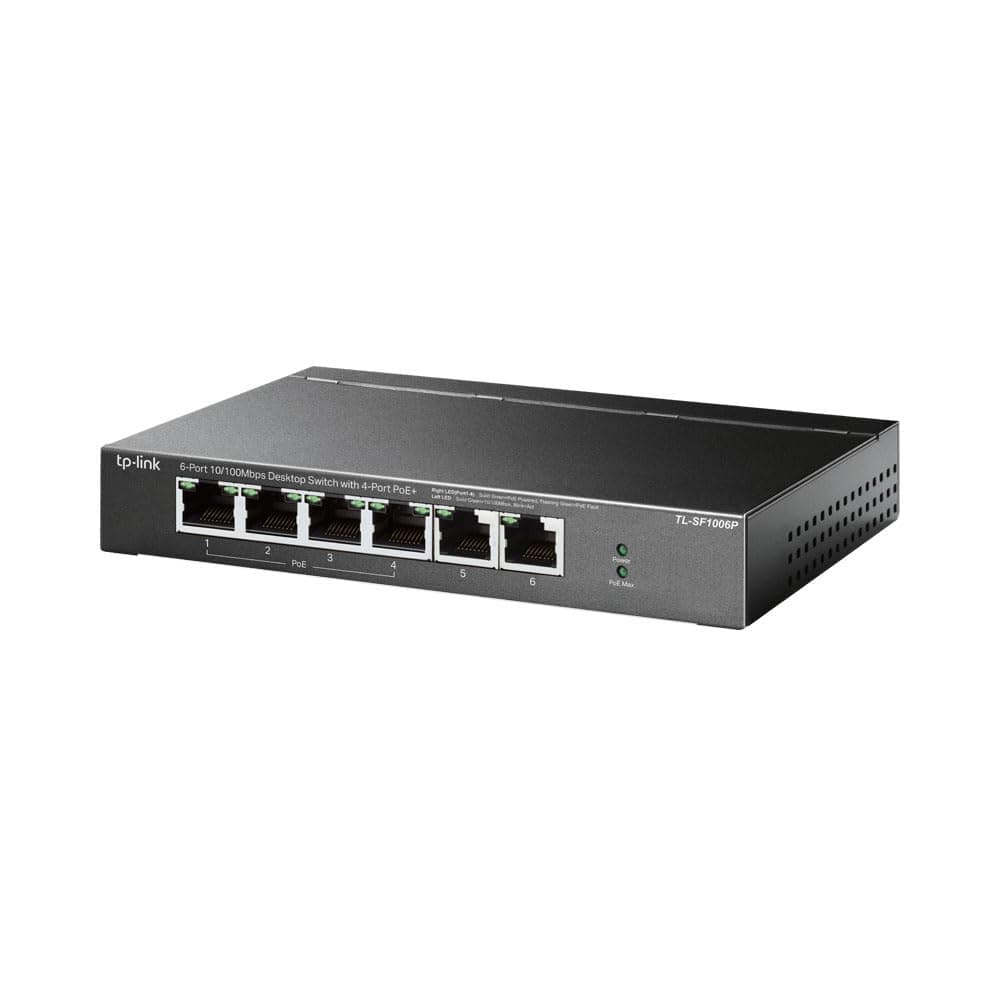
The TP-Link TL-SF1006P is a 6-port Fast Ethernet desktop switch featuring 4 PoE+ ports that deliver up to 67W total power. It supports IEEE 802.3af/at standards, offers plug-and-play ease, and includes Extend and Priority modes to optimize power and data transmission up to 60 meters. Its rugged metal design with shielded ports ensures reliable, long-lasting performance for professional and home network setups.


| ASIN | B08DP22ZRM |
| Best Sellers Rank | #1,095 in Electronics ( See Top 100 in Electronics ) #1 in Network Hubs |
| Box Contents | TL-SF1006P, Power Adapter, Installation Guide |
| Brand | TP-Link |
| Brand Name | TP-Link |
| Case Material Type | Metal |
| Color | Black |
| Colour | Black |
| Compatible Devices | Desktop |
| Country of Origin | China |
| Customer Reviews | 4.4 out of 5 stars 652 Reviews |
| Data Transfer Rate | 100 Megabits Per Second |
| Global Trade Identification Number | 06935364030933 |
| Importer Contact Information | For any queries, call on toll free no 1800 2094 168 or write us at [email protected] |
| Interface | RJ45 |
| Item Type Name | Switch |
| Item Weight | 320 Grams |
| Item Weight Unit of Measure | 320 Grams |
| Manufacturer | TP-Link Technologies Co., Ltd, South Building, No.5 Keyuan Road, Central Zone, Science & Technology Park, Nanshan, Shenzhen, P.R. China, TP-Link Technologies Co.,Ltd |
| Manufacturer Contact Information | TP-Link Technologies Co., Ltd, South Building, No.5 Keyuan Road, Central Zone, Science & Technology Park, Nanshan, Shenzhen, P.R. China |
| Manufacturer Part Number | TL-SF1006P |
| Model Number | TL-SF1006P |
| Number of Ports | 6 |
| Packer Contact Information | TP-Link Technologies Co., Ltd, South Building, No.5 Keyuan Road, Central Zone, Science & Technology Park, Nanshan, Shenzhen, P.R. China |
| Platform | Linux, Mac OS X, Windows |
| Switch Type | Managed |
| UPC | 767531615904 |
| Unit Count | 1 Count |
| Upper Temperature Rating | 40 Degrees Celsius |
| Voltage | 220 Volts |
J**T
Works out of the box
Nice product. Worked straight out of the box, autodetects endpoint PoE(+) devices and switches on power when a PoE device is detected. This makes it very safe to use with a mixed bunch of devices (PoE and non PoE). Caution: There is no way to manually activate PoE for a specific port, so if your PoE device is not fully compliant with the update IEEE 802.3at PoE standard (PoE+), the switch may not detect it properly and switch on the power. Be wary of using cheap PoE splitters!
A**R
Good Product
Using the product for some time now, have no issues doing exactly what it has to do, nice for a small home setup with only 8 cameras
K**N
Its 100 Mbps POE for CCTV
Remember this is not Gigabit. Its 100 Mbps switch mainly for CCTV using POE and adding it to network. Do not use it as main switch if you have internet speed more than 100 Mbps or you want faster LAN. This is the best switch for around four CCTVs poe cameras for home use and recording in an NVR or your synology NAS.
T**R
Check Power Requirements
I had taken this equipment, but it doesn't supply power less than 48v, out of any of the POE ports. A camera / AP would be 24v rated n it will not power up when connected to this switch. This happened with me. Only if you know that your POE device takes in 48v, go for it, else don't.
C**R
Solid! Plug and play.
Ports were as needed. Ease of installation. No complaints regarding speed and performance. Connectivity is stable. Cost efficient, good quality.
P**H
Poe switch
Before using this switch I was getting 20 mbps internet speed on 40 metre cat 6 cable but after using it I am getting 100 mbps internet speed . It is working continuously. It has 6 ports
N**E
Good enough to handle 4 IP cameras
How to connect IP Camera to NVR system: 1. IP Camera connected to PoE Splitter 2. PoE Splitter for each IP Camera connected to PoE Switch (PoE Switch should have enough PoE Ports for the number of IP Cameras needed) 3. PoE Switch connected to NVR 4. NVR to TV/Monitor 5. Ideal Ethernet Lan Cable to use is Cat 6 cables 6. You can connect Ethernet cable from Wifi machine to PoE Switch via non-PoE ports 7. Make sure the total voltages of devices connected to the PoE Switch is less than the voltage that can be handled by the PoE Switch
A**L
Tp link 8 port poe+desktop switch .
This is good product easy to install and value for money and good performance