We remain fully operational. Our teams are working around the clock to ensure your deliveries continue safely.

下载应用程序


Buy anything from 5,000+ international stores. One checkout price. No surprise fees. Join 2M+ shoppers on Desertcart.
Desertcart purchases this item on your behalf and handles shipping, customs, and support to Taiwan.
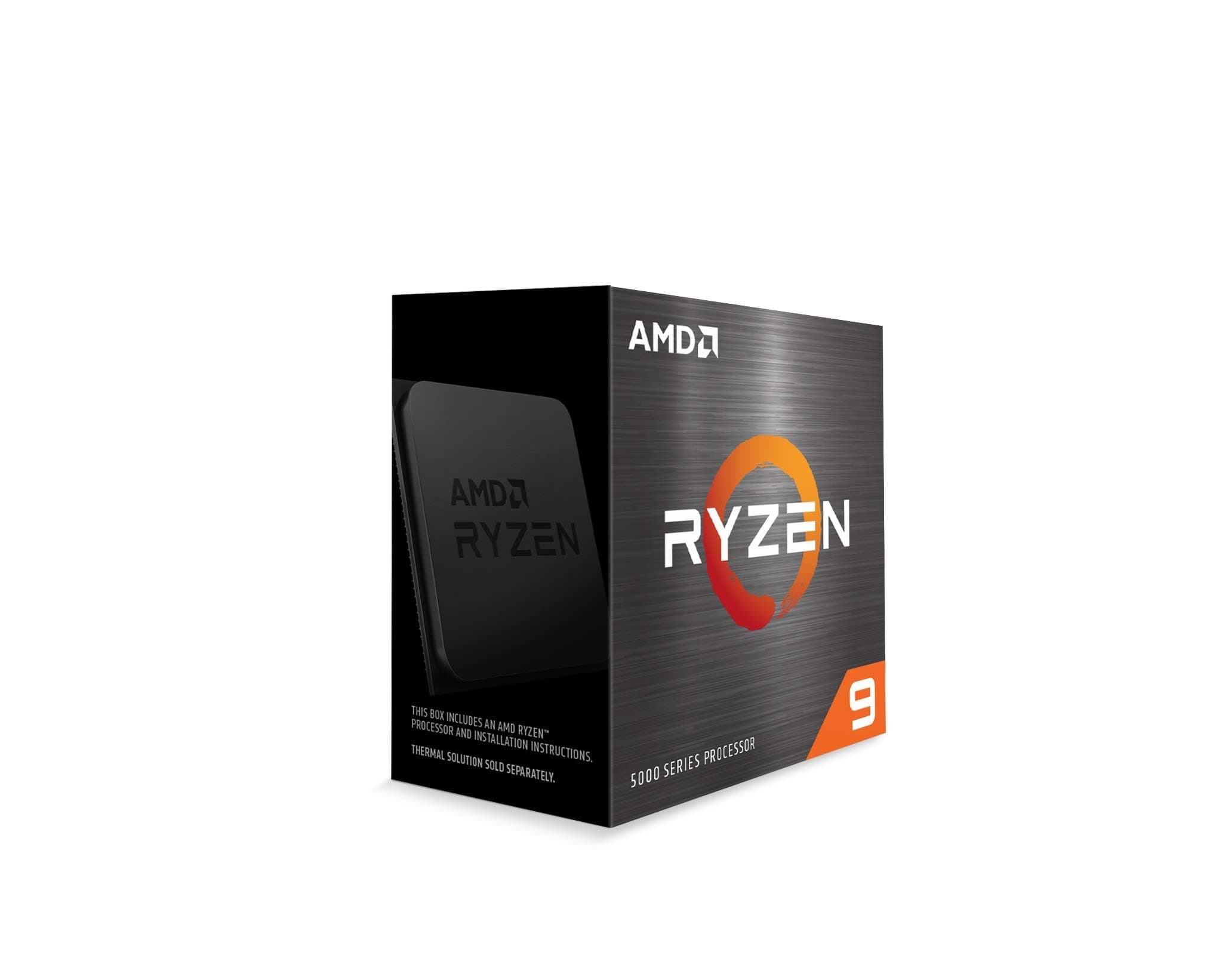
🔥 Power your ambition with Ryzen 9 — where speed meets unstoppable performance!
The AMD Ryzen 9 5900X is a 12-core, 24-thread unlocked desktop processor designed for professionals and gamers seeking top-tier performance. With a max boost clock of 4.8 GHz, 70 MB cache, and PCIe 4.0 support on AM4 platforms, it delivers elite gaming FPS, seamless multitasking, and efficient content creation. Ideal for advanced users who want to future-proof their setup and unlock overclocking potential.


| ASIN | B08164VTWH |
| Best Sellers Rank | #57 in Computer CPU Processors |
| Brand | AMD |
| CPU Manufacturer | AMD |
| CPU Model | Ryzen 9 |
| CPU Socket | Socket AM4 |
| CPU Speed | 4.8 GHz |
| Cache Memory Installed Size | 70 |
| Customer Reviews | 4.7 out of 5 stars 13,325 Reviews |
| Global Trade Identification Number | 00730143312738 |
| Item Dimensions L x W | 1.57"L x 1.57"W |
| Item Type Name | Desktop Processor |
| Item Weight | 2.8 Ounces |
| Manufacturer | AMD |
| Model Number | AMD Ryzen 9 5900X |
| Platform | Linux, Windows |
| Processor Brand | AMD |
| Processor Core Count | 12 |
| Processor Count | 12 |
| Processor Number of Concurrent Threads | 24 |
| Processor Series | Ryzen 9 |
| Processor Socket | Socket AM4 |
| Processor Speed | 4.8 GHz |
| Secondary Cache | 4 MB |
| UPC | 730143312738 |
| Unit Count | 1 Count |
| Warranty Description | 3 year manufacturer |
| Wattage | 105 watts |
C**Y
Upgrade
The Ryzen 9 5900X is hands down one of the best processors I’ve ever used, and I’ve built more PCs than I can count. From the moment I powered it on, the performance jump was obvious — lightning-fast boot times, seamless multitasking, and instant responsiveness no matter what I threw at it. This chip handles gaming, streaming, video editing, and multitasking all at once without even breaking a sweat. I paired it with a good cooler, and the temperatures stay surprisingly stable even under heavy load. The boost clocks hit consistently high speeds, and every game I’ve tested runs buttery smooth with zero lag or stutter. Where this CPU really shines, though, is in content creation and streaming. I use it as part of my streaming setup, and it absolutely chews through encoding tasks while maintaining flawless game performance. It’s the ideal processor for anyone who needs both power and efficiency — especially if you’re running OBS, multiple monitors, and browser tabs all at once. If you want to see what this processor is capable of in a real-world streaming setup, check out SassieJoXO on TikTok and Twitch — her streams run on a Ryzen 9 5900X system, and the smoothness and clarity are next-level. It’s a perfect example of what this CPU can do when properly configured. AMD really nailed it with this one. Between the 12 cores, 24 threads, and insane speed, the Ryzen 9 5900X is the sweet spot for serious gamers, streamers, and creators who want top-tier performance without going overboard on price. I couldn’t recommend it more — this CPU is a powerhouse and worth every penny.
S**G
Wow!
This is an absolute beast of a CPU. I bought this to upgrade my B450 system from a Ryzen 5 2600. First thing I did was check my boards compatibility with this chip, luckily, the BIOS was quite a lot newer than when support was added, so I didn't need to do any updates. If you do though, make sure you do it before you install this CPU. I, really, didn't think I'd feel that big of a performance improvement. Boy was I wrong... I put the CPU into "eco mode" through the BIOS (it was under AMD Overclocking on my ASUS Prime B450 board), as I'm only using a Noctua NH-U12S as a cooler. I plan to eventually get a more capable cooler, but this is working just fine, CPU is peaking out at 65C in eco mode with the single tower Noctua, pretty impressive if you ask me. My Ryzen 5 2600 ran around the same temps under load, and idled in the 40s, this idles a bit higher, but it doesn't really get much warmer than idle from what I can tell, at least with my system configuration. While I was removing my previous CPU it was actually "stuck" to the cooler. It actually popped right out of the socket... at first I was a bit worried that I may have accidentally broken something but... i apparently got very lucky. No pins were damaged on the old CPU, and it booted up fine in another system I tested it in. New CPU installation was very easy, just line up the triangle to the corner on the socket with a triangle, after opening the clamp bar of course. The clamp bar easily went back into place, and held the new CPU just fine. *Whew* At first I thought I may have damaged the motherboard, but... I took this as a chance to do a good cleaning of the inside of my case, and when I put the system back together... I forgot to plug in the GPU power cable *doh*. After plugging that back in, the system rebooted about 1000 times (got to love ASUS boards!), and then asked me if I wanted to overwrite the fTPM settings. I did, I run Linux and I don't use the fTPM. If you're running Windows 11, you may want to go through whatever procedure you need to go through to save this. You'll need it. You need to do this while your old CPU is installed though, or you'll have to go through the whole process of putting it back in if you don't! Luckily, I didn't need to, but be aware of this. After wiping the fTPM settings and a few thousand more reboots (exaggerating a bit, it was probably 10 total, ASUS boards really like to do that), I was presented with a screen that said a new CPU was detected, and that all BIOS settings were cleared. Cool! So far so good! I spent some time going through and reenabling my RAM speed profile (got to make full use of the 128GB of 3200MHz RAM I installed yesterday!), turning virtualization back on, and enabling eco mode (I didn't want to get a new cooler right now if I could get away with it). Enabling eco mode did bring the CPU temp down about 10 degrees in the BIOS, and from reading around the internet, doesn't really seem to impact performance *that* much. Easier than fiddling with undervolting settings I'd say... After finally getting booted back up into my OS... I was actually kind of impressed already. Just from the increase in boot speed alone I already knew this was going to be good. It wasn't *slow* on my 2600 at all, it's still a very capable chip, but wow, this blows it out of the water. I've been working on a rust project lately, it compiles in about... 45-55 seconds on my 2600... I did the same project compile on the 5900X? 6 seconds. Even in eco mode. Wow oh mighty. The power of 6 more cores and a dozen more threads. I also run a Windows VM for several income producing applications (y'know, we all got to work, otherwise we can't buy these fancy new pieces of sand we send lightning through), and wow. Oh boy wow. Like I said, the 2600 wasn't *slow* by any stretch of the imagination, but the responsiveness and speed now is just absolutely incredible. The VM boots so much faster, every application is up and running almost instantly... and that's with only 6 cores dedicated to it... If you've got an older AM4 system. Buy this. Buy this before they stop making them. Buy this, and upgrade your BIOS if you need to. Just get it. Seriously. This is a monumental leap in performance that will *absolutely* extend the life of your AM4 system by several years. This is *far* cheaper than building a new AM5/DDR5 system, and you will be absolutely blown away by the performance increase. For $350 as of the time of this writing... it's worth every penny. Best performance upgrade I've ever made, for sure.
J**F
The sweet spot right now for a general-purpose CPU
The AM4 platform is getting a little long in the tooth these days, to say the least, but AMD has continued supporting it long after we probably had any right to expect them to. One reason for that is that modern motherboards have gotten crazy in terms of price - it used to be that a "good" motherboard would run you maybe $100, but now to get anything decent you really need to spend *at least* three times that, and then you'll need a new CPU and RAM on top of that. So AM4 has remained popular even with AM5 having been on the market for several years now, and AMD has continued producing processors for it. Many of us are just resistant to spending a large amount of money on a new motherboard when there's no real reason we should have to, and honestly no real reason they should cost that much to begin with. I've been rocking the same motherboard for about 7 years now (an MSI B350 PC Mate), and luckily it's been updated over the years to accept both modern CPU's like this one (yes, that means Ryzen 9's too, which the B350 chipset did not originally support) as well as faster RAM, so I have no need to upgrade to the AM5 or equivalent Intel platform just yet. A used PC Mate or Tomahawk (the gaming version of this same board) would not be a bad investment if you're on a budget and new to AM4! One caveat is that updates on older AM4 boards to support newer CPU's have to be done on older CPU's that they already support - a CPU like this one just won't work at all on a non-updated or older AM4 board. Ask me how I know. (I had to reinstall my old CPU to update my motherboard, then install the Ryzen 9 a second time.) So if you're upgrading from an older CPU, make sure you check for your motherboard's CPU compatibility and update as necessary *before* installing this processor. If you're on a budget and buying from scratch into this platform - and that's still not a bad idea, since price/performance ratios on AM4 are very good these days - make sure you get a motherboard that's either already been updated to support this processor, or did from the start, because you won't be able to update your board without a CPU it supports already in it. The Ryzen 9 5900X is among the fastest CPU's you can get for the AM4 platform. The 5950X is slightly faster but you get diminishing returns for the price. The Ryzen 7 5800X3D is better for gaming, if that's all you want to do, but it's significantly slower for things like content creation or anything requiring basic floating point or integer calculations. I chose the Ryzen 9 5900X as most likely the last AM4 CPU I'll ever buy because it was at that sweet spot in price where I could justify an upgrade over my old Ryzen 7 3700X, and I do a lot of different things with my PC - not *just* gaming. You can see that in the Passmark results I've posted, the CPU is in the 93rd percentile. That's not bad for a $300 processor on an 8 year old platform. These processors do take to overclocking pretty well too, although I've had limited results with that on my old motherboard. I do think the B350 chipset is a bit of a limiting factor there - remember, this chipset originally didn't support the Ryzen 9 family at all. Multi-threaded performance on my machine is a little bit below average relative to others with this same CPU even after using AMD's Ryzen Master utility to try to wean as much as I can out of this chip. So your mileage may vary and on an X370-based motherboard, or just something newer than mine, you could probably do even better. You're going to need a cooler to go with this CPU, since even the high-end AMD processors no longer come with one. You *can* use an older AM4 cooler, and I tried using the Wraith Prism that came with my Ryzen 7 3700X on the 5900X for a little while, but it was painful to listen to. These CPU's do just use a lot more power and generate a lot more heat... and that heat ramps up super-quickly. You really need something with a dual heat pipe setup or better, or use water cooling (I use air). I looked around and found that the Thermalright Peerless Assassin was consistently ranked in the top tier of AM4 coolers in tests, despite only costing around $30, so that's what I went with. The others that perform similarly all cost a lot more. On that note, just check that you've got a power supply that will support this processor. Either add up all the power requirements for all the components you have, or just take a Kill-a-Watt device and see how much power you're using at boot (boot is when you're usually using the most electricity). Then add about 70 watts more for this CPU vs. what you're probably using now. Obviously it's not going to be hitting those peaks all the time, but you don't want to get into a high power draw situation and have your PC immediately crash. So just make sure your PC can handle it. I have a 600 watt PSU that's about as old as my motherboard and it is working fine, but remember that what really matters isn't the total wattage your PSU is capable of but how much it can put out on the specific rails that are asking for it. If you've got a 600 watt PSU with something like an RTX 3080, then I can almost guarantee you're going to have a problem if you install this CPU and don't upgrade the PSU. I'm running a 4060Ti, which uses a lot less power than Nvidia's 3000-series cards, or most of AMD's cards. So just be aware of the power requirements, and think about whether your PSU can handle this CPU given the other components in your PC. This platform is probably about at the end of its life but you can definitely wring a few more good years out of it with the 5900X. Maybe by then AM5 will be a little more affordable.
L**�
Excels at everything
It may be in the very early stages of showing its age compared to AM5 CPUs, but it's still a beast of a CPU that can handle practically anything for less than the competition. It's on par or better than the AM5 CPUs of similar cost. I also feel confident that it will continue to be a powerhouse well into the future, as only 13.55% of Steam users have a CPU with more cores, and only 17.69% have a CPU with 3.7+ GHz speeds. The former stat includes this CPU. (As of April 2025's Steam Hardware Survey) Yearly changes to both stats are usually around 1%, so I doubt developers will aim for more extreme CPU requirements any time soon. January 2026 Survey Update: More Cores: 15.08% (1.53% increase in 9 months) Same or Faster Speeds: 22.43% (4.74% in 9 months) It's one of the best CPUs you can get for an aging AM4 motherboard, although you will likely need the most up-to-date motherboard firmware for compatibility. Double check that your board has a BIOS update that supports this CPU and whether you will need an older compatible CPU for the bios upgrade. Realistically, it will easily allow you to skip the AM5 socket completely -- Saving a lot of money since you didn't need to upgrade your RAM, motherboard, and potentially your CPU cooler if it's good enough to handle this CPU. The 5700X3D and the 5800X3D are technically much better for gaming at 1080p and 1440p resolutions due to their massive L3 cache size, but they will have slightly worse performance compared to the 5900X at 4k and at decompression tasks. Expect approximately 3-10% lower performance compared to the 5700X3D and 12-28% compared to the 5800X3D at 1080p and 1440p resolutions. At 4K resolutions, the performance gap narrows to nearly identical performance, as games become more GPU-bound, making the 5900X an amazing choice for high-resolution gaming setups. The 5950X Is also a slightly better CPU in terms of raw power, but the value proposition makes it an awful choice as of writing. In terms of compression and decompression performance, this CPU will handle everything exceptionally well. It manages to compile the initial shaders for Dragon Age Veilguard in less than 10 minutes -- Compared to the Ryzen 3600, which takes 20 minutes. It also handles decompression exceptionally well. It's able to handle Windows's Compact.exe feature at the XPRESS16K algorithm even better than Ryzen 3600 is able to handle XPRESS8K, with no stutters whatsoever during gameplay. So it's a CPU that will let you reclaim a lot of storage space from games with unoptimized game files. (For more information, research Compact GUI, which is a visual interface for the Windows's included compact.exe command.) Performance is a bit too complicated for me to benchmark and compare thoroughly, so I advise looking up proper comparisons with your current CPU. However, it is a CPU known to handle overclocking exceptionally well. Regardless if you overclock it or not, any and all games released in 2025 will have extremely playable frame rates.
G**E
My daily driver. Not a "gamer" CPU.
I bought this because Linus Torvalds was using it as his daily driver in late 2020. Look, let's be real here- if you're reading this review in 2024, you're looking for a reasonably-priced CPU, you're looking for something that can do work and some play... and your hardware is probably ancient, or you're trying to save money. If you're seriously considering buying an AM4 CPU in 2024, with no real upgrade path, I feel you, but be aware that you're making a long-term purchase and you will be stuck with this CPU for years, or have to spend real money. I wish AMD would make more AM4 CPUs using some of their new AM5 technology- I can live without PCIE 5.0, personally. But they don't appear to care about that. That said, I bought this during the worst of "cannot buy computer for love or money" in mid-2021, and I have zero regrets. If electricity isn't too expensive where you live, and you are ready and willing to water-cool, this CPU is still quite brilliant for what it was meant to do. Gaming? It's fine. Not the best by today's standards, but it's completely fine for most games. But that is not what you buy this CPU for. if you want to play games *and* get seriously-crunchy stuff done for work, like compiling code, doing MatLab stuff, running Filter Forge in Photoshop, doing renders, etc.... this still a pretty great CPU. If you're not living under a rock, you know that the new Ryzen 7 chips are coming this year, and they look pretty good: for $300 more (for the CPU alone), you get more performance and significant improvements in power draw and cooling. I'll be upgrading when I think the value proposition is right. But it's hard to justify when this thing just... keeps going, and I'm lazy; building a whole new rig means spending real money and then getting it built just right, tweaking the BIOS and all that... and I don't do that until it makes sense. So this remains my beast of burden. Workload after workload, day after day, this has been reliable and fast. It wasn't cheap when I bought it, but I don't have any regrets. But. If you're looking at this thing, be prepared. You really *must* water-cool it. You'll want at least a 240mm AIO. Preferably 360mm, so that you can keep fan speeds low. I'm using a pump with a big reservoir so that I can hardly hear it. It eats electricity. It's going to heat up your room, just idling. It wants the fastest RAM you can give it, configured correctly in your BIOS to use the best timings. It needs a decent motherboard and power supply. At today's prices, to get the most out of this, you're looking at somewhere around $800 for a power supply, DDR4 RAM, motherboard and this thing. Add in at least one or two M.2 drives and a decent GPU, and you're looking at $1500. Don't go cheap on this CPU. If you need to work, then you need to give it enough memory, power and cooling to do what it's good at. If you do that... well, I haven't felt the need to even think about upgrading yet. AMD's 9700 might convince me, maybe, when it's not $500, but I'm hoping to see another 12-core CPU with decent single-core performance and serious oomph when they reveal their whole lineup this year. If you need cheap, don't buy this. Go for the 5800X3D. It's great for gaming, it has 8 cores, and you can build a cheaper rig that doesn't need as much cooling, memory or power.
M**E
I swore off AMD forever.
I once chanted... NEVER AMD! NEVER AGAIN! But here I am, back to AMD, the heathen abomination known as the 5900x is running in my brand new pc build... my inner intel fanboi is totally RAGING right now! I was team blue for life I always proudly declared. My INTEL pride could not be matched. They were my heroes, and the blue man group will always live on in my mind forever. But even I cannot deny that zen 3 was a grandslam and clearly the better cpu right now. Rocket lake might be a tiny bit more powerful core per core when it launches soon, but it also costs more electricity to run, and does not come in more then 8 cores. I would wait until alder lake at least before going back to intel (and it better be REALLY GOOD) if you were looking for a new pc in 2021. It's the P4 vs ATHLON from 2004 all over again. Big hot inefficient intel chips once again. 5900x or 5600x? The 5600x is much cheaper but also half the cores. If you are just gaming get that instead (it even comes with a free cooler- though it isn't a very good one). I do a lot of gaming but also a lot of work in windows, and I am delighted how I can have a bunch of apps and stuff running without slowdown. The 5900x is very powerful, and powers through tasks that once took 15 minutes to do in only a few minutes now... but honestly for pure gaming I don't notice much of an increase over my old 4670k i5 (was actually worse in 4k, but in 1080p was about 2x the fps in high detail settings). It really still comes down to your GPU more then anything for gaming esp if 4k gaming, so keep your expectations realistic. I paired up my 5900x with a 3080, and games are wonderful now in 4k glory (the clarity is mind blowing). No CPU bottlenecks for me. =) STONE COLD STEVE PROCESSOR! I paired this up with the noctua d15 cooler and aorus master mobo. The noctua is soo big and the aorus master ram slots are positioned in such a way that that sadly the front fan won't fit (collides with about any ram chips if you try to install in the front- and collides with the mobo back port heatsink if you try to put it in the back). Even so with the 1 fan, the noctua is soo good at cooling and zen 3 is soo efficient that this chip runs COLD! And the noctua is near silent most of the time, seems like a fantastic pairing to me. NEVER INTEL EVER AGAIN!! After swearing off AMD in 2008, I am back. I still hate their GPU drivers so I am still sticking to nvidia for GPU's forever and ever, but the processors from AMD are awesome again. If you need the horsepower the 5900x is pricey but absolutely worth it. I will NEVER buy INTEL EVER EVER EVER EVER EVER AGAIN! well... at least until they are clearly the better processor again... (probably with alder lake lol) I have commitment issues, but it's good way to be in the tech world I guess, and you should be like that too. And please understand that the 7nm vs intel 14nm is not understood by common folks very well. It's like the bit wars from snes\sega genesis. Intel measures differently. Their 10nm is likely to pack far more transistors in an inch then AMD\TSMC's 7 could ever hope to. It might even be pretty close to a TSMC 5nm (we'll see). So don't buy based on NM numbers that are just like marketing fluff now. Buy based on the REAL performance and efficiency numbers\benchmarks. But for now? Yes the 7nm zen 3 IS superior to intels 14nm tech, and I am very happy with my purchase. AMD pulled it off and I never thought they could. I am delighted to have been proven wrong.
R**T
Solid am4 cpu for anything!
Very fast processor. Performs really great and boosts up to 4.9 ghz, no bent pins and was brand new out the box, there’s a little mark in the corner like most cpus so it’s really easy to install, I had dropped it in my computer case and it didn’t land on the pins and still works perfect.
A**A
Great product runs hot
This product does well when paired with a good GPU. However, it does run on the not side. I highly recommend an AIO for this. I have a mesh case with 4 fans not including the radiator two fans. I had repasted and moved the fans around before finally getting decent temps on the CPU. It was constantly running high under low loads up to 90c. I finally bought Grizzly paste got a great spread and had two exhaust fans on top, one in the rear, one regular intake in the front at the bottom and the two radiator fans on front were intake with the tube's down. Now idle is down to 30-40c normal load 40-60c and gaming goes 60-85c. Still a little high but doesn't throttle like it did before. I tried grizzly before, arctic mx 6 and a few others but didn't work. A second round of grizzly did well. I almost went with liquid metal... I also thought it was the AIO and changed it out for one that I knew worked and that wasn't the issue. I think the last paste was a good even job and a good seat too of the pump. Just know this does run hot and others have said the same. You will need a good AIO and a case with great air flow.
TrustPilot
1 个月前
1 周前