We remain fully operational. Our teams are working around the clock to ensure your deliveries continue safely.

下载应用程序


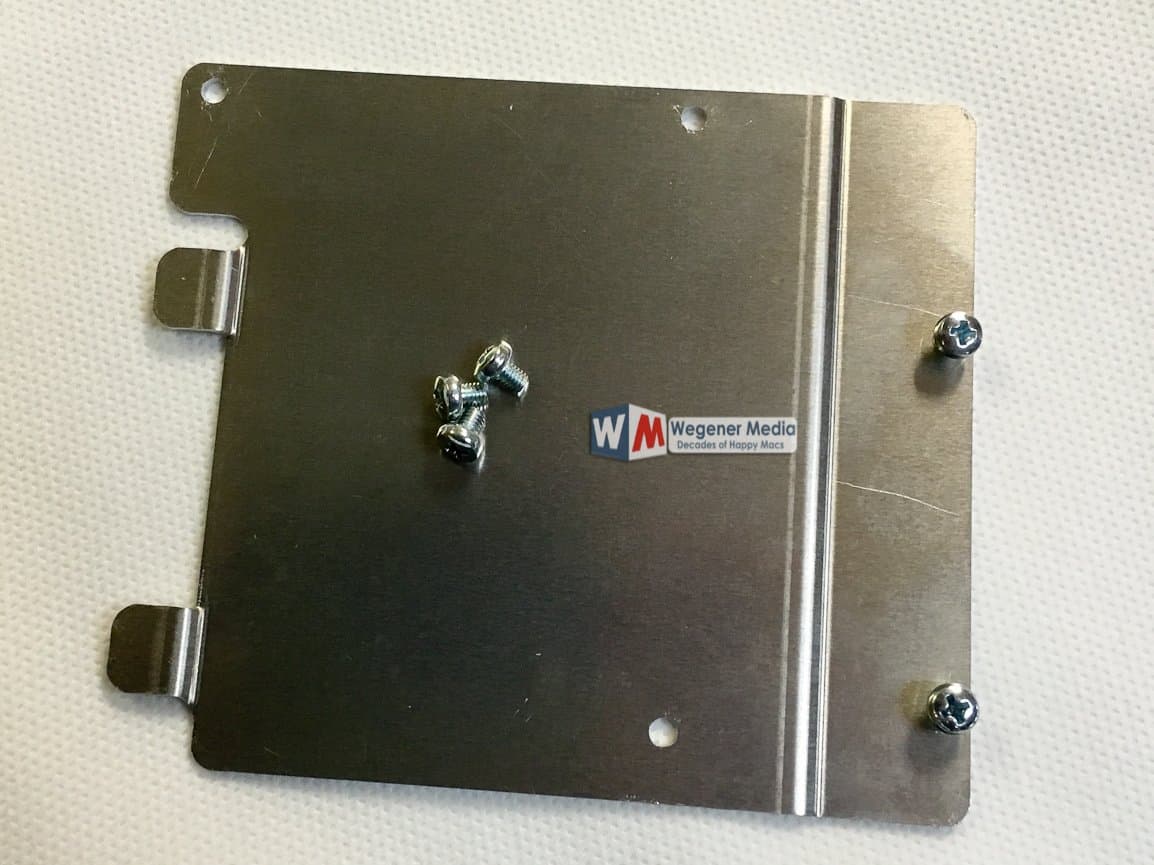

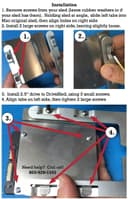

🚀 Elevate Your Mac Experience!
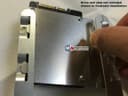
The DRIVESLED SMR Mac Pro Tower SSD Drive Sled 2.5 Adapter by Wegener Media is a high-quality solution designed to seamlessly integrate SSD storage into your Mac Pro Tower. Compatible with models from 2006 to 2012, this adapter uses the original Mac drive sled, ensuring reliability and ease of installation without the complications of additional circuit boards.
| ASIN | B01EBHFS0O |
| Customer Reviews | 3.4 3.4 out of 5 stars (83) |
| Date First Available | April 15, 2016 |
| Is Discontinued By Manufacturer | No |
| Item Weight | 3.04 ounces |
| Item model number | MP-12620 |
| Manufacturer | SMR |
| Product Dimensions | 2.5 x 3 x 0.2 inches |
C**G
Like anything else in life you might have to play ...
This gets 5 stars because it works and the pricing. Like anything else in life you might have to play around with lining things up to get it to fit and connect, but i got all 4 sleds working. Pay attention to the simple install video on Youtube. . Bottom line: I have 4 Samsung Pro 850 SSD 1TB drives on a Mac Pro with Dual x5687 Xeons. I can chew up and spit out a lot with this set up until the x5690's go cheaper.
Z**N
Compré este adaptador con la intención de montar un SSD en una bahía de un Mac Pro Tower (modelo clásico), pero lamentablemente no logré que encajara correctamente. El trineo no alinea bien con los rieles internos del chasis, lo que impide cerrar la bahía de forma segura. Aunque el material parece decente y la idea es buena, la ejecución no está bien calibrada para el estándar del Mac Pro, al menos en mi caso. Terminé optando por una solución de montaje más confiable y específica para este modelo. No lo recomendaría para quienes buscan una instalación limpia y sin complicaciones en un Mac Pro 2009–2012.
M**Y
bending the tabs sounds easy however it's nearly impossible to get an accurate bend ...
I have three Mac Pros, two 2010 5,1's and a 2009 4,1. These sleds do not fit and of my computers without bending the drive sled receiving tabs in my computer, bending the tabs sounds easy however it's nearly impossible to get an accurate bend on the tabs that need it due to accessibility. The rear ones are nearly impossible to reach especially on drive bay 1. Not to mention changing around the drive sled rubber grommets and screws as required is a hassle. I ended up bending the tabs in my computer as required, the sleds worked poorly, every time you slide them in and out the aluminum on the sled gets scratched deeply, leaving metal particles behind. If you do not bend the tabs correctly you might end up forcing the drive into it's connector and if something is not lined up right you might break the drive sata connectors or worse the ones on the computer side! I did my best to bend my computer back to normal, these are going back. I opted for the much sleeker aluminum and pc board adapters out there for about the same price (Fenlink I think is the brand), they fit smooth as silk and work perfectly. I rarely post, but I really wish I had known before I purchased. Sorry guys.
T**S
Top-shelf product that works great...
Works perfectly. My Mac Pro is one of the ones that the tabs needed to be bent slightly to be more flat to allow the drive to slide in easier. Perfect solution and you can't beat the price. Using the existing drivesled makes better sense than the other adapters that replace the entire drivesled. Mine was delivered with only 3 of what looks like (from the photo) should be 5 screws, So I had to hunt around for two other screws. Great customer follow-up from the manufacturer. Top-shelf customer support and a top-shelf product. I would buy again when I need another 2.5" drive.
A**Y
They work.
You would think that a Mac Pro with drive sleds would be the easiest installation on the planet. Spoilers: It wasn’t. Rubber washers or not, both of these adapters took considerable work to align and even get to go in to my 2010 tower. They work, but don’t get them if you frequently swap hard drives.
J**N
Not the most user friendly or elegant design but it worked for me.
After deciding on ordering an SSD for my 2006 Mac Pro I looked into a well known brand’s bracket but was confused as to why you needed to plug an SSD into more electronics that then plug in to the internal SATA slot. I read the reviews and watched some videos on this one and decided to give it a go, fully expecting to return it out of frustration. Well, it took about 15 minutes to mount the SSD onto the tray and install it into the drive bay. It seems that the trick is to make sure that everything lines up before giving it the final push in to the slot. It was pretty tight but I didn’t need to do any bending. If It had come to that I would have returned the tray. Could this be designed a bit better for easier installation? Maybe. Does it work? It did for me. And there’s no unnecessary electronics between my SSD and the SATA port. I’ll be buying another for the 2nd SSD I put in this Mac Pro.
M**M
Great product! Good support and for me, a perfect solution
This is a really useful and inexpensive solution that simply works! I have numerous SSDs that I am transferring from my Windows PC, so obviously was looking for something simple to install, and wouldn't cost a fortune As I say, this works.. .nothing fancy, but fancy is not at all necessary in this case. It's a perfect solution for me, and I thoroughly recommend it as an option.
S**M
Didn't work for me
Of COURSE I have one of the Mac Pro towers this won't fit in. The item did come with instructions to call the manufacturer if that's the case (the instructions didn't mention whether or not the problem was solvable) but frankly I don't have time for that.