We remain fully operational. Our teams are working around the clock to ensure your deliveries continue safely.

下载应用程序



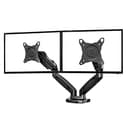

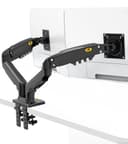
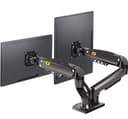
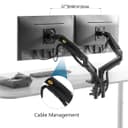
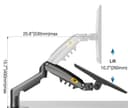

🖥️ Elevate your dual-monitor game — because your workspace deserves the upgrade!
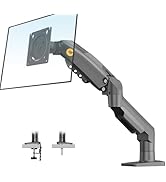
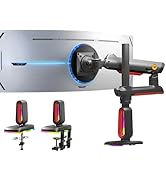
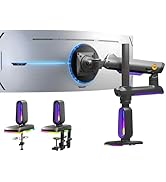
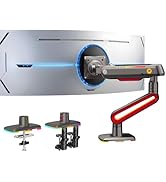
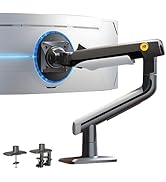
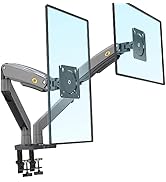
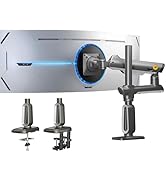
The NB North Bayou Dual Monitor Desk Mount Stand F160 supports two 17-27 inch monitors weighing 4.4 to 19.8 lbs each, featuring full-motion swivel, tilt, and height adjustments. It offers versatile mounting via clamp or grommet, integrated cable management, and frees up over 50% of desk space, making it an ergonomic and space-saving solution for professionals seeking a clean, customizable workstation.









| ASIN | B01EHQL3LW |
| Best Sellers Rank | #807 in Computer Monitor Arms |
| Customer Reviews | 4.7 4.7 out of 5 stars (4,839) |
| Date First Available | June 10, 2020 |
| Is Discontinued By Manufacturer | No |
| Item Weight | 11 pounds |
| Item model number | 1001070680 |
| Manufacturer | KUNSHAN HONGJIE ELECTRONICS CO., LTD |
| Product Dimensions | 26.3 x 5.71 x 6.77 inches |
J**L
So far so good.
A co-worker recommended this brand, but he uses a different model for setup with larger monitors. This particular stand is rated for monitors up to 27", which is what I am using, so I'm at the high end of its range for size, but probably not weight. The specs say it can support up to 19.8 pounds per strut, and the two I'm using might total that together. The unit can be mounted either using the two clamps included for a table edge, or in a grommet in the desktop. I can't speak to the latter installation, since the desk I'm using doesn't feature grommets in the desktop, but the table edge mounting clamps (2) seem plenty sturdy enough to keep the unit solidly in place. Assembly looks a little intimidating when you first open the box, but the instruction sheet is clear, well organized, and mainly picture driven, though there is some text where it's useful to have additional information. Where the arm meets the monitor, there are two full sets of screws in each of two lengths, and spacers in two sizes if they're needed to adjust to your particular brand and model. I didn't need to mix and match, and didn't need the spacers either, but they're included in the hardware kit if your mileage varies. My desktop isn't very large, and I'm limited in the space available on either side, so the adjustments had to be pretty flexible. I'm happy to report that both monitors now hover above the desktop, allowing me to move them closer if necessary, which was an option I didn't have before. Time will tell if I find a flaw in the setup, but it hasn't happened so far. Overall, a very good unit and a good value for the money as well. Definitely recommend.
B**N
BEST DUAL MONITOR MOUNT
I purchased this item mainly to save space on my small desk. I had previously bought a dual monitor mount attachment, which I attached to a laptop desk mount I already had. Unfortunately, the weight of my monitors (both 24" LCDs ~11-12 lbs.) caused the mount to start tilting. I honestly took a chance with this product (I had never heard of North Bayou before), but it had good reviews, and the weight limit for each arm was more than enough for my monitors (if I remember correctly I think they can hold up to 27", but don't quote me on that). So that's WHY I bough it. WHY I LIKE/LOVE IT: 1) Saves space!!! Just like I was looking for. I don't know who wouldn't want more space on their desk. The arms pivot almost any direction, definitely any direction that makes sense. The support on the pivots and screws are extremely durable, so the monitors stay where you set them. I've brushed/knocked into mine a few times, and my desk is extremely unstable (or I just type way too ferociously) and the monitor's just don't move!! My old set-up, it was always a matter of time before one or both of my monitors just lost tension and fell. 2) CUSTOMIZATION! Kind of mentioned it in the first point, but these arms have great hold on the position of the monitor. With that being said, you can rotate, tilt, move, whatever you want to do, these arms let you do it! And like I mentioned already, IT WILL STAY IN PLACE. 3) Cable management: I normally find most products that claim cable management....frankly sucks. This mount comes with cable management for both monitors starting at the arms, stays *INSIDE* the arm (hard to explain, but they're almost invisible) and comes out the back, virtually out of site. AND it also comes with cable management for your keyboard and mouse or any other desktop USB cables you may have. This is one solid product! It does what it says and it does it well. It even came with a few shocking features for me and has really made my desk organization ability much better. I've always had to rearrange my desk configuration recently. Thanks to the easy manipulation of this mount, a task that might've taken me an hour was accomplished by re-arranging the arms of the mount slightly, taking a whopping 7 seconds! ANYWAYS, IF YOU HAVE 2 MONITORS, NEED MORE DESK SPACE, BUY THIS!
P**A
Great Double Monitor Arms
They look great. You can move them any way you want your monitors to look. Mine sit side by side perfectly. Price is good. These arms sit next to each other like a space creature. I had ordered 3 different type of monitor arms where the pole sits in the middle and you put one arm on top of the other and i couldn't get the monitors to sit evenly next to each other so i had to return them and they were so hard to move around. They are good sturdy arms, i just could not get to do what I needed them to do. The tension is hardly to play with. I like having a pole in the middle with the two arms out but... I am glad found these different ones. I highly recommend. (the last pic is the other monitor arm I purchased and you can see I just can't get the monitors to sit evenly next to each other. ) They are good arms, i just could not get to do what I needed them to do.
S**T
These monitor desk mounts were a breeze to install, very sturdy design easy to manoeuvre into position. Very cheap and affordable.
G**D
I have two 27" monitors on these and they were the best decision for my set up. Monitors just float there. The installation was quick and easy, I loved having the option to clamp on or screw in the desk, and rest assured these are strong arms with strong mechanisms, I've been using them for about 2 years now, your monitors aren't going to just drop and fall with these. I recommend these to anyone who has monitors that fit them and if you're looking for that floating look where you can barely see the arms, THIS IS IT!
M**N
Good quality product. My only issue is I have to raise my screens higher than I like, above my laptop screen, as there is not enough space inbetween the 2 screens to fit the laptop screen.
W**L
23.8インチと24インチのディスプレイで使用しています 【良いところ】 ディスプレイ2つ分の卓上スペースができる 高くできるため姿勢が良くなる 画面を遠ざけたり近づけたりできる ディスプレイの配線を隠せるので配線がキレイになる 【もう少しなところ】 関節で曲げられる向きが決まっているので、バチっと任意の位置に収めるのにはコツが必要 関節が若干固い気がする ディスプレイを遠ざけたい場合はアームを後ろの方に曲げる必要があるため、机の後ろにスペースが必要(壁にくっついていると厳しいです) 【悪いところ】 個人的には必要なかったので気にしていませんがUSBポートは穴が開いているだけです
O**R
J'étais sceptique au début a cause de certains commentaires qui disaient que ça ne tient pas en place que ça bouge, monte tout seul ou compliqué à monter. Toutes ces personnes ne sont soit pas du patiente ou alors pas du tout bricoleur (encore que c'est à la portée de tout le monde). il faut moins d'une heure en gros pour tout mettre en place. Ce qui est pratique c'est les passages de câbles qui font que tu ne vois plus vraiment de câbles trainés. Moi ça m'as beaucoup servi à ranger et faire qu'il n'y ait plus de câbles qui trainent derrière le bureau. J'ai 2 écrans de 24 pouces et ça tient niquel, aucun souci niveau poids. Ça ne bouge pas, très manipulable, on peut les déplacer dans tous les sens, les monter et descendre très facilement. Pour ceux qui n'arrivent pas à régler les bras je vous mets les photos de la vis qui vous sert au réglage. C'est grace à elle que vous pourrez faire en sorte que votre bras ne remonte plus automatiquement et reste à la position souhaites. N'hésitez pas à la régler à fond(c'est ce que j'ai fait pour plus que mes bras bouges et remonte) Elle est un peu dur a tourner la première fois donc n'hésitez pas à forcer un peu sans pour autant y aller comme un bourrin. Dernière chose j'ai pris la version sans les câbles USB 3 intégrés mais j'en ai racheté derrière car très pratique pour brancher clé usb ou disque dur externe sans avoir à aller derrière mon bureau.
TrustPilot
3天前
1天前