We remain fully operational. Our teams are working around the clock to ensure your deliveries continue safely.

下载应用程序


Buy anything from 5,000+ international stores. One checkout price. No surprise fees. Join 2M+ shoppers on Desertcart.
Desertcart purchases this item on your behalf and handles shipping, customs, and support to Taiwan.
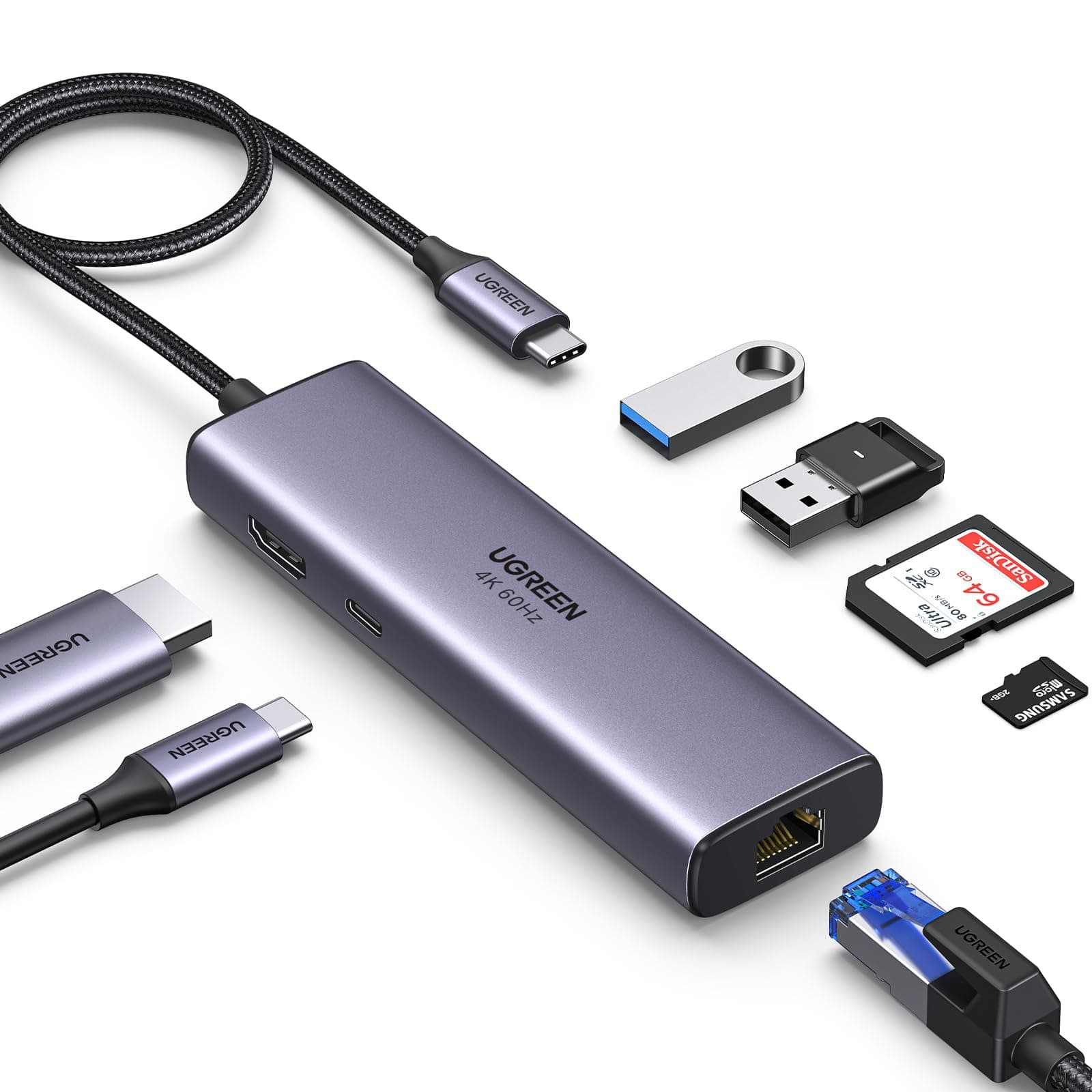
🚀 Elevate your workspace with the ultimate 7-in-1 USB-C hub—connect, charge, and conquer!
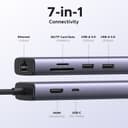
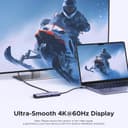
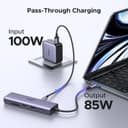
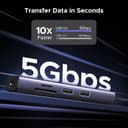
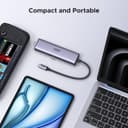
The UGREEN Revodok 7-in-1 USB-C Hub is a compact, aluminum-encased docking station delivering 4K@60Hz HDMI output, ultra-fast 1Gbps Ethernet, and 100W power delivery. Equipped with dual USB-A 3.0 ports and SD/TF card readers, it supports rapid 5Gbps data transfers and broad device compatibility including MacBook M1/M2, iPhone 15 Pro, iPad, and Steam Deck, making it the essential productivity upgrade for modern professionals.


| ASIN | B093FKT9BF |
| Best Sellers Rank | 15,565 in Computers & Accessories ( See Top 100 in Computers & Accessories ) 274 in USB Hubs |
| Brand | UGREEN |
| Brand Name | UGREEN |
| Colour | Space Grey |
| Compatible Devices | Compatible with MacBook Air M2 M1, iPad Air, iPhone 13/ 13 Mini/ Pro/ Pro Max, Galaxy S21/ S21+/ S21 Ultra/ S20/ S20+/ S20 S10/ S10+/ S10 Ultra, Tab S7/ S7+/ S6/ S6 Lite, Mac mini iMac ASUS Chromebook/ VivoBook/ Zenbook/ Zenbook, aPad/Yoga, Dell XPS 15, Chromebook Pixel, Surface 8, Steam Deck |
| Compatible devices | Compatible with MacBook Air M2 M1, iPad Air, iPhone 13/ 13 Mini/ Pro/ Pro Max, Galaxy S21/ S21+/ S21 Ultra/ S20/ S20+/ S20 S10/ S10+/ S10 Ultra, Tab S7/ S7+/ S6/ S6 Lite, Mac mini iMac ASUS Chromebook/ VivoBook/ Zenbook/ Zenbook, aPad/Yoga, Dell XPS 15, Chromebook Pixel, Surface 8, Steam Deck Compatible devices Compatible with MacBook Air M2 M1, iPad Air, iPhone 13/ 13 Mini/ Pro/ Pro Max, Galaxy S21/ S21+/ S21 Ultra/ S20/ S20+/ S20 S10/ S10+/ S10 Ultra, Tab S7/ S7+/ S6/ S6 Lite, Mac mini iMac ASUS Chromebook/ VivoBook/ Zenbook/ Zenbook, aPad/Yoga, Dell XPS 15, Chromebook Pixel, Surface 8, Steam Deck See more |
| Country of Origin | China |
| Customer Reviews | 4.4 out of 5 stars 8,642 Reviews |
| Data Transfer Rate | 10 Gigabits Per Second |
| Enclosure Material | Aluminum |
| Global Trade Identification Number | 06957303865154 |
| Hardware Interface | Ethernet, HDMI, MicroSD, USB, USB Type C |
| Hardware interface | Ethernet , HDMI , MicroSD, USB, USB Type C |
| Item Dimensions L x W x H | 12.4L x 3.3W x 1.6H centimetres |
| Item Weight | 0.11 Kilograms |
| Manufacturer | Ugreen Group Limited |
| Manufacturer Part Number | 60515 |
| Model Number | 60515 |
| Number of Ports | 7 |
| Operating System | Chrome OS, Linux, Windows 10, Windows 8, macOS 10.12 Sierra |
| Product Features | Fast Data Transfer, Lightweight, Pass Through Charge, Plug and Play, Portable |
| Special feature | Fast Data Transfer, Lightweight, Pass Through Charge , Plug and Play, Portable |
| Total USB Ports | 3 |
| Total USB ports | 3 |
C**.
Gives me all the ports I need on my MacBook Air
This USB-C hub has been a godsend for my MacBook Air. It has a fantastic selection of ports, including HDMI, Ethernet, USB-A, USB-C, and SD card slots. The HDMI output is capable of 4K@60Hz, which connects to my Samsung QLED Monitor and displays a crystal clear image. The Ethernet port performs very well, providing a reliable wired network connection. I was able to achieve fast and stable download and upload speeds comparable with the built-in gigabit port in my Windows laptop. One minor point is that when I have a power adapter plugged into the hub, it does get a bit warm to the touch. However, this is completely normal and it remains safe to use even when warm. The heat dissipation seems adequate. Overall, this is a very capable and versatile USB-C hub that provides a great selection of ports in a compact form factor. The key functions like Ethernet and HDMI work flawlessly. It was so good I bought a second one which is permanently connected to my MacBook Pro on my desk.
M**4
Solid HDMI and Ethernet
✅ HDMI works flawlessly. Have had other cheaper ones where it flickers or screen goes off or the screen goes green. None of that with the ✅ Ethernet helps keep a wired connection when I need it ❌ Sometimes gets a bit hot but all these converters and adapter do I purchased ones months ago and it’s been so reliable I got a second one.
M**H
Would like to see a version where the USB-C cable is detachable.
This is perfect for creating a docking station for a MacBook Air. I only need the HDMI, two USB-A ports, and the ethernet port. As soon as I connect it to my MacBook Air, everything works perfectly. The only downside is the USB-C cable. It's not detachable and is really small. Ironically, UGREEN does sell a USB-C extension cable and they show it used in the picture for this hub to make the cable longer. However, I feel it would have been nice to have the entire cable detachable so you could use your own longer cable for a cleaner setup.
G**Y
Great alternative dock for Dell laptop
Bought this to work from home as laptop HDMI port was playing up. Great little docking unit which works through the laptop USB C then charges laptop from there. No problems connecting to separate monitor, keyboard and mouse. Could do with more USB ports, but I went for this version as we wanted 60Hz and easy to plug a small USB extender in if needed. Overall a great alternative to a Dell dock at a much better price.
A**2
Great piece of kit
I work part time from home and find this adapter great. Use it for Ethernet, hdmi cable and wireless mouse adapter. Everything is one place and saves me having to use multiple ports on my laptop. Does not interfere and works fine for outgoing and incoming calls including Teams calls.
D**M
Flaky
Seems like a good all in one solution but it’ss a bit unreliable. Sometimes a drive will disconnect (then reconnect) if you plug a second one into the port next to it. In think it caused a serious problem with my Time Machine drive (although seemed to self fix , after I’d night a new 5TB drive of course.) Sometimes a single drive won’t work with nothing else plugged in (but works with a single A-C dongle.)
M**N
Works with Nintendo Switch (Including Video on Switch 1)
Works as a full dock (USB/Network/Video/Power) with a Nintendo Switch 1/OLED, and a hub (USB/Network/Power) for Nintendo Switch 2/Lite - I saw this model hub being used at the Pokémon European Championships for wired networking and got one - seeing it can do Switch 1 video output (Which doesn't work normally with hubs) was a nice bonus.
F**N
Works flawlessly
Bought as an accessory for I Pad Pro. Works flawlessly for phot transfer and HDMI output for presentation. Premium metal feel.
TrustPilot
1天前
2 个月前