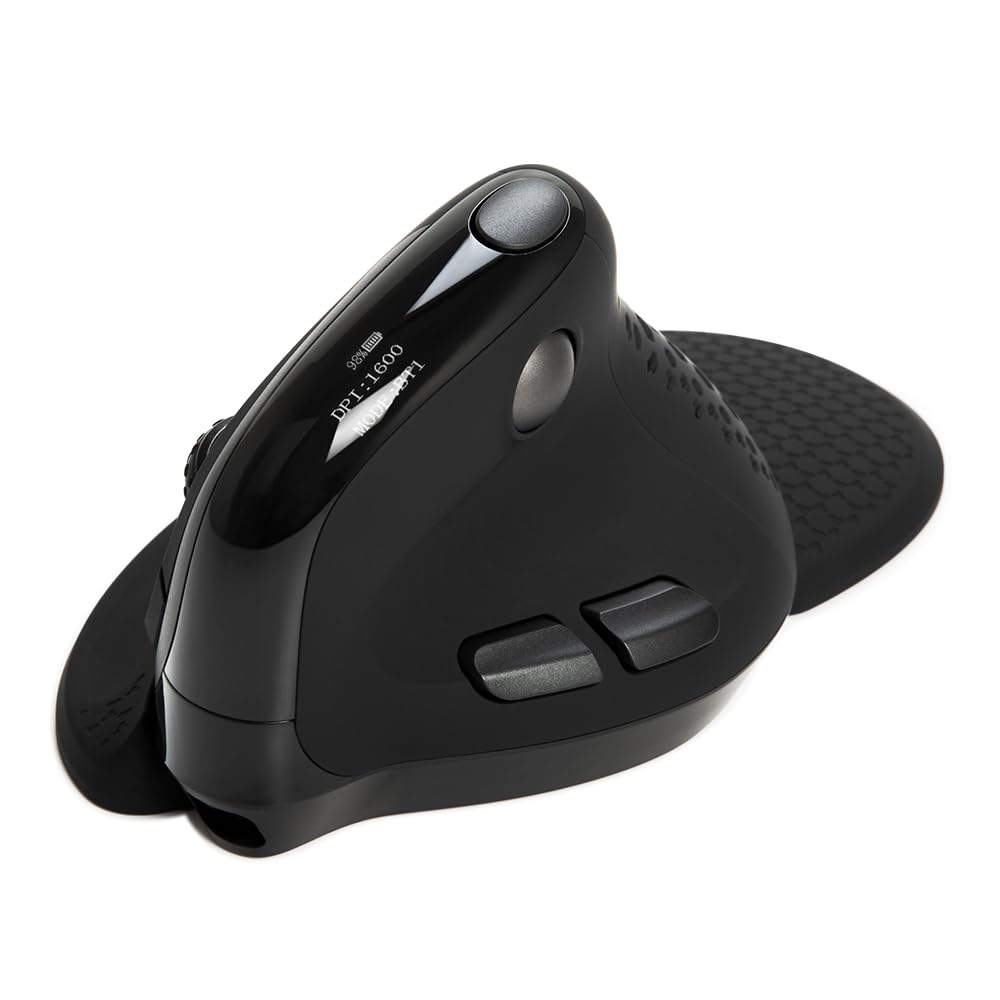
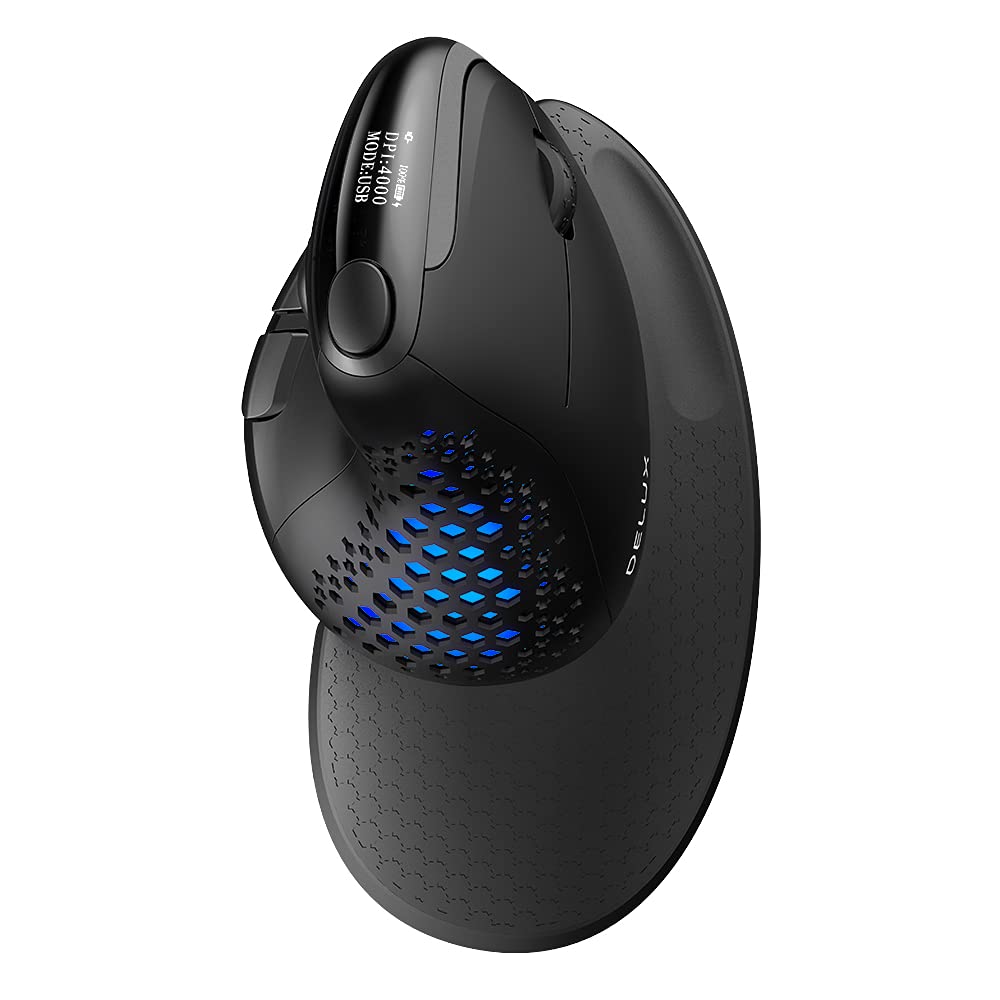




🖱️ Elevate your workflow with precision, comfort, and style — the mouse that works as hard as you do!
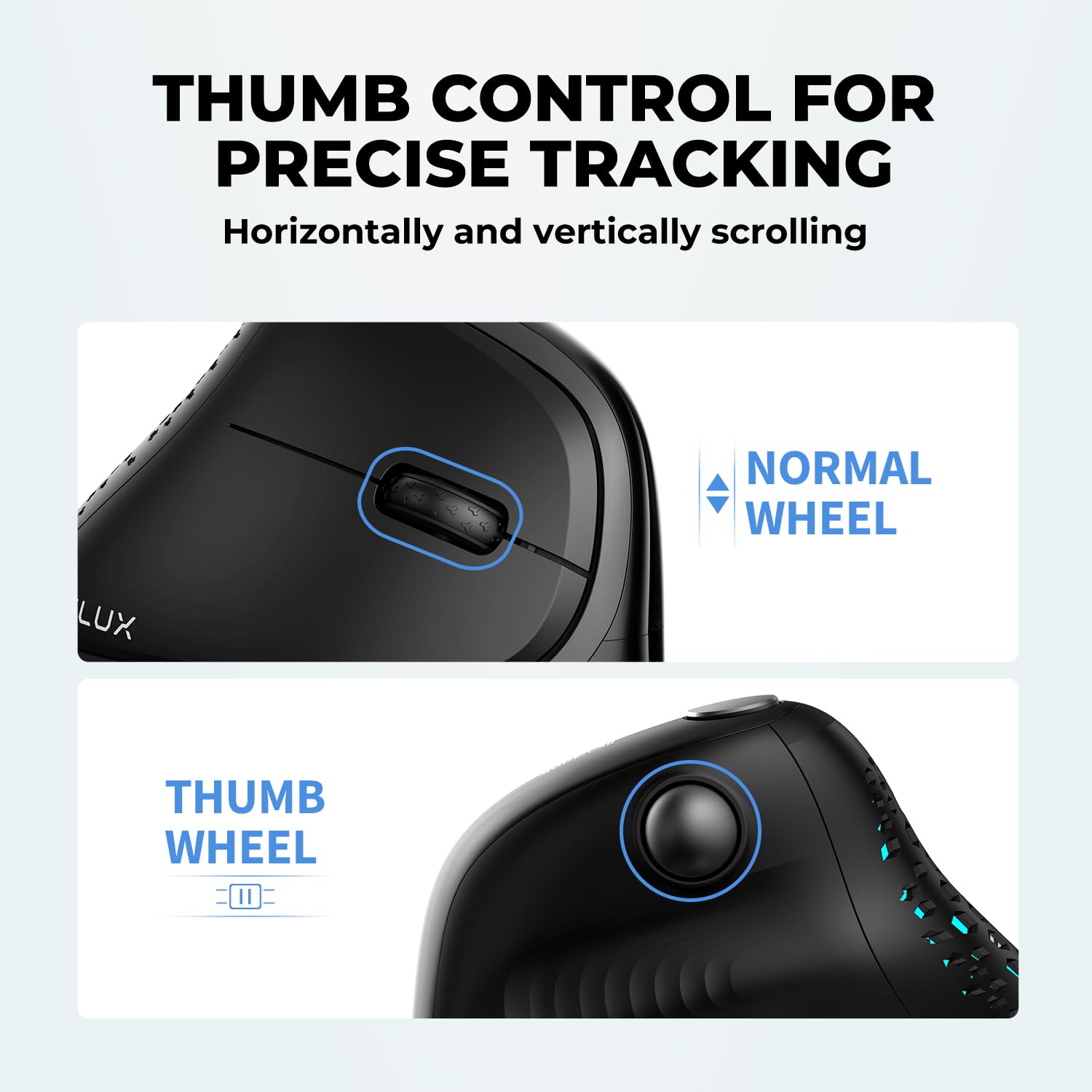
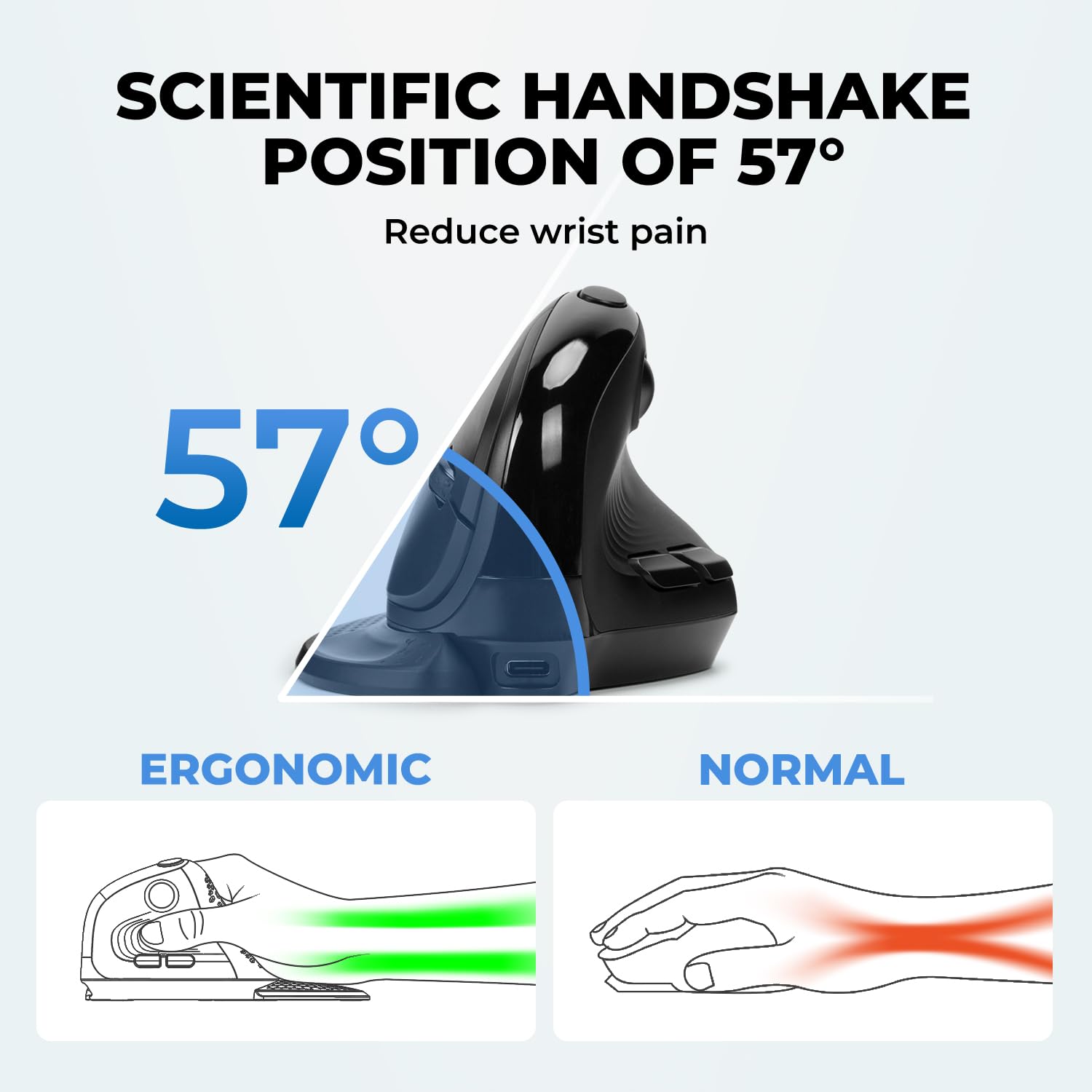
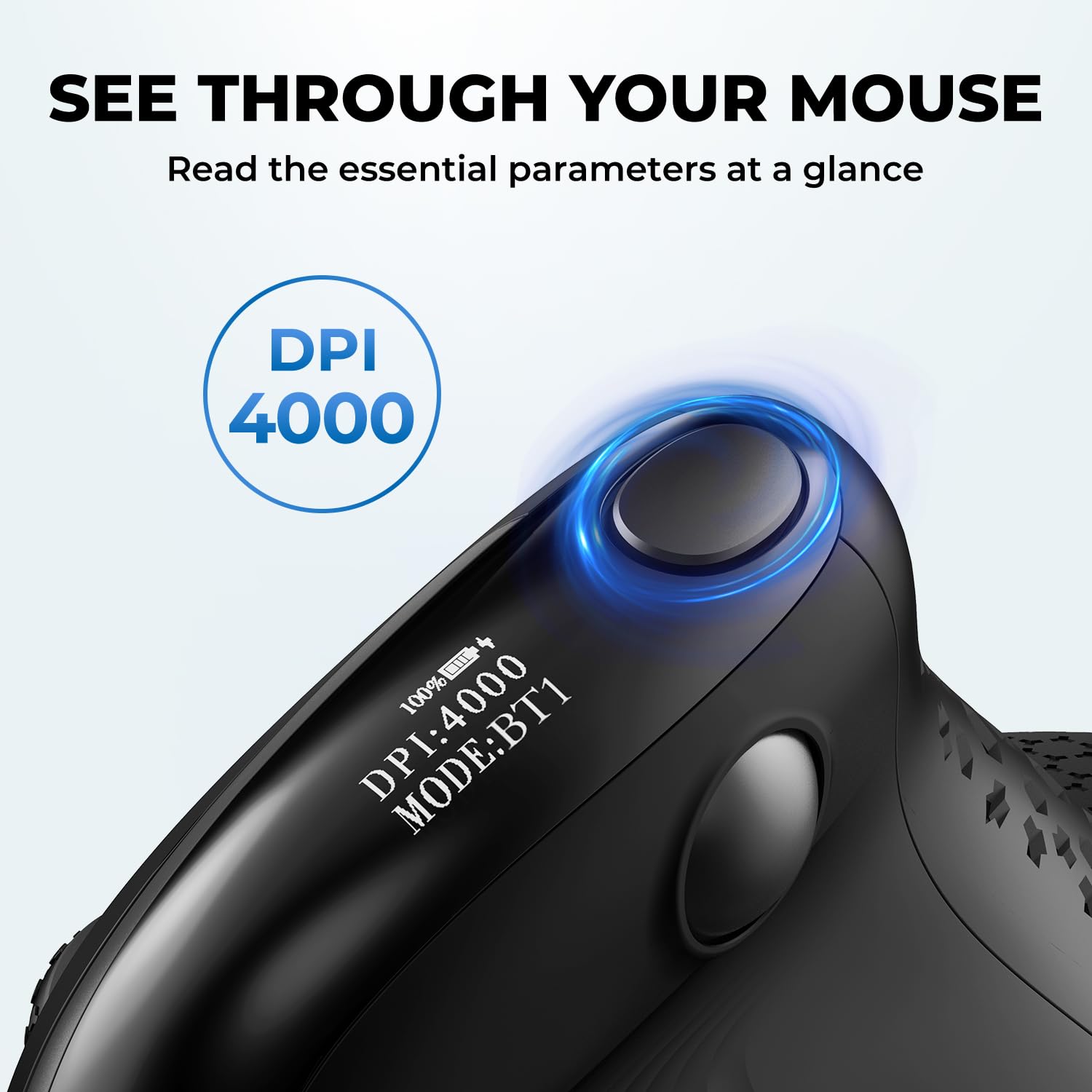
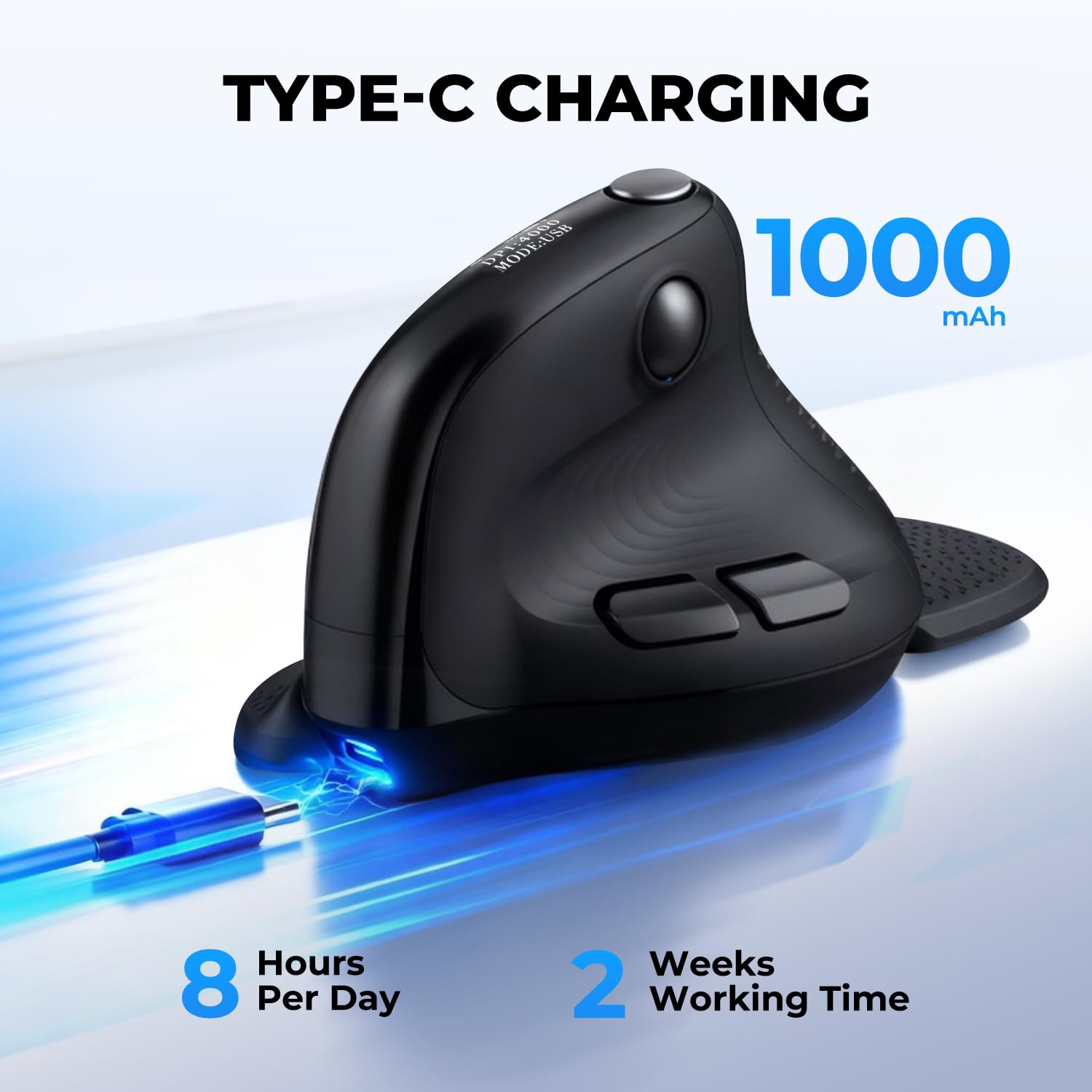
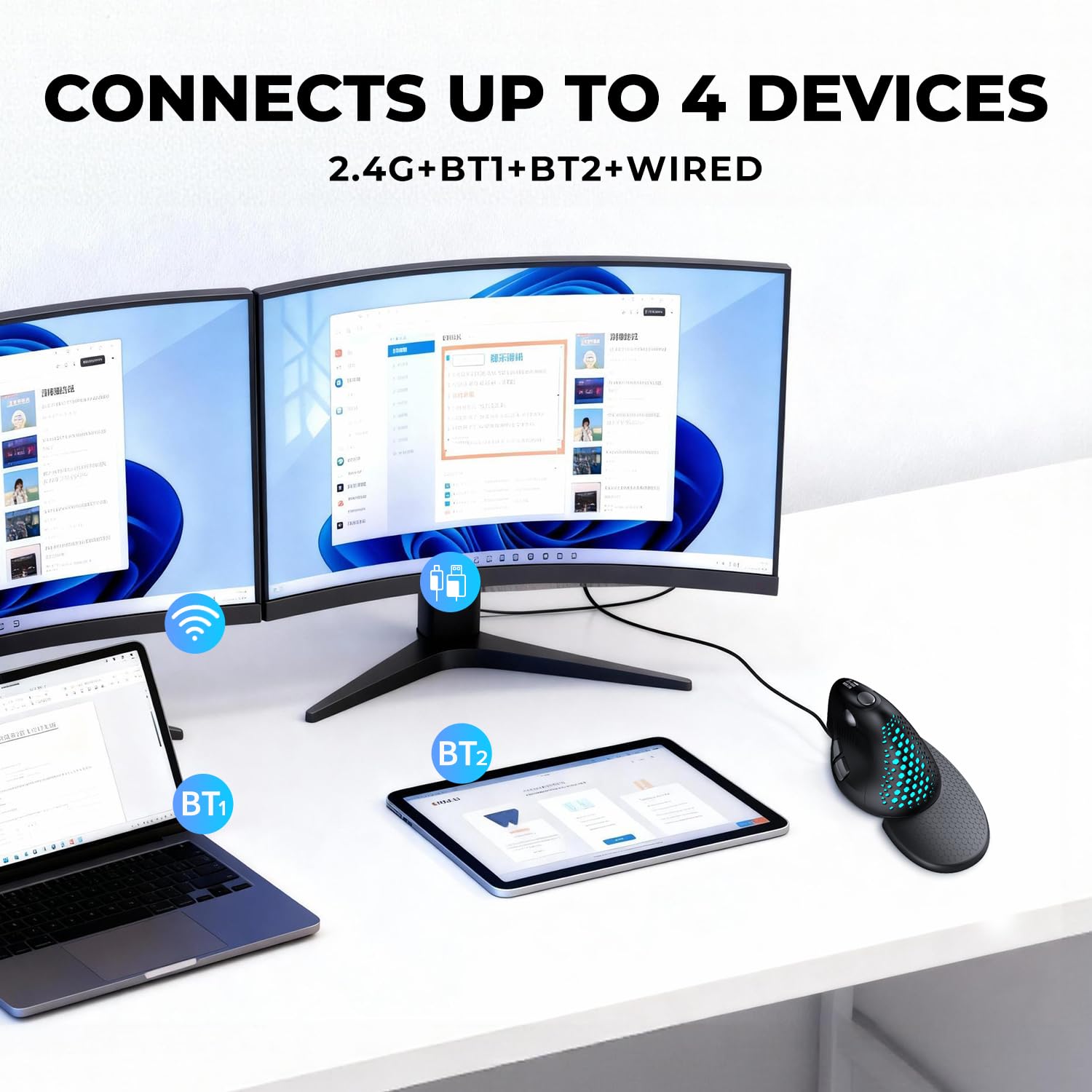
The DELUX Seeker Ergonomic Mouse is a cutting-edge vertical mouse featuring up to 7200 DPI sensitivity, an integrated OLED display for instant status updates, and 6 fully programmable buttons including a unique thumb wheel for 4-way scrolling. Designed for professionals seeking ergonomic comfort, it offers a rubber-coated surface, magnetic detachable wrist rest, and tri-mode connectivity (Bluetooth 5.0, 2.4G wireless, and wired USB-C). Its rechargeable 1000mAh battery supports up to two weeks of use, complemented by customizable RGB lighting effects. Compatible with most Windows systems and partially with Mac, this mouse blends advanced tech with stylish functionality to boost productivity and reduce wrist fatigue.


| ASIN | B09G6DTKNB |
| Batteries | 1 Lithium Ion batteries required. (included) |
| Best Sellers Rank | #331 in Computer Mice |
| Customer Reviews | 4.0 4.0 out of 5 stars (1,331) |
| Date First Available | September 14, 2021 |
| Department | mens |
| Item Weight | 5.8 ounces |
| Item model number | DELUX SEEKER-M618XSD Black |
| Manufacturer | DELUX |
| Product Dimensions | 6.54 x 3.82 x 3.23 inches |
J**R
Comfy, easy, versatile!
I love vertical mice, and this one is the best I've ever used. It fits very well in my large-ish hands, but that's pretty subjective & depends a lot on your individual preference. Regardless of ergonomics though, it's just a great mouse with great features!! It is very quick to charge with the included USB-C cable. And the battery really does last several weeks! You can also charge it while using it. It glides easily on my wooden desk, has plenty of buttons, and lots of customizability. I like that you can customize the RGB colors and patterns with the software. I'm usually not an RGB fan, but this mouse has some nice calming RGB effects that I dig, or you can turn em off entirely. You can also map & remap buttons, which is super handy for gaming & productivity workflows. There's a button up top that, by default, let's you switch DPI. However, I found myself hitting it a bunch accidentally and I don't usually want to adjust my DPI on-the-fly, so I just mapped that button to something more innocuous! ezpz The small screen on top is very convenient to quickly see what mode you're in, your DPI, and your charge percentage. Both the screen and RGB lights turn off after a bit of idle time. Overall, this is far-and-away the finest mouse in my collection. I can highly recommend it to anyone who likes vertical mice, or who want to try one for the first time!
M**.
First of Its Type and Loving It
Had to get a new ergonomic keyboard, and this mouse was offered as a bundle package. Never tried a vertical mouse before but didn't seem to be much different from the ergonomic mouse that was matched with my dead keyboard. Let's try it. Glad I did, as I absolutely love this mouse! This will no doubt offend some, but it feels like a soft pistol grip in my hand and fits and operates wonderfully as a result. Best ergonomic mouse I have used yet. Left button is positioned perfectly like a trigger would be, and the right matches just below for opposing finger. Scrolling wheel operates nicely on the vert as well. Very surprised as how easy this operates in such a different design. The horizontal scroll is a nice bonus. The really cool tech features are its ability to operate on both USB and Bluetooth TX/RX and the speed/DPI of the mouse can easily be adjusted by a simply click of a button. OUTSTANDING feature for those who are fanatical about mouse and pointer speed (such as me). Of course, the funky color display only adds to its appeal. As mentioned, I bought this as a bundle with the keyboard and the price point was excellent. Great product at a great price. You really need to give this a try. Oh year, that is some sort of attachment that comes with it (guessing to help keep the mouse level)?!? Quick note to vendor, get rid of this and cut a few dollars off. Mouse alone is all you need!!!
O**S
Good entry in the Handshake Mouse ergonomic category.
It's a great vertical handshake style mouse. Some good and not as great points. The display shows the charge status and current DPI setting - very nice. The RGB lighting is a fun touch, but it only comes on when the mouse is moved, and is under your palm, so you might not see it depending on how you hold the mouse. The magnetic wrist rest was a strong selling point, however, in use; not so much. When the wrist rest is attached (it looks cool), but it takes full arm movement to guide the mouse and accuracy is pretty difficult. I'd think with a lot of practice you could get it, but I found it very tough to frustrating. I removed the wrist rest piece and everything changed - accuracy was immediately spot on and took no further 'training' or calibration. It worked as well as any mouse I've used. Another thing, the two main buttons for your index (left click) and middle finger (right click) are VERY soft with not much actuation distance. I would prefer these buttons to have stronger springs or switches so as not to click accidently so easily if you grip the mouse tightly. Would I like to see a lower price for this item? Yes - It would be a total winner at less than $70 USD. For this price range, you may want to shop around and try a few other models.
P**A
May be my final mouse. Very DeLUX.
Nice color selection (Mint Green) Love the digital information. Every mouse should have this. I ended up using the wireless option. Bluetooth kept cutting out. In my case, I downloaded and installed the Mouse Driver (see User Manual), inserted the USB receiver, rebooted my computer and got to work. Nice lighting effects. LOVE seeing the DPI and being able to change it with one button. Can't use the enclosed Palm Rest with my metal mouse pad but nice to have it. Same with alternate back panel. Feels nice and relaxing, unlike most hard plastic mice. Thumb and fingers feel natural. Wheel in good place and feels smooth. User Manual very readable and straight forward. Download driver. Install driver. Everything explained. I bought the 4 year service plan since I plan to keep it for a very long time. Perhaps by the time the plan ends, there will be a new model out. Definitely my final mouse (until something even better arrives). Nothing else like it. Perfect for me. Highly recommended.
R**R
No driver software, no kind of support, website links don't work. Meh Mouse.
3 stars for looking neat and actually alleviating some of the discomfort in my hand while using this thing. That being said, there's absolutely NOWHERE to download the software needed to further customize it and set macros. Scroll ball only moves in one direction, thought it was free-movement but it is not. Otherwise feels like a nice mouse. Movement is smooth enough, but could be smoother though I'm using it on a mousepad.
G**K
also ich liebe alles an der Maus. das side scroll klappt auf WIN super und hilft mir in Zukunft JEDEN TAG. Die klicks sind super leise und ich mag das handling und gewicht. Dieses zusätzliche Platte für die Hand, hat mich jetzt noch nicht soo überzeugt. Und ich finde es schade, dass die Anzeige nicht funktionert, aber ich kann auf meinem Arbeitslaptop auch keine Software instalieren
U**R
İlk başta çok kaliteli olmayacağını düşündüm fakat beni gerçekten şaşırttı. Eski Mouse um SteelSeries 710 du ve hiç yabancılık çekmedim. Müzik prodüksyonu için sol tarafındaki tekerleği düşündüm ve Daw programların da harika çalışıyor. Tüm renkleri değiştirebiliyor ve tuş, hatta macro atayabiliyorsunuz. Tek beyenmediğim özelliği, ışığın sabit bir renk de yanmaması. Ya geçiş yapacak ya açılıp kapanacak ya da kapalı kalacak. Gerçekten süper tavsiye ediyorum. Uzun süre kullanacağımı düşünüyorum.
E**K
Prima ergonomische muis die goed naar mijn hand zit en snel is, kan er uren aan de gang zonder last van mijn pols of hand te hebben
E**O
El ratón funciona maravillosamente. Los botones derecho e izquierdo casi no se escuchan al pulsarlos. La rueda de scroll vertical si que suena al rotarla. La bola de scroll horizontal sólo funciona en algunas aplicaciones (photoshop, da vinci resolve, visual studio code, etc.... ) pero al menos a mi no me funciona en el explorador de windows. Puedes descargar el software para programar la iluminación y cambiar la configuración de los botones. Si pulsas al mismo tiempo el botón izquierdo y el botón "atrás" dos veces se apaga la luz sin necesidad del software.
P**.
Great product! I



