We remain fully operational. Our teams are working around the clock to ensure your deliveries continue safely.

下载应用程序


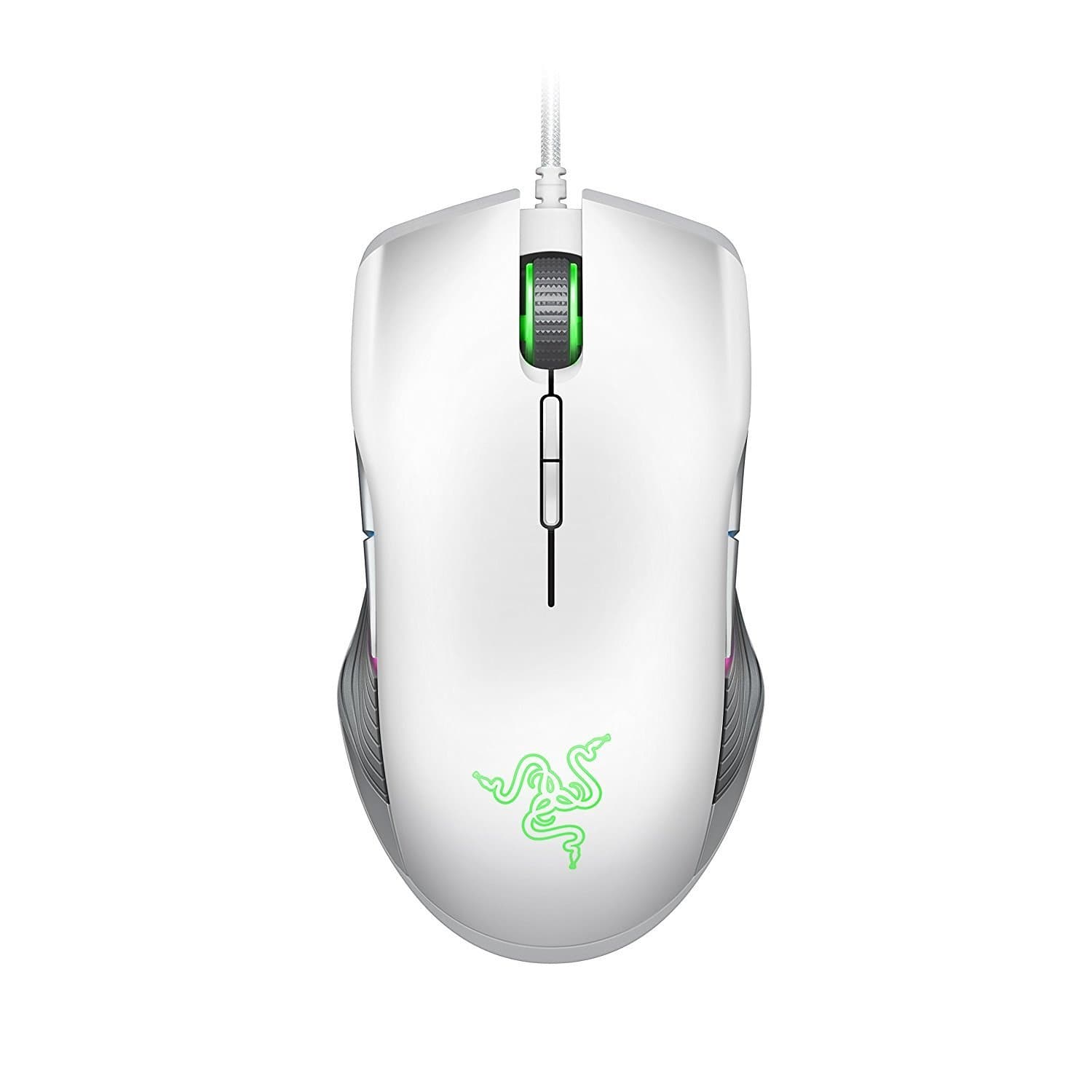

🎮 Elevate your game with precision, style, and unstoppable control!
The Razer Lancehead TE Ambidextrous Gaming Mouse features a cutting-edge 16,000 DPI optical sensor with 99.4% resolution accuracy, an ergonomic design for both left and right-handed users, and 8 programmable buttons for ultimate customization. Its durable mechanical switches support up to 50 million clicks, while the Chroma RGB lighting offers 16.8 million color options to personalize your setup. Perfect for gamers and professionals seeking precision, style, and reliability in one sleek Mercury White package.
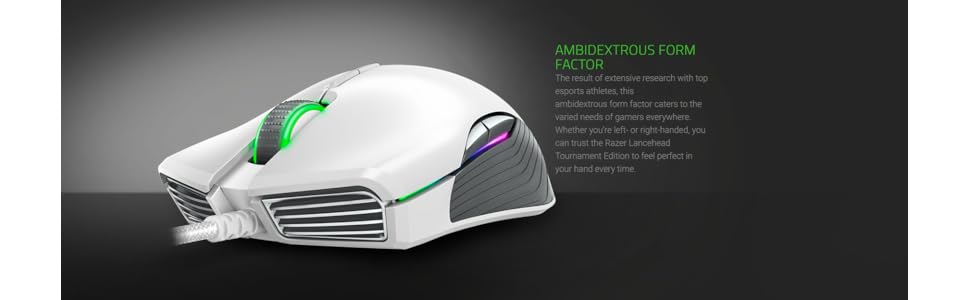
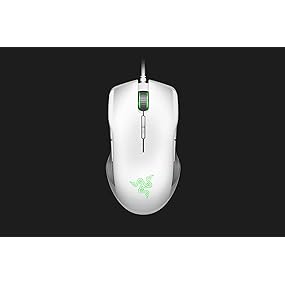

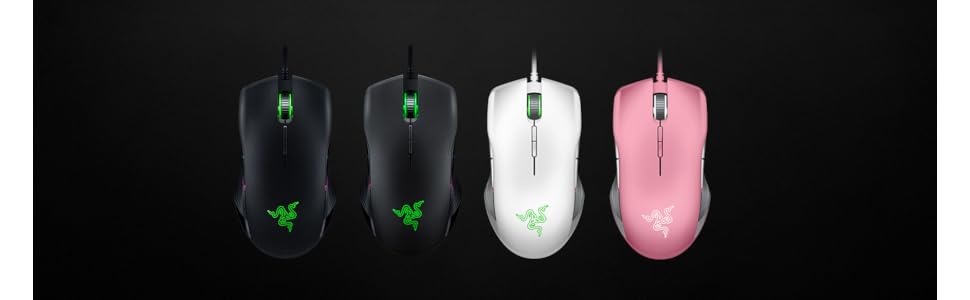
| ASIN | B071G3BRBC |
| Additional Features | Ergonomic Design, Ambidextrous Design |
| Antenna Location | Gaming |
| Are Batteries Included | No |
| Are Batteries Required | No |
| Best Sellers Rank | #57,113 in Video Games ( See Top 100 in Video Games ) #1,135 in Mac Accessories #1,732 in PC Gaming Mice |
| Brand | Razer |
| Built-In Media | Mouse |
| Button Quantity | 8 |
| Color | Mercury White |
| Compatible Devices | Mac, PC |
| Connectivity Technology | USB |
| Customer Reviews | 4.5 out of 5 stars 855 Reviews |
| EU Spare Part Availability Duration | 2 Years |
| Embellishment Feature | LED |
| Enclosure Material | Plastic |
| Global Trade Identification Number | 00814855024308 |
| Hand Orientation | Ambidextrous |
| Hardware Platform | Mac, PC |
| Item Type Name | Razer RZ01-02130200-R3M1 Lance head Tournament Mercury Edition, Ambidextrous Gaming Mouse |
| Item Weight | 104 Grams |
| Manufacturer | Razer Inc. |
| Model Name | Razer Lancehead Ambidextrous Gaming Mouse 16 Dpi Optical Sensor Chroma Rgb Lighting 8 Programmable Buttons Mechanical Switches 1 |
| Model Number | RZ01-02130200-R3M1 |
| Mouse Maximum Sensitivity | 16000 Dots per Inch |
| Movement Detection | Optical |
| Movement Detection Technology | Optical |
| Number of Buttons | 8 |
| Operating System | macOS and Windows |
| Power Source | USB powered |
| Range | 5.0 meters |
| Special Feature | Ergonomic Design, Ambidextrous Design |
| Style Name | Lanchead Tournament Edition Mercury (Wired) |
| Theme | Gaming |
| UPC | 814855024308 |
| Unit Count | 1.0 Count |
| Warranty Description | 2 Years |
B**L
Another solid Razer product!
I can't speak highly enough of Razer and the quality of their gear. I purchased the Mercury edition for the clean white look and am not at all let down by what i received. The mouse works well, it comes preloaded with their configurator software in the mouse so you're able to configure color and other aspects of the mouse right out of the box. The mouse cord is woven cloth that holds up to the test of daily use. It stays clean and feels great. The mouse feels just right in the hand, it looks great, and having used it for both gaming and productivity (day to day home office) I can recommend this for anyone looking to add a little minimalist style to their home office or gaming cave!
C**L
It's a beautiful thing
When I ordered this mouse off the net, I would have never guessed the beauty that this mouse is. Even the box was something crafted by the gods themselves. As I preceded to open the box making sure to not tear it in any way, as I took the mouse out the beauty overcame me. I've used deathadders my entire life but this... this I wasn't prepared for. Just like illidan telling us I wasn't back in BC, I wasn't prepared now either. As I took this out I was stunned by its beauty. I even debated not even using it and just keeping it on my wall. But I decided against it and oh.. my.. god. As I used this object crafted by the gods, I was catching every axe as draven, every flick with my AWP and ru go waga tiki wana koru every Ana main on the opposite team. It's a thing of pure perfection. Would definitely recommend this mechanical masterpiece. Do yourself a favor and buy one.
J**H
Best mouse I've had
This is the best mouse I have ever had. Feels very comfortable and easy to get used to. I upgraded from a cheap $20 gaming mouse with a mx DPI of only 2500. This mouse is more than fast enough for any style of gamer whether you like slow DPI with large hand movments or high DPI and only slight movements of the wrist. The Razer Synapse software makes it easy to customize the performace of your mouse and map the buttons and DPI setting the way you want it. The only thing that could be challenging is learning to customize the RGB functionality. It only took me a little while to make the lights the way I wanted but I could see where someone could get confused. Over great mouse, highly recomend for the price.
N**L
Perfect White Gaming Mouse
So after getting a new white gaming laptop and using the same mouse for nearly 7 years now I decided to get something new to match the appearance of my laptop. Sadly, there were not all that many options for matte white gaming mice. I was quite fond of the Razer Naga I had been using, and after seeing all the Razer hate I was hesitant to pull the trigger on this purchase. Anyway I decided to go for it and could not be happier, the mouse matches perfectly and works great. I think I did need to download a driver or something, but it hasn't impacted performance or changed my computer with downloads. I don't really mess with any of the settings and like how it lights up and changes between colors. This mouse works for me, perhaps the downloads to customize the lights are what has people so turned off on this mouse.
M**O
Nice gaming mouse, but needs improvement
Very impressive ergonomic design. Might be the most comfortable gaming mouse I have ever used. The mercury color is very beautiful. The PWM 3389 is also decent. However, the build quality needs to be improved. The body rattles when I press the side panels, and there are some small painting defects on the button.
X**L
Best gaming mouse for anything! "By gamers for All!"
I already have other razer mouse for gaming like Basilisk or Deathadder that are better for gaming (better side buttons). But the Lancehead have the advantage to be great for any duty like word or programing! Simply because it is like a normal ambidextrous mouse and the side and dpi buttons are not preeminent but they are there! Also you are ready for gaming at lunch pause :p! I already have the same in pink @ home. The white is for office combined with my white Razer Invicta mat. It is so perfect and soft ... I love to use it anytime!
B**A
Great Mouse
Works great for gaming. This gets 5 stars because it works as it is supposed to and is very good for gaming. But there are a few things to remember : -Use a vinyl mouse pad. You will not get smooth performance from a cloth pad -This is designed to be ambidextrous, so if you need that ergonomic left or right handed feel, get a left or right handed mouse. -Not the best choice for people with extra large hands as side buttons are not designed for the extra reach Otherwise, no issues with this mouse. No issues with the software.
S**Y
Finish cracking; left mouse button issues
I bought this mouse in Aug 2018 for my white gaming setup. Prior to the finish cracking and other issues, I loved this mouse. As a petite woman, it can be hard to find gaming mice that fit my hand and feel good for extended sessions. This mouse checked all those boxes. But relatively soon after purchase, the finish started flaking off around the Razer logo. It annoyed me, but the mouse still functioned really well and felt really good in my hand. I told myself I would deal with it "later." However, over the past few months, the left mouse button started getting flakey. It wasn't super disruptive and mostly apparent in games where you hold down the left and right mouse buttons while moving your mouse to steer. Just like brief stuttering. I figured it needed to be cleaned. That didn't help. I reset the profiles, cleaned my Razer Invicta mat, removed the mat from the calibration, checked my computer repeatedly for anything that might cause performance hits, updated the drivers, software, and firmware. Searched for and repeated recommended steps for fixing this. Nothing has helped. And, in fact, it's been steadily getting worse. This week, it's even been impacting my ability to work from home. Just trying to click+drag things around UXPin, Photoshop, or XD has been increasing in difficulty to sometimes being next to impossible. Then, last night, while attempting to run a raid... the left mouse button stopped wanting to do much of anything and I was left using strictly my keyboard to move. Prior to this, I had an old-school trackball that lasted 15 years. I don't expect a mouse to last quite that long, but a mouse lasting a little over 2 years feels like a bit of a waste. If you're in the market for a gaming mouse, I highly recommend exploring other brands.