We remain fully operational. Our teams are working around the clock to ensure your deliveries continue safely.

下载应用程序


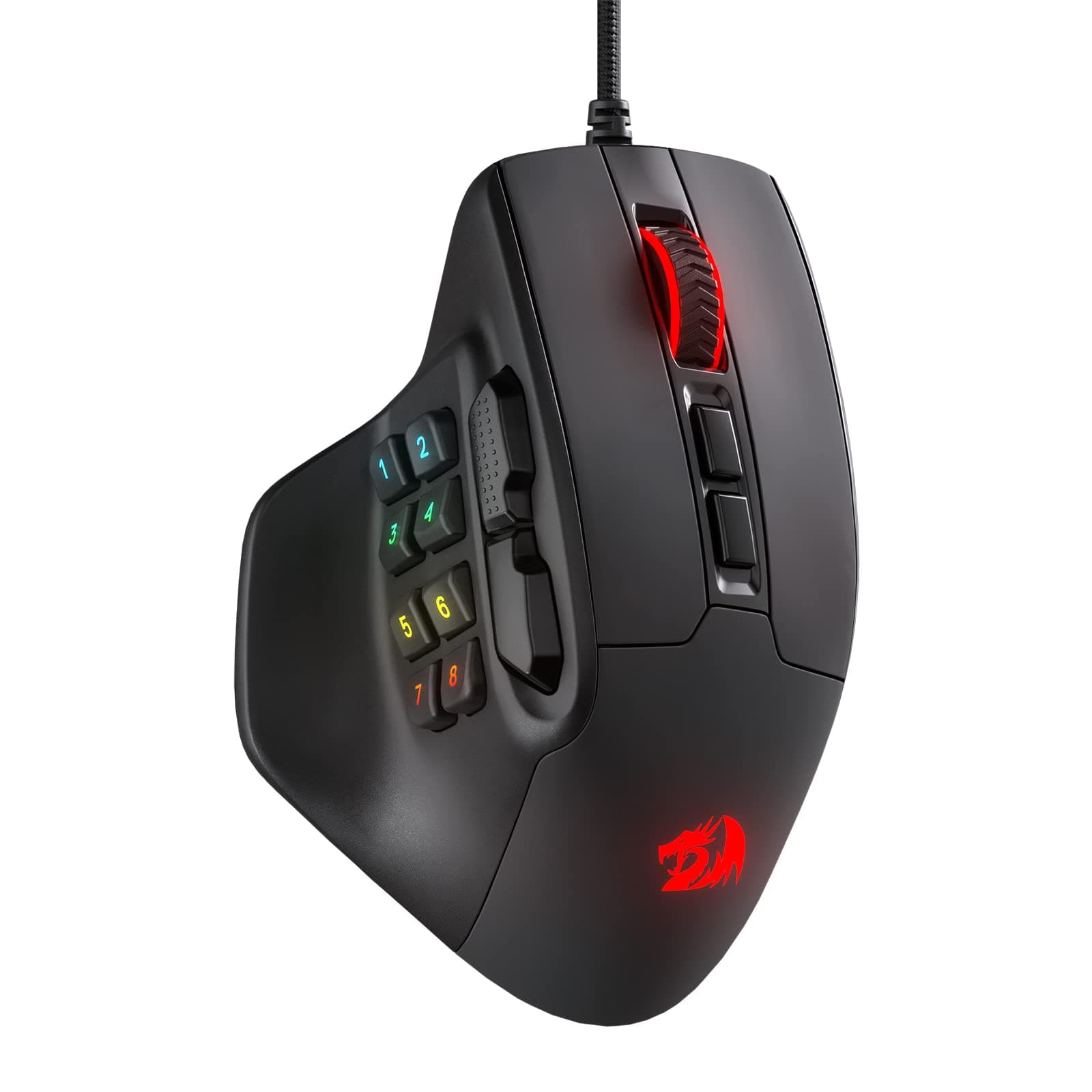


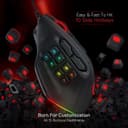

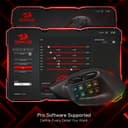
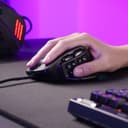
🎯 Dominate your game with precision, power, and style.
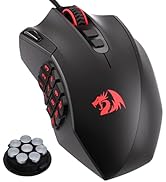
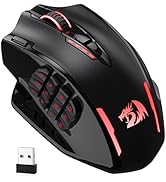
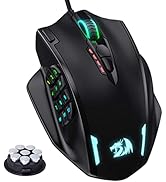
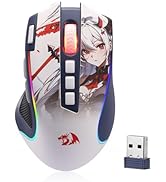
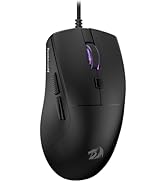
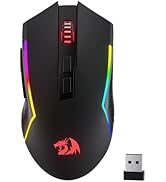
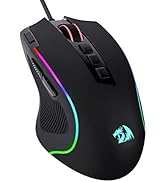
The Redragon M811 Aatrox MMO Gaming Mouse features 15 programmable buttons, 5 adjustable DPI levels up to 6200, and dynamic RGB lighting with 5 modes. Its ergonomic design ensures comfort for extended use, while dedicated software allows full customization of keybinds and lighting effects, making it a versatile tool for both intense gaming and productivity.





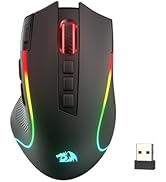
| ASIN | B0B3J9WSJQ |
| Antenna Location | Gaming |
| Are Batteries Included? | No |
| Are Batteries Required | No |
| Best Sellers Rank | 2,341 in PC & Video Games ( See Top 100 in PC & Video Games ) 103 in PC Gaming Mice |
| Brand Name | Redragon |
| Button Quantity | 15 |
| Colour | Black/White |
| Compatible Devices | Gaming Console |
| Country of Origin | China |
| Customer Reviews | 4.2 4.2 out of 5 stars (846) |
| Enclosure Material | Plastic |
| Global Trade Identification Number | 06950376712769 |
| Hand Orientation | Right |
| Hardware Platform | Game |
| Item Dimensions L x W | 15.2L x 5.8W centimetres |
| Item Weight | 200 Grams |
| Manufacturer | Redragon |
| Model Name | M811 |
| Model Number | M811 |
| Mouse Maximum Sensitivity | 6200 Dots per Inch |
| Movement Detection | Optical |
| Network Connectivity Technology | USB |
| Operating System | Windows |
| Power Source | Wired |
| Product Features | Ergonomic Design |
| Product Warranty | 2 years |
| Range | 10.0 meters |
| Style Name | Modern |
| Theme | Video Game |
B**S
Cheap and comfy
Pros: Great ergonomics with thumb/ring/pinky finger rests, fits comfortably in average sized hand, no buttons out of reach. MMO lite number buttons without sacrificing forward/back buttons. Minimal RGB, good software. Cons: Plastic stains easily from sweaty palms, visible in video. Springy/clicky sound when letting go of left-click, audible in video. No ring finger button, the grip shape sometimes causes me to click there thinking it's a button, would be handy. Note: To rebind the number buttons, make sure you press 'STOP' in the software before applying, as shown in video. I've only used it for a week, will update if any faults arise, otherwise assume it served its purpose.
T**L
Great size for people like me who like a rather large mouse
Side buttons well defined into 2 different banks. Easy to single out correct button when in the midst of serious gaming unlike many side keypad type mice. Good solid feel to scroll wheel and buttons. Feels like a quality build. Nice thumb rest gives better control than mice without I find. Overall a brilliant mouse. So much so I have ordered a second one to use on my other PC.
R**G
Responsive, weighty and well-made.
I was looking for a mouse that features more buttons as I game quite a bit and one where the scroll wheel won't break after a small time period, and I've got to say - it does this very well. It is a superb mouse for gaming, responsive, has software to adjust LED colours, scroll and cursor sensitivity and allows you to record and set macros to the buttons. The mouse itself is straight forward but the software may take some reading up on if you are not familiar with navigating such apps. The mouse is fairly heavy which is great and gives a really nice feel to the motion, it also fits really nicely into my hand (took a couple weeks to get used to this as I was used to a smaller mouse). Awesome value-for-money and would buy again, but I suspect with the quality of the mouse thus far I won't need to.
C**S
Fantastic Mouse, Fantastic Price
I've owned a few Redragon peripherals in the past, and decided to upgrade to this mouse as I wanted one with a thumb rest, and the extra side keys have made the experience much much better The mouse is very comfortable, I have used it for very extended periods without any fatigue, and this is massively helped by the thumb rest which is fantastic! The side keys are positioned perfectly for me and feel fantastic, once you get used to using them, they are an absolute game changer, and the ability to create macros for them in the software takes them to that next level! The design looks great, and I love the RGB, honestly looks like a mouse at a significantly higher price! Priced very competitively, especially compared to bigger brand alternatives, there isn't another mouse with this feature set, build quality, and ergonomics in this price bracket! Would highly recommend to anyone looking a high quality mouse and a good price!
P**D
Nicely made but I had trouble
Great performance and very well made..superb shape and a nice size (not too small or lightweight) . Only issue I couldnt get the buttons to stay programed and they kept reverting back to stock when I closed the app...not sure why I did everything as expected and watch a vid to make sure ..mine just didnt like the change. Pity as rest of it was great...like their products..wish it had worked . The side buttons aint as confusing as you may think
S**W
great
great price could be lower
M**S
Gaming mouse
It feels good in my hand, a decent weight and I can activate all the buttons on the side as well as on the top. The programming if the buttons was also very simple. I made some macros and was up and running, and jumping, flying and shooting within an hour.
E**A
Ain't that bad
Pro - This mouse helped me create shortcut keys so I don't have to reach for keys. Pro - It's probably the cheapest I could find Pro - Mouse Wheel is stable Pro - No squeaks Pro - Light weight Con - Will be hard to clean dead skin or dry sweat off the side buttons Con - Not great for people with small hands
C**A
Llevo usándolo intensivamente desde que lo compré, para jugar MMO's y otros juegos. Después de aporrear los botones durante bastantes horas, puedo decir que es de calidad, sigue perfecto. Los botones son muy cómodos y a pesar de tener la mano pequeña, llego a todos y los puedo utilizar. Si estás acostumbrada a ratones de dos botones laterales este es perfecto porque los sigues manteniendo y ganas otros 8. No es ligero, pero no pesa demasiado, es algo a tener en cuenta si sueles levantar el ratón con la mano para moverlo, pero con los días te acostumbras. La app es bastante intuitiva y te da muchas opciones de personalización para hacer macros, etc.
D**7
This is my first gaming mouse, and it's improved my shooter skills immensely. It's even helped with music production too.
あ**あ
ロジクールのG600が高価かったので代わりに購入。こっちの方が使いやすいかな
A**V
I've been using this for about a week. It's not perfect (I have yet to find a mouse with the just-right combination of features and configuration that I would consider the ideal) but comes closest. Pros: Good build quality for the price Excellent (almost ideal) side-buttons configuration (mix of 2 larger and 8 smaller programmable buttons). Much preferable to the more common 12-button grid. It's the best setup I could find, even compared to others three times its price, which is why it seems only fair to give it 5 stars even though it's not perfect. Very high mapping configurability - Every button except the Mode Switch is programmable, even the left and right click. Program buttons to Shortcuts, Browser and OS actions, Media actions, Individual keys, custom gaming control, Mouse Configs (DPI/Mode), or Macros. You can also set up different modes, meaning you aren't limited to one control set. Maybe you have one for web browsing, another for FPS games, another for Photoshop, etc. An unexpected plus; I was surprised to find the mouse apparently stores its programmed commands locally; I am able to use it with my work computer (via KVM switch) without installing the software locally - it remembers the commands I programmed on my home computer. Cons: It's a little too big, at least for me - feels huge in my hand (male M/L glove size). A pretty big gripe for me is the matte coating on the clicker buttons. It collects oil (fingerprints) and immediately starts to rub off from use. I know it's minor but just a distasteful and unnecessary design choice, though it seems destined to self-correct over time by wearing away. This design would work better with the large (B/F) buttons sitting below the grid of smaller buttons (more of a resting position for the thumb). And as others have noted, the software UI is pretty unintuitive. The Save button to commit changes is labeled "Stop" which is confusing. As far as I'm aware there is no left-handed version of this, for those who prefer one. Wish list: If this had a thumbstick or d-pad and switched the position of the F/B buttons and the button grid, it would be ideal. With a screen for programming buttons (instead of using software), it would be unstoppable. Wot's uh... the deal? If you're just generally wondering why a programmable mouse, extra buttons, or why this particular unusual config, the possibilities are endless and highly personal. I have mine setup around enhanced navigability as well as one-handed operations of Shift-Click, Ctrl+Click, and Zoom (Ctrl+Scroll). 1 = Arrow Up 2 = PageUp 3 = Arrow Down 4 = PageDown 5 = Arrow Left 6 = Arrow Right 7 = Ctrl 8 = Shift Middle Click 2 = Home Middle Click 3 = End Other common uses: one-button actions for Show desktop, Media control, Enter, Escape, Undo, Gaming shortcuts, etc.
E**H
I'm the person who goes for the known brands, the brands that have a good reputation behind them. I took a chance on this one and was thoroughly surprised how good it feels and the functions it comes with. I was recommended by someone who uses it for what I now do. It's a solid mouse with tons of buttons, probably more than you need, but when you play space games, it's useful. The numbered 1-8 keys are the same as the keyboard and you can't assign other keys to them. Every other function can be assigned to something else if you want. For example, right click can be enter if you want. You can even assign something else to the DPI switches and rely on switching DPI in the barebones software. I do wish you could change the numbered 1-8 keys, but it's not a dealbreaker. The Redragon software has the bare minimum you need for your specific mouse. It has that retro stylised look but does it well. It works in the background with close to no performance usage at all. You can do macros, save profiles for each game and so on. The forward side button is a bit odd, you can't press up because then the plastic sort of shifts out of place. So you need to press on the small bumps so you sort of press down. It's not a fault on the mouse, more of a thing to get used to since my old mouse didn't have that. Otherwise every key works like it should and that's about it really. The backward button is not the same, you can press from any angle and it'll work. The RGB can be turned off, solid, rainbow, breathing, etc. It should satisfy everyone. It's bright and colourful. The cable however did disappoint a bit. I had the impression it was solid and thick, it was not. The fabric is just a loose shield so it shifts around. Despite that, it fits well within a mouse bungee and gave no issues at all. It's long and should reach most computers without issues.
TrustPilot
3天前
1天前