We remain fully operational. Our teams are working around the clock to ensure your deliveries continue safely.

下载应用程序



🎯 Dominate your game with precision, speed, and endless power!
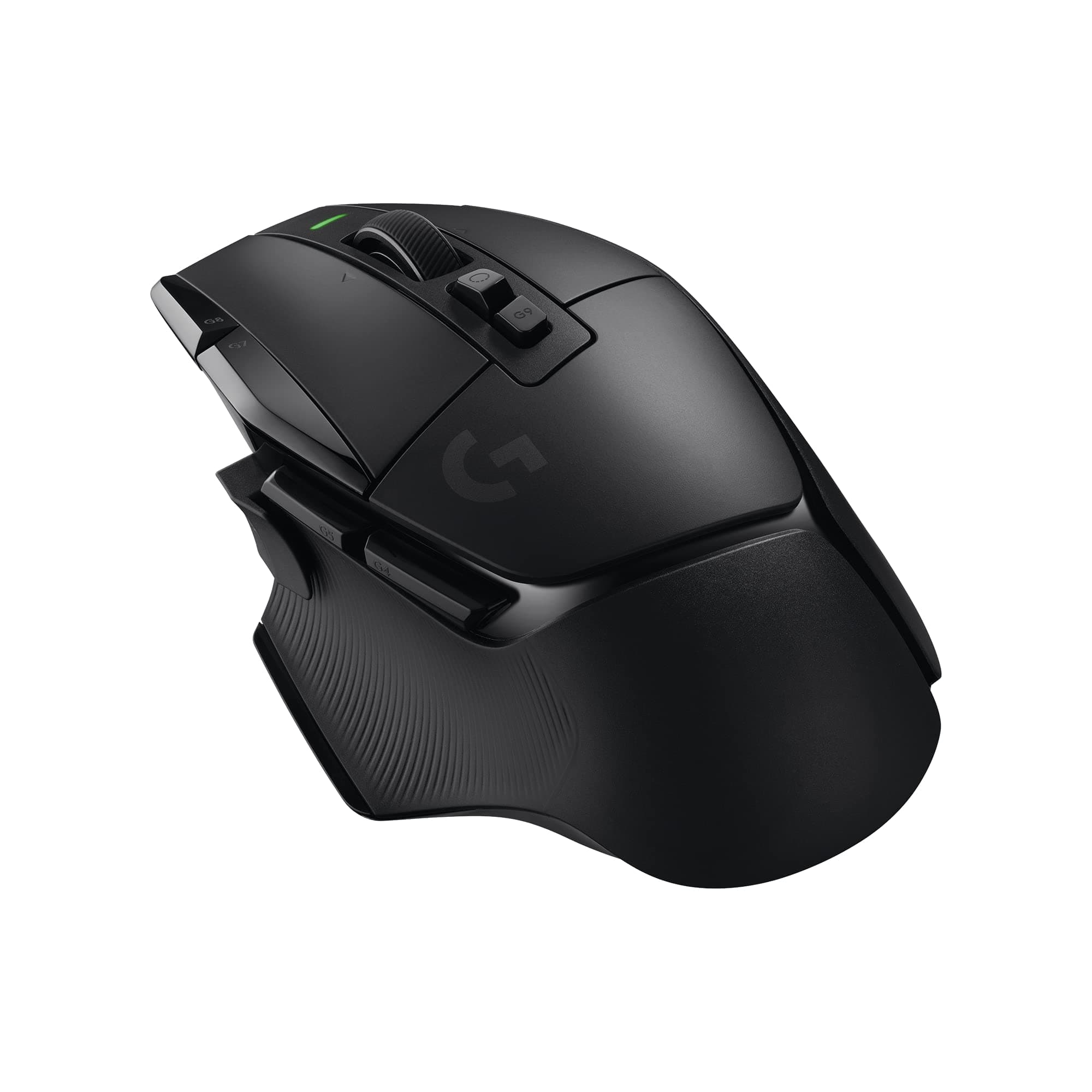
The Logitech G502 X LIGHTSPEED is a wireless gaming mouse engineered for professionals and enthusiasts alike, featuring cutting-edge LIGHTFORCE optical-mechanical switches, a HERO 25K sensor with up to 25,600 DPI, and a lightning-fast LIGHTSPEED wireless connection boasting 68% faster response. With 13 programmable buttons, a dual-mode scroll wheel, and up to 140 hours of battery life, it offers unparalleled customization and endurance. Compatible with PowerPlay wireless charging, USB-C charging, and both PC and MacOS, this ergonomic and lightweight mouse is designed to elevate your gaming and productivity experience.


| ASIN | B092CRH1RX |
| Additional Features | Ergonomic Design, Lightweight, Wireless |
| Antenna Location | Gaming |
| Are Batteries Included | Yes |
| Are Batteries Required | Yes |
| Battery Average Life | 140 Hours |
| Best Sellers Rank | #114 in Video Games ( See Top 100 in Video Games ) #11 in PC Gaming Mice |
| Brand | Logitech G |
| Button Quantity | 8 |
| Color | Black |
| Compatible Devices | Personal Computer |
| Connectivity Technology | USB, Wireless |
| Customer Reviews | 4.5 out of 5 stars 1,482 Reviews |
| Enclosure Material | Plastic |
| Hand Orientation | Ambidextrous |
| Hardware Platform | PC |
| Item Dimensions L x W | 5.17"L x 3.12"W |
| Item Weight | 3.68 ounces |
| Manufacturer | Logitech |
| Model Name | Wireless |
| Model Number | 910-006178 |
| Mouse Maximum Sensitivity | 25600 Dots per Inch |
| Movement Detection | Optical |
| Movement Detection Technology | Optical |
| Number of Batteries | 1 Lithium Polymer batteries required. (included) |
| Number of Buttons | 8 |
| Operating System | Windows 10 |
| Power Source | Battery Powered |
| Range | up to the length of the charging pad meters |
| Special Feature | Ergonomic Design, Lightweight, Wireless |
| Style Name | Wireless |
| UPC | 097855167057 |
| Unit Count | 1.0 Count |
| Warranty Description | 1 Year Limited Hardware Warranty |
A**S
Fast, Smooth, and Gamer-Approved 🖱️⚡
This mouse is a huge upgrade. It’s super responsive, lightweight, and glides smoothly, which makes gaming feel way more precise and controlled. The wireless connection is solid with no noticeable lag, and the clicks feel crisp and satisfying (not mushy or loud). Battery life has been great so far, and setup was quick and easy. It also feels comfortable for longer gaming sessions, which matters if you’re playing for hours 🎮😅. Overall it looks clean, performs great, and feels like a premium mouse without being overly complicated. If you want a reliable wireless gaming mouse that’s fast, accurate, and comfortable, this one’s definitely a win 👍🔥
B**T
Great mouse for everything!
I've been a long time user of the G602 and G604, but both were heavy, and the 604 replaced the 602, and has since been discontinued and not replaced. So after searching for mice with extra buttons near the thumb but also comfortable with a lot of the features I've loved in the 604. While the G502 X didn't fill all those needs, it's been a great choice. Pros: - Ergonomic - It just fits my (rather large) hand well in a few different positions, and is so light I've found my wrist fatigue has been reduced significantly. Unlike the 604, I can press every button easily without looking for them, particularly the scroll wheel, DPI adjustments, and 3 easy to find thumb buttons is great. It also feels comfortable, which is hard to describe, but the material feel is what I want in a mouse. - Light - I mentioned this in the ergonomic part, but its super light. Apparently it's around 105 grams, which can be heavy for an ultra-competitive mouse, but for most gamers or folks just looking for a light wireless mouse, it's great. - Great button feel - The older Logitech mice used to have a weird mushy click and my old 602 and 604 both had issues where the button would stop working well. The new G502 X models have a new mechanical click that feels amazing. Very much like a mechanical keyboard as far as consistancy and feedback. Not every button has the same feel, but they all feel very tactile and reliable. - Great battery life - I can get 3 weeks on a full charge at 1000 hz poling rate. Don't bother with smaller polling rates, as when the mouse isn't being used it's not a power issue, and when it is in use, it's still not a huge power issue. You might get a few extra days at best, but if 3 weeks isn't enough charge time for you, I'd be shocked. - USB-C charging - Sad that this is still a plus, but USB-C cables are so much better. Glad we're finally starting to no longer see Micro-USB cables. - Works Wired - Forgot to charge it? You can use it wired, or use it while charging (Either works). - Great sensitivity - The mouse is so adjustable, I found I could turn it down from my usual DPI and get both great responsiveness and accuracy with a near default config. - Customizable - Logitech G software has flaws, but it does allow some pretty good versatile configurations. Every button can be remapped and remapping can be done on a per-app basis. - Logitech Support - I've had multiple issues with Logitech mice long into their service but under warranty, and Logitech has always been easy to work with to get a replacement or help. This sounds like I'm saying Logitech has a quality issue, and I'm not, I know stuff happens, particularly with high use products, so it's good they stand by them. Cons: - Large - It's not a small mouse, so if you have small hands, it could be a little large for you. It also means it's not easily portable, though honestly mice aren't that large in general, so portability isn't a major concern, and you can always get a mouse case if you travel a lot and want to protect it. - Logitech G Software sucks - I mean, it does OK, it can auto-sense games, you can copy profiles, but it has several general flaws, including if it detects a new game it generates that game's default setting that you CAN NOT CUSTOMIZE ahead of time. If I have a known default mapping/DPI setting I know I like in most games, why can't I make that the default? Also, making button changes and navigation of the US is very unintuitive. Like one of the worst UIs I've worked with on a major brand's software. It also by default likes to spam notifications that is harder to turn off than I would have liked (Otherwise, every time the mouse gets touched, you get a windows notification or 3 about the mouse and DPI changes). Their old software (pre 2015) was easy to use, and worked in the UI was nearly the exact opposite of this. Fix your software Logitech! - No backup gliders - Not a deal breaker, as I know I've not had a mouse with glider issues in the past 10-15 years, but it would be nice, particularly on a gaming mouse where if the pads wear it could be noticeable for some. I don't need stickers Logitech, I'd rather have a replacement pad set. - No pinkie rest - Some mice have a nice pinkie rest that helps you relax your hand a bit. This mouse does not. That's definitely a personal thing, and honestly most gaming mice have moved away from this due to weight, but with a large hand, I like mice with them. Overall, it's a great mouse with a lot going for it. I'm enjoying using it, have found my hand/arm feel better after a day of using it vs my old mouse, and love all the features it offers that I can look past any small shortcomings. Who do I recommend this mouse for? Artists who need finite DPI control. Office workers who want a bigger mouse (there are cheaper options, but it's a solid productivity mouse). People who use their computer for a significant time. Casual gamers. Competitive gamers who want an all in one mouse. It's a good mouse for a lot of use cases, which is why I'm giving it a 5 star review. It's not perfect, but very few products are, and it's strong where it needs to be.
B**D
My favorite mouse upgraded (mostly)
For about the last decade I’ve used the same mouse, a Logitech G502 Proteus Core, this mouse’s great great great grandparent. In that time I became accustomed to the particular shape and feel of this mouse, the incredibly intuitive placement of extra buttons, and the surprisingly decent software (which has had its ups and downs over the years but has consistently remained functional for me). I previously avoided upgrades to the G502 Proteus Core because it did everything I needed from a mouse, never broke, never needed a new battery, and was rock solid reliable over USB. But recently I started wondering again if wireless mouse technology had advanced enough to make it competitive with wired. Enter the G502X Lightspeed, my first wireless mouse in over a decade. Overall I like this mouse more than my Proteus Core. The wireless tech has been almost perfectly reliable for me. The only issue I have with it vs a wired variant is that it takes a second to adjust to its settings after waking up from sleep. I’ve had zero dropped inputs or noticeable lag. In this sense, it has been as reliable as I expect a mouse to be and really confirmed the strides there have been in wireless technology. The lack of RGB lights is a welcome change for me. I always kept the blue lighting disabled on my Proteus Core, so to not have any unlit light spots or lighting settings to deal with has been nice for me. Battery life has been great. I use this mouse for about 12 hours a day between work and personal computers and get about 3 weeks between charges. I doubt the battery will let this last as long as my Proteus Core before it needs to be serviced or replaced, but for the benefits of no cord drag, I’m willing to accept that I think. The clicks are a little more hollow-sounding than on the original, but seem to be just as or more accurate. I prefer a heavier mouse, so I slightly miss the heft of the Proteus Core, but I’ve quickly adjusted to the pleasant weight of this mouse which is still a bit heavier than many of its competitors. The slight change in shape is better for my hand and typical palm grip, I can feel the improvement in my ability to reach buttons and in day-long use comfort. The scroll wheel isn’t as substantial, but it still offers a very pleasant endless scroll and a tactile locked scroll feeling. This mouse is a worthy successor to the Proteus Core throne and it does so many things right that its trade-offs are worth it to me. The G502 line continues to be my favorite way to interact with a computer, and I’m glad to see Logitech continuing to improve and commit resources to this great series of mice.
N**T
Great multi-gaming mouse
This mouse is solid, the tracking is phenomenal; clicks are great, mouse feet are great, and the rebind functionalities are great. The 'sniper/shift' button can be pulled off and replaced with no button, or flipped the other way to make it require a further reach to press. The mouse clicks are more narrow than most mice, so takes some getting used to. Sometimes you will accidentally click one of the mouse1 side buttons. I recommend using logitech onboard memory manager for customizing, it is a much more streamlined software. Just make sure you plug the mouse in with a usb cable first so it can install the driver - then use onboard memory manage to customize it. If it shows up 'blank' you may need to install logitech g-hub just once. You can uninstall it after - although GHub may be needed for certain advanced macros, not sure. Onboard memory manager can change dpi, polling rate, rebinds, and profiles - saving them to the mouse directly. This mouse is the non-rgb version which I recommend because the battery will be longer and it's a few grams lighter. I've been maining lightweight mice for a while but really wanted a multi-gaming mouse; so I swapped out my razer deathadder v3 pro for this and honestly, I have no issues playing FPS; thought I would struggle to aim but my aim is just as consistent if not better; ages ago I used to use a 130g mouse and aimed great with that. The very light mice (sub 65g) are great - but if you have a 'strong arm' micro adjustments can be challenging unless you also have a slower mousepad. The weight of the mouse plus the shape really help me keep aim steady, enjoying it. I am still competitive but as I get older I am easing out of caring about competitive gaming - if you're a large hand gaming looking for a multi-gaming mouse this is definitely it. The G-shift/profile swap is really cool too. You can keep one profile with all the extra buttons disabled for FPS - then a separate profile where you bind each extra key to your numpad (or F rows) and then G shift to rebind all the buttons again - then if the game you're playing supports it you can add shift keys in game basically giving you 4 sets of hotkeys (or 3 if my math is off?) Some MMOs may prefer the style of the razer naga - but I personally could not get used to having all the hotkeys on the side without a rest; this feels much better. Anyway long story short - this mouse is definitely worth it and also logitech's custom sensor is just wonderful for tracking. I am happy to return back to a heavier/ergo mouse and feel like I lost nothing in the exchange.
A**O
1 star for the software. 5 stars for the mouse hardware.
*Logitech G Hub Software* The Logitech G Hub software is by far the most confusing and frustrating piece of gaming peripheral software I’ve ever used. Its interface is cluttered with multiple overlapping menus and settings that often duplicate each other, making it nearly impossible to find what you need quickly. Instead of simplifying customization, it makes the entire process overly complex and tedious. One of the biggest issues is the complete lack of a straightforward way to assign different profiles with different DPI settings. There is no simple option to switch built-in settings on the mouse’s memory (On-Board Memory Mode) without jumping through excessive hoops in the software, which is ridiculous for a "premium" device. Another major flaw is the inability to fully reset or clear remapped buttons within the software. You must drag and drop key assignments to remap them, and if you accidentally remap the left mouse button, you can't even drag those assignments anymore because you need to hold the button to do so — which becomes impossible. This results in getting completely stuck and locked into faulty configurations with no easy way out, forcing you to manually reinstall or delete config files. G Hub’s complexity and flawed design ultimately turn customization into a chore rather than a convenience. For all the hype, it feels unfinished and poorly thought out, significantly detracting from the user experience instead of improving it. *The Mouse Itself (Hardware)* The mouse itself is excellent. I highly appreciate the easily accessible thumb buttons and the essential G-Shift modifier, providing immediate access to complex commands. Furthermore, the dual-mode scroll wheel integrates reliable tilt-left and tilt-right clicks for enhanced utility and mapping versatility. Overall, the G502 X delivers good wireless performance and exceptional mapping capabilities, making it a powerful tool for demanding users. *Conclusion* 1 star for the software. 5 stars for the mouse hardware.
S**A
Great upgrade for my setup!
I bought this to upgrade my mouse because I hate using iCue and needed a white mouse to match my new setup. I think it's wonderful! For reference, my palm size is ~8-9cm. I mostly play FPS. TLDR: I think the mouse is great. This mouse is perfect for those who press down pretty hard/have a heavy hand. This mouse has a lot of tactile feedback. You can't add weights out the box, but can mod it probably. It's on the larger side. I have had no latency issues. You can use the GHub to really customize your mouse how you want, as it has TONS of options on that end. Notes- My original problem: My scroll wheel was wayyyy too loose out the box. It was extremely smooth, but it meant that I couldn't use my scroll wheel at all. I think me pressing it in to ping enemies accidentally solved this issue, but it took a few tries. It was actually so bad originally that I couldn't use my scroll wheel to swap weapons because just moving the mouse made the scroll wheel spin, so I disabled it. (Playing Mercy in OW2 was genuinely impossible. I'd swap weapons so fast I couldn't shoot nor use my staff) But now that it's fixed, it's actually quite clicky and snappy. It has more resistance than my old Corsair mouse. Very helpful for shaky hands! It does not have the option to add extra weights like my Nightsword. I wanted to buy a mouse that did, and I was told you could do it with this mouse. (Another mouse from the 502 line has this). It does have a little circular compartment (meant for the receiver) you could try modding to add some weight, though. The compartment is pretty large so I have no doubts that someone has already modded their mouse. It has taken me a little while to adjust to the new weight. The buttons are kinda stiff in a way, but extremely responsive and satisfying to use. It feels very different from all the other mice I've used. The stiffness for me is preferred! On my original Nightsword, I would somehow accidentally press LMB and RMB occasionally. This hasn't happened so far. I haven't noticed any latency and at first, I genuinely forgot this was a wireless mouse. This mouse is also on the bigger side. It's larger than my Nightsword for sure. This was still a good size for me, as I like the mouse being a bit large. This is the largest mouse I've ever used. For customization, you use the G Hub. You can have 5 different DPI settings and can reassign buttons or even just disable them. My favorite thing is the ability to choose to keep the physical DPI shift button. There is a replaceable part you can swap it with in the package. The left and right scroll wheel clicks are also really neat, especially as a student.
B**G
Fantastic gaming and office mouse with great ergonomics
One of my favorite type of mouse on the market. It has a great feel, sturdy buttons, excellent tracking, and long acting switches. Its geared towards gaming but its also high effective at office admin or image editing tasks. It quickly charges and keeps a charge for a fairly long time. This might depend however on how much the mouse is used in a given day. The unit is attractive without garish features found on other gaming mice. It doesn't have large graphics or lights, making it usable in a professional setting. Be sure to look for deals and savings. Avoid using the mouse around liquids or possible liquid spills (I found that out the hard way).
P**E
Excellent mouse, impressive battery life
I have a G502 Hero wired for my desktop computer, and was using another Logitech mouse for my laptop. The one for my laptop started to show its age and I wanted to replace it, so getting a wireless 502 option made sense. The only thing I was hesitant about was battery life - I have never really been a fan of mice that have to be plugged in and recharged (always preferred just being able to throw in a new battery every six months or so). I needed have worried - the battery life is excellent and I have only had to charge this once so far since owning it (a little over two months, with it being used near daily for a mixture of basic web browsing, gaming, etc.) The mouse itself is, of course, very much like my G502 wired. Wheel is plastic as opposed to metal, but still scrolls freely (the free-scroll option being just about an absolute must-have for me nowadays). No issues with the mouse, except when first trying to get it to pair to my computer (took a few attempts and removing/reinserting the dongle) before I got it to pair, but has been rock-solid since. I did buy this as a "Used - Like new" and it was exactly as described, could not have told it had been used previously. Overall very happy with the purchase and would recommend to anyone wanting a mouse that is a solid performer for both work and play.