We remain fully operational. Our teams are working around the clock to ensure your deliveries continue safely.

下载应用程序








📄 Scan Smart, Scan Fast, Scan Anywhere — Don’t Miss Out on Going Paperless!
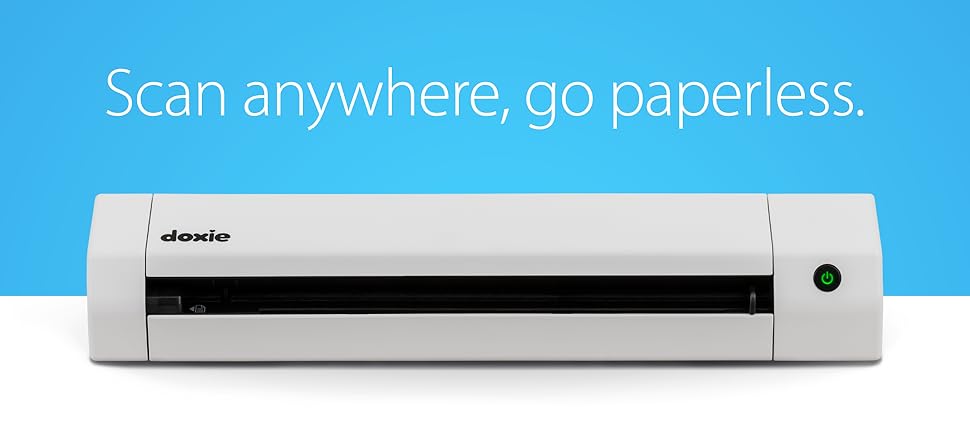
The Doxie Go SE is a compact, rechargeable portable document scanner delivering fast 8-second full-color scans at 600 dpi. It stores up to 8,000 pages internally and supports scanning up to 400 pages per battery charge. Featuring award-winning ABBYY OCR software, it creates searchable PDFs and syncs with popular apps, making it ideal for professionals managing documents at home, office, or on the move. Protected by a 1-year warranty and renowned customer support, it’s a reliable tool for digitizing and organizing your paper life effortlessly.




| ASIN | B073H7V4DM |
| Best Sellers Rank | #45,401 in Office Products ( See Top 100 in Office Products ) #51 in Document Scanners |
| Brand | Doxie |
| Color Depth | 24 bits |
| Connection Type | USB |
| Customer Reviews | 4.5 4.5 out of 5 stars (1,464) |
| Item Dimensions D x W x H | 12.2"D x 2.25"W x 1.75"H |
| Item Type Name | Scanner |
| Item Weight | 1.18 Pounds |
| Manufacturer | Doxie & Co. |
| Media Type | USB |
| Minimum System Requirements | macOS 10.10.5 or later, Windows 7 or later |
| Model Name | Go SE |
| Optical Sensor Technology | CCD |
| Paper Size | Letter, A4 |
| Resolution | 600 |
| Scanner Type | Document |
| Standard Sheet Capacity | 400 |
| UPC | 662425080717 |
| Unit Count | 1.0 Count |
T**N
Scanner was a Godsend in a moments notice!
A few days before travelling out of state to attend my father's Military Salute service after he passed away, I realized that my stepmum would be offering many old family photos to my uncle and I. I am our family genealogist and realized I could not handle missing out on old family pictures! I needed a scanner quick and one that would be easy to pack. I did purchase a different brand, but the pictures came out skewed and the glossy picture I tested with came out too dark. I returned it and then found this one! The Doxie portable scanner was a Godsend! It is soooo easy to use. Having the pictures and documents save directly to an SD card made things so easy. I could easily pop the SD card out, put it in my computer and view everything I just scanned. Oh, and since I wanted to travel with it, I found there is a protective case for the scanner also on Amazon. I immediately ordered it and it arrived the day before my flight. I could easily put it in my carry-on. I saw there was software included in the package, along with an SD card and charging cable, but I was so busy with packing and testing the unit, I have not yet installed it to see what it can do for me. But, that said, the scanner has been perfect right out of the box! A month later I am still loving it. I wanted to come back to the scanner on Amazon to post a review because it is totally worth every penny I spent on it. This is definitely one purchase on Amazon I bought for me that I am thrilled with. My stepmum and uncle were very impressed with the quality of the pictures and documents. I was able to immediately email the pictures or documents to them. The pictures and documents scanned beautifully. Being able to do this, allowed me to be given original pictures and family documents, which I love! Anyway, this is my opinion of the product. Everyone has their own take on things. You will have to see for yourself. Thank you Doxie for helping me save memories of my Father and ancestors!!!!! Forever grateful!
K**P
I recommend this unit, it's a workhorse.
This little scanner is great! I never expected the quality of this unit, but after using it for a while, I'm very pleased with it. I'm using it to create photo albums from all my loose photos that I've collected over the years. When I started this project, I didn't realize I had so many, but I've scanned hundreds of photos and documents with it, and I clean the head periodically. It's fast, easy to use, and very easy to set up.
K**B
I love this thing
I was initially skeptical about buying a portable scanner for $178, but I've been trying to clean up the clutter in my life and paper is one of them. I also scan all my receipts from every purchase I make and keep track of my spending in a tracker so that I have a clearer understanding of where my money is going each month. I was originally scanning everything with my HP printer, but it was getting to be a real chore. I'd have to sit at my desk and put each paper through the scanner (which was LOUD and slow), then crop it, name it, and save it. It was mind-numbingly boring. I decided to take a chance and purchase the Doxie Go SE and I'm so happy I did! Now I can sit comfortably at my couch with Hulu or Netflix on and scan away. The scans go through the Doxie quickly and quietly and get sent to an SD card (like the ones we used to put inside digital cameras before smartphones took over), which is included in the package. Perhaps my favorite thing about the Doxie is that it auto-detects the size of what is being scanned. I'm able to go from scanning 8.5x11 papers to the small receipts from gas pumps to a standard sized receipt from Wegmans without having to crop ANY of it. It's one of those things you don't appreciate till you don't have to do it anymore! Then when I am done scanning, I pop the SD card out, put it in my laptop, and the Doxie software imports the scans. Another one of my favorite things about the Doxie software is that after each image is imported to your computer, it is automatically deleted from the SD card! So I don't have to worry about clearing the SD card myself or having the same files imported the next time I use the scanner. The Doxie software is pretty easy to use, although I'm pretty good with computers so I'm not able to speak to its ease of use for those who aren't as comfortable with PCs. I use the software to name all the files, crop them if I need to, rotate them if necessary, and "staple" pages together. I have noticed that when stapling a lot of pages together (such as the product manual for my expensive electronic toothbrush) the software can freeze sometimes, but it always unfreezes eventually. It's a very small hiccup in an otherwise incredible product. You can then choose to save files to your computer as a JPEG or PDF, or upload to a cloud storage service. I've been saving to my PC since I upload my receipts to my tracking software so I can't comment on the process of uploading to the cloud. Another great feature about the Doxie software is that when you save a scan to your computer, a green checkmark shows up on the scan so you know it has been saved and that you can delete it from the Doxie software. (Doing so just deletes it from Doxie, not from your computer.) This is nice so you avoid wasting time on trying to save scans that you've already saved to your PC but forgot about (helpful when I was scanning an entire month's receipts the other night). If you haven't already saved the scan, there's no checkmark and Doxie will warn you that it isn't scanned before you delete it. Charging time was quick. Doxie comes with a USB cable but no outlet adapter to plug it in to. You can charge it by plugging it into a USB port on your computer, or if you have owned a smartphone at any time, odds are you have a few outlet adapters lying around anyway. You can plug the USB cable into one of those and charge Doxie through a standard outlet. I would have liked to see the Doxie available in a few colors other than white. Most of my office accessories are black, and it would have been nice to have some fun color options like blue, purple, etc. I can't believe the longest and most passionate review I've ever written on Amazon is about a portable scanner. That should speak to A) how much I am type A and like organization, and B) how easy to use and high quality this scanner is. I'm so happy I bought this scanner and believe I will be using it for years to come. And when this one dies or becomes totally outdated, I'll keep buying Doxie scanners as long as the company is making them!
R**N
I bought this scanner to scan documents to the cloud and my mac and it hasn't disappointed. I don't have an office but its compact enough to keep in a drawer until needed. It rapidly boots, scans quickly and gives good quality images. You can use it as a standalone item, saving scans to the SD card, or connect directly to your computer. The Doxie software is simple but effective and intuitive. From here you can save to your computer or upload directly to your cloud account. You can scan at lower and higher definition. I've been using it a month now on the high definition scan setting, to scan well over 100 pages, and haven't had to recharge it yet. Overall I'm very pleased with my purchase. I looked at a number of scanners but I'm glad I chose the Doxie.
D**E
Update : it's August 2023 and went to use the Doxie again. I bought it originally in 2019 and last used it maybe 6 months ago. I tired a few days ago and the battery would not charge. I tired several other mini usb cables no luck. Was going to buy a battery but it was out of stock. I emailed customer service (maybe they had a tick) - they said they would ship me a new battery (no charge) and they replied within hours. Then another email from support saying they cannot ship just a battery so they would send me a new unit ! It arrived a few days ago and it works as great as it did the first time. Even sent me a shipping labels for a no cost return. Now that is above and beyond customer service. We have scanned several thousands photos so far and I love the 600 dpi setting. I use the jpg's for electronic slide shows so resolution is important. I love the fact that it is portable and will scan to a SD card. Simple to use and it will scan up to a 8x10 photo. I can lend it out to others for pictures I need for a slide show for me or others. I have only used it for photo's so far and it works as expected. Very fast at 300dpi a little slower at 600 but a much better jpg file . Sometimes pictures don't go in straight , that is use error. The more time you spend doing scans the better you become and a level insert. Only dislike to toggle the power switch the light goes from green to red. As a color challenged male it's difficult for me to confirm the slight change. I dedicated switch would be great. Battery seems to last quite a while, used it for a few hours in a one setting and it lasted. A little bit more than I wanted to spend but now I am glad I did.
B**6
Il scanne silencieusement, rapidement et la résolution est de très bonne qualité. Le mode haute résolution est très bien pour les photos papier que l'on veut numériser pour sauvegarde ou/et correction. Le résultat est très bon. L'application qui gère le scanner est très simple à utiliser et offre de multiples choix de format en sortie (jpg, png, pdf, etc.). Le support en ligne du produit est très pratique, on y trouve toutes les informations sur le scanner. Ayant eu l'occasion de l'utiliser, je peux dire que le SAV est sérieux et très réactif. Ce petit scanner qui ne prend pas de place et est très léger peut être emporté partout. Je suis totalement satisfaite de ce produit que je peux recommander sans hésiter.
H**Y
This product was supplied with a dud battery so could not function..On contact with Doxie they denied warranty and refused to replace the battery. I managed to obtain a replacement battery from an another battery supplier at addition cost to get the scanner operating..Appears that Doxie chooses to ignore consumer rights so please be aware if considering their products.
I**Y
...der 2. Generation des Doxie. Der Papiereinzug und die Handhabung mit den Blättern wurde stark verbessert, auch etwas gewelltes Papier kann man nun gut einführen. Weiterhin gefällt mir sehr gut, dass man nun auch bei am Mac angeschlossenem Doxie scannen kann. Die bekannte Doxie Software und die OCR Funktion sind ein Traum zum bearbeiten und exportieren der Scans - ich hatte noch nie so eine einfache und intuitive Software... Auch habe ich noch nie so einen herausragenden Kundenservice erlebt wie hier - man wird per Mail angeschrieben und gefragt, ob alles in Ordnung sei und wie die Erfahrungen mit dem Scanner sind, aber ohne dass der Kundenservice aufdringlich wirkt. Man hat als Kunde hier das Gefühl, dass man gehört wird, wenn es mal Probleme gibt und Verbesserungsvorschläge fließen in die Entwicklung mit ein. Bei der ersten Generation, kam es ab und an vor, dass der Scanner Seiten verschluckt (nicht gescannt) hat, wenn man schnell nacheinander mehrseitige Dokumente gescannt hat. Das war ärgerlich, da es keine Vorschau gibt und man das erst beim Einlesen der Scans in die Doxie Software gemerkt hat. Als ich das dem Service mitgeteilt habe, bot dieser mir sofort von sich aus an, den Scanner kostenlos umzutauschen und man hat mir sogar als Entschädigung ein Transport-Etui zum Tauschgerät dazu gegeben. Dieses Problem wurde hier bei der 2. Generation vollständig gelöst, denn mit Doxie Go SE hatte ich nie wieder verschluckte Seiten, die nicht gescannt wurden...
TrustPilot
1天前
5天前