We remain fully operational. Our teams are working around the clock to ensure your deliveries continue safely.

下载应用程序


Buy anything from 5,000+ international stores. One checkout price. No surprise fees. Join 2M+ shoppers on Desertcart.
Desertcart purchases this item on your behalf and handles shipping, customs, and support to Taiwan.
🚀 Power Meets Portability in a Mini Marvel!
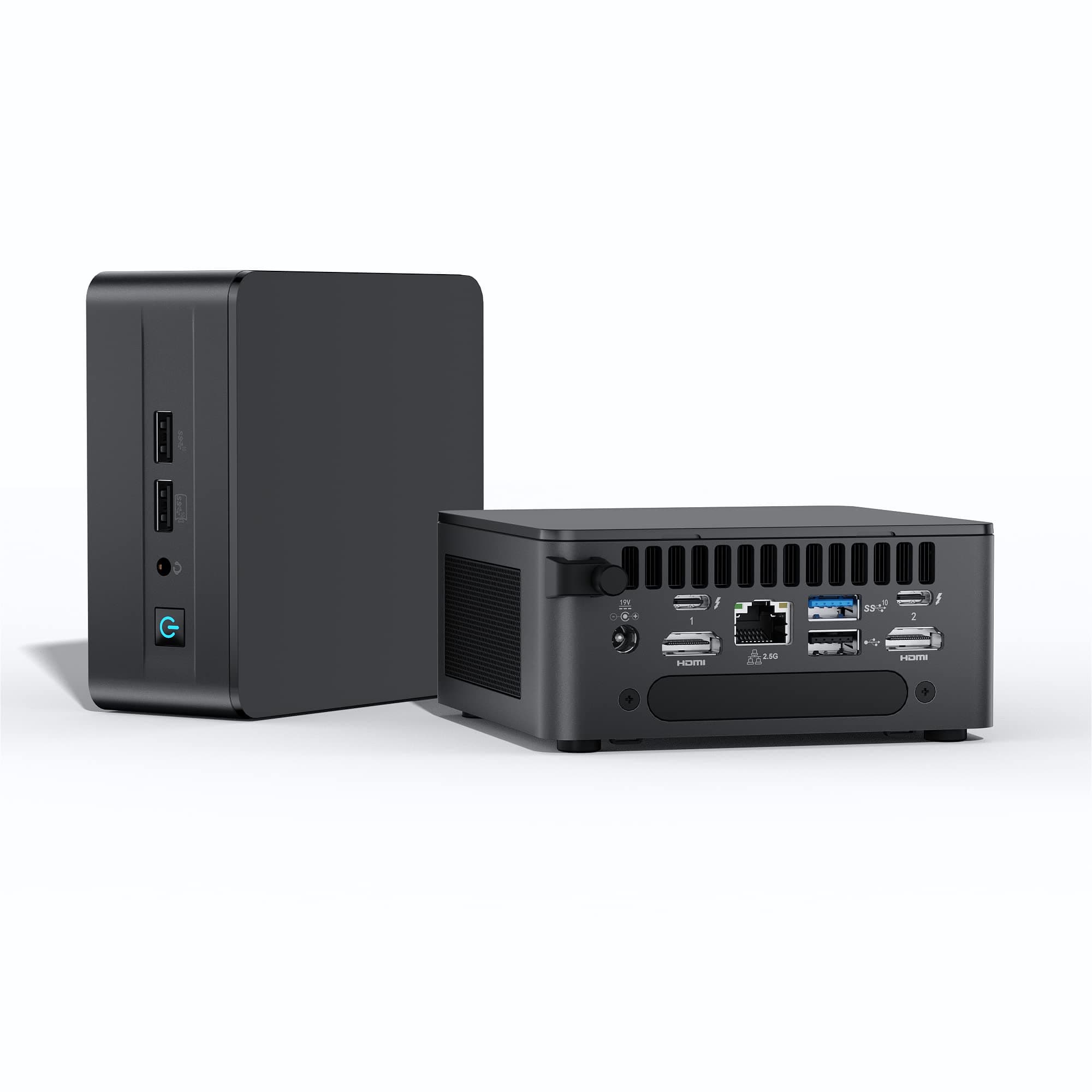
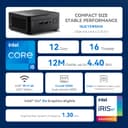
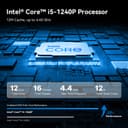
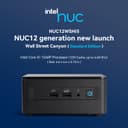
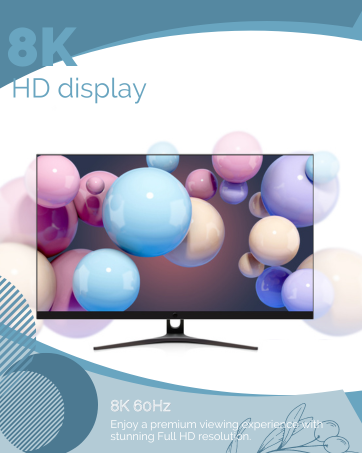
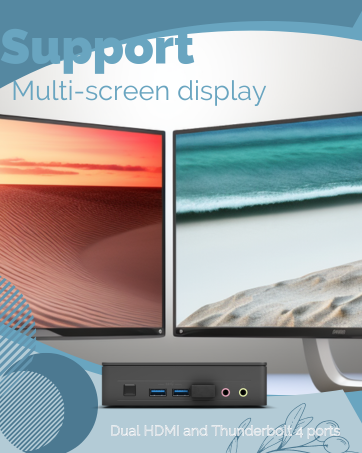
The Intel NUC 12th Mini PC is a compact powerhouse featuring the latest Core i5-1240P processor, 32GB of DDR4 RAM, and a 512GB SSD. With support for 8K and 4K displays, advanced connectivity options, and pre-installed Windows 11 Pro, this mini PC is designed for professionals seeking high performance in a sleek package.








| Brand | Intel |
| Product Dimensions | 11.68 x 11.18 x 5.33 cm; 1.36 kg |
| Item model number | Intel NUC 12 Pro 1240P |
| Manufacturer | Intel |
| Series | Intel NUC |
| Colour | Black |
| Form Factor | Small Form Factor |
| Screen Resolution | 3840 x 2160 pixels |
| Resolution | 3840x2160 Pixels |
| Processor Brand | Intel |
| Processor Type | Core i5 |
| Processor Speed | 4.4 GHz |
| Processor Count | 1 |
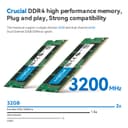
| RAM Size | 32 GB |
| Memory Technology | DDR4 |
| Computer Memory Type | SODIMM |
| Maximum Memory Supported | 64 GB |
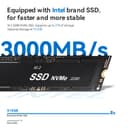
| Hard Drive Size | 512 GB |
| Hard Disk Description | SSD |
| Hard Drive Interface | eSATA |
| Hard Disk Rotational Speed | 3200 |
| Graphics Chipset Brand | Intel |
| Graphics RAM Type | DDR SDRAM |
| Graphics Card Interface | Integrated |
| Connectivity Type | Bluetooth, Wi-Fi |
| Wireless Type | 802.11ax |
| Number of USB 2.0 Ports | 1 |
| Hardware Platform | Windows |
| Operating System | Windows |
| Item Weight | 1.36 kg |
| Guaranteed software updates until | unknown |
R**.
High quality, powerful SFF PC.
WHY? I suppose that my real question to myself was "why?". I've had two tower-style PC computers with 8 years old AMD processors in them. One has 32Gb of RAM and the other has 24Gb of RAM - and they are perfectly fine for what I needed them to do - usual office apps and programming\development. I have two so that if one got problematic, I could quickly flick over to the other and continue my work. They are connected via graphics cards to 4 monitors to make my work easier. But I noticed that these SFF computers like this Intel NUC were getting more, and more powerful. I COULD BE GREENER IN A LESS NOISY OFFICE I like to leave my computers on - so that I can just get on with my work the next day. But they are noisy. And the towers are big. And I imagine that they are a bit power hungry. They both have 750W power supplies but they aren't pushed anywhere near that level. And I decided that I wasn't really using the expansion capabilities of the tower PCs and that I could have a quieter SFF PC that would still connect to 4 screens, be near silent, be more powerful and use less power. ENTER THE INTEL NUC 12 PRO 1240P Did research to find that because this is the 12th Generation of the Intel Core i5-1240, it was more powerful than the 11th Gen Intel Core i7 CPU's in most respects. So, although the Intel NUCs are a little more expensive than others like the highly regarded Geekom machines, I decided to go with the Intel NUC and the Intel i5-1240 processor. The Intel NUC 12 Pro 1240P had an extra 16Gb of RAM to take me to 32Gb, and a promotion was running which reduced the price by £90, which helped to swing it for me. The total price still took it to something like £80 more than the other SFF I was looking at, but I was then able to reason that I was paying £80 more for more performance - and I pressed the Add to Basket button. REALITY The Intel NUC 12 Pro 1240P is tiny. It is quiet. It's well built in an Apple Computer kind of way. And a joy to open up and work to upgrade. 4 screws later, I was inside to upgrade the standard 512Gb NVME SSD to 1TB, and installed an additional 1TB 2.5" hard disk. This PC now also has virtual PCs that run Windows Server, replacing another old server computer of mine. And all with an external 120W power supply. I've benchmarked my Intel NUC and it is about 4 times more powerful than my old tower PC. Graphics-wise, it's about the same as my old PC. The Intel NUC is rated to be able to still play many games but I'm not really into games now. OVERALL I'd highly recommend a Small Form Factor PC like this Intel NUC 12 Pro 1240P. Mine is even faster and far more responsive in general use. A friend got an SFF model from Trigkey and he's also happy. So the SFF revolution has begun largely because prices have come down and expandability options have increased. Once you have chosen an SFF, you can swap out anything in the SFF except the CPU and Graphics. And I think that there's no need to buy a tower PC unless you need to house an even more powerful CPU and graphics card because perhaps you perform demanding functions like video editing or you are a gamer! Get this Intel NUC 12 Pro 1240P if you want a high quality PC and you want to start off with the most powerful SFF available (for now..!)
U**R
Serious PC hardware in a small package
I'm a real fan of these mini-PCs. OK so you don't get any of the essential peripherals - like a keyboard or mouse but you can pick these up really cheaply (I have a few knocking around anyway) and, of course, you will need a decent sized monitor to make this outfit viable - but luckily I likewise have a 27" curved monitor which was just waiting for a little outfit like this to turn up - so hurrah! It's quite a serious bit of kit with 32GB of RAM, an intel i5-1240 P Processor and a 512 GB solid state Hard drive (plus a space for another hard drive - or like me add a 4TB HD you already have via a USB slot). It also comes with Windows 11 pre-installed - which is great and allowed me to get up and running in minutes - and then I attached an external DVD drive and uploaded MS Office and was away. I will say it again it's a nice bit of kit and hums away happily doing pretty much everything you need as fast as you need. I hooked it up to the internet and browsed a few things, played music via Youtube (with some external speakers), copied lots of my Doc and xls files across no problem, played a few resource hungry games just to put it through its paces and, so far , it's working really well. Faster than my existing All-in-One Dell desktop. I can't really find any faults in it - yes the £869 price tag is a little heavy as you still need to get all these peripherals to get it up and running but then it IS a serious bit of kit. Hence the full 5 stars from me.
M**F
Compact and fast
My son was delighted to try this PC, he has quite an outdated system and he's been saying for ages he wanted something new for his games so he was the perfect candidate. I was amazed at how compact the PC is, it's 14cm wide, our old system was 3 times that size and much heavier, it's crazy how small they can make these things now. You just receive the PC, no keyboard or monitor etc but we already have those things. There's enough ports to plug everything into plus some extras. Speed wise, my son said this is much faster than his old system, it has Windows 11 pre-installed and he was up and running in a short time. He's experienced no glitches, crashing, or long load times so far. All in all, an excellent system, compact, lightweight but packs a punch with a decent amount of memory to handle my sons needs, recommended.
A**N
Not ideal for me
The processor and the SSD all worked well but unfortunately i had to send it back as the wifi would drop out often enough to be an issue. Some research showed it can be an issue with this form factor. If you're closer to the hub or are using a wired connection it would be great. Was fast and powerful enough to run medium games, Age of empires performed without a stutter for example, kept cool with a quiet fan. Fair value for money especially with payments, and set itself up easily. I was impressed with the size to get the same shape, its a shame about the wifi . Perhaps if id persevered with the positioning...
G**K
Powerful compact pc
This pc is great. It's got plenty of ports and a powerful cpu, ample ram and a nice fast ssd. Windows 11 takes 5 minutes to set up and it's a lean version with no crapware anywhere. So far I have been using it for weeks for general office tasks - emails, spreadsheets, word, internet. A little photo editing and vector drawing and nothing slowed it down so far. Even some gaming could be possible but this is where this machine would lack - not that it's intended to be used that way anyway. Even if it manages to run some games I would think throttling would occur as the little case would not be able to get rid of the excess heat. But it's got everything for work and studying in a seriously small form factor and realitvely quiet case. Recommended
A**O
Definitivamente esta PC no es Gamer y yo tampoco lo soy pero buscaba una PC que fuera rápida y compacta por que no tengo mucho espacio, por años utilizaba una laptop pero a pesar de que era muy buena, era incómodo, esta NUC es perfecta para lo que necesito, programas de oficina, sketchup y autocad La única "desventaja" que podría tener es la capacidad de almacenamiento pero es relativo ya que si necesitas más puedes tener Disco externo u otras muchas opciones
M**E
Ok, I'm not a gamer (anymore) and only do web surfing, email, 'Office products'... I had a massive 'I Buy Power' gaming workstation under my desk for many a year (think it's on 8 years now) and the poor desk started to fall apart (those 'quick locks' just break after so many moves) and with a desk replacement I started thinking I don't need something sitting on the floor taking up space... The Intel NUC Mini PC appears to be the answer! It's got 32GB of RAM (same as my old workstation) and processing power is a few years ahead of the old system. Graphics power "probably" could be better IF I was doing graphics or gaming but I'm not and didn't use 70% of the old workstation graphics abilities. PRO: 1) Cost, it's much cheaper than many systems with this power 2) Footprint, I'm going to mount this on the wall behind my wall mounted dual monitors. No more floor space (or desk space) taken up. 3) Hey, it's a computer and nowadays everything is plug n play and setup is EASY. CON (well, IF I had to come up with something): 1) Well, my old workstation had 1 TB HDD, this has 512 GB. Ok, this REALLY isn't a problem as I use Synology NAS for storage, home drive and shared drives and just really need to put stuff there instead of locally. 2) (I'm REALLY reaching here...) I originally mounted the Mini PC on the back of a monitor so it was off my desk and really cleaned up the look. Now that my monitors are on a wall mount, I had to put the Mini PC back on my desk. But just maybe I'll mount it to the wall behind a monitor? BOTTOM LINE: Overall very good for the price, performance is everything I need (web, Microsoft Office products, video's) and having the small footprint is a win no mater how you look at it. The availability of add in HDDs (and low cost) is plus, IF I ever decide I actually need more disk space. Highly suggested for someone who is NOT a gamer and wants a good computer.
J**N
Already needed to update the BIOS. I was checking on warrantee for peace of mind. The intel site said it was out of warrantee. I contacted amazon[which stated they would stand behind the stated warrantee], but I never did hear from the builder about the warrantee. Disconcerting.... since I re-did the BIOS it has been working ok. It still has some glitches, but I'm still learning how it operates. Fingers crossed!
C**G
Wow! Where to begin with this thing? For some background, I'm a PC enthusiast and regularly build my own rigs. I hadn't seen these Intel NUC PCs before so I jumped on the chance to try one out. Form Factor: There's so much to like here! First off, the form factor is TINY. I included a picture; this basically sits in the palm of my hand, and I don't have very big hands. From a power perspective, this means you're going to get an external power brick with the device, which probably adds 25% more to the size of the package all-in, but this can be stored away under your desk. Hardware: From the headline, you can see you get a Core i5, 32GB of RAM, and a 512 GB SSD. This has Bluetooth and WiFi built in (there's a very small antenna you screw in to enhance reception.), so no need for a CAT3 cable (though it has a port for wired network connections). The WiFi performance was excellent; I was able to reach the full 400Mbps that internet plan allows for. In addition to the power cord, you get what appears to be a 2" HDMI cable. You also get a mounting plate which you can use to mount this thing in an array of other NUC PCs. That's it - you need to supply all other peripherals, such as the keyboard and mouse. Since these are kit computers in a sense, I opened one up to see inside. From the included picture you can see everything that can be swapped, specifically the new series of NVm.2 style SSDs. I didn't realize it at first, but there's an entire tray at the bottom for a SATA SSD, and there's actually a removable slot that allows you to run a SATA cord from an external device IN to this device, so you don't actually physically need to put the drive in. Very clean and straightforward insides here, they didn't try to cram everything in so there's airflow. Performance: This isn't going to be a performance review - I don't have the testing equipment and such to run any meaningful side-by-side comparisons. However, the Intel iRISx graphics card is decent - to give you a sense of what it has, the Nvidia RTX 3080 with 8GB I have in my gaming rig has about 3x the double precision processing power (among other things). But that card cost more than this entire computer. From a gaming perspective the performance here is what I would consider to be "nominal." I downloaded the Steam client on this and benchmarked Steel Division 2, which is the sort of game where you can really crank the settings depending on your hardware. Again on my 3080, I can run the highest settings in every category on an ultrawide 49" 1440p monitor. With this PC, I had to run almost all the lowest settings, with several off, to play the same game at 1080p - but it was still completely playable. So if you're looking for a gaming rig, you're probably better off getting an XBox or a PS5. But those two aren't computers, like this is. Other: Sound-wise, this is quiet but not silent. My current gaming build - a NZXT 510 Elite with 4 fans and a PSU are actually quieter, but this is just a low-level whir, similar to what you'd get out of a laptop (except with better internal airflow). This PC does generate heat - even with good cool airflow nearby and the fans whirring, you can feel the ports in the back getting hot (indicative of internal temperatures). Overall: I continue to be amazed by the offerings out there these days. When I was younger, you had to have a huge tower to get this level of performance. This is just like a big Alexa puck. The form factor gives it all sorts of use potential beyond a simple desktop, while still allowing for plenty of expansion. From a price perspective, you really end up getting a lot (right now this item is listed at $780). Considering you're getting an i5, plus 32GB of RAM and a 512GB SSD, the only thing separating this from a higher end gaming rig is a discrete graphics card. You also get a paid-up version of Windows 11. Very happy overall I was able to snag this product - I hope you find this review to be helpful!
E**.
Lakes are relatively still. This one - Alder Lake - bucks that trend. It is fast-moving, and unlike its 11th gen older brother, has purpose. The mobile Alder Lake CPU (APU?) powering this tiny PC represents a turnaround and return to true competitiveness in that space. As such, immense processing power is on tap and its use in this 'larger' form factor (as compared to a laptop) means that no thermal-related compromises are being made. NUC (Next Unit of Computing) devices are a big thing in computing. These cool, practical computers do away with the traditional large tower designs. They mostly incorporate all components - motherboard, CPU, GPU, memory, storage - into a mini cube, omitting things like optical/ CD drives, 3.5" hard drives and full sized desktop RAM. The results are amazing from a size-to-power standpoint and these devices, though tiny, can rival and even outperform the larger designs. This particular unit makes use of the -P variant of the mobile CPU as opposed to the lower power -U parts. It results in a major difference in performance since the i5 1240-P is rated between 28 and 64W as opposed to 9-55W in the -U parts. The setup of this machine is a work in progress. I intend to eventually triple boot and then install several virtual machines on it. I am very optimistic that it will handle everything I throw at it. The initial config was a pain as I had to bypass Microsoft online account creation. The persistent malware that is Windows (11 and 10) insists on an account through which even more of your activities can be tracked and sent online as telemetry. For that reason, it will be heavily modified and relegated to occasional use through a well-configured VM. But for now... offline device testing. The BIOS/ UEFI is Intel branded. It is well laid out, not unlike that from other manufacturers or OEMs. As long as you have an idea of what each category represents, finding settings is relatively easy. The slow POST was an annoyance (RAM check?) but I deal with it because the fast boot option will disable USB (and therefore, keyboard and mouse) access while in POST. By the way, keyboard and mouse navigation within the BIOS is easy. Apps were no match for this new chip and RAM combination. Office suites (Only Office, Ms Office) were a breeze; multiple browser windows and tabs (offline pages) didn't slow it down either. A few non-demanding games were tested but that was a given anyway; any 12th Gen chip would walk all over monopoly, 3D pool and the like. Anything requiring a modern discreet graphics card would be a problem, so I avoided triple-A titles. The next step would be CAD and a few VMs side-by-side (will update). The system as a whole likely benefited from Intel's Thread Director, which is needed to maximize use of the new power/ efficiency core architecture of Alder Lake. Windows 11 use and navigation was smooth but didn't seem as snappy, given the chip involved. Maybe it's perception, maybe it needed updates. On the whole, the performance was satisfying and in line with expectations. I expect the same from Linux, especially after the upcoming kernel updates incorporating the Intel Thread Director. Given the NUC form factor, the related expectations and this model's specs, the complaints are minimal. With limited expansion options, additional USB ports - including type-C - would have made this little powerhouse stand out even more. USB hubs can be an eyesore hanging from smaller machines. With gaming among its targets, support for eGPU (external graphics card) over Thunderbolt wouldn't have hurt either. After all, it is an Alder Lake i5 with loads of RAM and some thermal headroom built in. A minor issue is with USB devices accidentally powering up the system from the off state. An accidental touch of the mouse or keyboard is enough to power on and boot the machine. I tried disabling it from the BIOS but ended up cutting power to the rear ports instead. :D Like I said, its a work in progress; I'll revisit that setting later. There may be a mobile chip at the core of this mini PC but its not meant for mobile use. Unlike a laptop or tablet, this NUC is happy on a desk or fixed to the back of a monitor. With that said, this thing sees a fair bit of actual mobile use. My laptop is under-powered by comparison, and the combination of features in the NUC - RAM, USB 3.2 gen 2 and 2.5 gigabit ethernet in particular - now makes it painful to opt for the former. It fits just fine in my tech bag and does not require any config. A super slim bluetooth keyboard and sometimes a USB monitor complete the mobile setup. It is a joy to use and it has top-tier specs. I am happy with its performance.