We remain fully operational. Our teams are working around the clock to ensure your deliveries continue safely.

下载应用程序


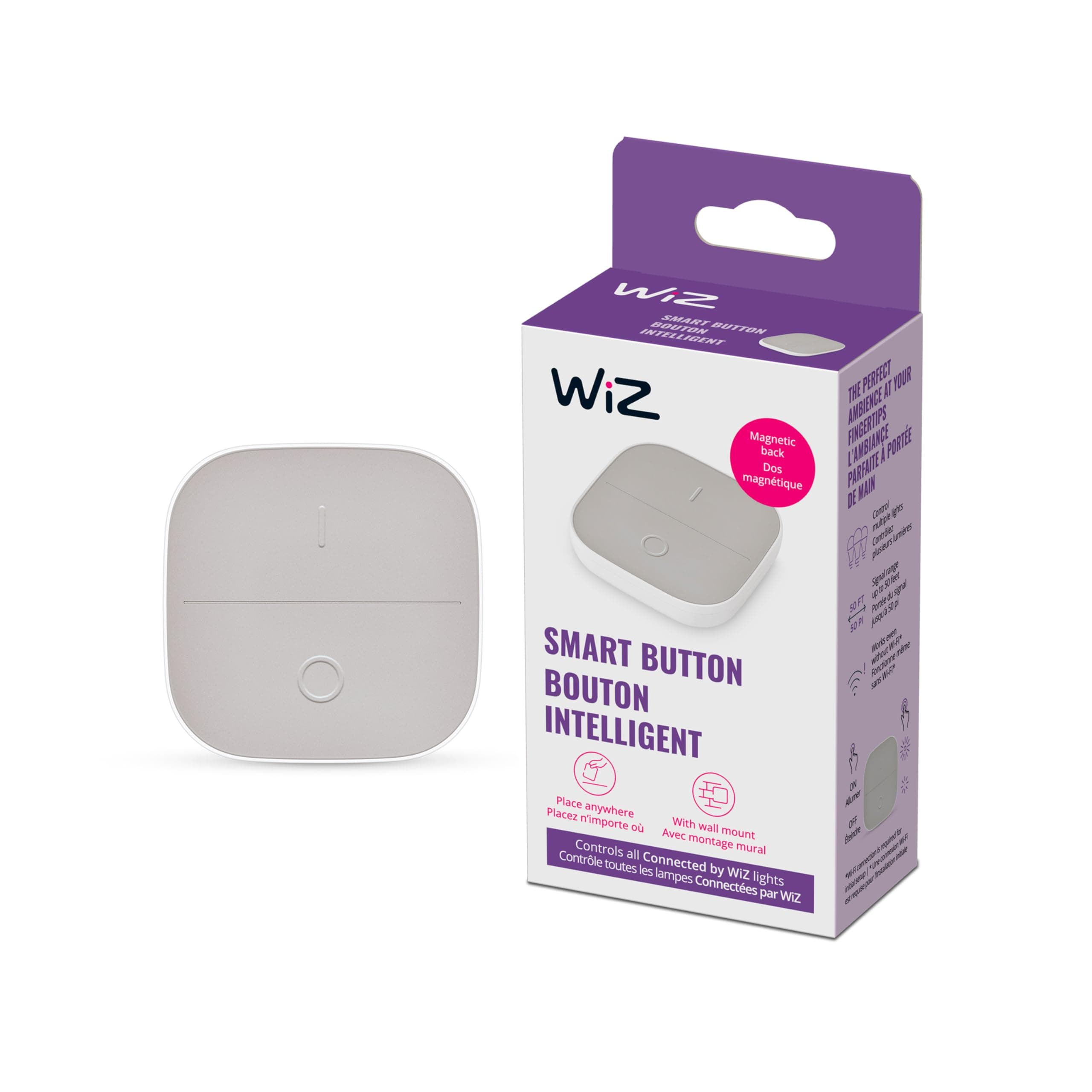

💡 Light up your life—smart control that moves with you!
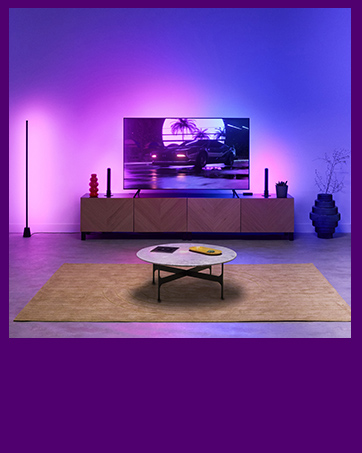
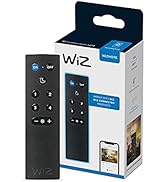
The WiZ Portable Smart Button is a sleek, battery-powered wireless light switch offering up to 50 feet of range and four intuitive control modes. Easily mount it with included 3M tape or magnets, and manage your smart lights via the WiZ app for seamless, customizable lighting control throughout your home. Designed for effortless setup and long-lasting performance, it’s the perfect smart home accessory for professionals seeking convenience and style.











| ASIN | B0B9SXM3NW |
| Battery Average Life | 1 years |
| Battery Description | Alkaline |
| Best Sellers Rank | #66,976 in Tools & Home Improvement ( See Top 100 in Tools & Home Improvement ) #336 in Lighting Accessories |
| Brand | WiZ Connected |
| Built-In Media | 1 WiZ Portable Button |
| Color | White |
| Compatible Devices | WiZ Smart Lights |
| Customer Reviews | 4.4 out of 5 stars 163 Reviews |
| Global Trade Identification Number | 00046677604387 |
| Item Type Name | Accessory |
| Item Weight | 0.07 Kilograms |
| Manufacturer | WiZ Connected |
| Manufacturer Warranty Description | 5 year manufacturer |
| Maximum Range | 50 Feet |
| Mfr Part Number | 604389 |
| Model Number | 604389 |
| Mounting Type | Wall Mount |
| Number of Batteries | 2 AAA batteries required. (included) |
| Power Source | Battery Powered |
| Smart Home Compatibility | Smart Home Compatible |
| UPC | 046677604387 |
| Unit Count | 1.0 Count |
J**Y
The wireless lighting control switch I've been waiting for!
Quick review: This button does exactly what you hope it would do. It's easy to install via the 3M sticky tape on the back of the wall mount, so no need for drilling or holes! Programming it in the Wiz app (v2) was straight forward and took less than 2 minutes. A bit of technical knowledge is useful when programing, but if you're adding physical buttons to your smart home, you [probably] already know that. It also functions as a dimmer switch, as well as full-on, full-off single button presses. You can link this button to a single lightbulb, rooms, or even multiple rooms full of lights. It's nice that you can remove the button from the wall mount and use it as a mobile remote. Just place it back in the mount when you're done and the magnets will hold it in place until the next time you need it. Longer Review: If you're like me, you love the concept of smart home automation. And if you're even more like me, you refuse to pay Philips Hue pricing for lightbulbs and peripherals. This lead me to buying multiple Amazon deals and sale items over the years, which meant I had to have 3-4 different apps on my phone to run them all. Yes, these apps can all be managed in groups by Alexa, Google Home, etc., but the fact is, there was no overall device that can send a lighting cue to multiple different brands of lights via Google or Alexa (that I found, anyways). It's also a drag when people who are visiting, and perhaps a bit less tech savvy, want to turn lights on and off with no physical switch in the room. It's unreasonable to expect my 65 year old father-in-law to bust out his phone, which he barely uses, to open an app and fumble around looking for the proper lighting groups in the house. That's where Wiz has changed the game. They sell plenty of different lighting and outlet options that all link to a single app (a very well designed, user-friendly app, might I add), that you then link to your Smart Home service of choice. They are affordably priced and the build quality seems on par with what you'd expect. The colors of the lights are accurate enough, although not as rich as Hue lights. But I can buy 8 Wiz bulbs for the price of 3 Hue bulbs, so I can live with that. We have since converted nearly all of our smart bulbs throughout the house over to Wiz and it's been a dream. We use this particular wireless button to control 4 bulbs in our living room (see the video review), and some of their wireless remotes throughout other rooms in the house to control different sections as needed. I was initially shocked at how simple these were to pair and setup via the Wiz V2 app. As mentioned before, programming and setting these up isn't for everybody, but chances are you will find their instructions easy enough to follow along. It runs off of 2 AAA batteries, which I haven't had to change yet (purchased this about 3 months ago). And stays connected to my wifi with 0 issues. If it has any weaknesses at all, I would say that the magnets in the button and wall mount could be a tad bit stronger. I have knocked it out of it's mount by mistake, but that falls under "user error", in my opinion. Under general use with proper care, this switch should last a long time. All in all, my family and guests have been very happy to have a physical button to press when they need lighting control, and I would recommend to anyone who's invested in the Wiz line of smart bulbs in their home or business.
R**O
Great smart button
Very responsive. Easy to connect and very useful.
J**M
Worked as advertised and easy to connect to my Wiz Smart Bulb.
I ordered this switch to control my Wiz Connected Smart Bulb. The switch was easy to connect to the Bulb using the Wiz app. Switch works perfectly. Also love that holding the On (I) brightens the bulb and holding the Off (0) dims the bulb.
M**C
Simple and works great with WiZ bulbs
Setup was pretty straightforward once I figured out you need to add it as a remote control in the app rather than a regular device which the instructions do not make very clear. Once paired though it works exactly as it should and the response time is basically instant. The built in magnet is a nice touch since I just stuck it on the fridge and it looks like it belongs there. I have it controlling multiple bulbs and it handles that fine. Small and simple but does what it needs to do.
S**K
Great Smart Button
This product is great! I ordered it because my room is decked out with WiZ living of all sorts and I was getting sick of Alexa. I just put it by the entrance of my door using the supplied 3M adhesive and it worked like a charm! It looks sleek and modern which is something I really valued when looking for a smarter way to turn off my lights. Overall, this thing is great and I will be buying it for my other rooms!
B**N
Not matter compatible
It works like a light switch but does not have matter logo so I got 2 old switches in new box that says it's matter compatible. I bought it solely so I could connect it with home assistant via matter. Even the wiz app v2 says it's not a matter compatible device. Or at least it does not appear in the matter section.
M**E
Great simple solution
Very simple setup to control Wiz bulbs in my daughter’s room.
J**S
Complements Smart LEDs
I replaced my office lights- previously HALO LED downlights - with HALO’s smart offering to see how well they functioned compared to Govee. HALO smart LEDs use the Wiz Connected app. Since all my lights are smart I got rid of the wall switch and the utterly wasteful fan remote control mounted in a 2-gang switch box. I wired it so power is constantly available to the lights. I covered the box with a 2-gang screwless blank wallplate. I then mounted the smart button on the wall plate. So, now I can control the lights with a button or with my phone. That’s useful if my less tech-savvy partner wants to turn the lights off. Plus you can remove the button from the magnetic mount and carry it with you as a remote. I really like this solution
TrustPilot
4天前
1 个月前