We remain fully operational. Our teams are working around the clock to ensure your deliveries continue safely.

下载应用程序


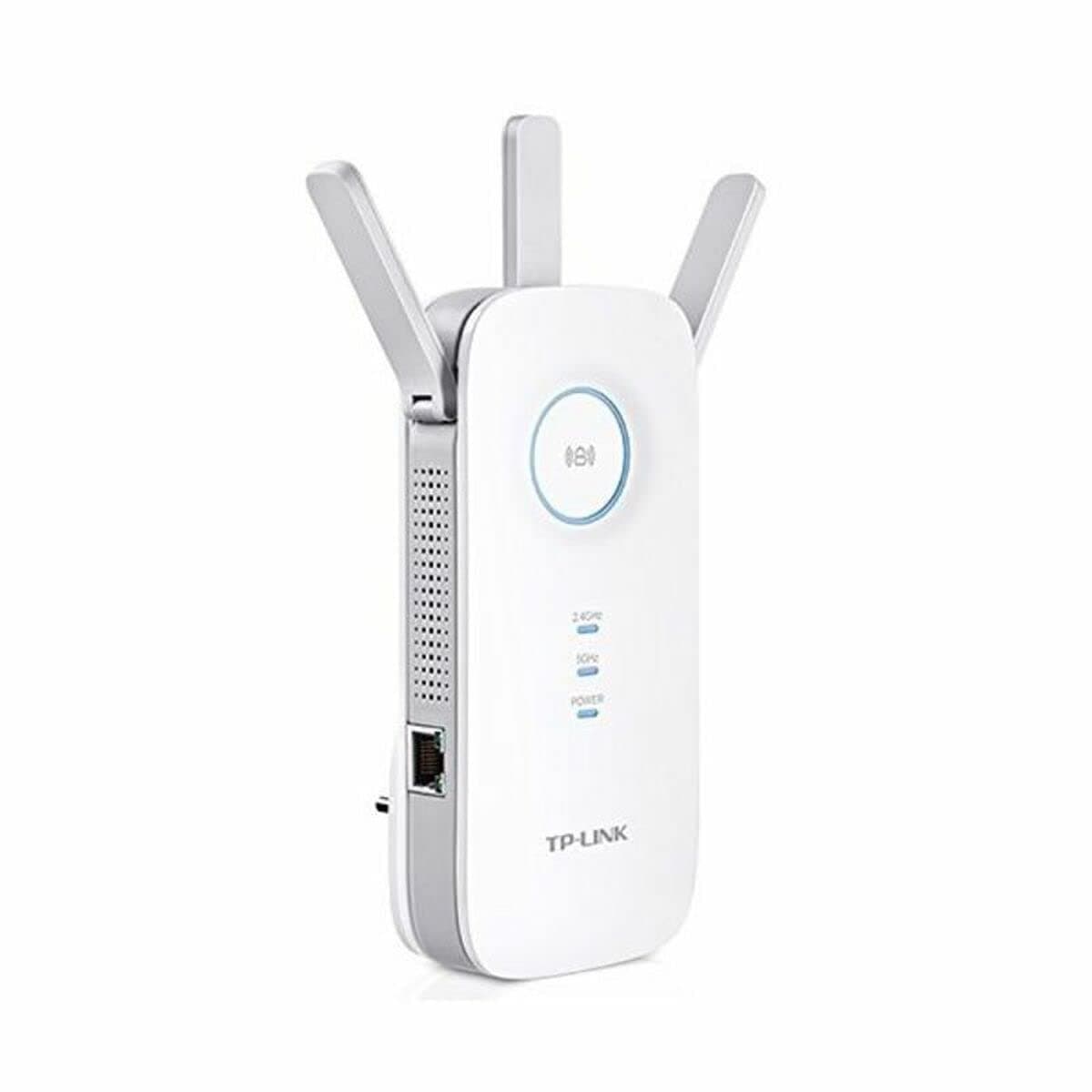

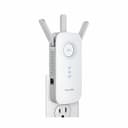

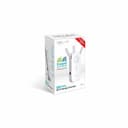
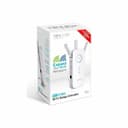
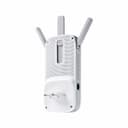
🚀 Elevate your Wi-Fi game—never miss a beat or a meeting!
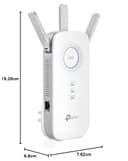
The TP-Link Dual Band RE450 Wi-Fi Range Extender (EU plug) delivers up to 1750 Mbps speed across 2.4 GHz and 5 GHz bands, extending your wireless coverage up to 140 meters. Designed for easy plug-and-play setup, it supports a wide range of Wi-Fi enabled devices and features clear LED indicators. Compact and efficient, it’s perfect for eliminating dead zones in homes or offices, backed by a 2-year manufacturer warranty.


| ASIN | B010RXXY48 |
| Best Sellers Rank | 101,806 in Computers & Accessories ( See Top 100 in Computers & Accessories ) 1,053 in Network Repeaters |
| Box Contents | Installation manual |
| Brand Name | TP-Link |
| Colour | Black |
| Compatible Devices | Wi-Fi enabled devices such as router, smartphone, tablet, laptop, computer, smart TV, game console, printer and security camera |
| Connector Type | RJ45 |
| Country of Origin | China |
| Customer Reviews | 4.1 4.1 out of 5 stars (22,331) |
| Data Transfer Rate | 1750 Megabits Per Second |
| EU Spare Part Availability Duration | 1 Years |
| Frequency | 2.4 GHz |
| Frequency Band Class | Dual-Band |
| Frequency Bands Supported | 2.4 GHz, 5 GHz |
| Global Trade Identification Number | 06935364092382 |
| Item Dimensions D x W x H | 6.6D x 7.6W x 16.3H centimetres |
| Item Weight | 300 Grams |
| Manufacturer | TP-LINK |
| Product Warranty | 2 year manufacturer |
| Range | 140 meter |
| Special Features | RoHS Compliance |
| UPC | 845973095994 845973092405 |
| Unit Count | 1.0 count |
| Wireless Compability | 802.11a/g/n |
M**D
Great unit but don't buy for SONOS use.
Great unit but don't buy for SONOS use. Set up was very easy (had to connect twice to get both bands but the instructions warn you you may have to so that was no problem). I have a BT Hub 5 for my router. Coverage immediately went from patchy to very strong in the area where I needed it. It has completely solved my wi-fi issues for computer use. Unfortunately, it isn't fully compatible with my SONOS set up. It seemed to work initially but now, when I try to group speakers, I get a warning that one or more of my speakers is connected to a wi-fi extender and cannot be grouped for music play back. Oddly I can still group all speakers for radio play back. I tried Amazon Prime music but the warning proved correct, no joy. The really odd thing is that the speaker nearest this unit is not the one that has latched on to it. As you cannot specify which source your SONOS units attach to there appears no way around the issue. I am giving the unit 5 stars because it is everything other people have said - easy to set up and a real problem solver. It is not TP-Link's fault SONOS won't interact with it. If you don't have SONOS I heartily recommend this kit. If you do, you will need to get a SONOS boost but whether or not you can use the Boost as an extender for other kit I am afraid I do not know.
D**R
Absolutely Fab!!
I was a little concerned when reading some of the negative reviews, but couldn't find a higher rated wifi extender, so decided to take the risk. I'm glad I did. Installation was simplicity itself. The TP-Link picked up the signal from my sky router and simply rebroadcast it without changing the router identity, so my computer did not need setting up under a new router ID. The G5 band was available as a separate signal which kept the same password, so the modern Apple devices are suddenly more responsive with faster download times. What's not to like? Some reviews mention the "large" size of the extender - I thought it was OK, taking up only one socket width. The LED lights are also clear and unambiguous - as well as being quite a gentleblue, wich keeps my lady happy. As long as it keeps working, I am extremely happy.
E**N
Works well
Disliked the fact that I ordered with EU plugs, but received with UK plugs. Additional crossovers required unnecessarily.
M**N
Ok for medium small/sized house only
Not easy to set up. The two band LEDs don’t light up till you have linked the extender to your Network so you aren’t immediately sure that it’s working ok. The App wouldn’t link the extender to my Network. It just kept coming up with a message saying ‘unable to join’. I did however see the signal listed on my phone so managed to link it but only by choosing the extender WiFi signal listed on my phone WiFi list not by using the App. I tried several places in the house to install it but the signal kept dropping and the App said I was too far from router signal and should move closer. I did find a single location where the signal held but now there are still areas in my house where the signal is poor - most notably the office (my reason for purchase!). Also you have to choose a password for the App and another for the Extender itself but it only connects to your router using the router password. Overall I would say if you have a large house with block work internal walls then it isn’t powerful enough. Look for a different model.
G**R
Great! Doubles the range of your wifi. Easy to set up.
This is great! It doubles the range of your wifi. It uses the same name and password, so if you carry your laptop from within the range of your main wifi into the range of this wifi extender, you don't even need to join a new network. In other words it is seamless and easy. And the wifi is fast! If your main wifi is a modern one that supports WPS (where you simply push a button to connect devices), then initial setup of this range extender is super easy. Push two buttons, wait a minute, done! If you don't have WPS, then you have to connect this range extender to your computer (by wifi or ethernet cable) and log in to get it going. That is a fairly straightforward 10 minute process.
R**Y
It works
I have left it a week before writing this to ensure reliability. Firstly I'm with Virgin. My connection speed is about 370. I had previously been using a different extender costing twice as much. It was problematic. (Rubbish) I could not set this up using WPS...but then that has never worked for me. It was easy to set up using the web page. It works well, and has done all week. I have not had a single moaning child. My lad at the back of the house gets about 60, previously not getting a connection at all. The WiFi has the same name and password throughout. It works seamlessly. It is not a small piece of kit, but it is not massive either. It just works and delivers a decent speed connection. My kitchen previously got no connection, but will now get 2 bars out of 3, and connects at 12-30. Simply put, this just works. Buy it.
M**N
Struggles with matching security encryption...
Worked very well at boosting my wifi signal, and was very easy to set up. However, I soon learned that the manufacturers claims that the booster replicates the routers security encryption (eg: EAP, WPA, WPA2) are incorrect. Despite repeated attempts, it would not broadcast a WPA2-AES encrypted signal and there is no way to force this. If you do not need this encryption, then it is a great product. If you do, look elsewhere.
I**Q
Does what it's supposed to do.
First and most importantly, this gadget works well and we now have a very acceptable wi-fi signal throughout our single story 1500 square foot flat. It was very simple to set-up. Just plugged it in next to the router, pressed the WPS buttons on both devices and within a few minutes it' was ready to use. Moved it to a central location in the hall and devices in all rooms were able to connect to our wi-fi using the same password. Also, the device plugged straight into one side of a double socket and is slim enough to allow a standard size plug top in the other side.
A**R
Works good so far! Need to ensure it is in decent range. Good speed connection.
W**R
Added this to my home because my other extender was way outdated . It works - don't have some of the issues(buffering for one) as previous. Easy install.
I**O
Después de un mes de prueba he de decir que este repetidor wifi me ha sorprendido gratamente, aunque los primeros días estuve a punto de devolverlo y ahora os explico el por que. Siguiendo con el análisis del producto, y siendo el primer repetidor wifi que uso en la vida, la verdad es que no puedo estar mas contento con la compra. Cobertura wifi tanto 2,4/5G impecables (después de colocar el repetidor en el punto óptimo de la casa), interfaz web muy intuitiva y fácil de entender, fácil instalación y configuración en un par de pasos... Básicamente lo compre para poder tener wifi en una TV que colgué en la habitación, a la cual le llegaba apenas una raya de cobertura y ahora, le llegan todas. Probada la señal wifi con Netflix y ni un solo corte o pixelación. Antes, ni me conectaba la TV a la wifi sin el repetidor. Enfín, no puedo ponerle pega alguna al producto, al menos de momento. En cuanto a lo de que estuve a punto de devolverlo, os explico el porque y la solución por si le sirve a alguien que tenga uno y esté padeciendo los mismos problemas. Resulta que los dos primeros días, funcionaba de lujo, hasta que al día siguiente, pruebo a ver la TV en la habitación y resulta que me dice que no hay internet. Ya me huelo movida, ya que el repetidor no se había tocado desde que lo instalé y no había motivos para que fallara. El caso es que la extensión de cobertura había desaparecido y los leds del repetidor seguían encendidos y fijos como debía de funcionar. Intento acceder por web para buscar el posible problema, y me encuentro con que no puedo acceder. El repetidor colgado del todo. Toca desenchufarlo de la red y volverlo a enchufar, y a funcionar. No le dí mucha importancia hasta que al día siguiente y sucesivos, volvía a pasar. Como digo era constante, me plantee devolverlo, hasta que empecé a buscar información por internet en foros por si el problema no fuera del repetidor... Efectivamente di con la solución y no era el repetidor el que fallaba. Resulta que el router de Movistar que tengo en casa, en opciones avanzadas de la banda 5Ghz tenía una opción marcada llamada... SCS (Smart Selection of Best Wireless Channel). A mi prácticamente todos los días, la banda 5G se me cambiaba de canal, incluso teniendo puesto yo el canal manualmente y era por tener esa opción activada. Por ejemplo, aunque el canal en el router lo tenía manualmente puesto en el 36, viendo yo en las opciones que me indicaba ese canal, realmente mirabas la red con un analizador de redes, y mi red 5G aparecía en el 108. Fué desmarcar la opción SCS en las propiedades avanzadas de la red 5G del router, y desaparecer de raíz los cuelgues del repetidor, ya que el canal ya no se cambiaba por su cuenta. Espero que os haya servido a alguien que tuviera los mismos problemas que yo. Un saludo.
C**E
Great device. Ideal if you have a OneMesh compatible router and do not want to change the whole system. The gigabit Ethernet port is very useful for not wireless enabled devices.
S**S
D'un format pratique et efficace, cet appareil supporte l'installation simple d'une image "snapshot" version 2019 d'OpenWRT ce qui transforme l'emetteur en pont wifi ultra haut debit facile d'usage et aux performances absolument redoutables. Apres la mise a jour du firmware vers OpenWRT, l'installation de l'interface web "Luci" en ligne de commande (les snapshots ne contiennent pas d'interface web par defaut) on se retrouve avec un bridge entre les 2 bandes Wifi et l'interface RJ45 gigabit. Une fois un point d'accés (802.11ac, canaux automatiques de 80MHz de large) configuré, activé et un cable du réseau local branché on obtient un accés sans fil (MIMO 3x3) a son réseau local ... Tests bidirectionnels avec IPERF3 entre un serveur ubuntu cablé et un portable avec une carte Intel AC8265 (MIMO 2x2) sous W10 : - Débit dépassant tres facilement les 500Mbps dans la meme piece (rez de chaussee) que l'emetteur (55-60Mo/s stable en copie de fichier depuis un partage windows) ! - En montant au 1er etage dans une piece situee juste au dessus, il "reste" tout de meme 250-300Mbps utiles ! - Au 2eme etage on obtient encore 40-80Mbps utiles alors qu'avec l'ancien point d'acces (TP Link 703N, OpenWRT 18.06, 802.11n, canal 11) on reste en dessous de 20Mbps au meme endroit. Je n'ai pas fait de relevés de débit aussi précis pour la bande 2.4GHz, le débit maximal dans la meme piece frolait les 200Mbps et au 2eme etage il oscillait entre 30 et 50Mbps sur le test de debit fast com. J'ai recu un RE450v2 (=avec 64Mo de RAM et un modele de switch different de la v1), ca ne pose aucun probleme, il faut juste faire attention a bien télécharger le firmware spécifique pour ce modele et pas le RE450v1, qui n'est pas flashable de toute maniere sur un RE450v2 ... [URL interdite] dans la ToH du site d'Openwrt, rechercher spécifiquement tp-link_re450_v2 Je n'ai pas poussé les tests jusqu'a éprouver le support de gluon et je pense que je ne vais pas en avoir besoin vu les performances fournies dans toute la maison a partir de ce seul émetteur !
TrustPilot
1 个月前
2 个月前