We remain fully operational. Our teams are working around the clock to ensure your deliveries continue safely.

下载应用程序


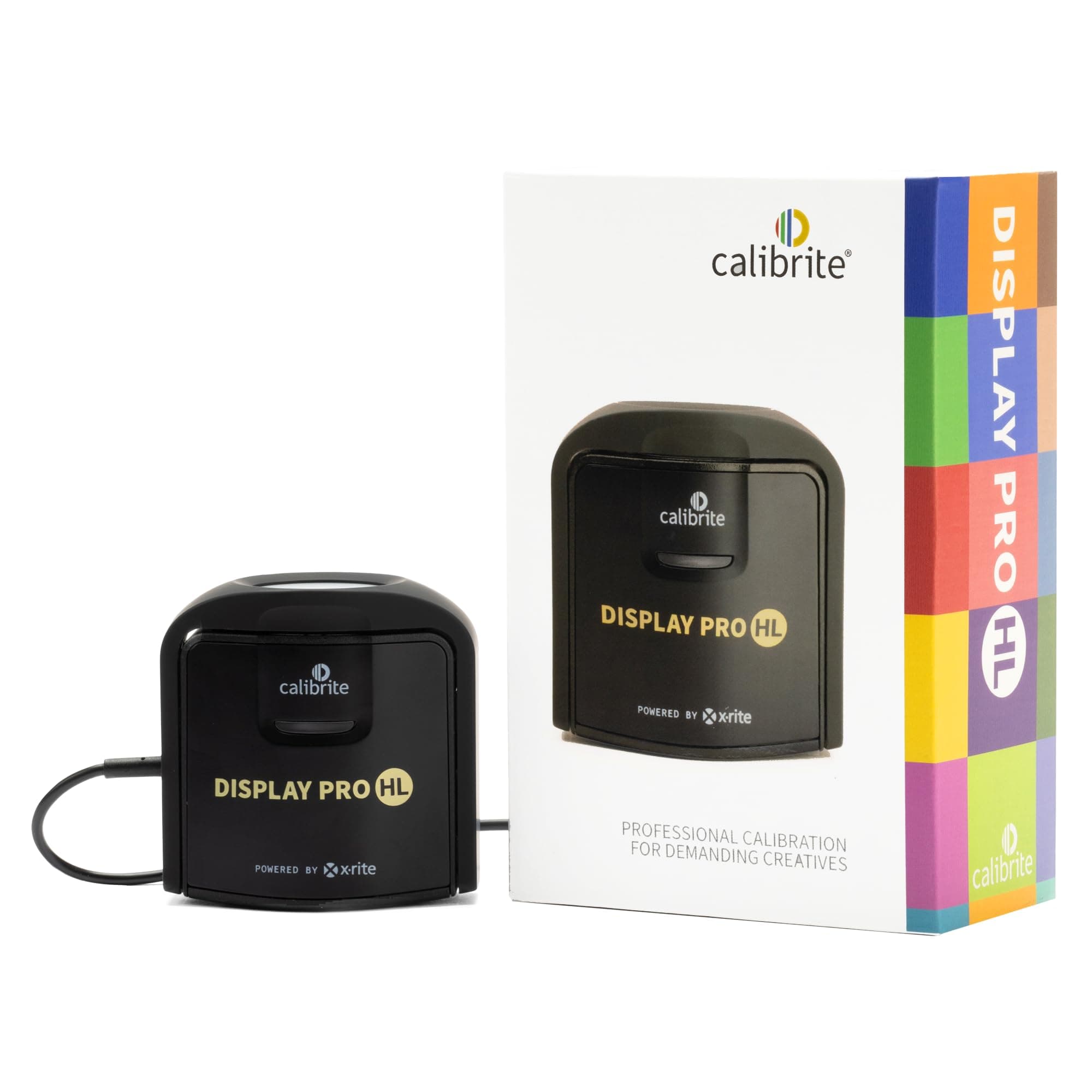
🎨 Elevate your color game — because your visuals deserve perfection
The Calibrite Display Pro HL is a professional-grade color calibration device designed for creatives demanding precise color accuracy across LCD, mini-LED, OLED, and Apple XDR displays. Featuring a cutting-edge High Luminance sensor capable of measuring up to 3,000 nits, it delivers faster calibration speeds with the Calibrite PROFILER software and offers deep customization options. Compatible with both Mac and Windows via USB-C, it ensures your displays meet broadcast standards and future-proof color fidelity for high-end image editing and design workflows.


| ASIN | B0C836NB5X |
| Adaptive Sync | FreeSync |
| Aspect Ratio | 16:9 |
| Best Sellers Rank | 8 in Calibration Charts & Grey Cards |
| Box Contents | Colorimeter with adjustable weight, Travel storage pouch, USB-C to USB-A adapter |
| Brand Name | Calibrite |
| Colour | Black |
| Compatible Devices | Mac, Windows, and compatible 3rd party monitor calibration software |
| Contrast Ratio | 3000:1 |
| Customer Reviews | 4.4 4.4 out of 5 stars (274) |
| Display Technology | lcd, led, oled |
| Display Type | lcd, led, oled |
| Global Trade Identification Number | 00850028833339 |
| Hardware Connectivity | USB Type C |
| Has Color Screen | Yes |
| Image Brightness | 3000 candela_per_square_meter |
| Item Dimensions D x W x H | 5.4D x 6.6W x 3.8H centimetres |
| Item Weight | 0.3 Pounds |
| Manufacturer | Calibrite |
| Maximum Display Resolution | 3840 x 2160 |
| Model Name | CCDIS3HL |
| Model Number | CCDIS3HL |
| Native Resolution | 3840x2160 |
| Network Connectivity Technology | USB Type C |
| Picture Quality Enhancement Technology | X-Rite technology, High Luminance Measurement |
| Product Features | High Luminance Sensor, 3000 Nits Measurement |
| Product Warranty | 2 Year Manufacturer's Warranty |
| Resolution | 4K UHD 2160p |
| Screen Finish Type | Glossy |
| Total USB 3.0 Ports | 1 |
| Total USB Ports | 1 |
| UPC | 850028833339 |
K**A
Most simple and easy to use color calibration device for any monitor!
Calibration software is very easy to download from the manufacturer's website. I have 2 different DELL monitors with Disply-Port connected to my PC (in different price categories) and a Samsung TV connected via HDMI. I managed to calibrate all three monitors in the same colours practically (within reason). Of course it is impossible to calibrate the TV perfectly, but the result is very satisfactory. The calibration process is quick and easy to understand. The quality of the device is very good. Definitely the best calibration device I have used so far for the money. I recommend it.
S**S
Seems to have done a good job
Used once so far. The display calibration seems to have done a good job. I will find out when my photos are displayed on a projector, if they come out too dark or bright, or the wrong colour, I will know if it is accurate or not. One thing I did find was that the unit slipped down the screen, so I had to put a weight on the wire to keep it over the indicated circle in the middle of the screen where it measures the colours and brightness etc. Using the software was reasonably quick and easy. Got at a decent price reduction on it in the black Friday sales.
I**V
Accurate colours – essential for photo and video work
Excellent calibration device for creatives. Fast setup, precise results, and noticeable improvement in colour accuracy on my monitors.
R**.
Good Kit That Appears to Just Work OK but, with One Observed Anomaly
I first started using an X-Rite i1 Display Pro unit, to good effect, circa 10 years ago. The i1 isn't now compatible with the latest versions of software. Yet the old i1 Display Pro is theoretically capable of being 'upgraded' in firmware for about £35, but it wasn't clear this would resolve all my various concerns, so may have proved a 'waste of funds'. I decided (after 10 years) it was just easier to buy a new (Pro HL) calibration tool. Overall a pretty good user experience. Calibrite/X-Rite have def. made things simpler, with fewer options required to be user-set in the 'advanced' mode. It worked OK, reasonably simply, delivering what I believe to be adequate profiles that look accurate enough. Perhaps not the cheapest option at circa £229 (I wasn't able to find a deal at time of purchase). Ideally I'd have waited for a 'deal' (e.g. 'Black Fri') but n/a in my required timescale. Good, but not quite 5-stars. I deducted a star, mostly due to one idiosyncrasy when attempting to calibrate a projector. Essentially (discovered after repeated trial and error) the colorimeter is only recognised when 'first seen' on opening the calibration software, necessitating re-starting if a lead is unplugged for any reason. My Issue(s) / Conjecture: I had needed to unplug the colorimeter from the driving laptop, in order to insert a longer USB extension lead (my screen was a distance from the laptop). I'm not 100% certain exactly what happened/why etc (so just my conjecture). But, it took some time to reliably overcome an observed difficulty. With the control software still open, there appears to be no 're-recognition' of a colorimeter when the unit's USB lead is re-inserted (normally USB is 'plug & play' auto-detection). The error message displayed (colorimeter not detected) when later proceeding with a projector calibration is vague and not specific enough to help. This wasted considerable time in my needing to check all leads, connections, adapters, verification as to what part(s) worked/when etc. Eventually I concluded that by closing (apparently still working OK) Calibrite's software (v1.3.2), re-opening and re-starting etc, that a new calibration appeared to work reliably. The error message could/should have been more helpful and specific. The user notes might have alluded to the difficulty, without my needing to spend considerable time trial and error checking all possibilities, until problem went away. I never noted this issue on a single screen calibration (no USB extension needed - incidentally an 'amplified' lead is better than a simple long lead). An obvious fix, in any software update, might be for Calibrite to invoke a re-scan to 'find/see' any suitable colorimeter, before displaying their generic 'not detected' message. Also maybe adding a few notes in FAQs etc. It's unfortunate having a USB connection (lead on colorimeter) that isn't auto-recognised (only 'seen' if plugged pre software loading) which IMO runs counter to the convention and history (simplistically) that I understood about USB protocols. There were other 'minor quirks' and idiosyncrasies, as one might expect acclimatising oneself with new hardware and software, but nothing as annoying as the encountered error outlined above. So a missing star for my wasted time and trouble. Are you listening Calibrite? Maybe it was just me and my own error. For sure it was initially perplexing attempting to 'trouble-shoot' this issue that stopped me completing my intended projector calibration in a reasonable timeframe. Now that (I think) I understand the problem it's easy to 'work around' the problem. Anyway, my ignorance or not, a less than 5-star satisfactory experience I also noted that projector calibration can only be executed in a 'dual display' mode, not a replicated screen mode, but at least this was made clear in the help system. The interface has also changed quite a bit over 10 years (observation not a complaint) but that's not uncommon with software evolution.
V**E
Very good.
The device is good. Tested for REC709 Built quality a bit cheap but overall OK. The app is a bit "Old school style" but everything works well on Windows 11. But still much better than the Spider alternative. If choosing between 2 def Calibrite.
M**P
Very handy tool for my Mac...
I got this because I like to do photography occasionally. I needed to know that I was editing photos and the colour I was seen was a true colour.
C**L
Calibrate pro hl
The software from august was a bit hit and miss I wanted it to calibrate 3 oled tvs and a Samsung 49 inch ultra wide monitor it did not support HDR or Dolby vision it says nothing about this on the site no filmaker mode support either it says it support lg oleds 1080 at best suppose to support 3000 nits as well with no HDR support had to send back
M**T
Very good screen calibration
As expected from the leaders in screen calibration. Good results and easy to use, even in advanced mode.
J**N
Funktioniert einwandfrei
M**S
couldn't even launch the software on windows 11 - it throws error "Application failed to launch Please quit the application and check your Display setting preferences are set to 'Extended Display / Desktop' and then restart the software". many reports on the same problem with no solution. real shame
N**O
Tengo tres pantallas, una LG, un monitor de un iMac y una pantalla externa HDR, cuando trabajo con vídeo sobre todo, en cada pantalla, aunque elija los presets o perfiles de color iguales se suele notar diferencias en el brillo, o en los tonos de los colores, y siempre tienes la duda de cómo lo va a ver tu cliente o el usuario final. Miras manuales, tutoriales, así que por fin me decidí a comprar este dispositivo que he usado para calibrar las tres pantallas conectadas al mismo mac. Tras la calibración, abrí mi programa de edición y sorpresa, todas se ven prácticamente iguales, como tiene que ser. No mas sorpresas, exporto y lo lleve donde lo lleve se ve tal y como yo lo editaba. Creo que es la mejor inversión que he hecho, sobre todo si te dedicas a imagen y vídeo. Fácil y muy rápido. Debería haber tomado fotos del antes y el después para poder mostrar la diferencia.
B**I
Bought this to calibrate my TV with both Calibrite Profiler (HTPC) and through Colourspace ZRO. The device works great on both. Just wish the cable was a meter longer.
G**N
De Calibrite Display Pro HL werkt zoals omschreven, ik heb mijn beide schermen gekalibreerd, alles wijst zichzelf.