We remain fully operational. Our teams are working around the clock to ensure your deliveries continue safely.

下载应用程序


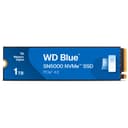
![Western Digital 1TB WD Blue SN5000 NVMe Internal Solid State Drive SSD - PCIe Gen 4.0, M.2 2280, Up to 5,150 MB/s - WDS100T4B0E [New Generation]](/_next/image?url=https%3A%2F%2Fm.media-amazon.com%2Fimages%2FI%2F61ZVlgv716L.jpg&w=3840&q=75)



Buy anything from 5,000+ international stores. One checkout price. No surprise fees. Join 2M+ shoppers on Desertcart.
Desertcart purchases this item on your behalf and handles shipping, customs, and support to Taiwan.
🚀 Upgrade Your Workflow: Speed, Space & Stamina in One Slim Drive
The Western Digital 1TB WD Blue SN580 NVMe SSD leverages PCIe Gen4 x4 technology to deliver blazing read speeds up to 4,150 MB/s in a compact M.2 2280 form factor. Designed for professionals and creatives, it offers 1TB of reliable, high-endurance storage with low power consumption to extend laptop battery life. Backed by Western Digital’s 5-year warranty and advanced nCache 4.0 technology, this SSD ensures fast, efficient handling of large files and multitasking workflows.


| ASIN | B0D7MLHCQ7 |
| Additional Features | Free Acronis Download |
| Best Sellers Rank | #46 in Internal Solid State Drives #372 in Computer Internal Components |
| Brand | Western Digital |
| Built-In Media | Internal SSD |
| Cache Memory Installed Size | 1 |
| Color | Blue |
| Compatible Devices | Desktop, Laptop, PC |
| Connectivity Technology | PCIe |
| Customer Package Type | Standard Packaging |
| Customer Reviews | 4.6 4.6 out of 5 stars (2,486) |
| Data Transfer Rate | 5150 Megabytes Per Second |
| Digital Storage Capacity | 1 TB |
| Enclosure Material | Information Not Available |
| Form Factor | M.2 2280 |
| Global Trade Identification Number | 00718037894843 |
| Hard Disk Description | Solid State Drive |
| Hard Disk Interface | Solid State |
| Hard-Drive Size | 1 TB |
| Hardware Connectivity | PCI Express x4 |
| Installation Type | Internal Hard Drive |
| Item Dimensions L x W x Thickness | 5"L x 0.9"W x 4"Th |
| Item Weight | 5.7 Grams |
| Manufacturer | Sandisk Technologies, Inc. |
| Media Speed | 4900 |
| Model Name | WD Blue SN5000 |
| Model Number | WDS100T4B0E |
| Number of Items | 1 |
| Read Speed | 5150 Megabytes Per Second |
| Specific Uses For Product | Business, Personal |
| UPC | 718037894843 |
| Unit Count | 1.0 Count |
| Warranty Description | 5 year limited warranty |
G**K
Fantastic PCIe 4 ssd. Great specs for write/read, and especially sustained writes.
I wanted a reliable, fast ssd for a thunderbolt 4/usb4 enclosure. After much research, I decided on this ssd. Yes, it's not the fastest ssd, and not the latest PCIe5. However, it delivers write/read speeds in excess of the bandwidth limitations. I'm getting write speeds of over 2775MB/s and read of over 2850MB/s. And, with the abundant hybrid cache, the sustained writes don't seem to recede. Super fast, with less temperature/power issues (than the top of the line, newer ssd cards). It delivers the same throughput as the newer, faster cards (which would max out at about the same level, due to the bandwidth limits). Saved some money, which is always a welcomed feature. In the near future, I'll spend the savings on a faster card (probably the WD SN850X) when I purchase a thunderbolt 5 enclosure. Very pleased with the specs and real world performance of this ssd. Five stars, definitely.
M**N
Excellent upgrade for any system need disk performance.
Paired this with the SABRENT M.2 NVMe SSD to PCIe X16/X8/X4 Adapter Card with Aluminum Heatsink, Easy Install, Supports 2230/2242/2260/2280, Not Compatible with SATA or PCIe x1 (EC-PCIE). Works perfectly!!! Love this drive.
R**S
A great value for additional storage needs
Upon purchasing a new iMac, I realized I needed more storage to meet my needs. There are many SSD configurations that satisfy that need. This card was easy to install in the hub I had to purchase to accommodate my older USB accessories. The drive came formatted FAT, so in order to make it readable in Mac OS, you have to reformat it to APFS. It is a simple process and once formatted, it has worked flawlessly. It is very reasonably priced. I have no complaints about its read/write speed. It is much better than the old hard drives--I have not noticed any latency issues when editing video.
P**Y
Western Digital 4TB WD Blue SN5000 NVMe Internal Solid State Drive SSD - PCIe Gen 4.0, M.2
Western Digital 4TB WD Blue SN5000 NVMe Internal Solid State Drive SSD - PCIe Gen 4.0, M.2 great for windows pc gaming system works good loads programs faster than my last hard drive WD Black SSD had issues. WD Blue hard drive connects with network well fits in M.2 PCIe slot. I will update on durability of performance. So far it's working great I am currenlty using 4TB WD Blue. Durability so far as performance. Make sure you enable your hard drive in Bios when installing new windows GPT format for windows 11.
P**L
Wow! Incredible Speed and Value!
So I added this 2 TB SSD to my iMac 27" 2017 which was having very slow boot-up times. After a clean install of the operating system my iMac boots up almost instantly! Like a new machine! Make sure you see if you need an adapter which I did and also ordered that from Amazon. It takes some time to install as you pretty much have to take apart the entire machine to get to the mother board. But well worth the effort! A great value as well as for about $140 my old iMac has a new lease on life! Couldn't be more pleased!!
B**E
No issues
I have been running this HD for a minute and I am completely happy with it. No issues or problems from it
K**N
HUGE storage, if you can find it at a good price!
I caught this on a great deal and it's been nothing short of fantastic. At the price I got it for, 4TB of fast storage can't be beat! Installation is always easy with M.2 drives and it's been holding all of my games. My understanding is that this wouldn't make a great OS drive, but for any type of basic storage, it's more than sufficient. Coming from a 1TB drive, I'm so happy that I don't have to keep deleting games to make room for new ones! I used this with both Windows and Linux operating systems without any issues.
T**.
It installed as it should!
Works as it I guess, it installed as it should, but my original isn't full yet so nothing has been put on it yet!
Ö**R
Gayet hızlı ve uyumlu bir SSD
D**A
Dovevo costruire il mio PC per gaming e lavoro. Questo SSD da 1TB è stato perfetto per l'occasione. ⚠️ Attenzione Non è compatibile con PS5, non è abbastanza veloce, ma è perfetto per il mio computer. ⚙️ Prestazioni e velocità L'interfaccia montata è la PCIe Gen4; la linea "blue" non è la top di gamma per WD (al contrari della "Black"), ma le prestazioni sono comunque eccellenti per un uso quotidiano; in particolare lo uso per gaming e lavoro. 💰 Prezzo Il costo è decisamente moderato rispetto altri competitor, e la qualità abbastanza alta. Ribadisco che non si tratta del top di gamma. E' perfetto anche per un upgrade rispetto a NVMe Gen3 o addirittura un SSD SATA. ✅ In sintesi - veloce - garanzia e affidabilità WD ➡️ Consigliato sia per nuovi PC che non richiedono prestazioni elevatissime o per dare nuova vita ad un veccio laptop.
N**U
Henüz daha testlerini yapmadım . Sorunsuz ve orj şekilde teslim edilmiştir.chiplerinin sandisk olması bana garip geldi . Bilmediğim bir konu belkide o firma yapıyor emin değilim sadece .testi yaptıktan sonra yine ekleme yapacağım.
M**L
Aunque es cierto que actualmente el precio de las memorias NVMe ha subido, debo decir que estoy muy contento con la compra de este WD Blue SN5000 de 2 TB. Ofrece un rendimiento muy sólido acompañado de una capacidad más que suficiente para cubrir prácticamente cualquier necesidad. Funciona perfectamente tanto como disco principal para el sistema operativo y juegos, como segundo disco para almacenamiento y copias de seguridad. En ambos escenarios se comporta de manera fluida, con tiempos de carga rápidos y una experiencia muy estable. En el apartado de videojuegos me ha sorprendido gratamente. Evidentemente, no está al nivel de modelos de gama alta como el Samsung 990 Pro, WD SN850X o Crucial T500, pero tampoco pretende competir directamente con ellos. Aun así, su rendimiento es más que solvente y totalmente adecuado para jugar sin cuellos de botella ni tiempos de carga molestos. En el momento de la compra, sinceramente, no había una opción mejor en relación calidad/precio dentro de su segmento. Si buscas un NVMe fiable, con buena capacidad y rendimiento equilibrado sin pagar el sobrecoste de la gama entusiasta, este modelo es una elección muy acertada.
J**O
O produto é muito bom, é rápido e facil de instalar. Só esquenta um pouco em uso intensivo, algo que eu resolvi com um dissipador/termal pad. Recomendo.
TrustPilot
2 周前
1天前