We remain fully operational. Our teams are working around the clock to ensure your deliveries continue safely.

下载应用程序


Buy anything from 5,000+ international stores. One checkout price. No surprise fees. Join 2M+ shoppers on Desertcart.
Desertcart purchases this item on your behalf and handles shipping, customs, and support to Taiwan.
⚡ Print Smart, Print Fast — Elevate Your Label Game!
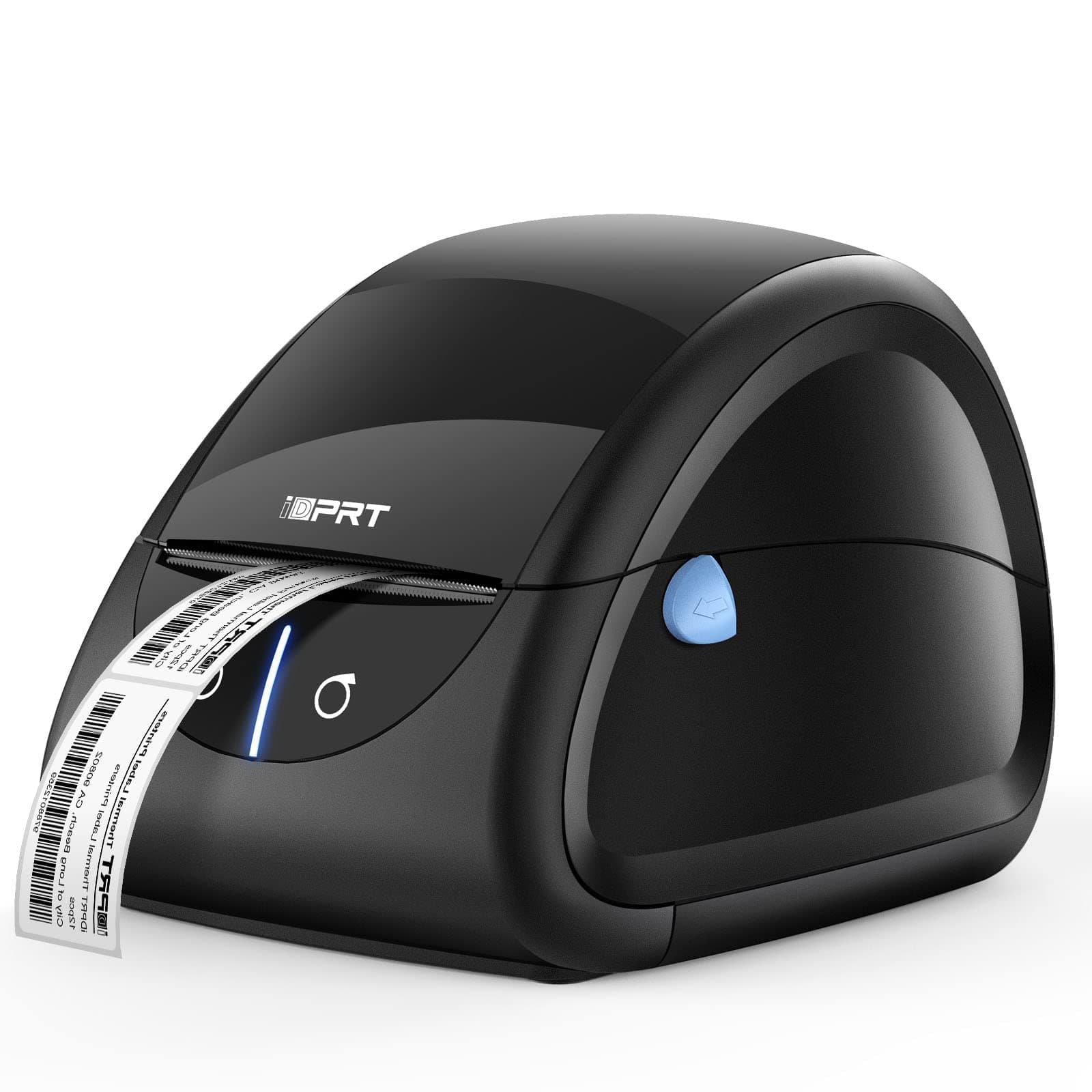
The iDPRT SP310 Thermal Label Printer is a compact, high-speed label maker designed for home, office, and small business use. Compatible with Windows, Mac, and Linux, it supports label widths from 1" to 3.15" and features auto label detection for precise printing. With a sharp 203 DPI resolution and a rapid print speed of 100 labels per minute, it streamlines barcode, address, and inventory labeling tasks. Its quick-swap printer head and free label design software make customization and maintenance effortless, ensuring you stay productive and professional.


| ASIN | B0CB7NHDY5 |
| Additional Printer Functions | Print Only |
| B&W Pages per Minute | 102.00 |
| Best Sellers Rank | #60,322 in Office Products ( See Top 100 in Office Products ) #71 in Label Makers |
| Brand | iDPRT |
| Built-In Media | 1 x CD; 1 x Cables Fasterner, 1 x Power Cord; 1 x Power Adapter, 1 x Printer, 1 x USB to Type-C Converter(only for mac), 1 x User Guide, 1 x Paper Roll |
| Color | Black |
| Color Depth | 1 bpp |
| Compatible Devices | PC |
| Control Method | App |
| Controller Type | iOS |
| Customer Reviews | 4.2 4.2 out of 5 stars (686) |
| Display Type | LED |
| Dual-sided printing | No |
| Duplex | Simplex |
| Global Trade Identification Number | 06972220384410 |
| Hardware Interface | USB |
| Ink Color | Black |
| Item Dimensions D x W x H | 7.4"D x 5.28"W x 5.91"H |
| Item Type Name | Thermal Printer |
| Item Weight | 1.52 Kilograms |
| Manufacturer | Xiamen Hanin Electronic Technology Co., Ltd. |
| Maximum Copies Per Run | 100 |
| Maximum Copy Resolution Black and White | 203 |
| Maximum Copy Resolution Color | 203 |
| Maximum Copy Speed Black and White | 100 ppm |
| Maximum Media Size | 3 x 5 inch |
| Maximum Print Resolution Black and White | 203 |
| Maximum Sheet Capacity | 1 |
| Maximum print Resolution Color | 203 |
| Model Name | SP310 |
| Model Number | SP310 |
| Model Series | SP310 |
| Number of Drivers | 1 |
| Number of Trays | 1 |
| Other Special Features of the Product | Wired |
| Paper Size | 1-3.15 inches width |
| Print media | Labels |
| Printer Connectivity Type | USB |
| Printer Output Type | Monochrome |
| Printer Type | Thermal |
| Processor Count | 1 |
| Resolution | 203 x 203 DPI |
| Series Number | 310 |
| Specific Uses For Product | Inventory management, shipping and packaging, storage organization |
| Total Usb Ports | 1 |
| Warranty Description | 1 year |
| Warranty Type | limited warranty |
M**L
A good, affordable option for at-home shipping
I don’t have a ton of experience with label printers, nor do have I owned one before buying this product. All I was looking for was a reliable way to print labels for when I need to return online purchases or ship things to people. I knew that I wanted a thermal printer since I would be printing infrequently, and I’ve had issues with ink printers before since the ink would dry out from not printing with them for months at a time. Installing the drivers from the manufacturer’s website was a quick and simple process, though the product does also include a disc if you want to go that route. Installing everything on Windows 10 was fairly quick and easy, although it did require a bit of configuration to get everything set up, which I was expecting beforehand. The included instructions do an okay job at explaining the entire process, but I would recommend searching for the manual on the manufacturer’s website since it offers more details and includes helpful pictures to guide you through it. With that being said, if you’re not the most technically savvy person in the world, you may want to get some help with setting things up initially. I printed some test sheets, and although I was initially worried since the test prints seemed to show faded ink on one half of the label, it turns out that this was only a problem with the test prints. Once I started printing some real shipping labels, the print quality turned out to be excellent. I don’t know if this is because of a setting on my computer or something else entirely, but everything ended up working out well in the end. The printer is fast, and the included perforated teeth are a nice touch if you aren’t using perforated labels (like the ones that come included with the printer). Overall, I’m quite satisfied with how this printer performs and for the price, I think it’s a good option for shipping things from home.
B**T
My review of the thermal label printer.
The setup for this terminal label printer is so easy anybody can do it. It offers money saving features thus eliminating the need for ink and expensive toners. It’s compact enough to fit a small desktop.
C**.
NIce Lable printer.
I got this printer for a computer we have in the house. It would be nice to be able to print labels there and not just in the office at our shop. The printer works fine and does its self-print, but I am having a issue with software compatibility, as we are using an older version of QuickBooks and things are not quite right. The printer is fine, and works great, it's a me thing or at least an older software issue that is keeping the printer from printing what the software request. Works fine doing other task for other software.
D**L
IDprt Thermal Label Printer Review
I recently purchased the IDprt thermal label printer, drawn by its promise of compatibility with various labels, as I already had a stockpile and did not want to buy proprietary labels. However, my experience with this printer was far from satisfactory. Initial Setup and First Impressions Upon receiving the printer, I followed the setup instructions meticulously. Despite this, the printer refused to print. I double-checked connections, drivers, and settings multiple times to no avail. Customer Support Nightmare Realizing I needed assistance, I tried reaching out to the customer support number provided. To my dismay, I was met with a busy signal – something quite unexpected in this day and age. After some investigation, I discovered that the only contact number was based in China. Given potential language barriers and the inconvenience of international calling; I decided against this option. Online and Email Support Frustrations I then turned to the internet for solutions, but every website I found led to a dead end. In a desperate attempt to resolve the issue, I reached out to Amazon's customer support. Unfortunately, this was also outsourced, and after an exceedingly long hold time, my call was disconnected. I also sent multiple emails to IDprt’s support email address but received no response. After two days of fruitless efforts, I had no choice but to return the printer to Amazon. In conclusion, the IDprt thermal label printer not only failed to function as expected, but the lack of accessible and effective customer support compounded my frustration. Given the combination of technical issues and abysmal support, I cannot recommend this printer. If you are considering a thermal label printer, I suggest looking at other brands with more reliable customer service and support infrastructure.
J**A
Works like it should
Champ of a printer, you do have to know how to reset the feed when changing different paper types. Not hard to do with a quick search.
D**R
Better than expected
This has printer is great for churning out a high volume of simple labels. It takes a bit of experimentation to understand the software, but that isn't a surprise for an inexpensive printer. We have been careful to use labels that are not too cheap out of concern for unreliable adhesive and fading (if they come in a sealed bag, that helps). FYI: Fading of the label image can be an issue with this type of printing system. We left samples in direct sunlight for a month and the fading was minimal with this unit and the labels we are using. We are very happy with this little unit!
M**H
Gerät ausgepackt, angeschlossen, Treiber von der Homepage runter geladen, installiert und läuft - so muss das sein. Druckt perfekt Etiketten für Warenpost und Pakete für meinen Online Shop aus. Danke, so macht einkaufen Freude
M**A
Nice product
D**T
I recently purchased the iDPRT Thermal Label Printer, and I must say it has exceeded my expectations in every aspect. This printer has become an indispensable tool for my business, streamlining our labeling process and boosting overall efficiency. The first thing that caught my attention was the sleek and compact design of the printer. It doesn't take up much space on my desk, making it perfect for smaller workspaces. Speaking of quality, the print output is outstanding. This Thermal Label Printer consistently delivers crisp, clear labels with precise details. Whether I'm printing shipping labels, barcodes, or product tags, the print quality remains top-notch.
S**I
Seit einem Monat im Betrieb. Bis jetzt sehr zufrieden. Etwas laut, dafür aber schnell. Tipp für Käufer ohne Erfahrung (wie ich) - Druckereinstellungen am Computer vornehmen. Für meine DHL Versandscheine (mit DHL Logo, ca. 200 mm lang), musste ich neue Rollen kaufen, die Größe ändern, den Druck um 180 ° drehen und auf Thermo umstellen. Etwas unpraktisch ist der Hauptschalter. Der befindet sich hinten am Gerät.
M**F
nice printer easy to use