We remain fully operational. Our teams are working around the clock to ensure your deliveries continue safely.

下载应用程序




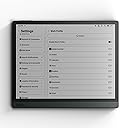


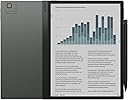
📚 Elevate your digital paper game—where productivity meets eye-friendly innovation!
The BOOX Tab Ultra C Pro is a 10.3-inch E Ink tablet featuring a high-resolution Carta 1200 display with Kaleido 3 color technology, powered by an 8-core Qualcomm processor at 2.8GHz and 6GB RAM. Designed for professionals seeking eye comfort and productivity, it offers a sleek aluminum body, 1-day battery life, Android 12 OS with Google Play compatibility, and multitasking capabilities enhanced by advanced refresh technology.


| ASIN | B0CHM54YZK |
| Age Range Description | Adult |
| Aspect Ratio | 16:10 |
| Battery Average Life | 1 days |
| Battery Capacity | 4600 Milliamp Hours |
| Battery Cell Type | Lithium Ion |
| Battery Power | 4600 |
| Best Sellers Rank | #16,807 in Computers ( See Top 100 in Computers ) #376 in Computer Tablets |
| Brand | BOOX |
| Built-In Media | device |
| CPU Model Speed Maximum | 2.8 GHz |
| Camera Description | Rear |
| Cellular Technology | 4G |
| Color | Dark Grey Green |
| Compatible Devices | Keyboard, Rear Camera, Stylus Pen |
| Connectivity Technology | USB |
| Customer Reviews | 4.0 4.0 out of 5 stars (183) |
| Display Refresh Rate in Hertz | 60 |
| Display Resolution Maximum | color1240 x 930 (150 ppi) Pixels |
| Display Type | ePaper |
| Generation | 2nd Generation |
| Graphics Description | Integrated |
| Hardware Interface | USB Type C |
| Human-Interface Input | Touchscreen with Stylus Support |
| Item Dimensions L x W x Thickness | 20.3L x 17.8W x 0.6Th centimeters |
| Item Weight | 0.99 Kilograms |
| Lithium-Battery Energy Content | 15.17 Watt Hours |
| Manufacturer | BOOX |
| Memory Slots Available | 6 |
| Memory Storage Capacity | 128 GB |
| Model Name | Tab Ultra C Pro |
| Model Number | Tab Ultra C Pro |
| Native Resolution | B/W: 2480 x 1860 (300 ppi) |
| Operating System | Android |
| Other Special Features of the Product | Anti Glare Glass |
| Photo Sensor Resolution | 1 MP |
| Processor Brand | Qualcomm |
| Processor Description | 8-core processor with a maximum clock speed of 2.8 GHz |
| Processor Speed | 2.8E+3 MHz |
| RAM Memory Installed | 6 GB |
| Rear Facing Camera Photo Sensor Resolution | 16 MP |
| Screen Size | 10.3 Inches |
| Speaker Description | Dual Speakers |
| Specific Uses For Product | Writing, Teaching, Editing |
| Supported Audio Format | MP3, AAC, FLAC, WAV, OGG |
| Total Usb Ports | 1 |
| Video Capture Resolution | HD 720p |
| Video Processor | Qualcomm |
| Warranty Type | Limited |
| Wireless Compability | Bluetooth |
| Wireless Technology | Bluetooth |
F**.
Thankyou freebie cover and amazing product
Coming from ipad it's definitely not easy transition, however we are all looking up for monochrome and eye friendly stuff. Thankyou seller for amazing product and delivery was timely within same day. I would definitely recommend the seller and in future consider buying from them.
Z**Z
Comes with a cover (the brown magnit cover)
Spent extra money buying one, now I have two. As for the device....it's great. Had it for a week now and it became part of my life much faster than I thought it would. I had the Sasmung s7+ and stopped using it, because it became a chore to use something that lasts for 6 hours and charges for 2. Would 100% recommend this to everyone that wants to read more and be able to take notes without needing to stress about battery life.
A**R
Boox e-Ink digital notebook
Very slow - hanging or slow response to the writing or navigation - colors are very light
ع**ي
بوكس الترا سي برو جهاز متميز، بعد تجربة اكثر من شهر، الجهاز مريح جدا للعيون ومرن بفضل الاندرويد وتطبيق الملاحظات، البطاريه جودتها مقبولة، والقلم جدا مميز تجربة رائعه
T**K
Doesn't do the basic task it is supposed to do
This tablet has completely failed in doing even the basic tasks of note taking and book reading. The lag in scroll is painful and installing any app didn't work.
ع**ه
سعر مبالغ فيه بامكانيات صفرية مافي اي شيء مميز بالجهاز حتى بطاريته ضعيفة وسعره يمكن تشتري فيه اشياء افضل بكثير لا انصح فيه اطلاقاً
K**R
I had a very awful experience with kindle. I bought 1 for my daughter. I thought since kindles are the latest rave and it was such a great deal. She couldn’t stand it. I took a look at it and she is right. The lagging, ghosting, and navigation are awful. Tried to pass around to others. No one cared for it. The trade in wasn’t worth it. Completely taken advantage of by Amazon. I will be absolutely honest. Due to what happened with the kindle. I did months of research before buying an ereader. I joined multiple groups of books and ereaders. I found that no matter the name or brand of an ereader the super cheapest one’s have the most issues and don’t last long. If you pay cheap, you simply get cheap. I was torn on the price tag, so I went and asked the IT experts (those who live and breathe in the technology field. Very far in careers like CTO, VP, engineer etc.) All explained to me how important ram is. Turns out they are completely right. Ram is huge, the higher the better! As far as my ereader I paid the extra for the ONYX BOOX Tab Ultra C Pro. It is worth everything I paid for & more! In life I’ve found you get what you pay for. I went looking for 3 main things. I am not a fan of black and white. I specifically wanted color, an ereader that has google playstore ( I read off multiple apps and get free books off multiple apps &saves me $ from having subscriptions), and the size mattered when I was looking for an ereader. I truly wanted an ereader that was at least 10 inches because I was use to reading off a bigger device (my iPad) It checks all my boxes and more. It has a stylus, notes, does docs, tablet & ereader in 1, has color, 128 GB of memory plus has a slot for memory cards if needed, 8 core processor, 6 GB of Ram, Kid Friendly Navigation going between kids mode and adult mode, Similar to a scribe, however has way more better features, Has refresh button for ghosting, Has a calendar for notes , book journal, and so much more. No more subscriptions. I can download whatever app I want to read from. My point is I went in for 3 main things and & I’m so glad I paid the extra and got those extra features. I paid over $500 for mine and I have no regrets. You simply can’t put a price tag on technology. There are payment plans. I am not embarrassed to say that I haven’t ever used them. I’ve got the best qualities on products, by simply using them. So if you see an ereader that you are in love with and have to have, don’t let that price tag scare you away. My ereader I’ve seen go from $400 to $800. I shopped around before I got mine. eBay, Best Buy, Amazon, boox site, & Walmart all sell them. My boox ereader has truly been a great investment and I use it a lot and more than just an ereader. I love taking notes on it! I use the notes, the docs, and the calendar feature a lot. Free and discounted ways to read With a boox ereader 1. BookBub- Can go on website or download app. BookBub allows you to get free or discounted books and can send to the app you read from based on if the book is available for that app you read from. It uses kobo, kindle, nook, Apple Books, etc. 2. Free your kindle days. You can download books for free to many different apps such BookFunnel, smashwords, kobo, kindle, nook, Apple Books, etc for free. You don’t have to have a kindle for this. 3. Kobo has free books on their website. https://www.kobo.com/us/en/p/free-ebooks 4. Hello books website. Just tell them your email and on certain days they email you free and discounted books. 5. Libby- You can open up multiple library accounts in your state so you have access to free books. 6. Hoopla- Only allows 1 library acct at a time, so may have to sign in and out and create multiple accounts. 7. Red feather romance- sends free books to your email. Books can be downloaded to kobo, kindle, nook, Apple Books, google play, etc. 8. Free Booksy- emails you free or discounted books as well. Only good for that day, so check your emails. Books can be downloaded to kobo, kindle, nook, Apple Books, google play, etc. 9. Planet Ebook website has free books on site you can read from. 10. Free-ebooks.net has free books on there you can read. 11. Manybooks.net can download free books to your ereader or device you read on. 12. Librivox website can download free books to your ereader or device you read on. 13. Open library app 14. Feed books 15. Smashwords 16. Project Gutenberg can download free book to device or ereader you read on 17. Google Books 18. PDF books world website. Can download free books to your device or ereader. 19. Decisions choose your story - App where you choose your character name, hair, clothes, and choices in story. Only free by watching ads. Different type of reading if you’re in a reading slump. 20. Readict App 21. Inkitt App 22. Wattpad App 23. Novel flow app 24. GoodNovel app 25. Whispers FM app 26. NovelToon app 27. Galatea can read on website or app for free. App has lots of spice books, dark romance, erotica, etc. If you truly love it can upgrade for a subscription for 69.99 a year and includes audio. About $5.83 a month broken down. 28. Dreame app 28. Nook has free ways to read on their app. 29. Bookraid website 30. Thriller/mystery books website book adrenaline 31. Bookgorilla 32. Bookbasset 33. https://author-blossom-seafarrer-jvjrsu.mailerpage.io/?utm_source=newsletter&utm_medium=email&utm_term=2025-05-17&utm_campaign=Delve+into+the+Unknown+with+Our+Intriguing+Paranormal+Newsletter+ 34. https://book-mojo.com/freereads/ 35. https://www.barnesandnoble.com/b/free-ebooks/ebooks-nook/_/N-ry0Z8qa
P**L
Great ebook reader. I love it. Especially good when reading coloured comics. I love the look of the old Eagle and Valiant issues that I love. Worth every penny to me. Technically it meets its specs.
G**O
Estoy realizando un posgrado en investigación y divulgación científica por lo que la búsqueda de una herramienta eficiente para mis largas jornadas de lectura digital era fundamental. Después de mucho investigar, me decidí por la BOOX Tab Ultra C Pro, y no puedo estar más satisfecho con mi elección. Desde el primer momento, se siente la alta calidad de esta tablet. No he encontrado ninguna otra tablet en el mercado que ofrezca las mismas características, funcionalidad y calidad. Una de las cosas que más me sorprendió es la pluma magnética incluida. Es increíblemente precisa y se adhiere firmemente a la tablet gracias a su sistema de magnetizado resistente, lo que evita que se pierda fácilmente. La pantalla de la BOOX Tab Ultra C Pro es extremadamente amigable para la vista. Después de pasar horas leyendo documentos científicos y libros digitales, no siento el cansancio visual que experimentaba con otros dispositivos. Esto es esencial para mantener mi productividad y confort durante mis estudios y trabajo. El hecho de que funcione con el sistema operativo Android 12 es un gran plus. Tener acceso a la Play Store me permite descargar una amplia variedad de herramientas de trabajo. Desde aplicaciones para leer y anotar documentos hasta herramientas para trabajar en archivos y reportes, todo está al alcance de mi mano. Además, la tablet ofrece diversas herramientas de navegación que facilitan la investigación en línea, algo crucial para mi campo de estudio. La transferencia y vinculación de archivos, libros y documentos desde otros dispositivos hacia la tablet es sencilla y rápida. Esto me ahorra mucho tiempo y facilita la gestión de mis materiales de estudio y trabajo.
T**S
I initially bought this to try to work in bright sunlight on code. And it works well. But the real game changer for me is the note taking ability. Would highly recommend. As its running android you can use it for anything your tablet can do. I use it for reading, note taking, coding, navigation charts and more. LOVE IT.
TrustPilot
2 周前
1 周前