We remain fully operational. Our teams are working around the clock to ensure your deliveries continue safely.

下载应用程序



🚀 Elevate your workspace: More screens, more speed, more power—stay ahead of the curve!
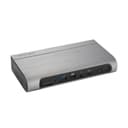
The Kensington SD5800T is a premium Thunderbolt 4 and USB4 docking station designed for professionals and creatives. It supports up to four 4K displays or a single 8K display, delivers ultra-fast 40Gbps data transfer, and provides up to 100W charging. Featuring a versatile 16-in-1 port design including HDMI, DisplayPort, USB-A/C, SD card readers, and 2.5G Ethernet, it offers seamless connectivity for Windows and MacOS devices. Its sleek form factor supports space-saving mounting and security options, making it an essential productivity hub for modern workspaces.


| ASIN | B0CJ2LQKMT |
| Best Sellers Rank | #26,646 in Electronics ( See Top 100 in Electronics ) #369 in Laptop Docking Stations |
| Brand | Kensington |
| Color | Gray |
| Compatible Devices | Laptops |
| Customer Reviews | 4.0 out of 5 stars 78 Reviews |
| Global Trade Identification Number | 00085896328568 |
| Hardware Interface | USB Type C |
| Item Dimensions L x W x H | 7.68"L x 4.09"W x 1.42"H |
| Item Weight | 1.3 Pounds |
| Manufacturer | Kensington |
| Number of Ports | 17 |
| Product Dimensions | 7.68"L x 4.09"W x 1.42"H |
| Total Number of HDMI Ports | 2 |
| Total USB Ports | 7 |
| Total Usb Ports | 7 |
| UPC | 085896328568 |
| Warranty Description | 3 years |
| Wattage | 98 watts |
T**0
Practical Number of Ports, Great Build, Works Plug & Play TB4
I bought this dock for $170 from Amazon in "Acceptable" Condition and it basically came in virtually "Like New" condition which was fantastic. For the price I attained this at, this was great. Practically, this works fantastic and had exactly the number of ports I needed. I am literally using every single port opening on the rear for my setup. I have this connected to Dual PC Monitors & my Office TV (3 Screens in total). You can connect up to 4 screens if you want. The rear of the dock has 4 USB-A Ports, 2 HDMI, 2 DP, and 1 USB-C 3.2 Gen Port. The front of the dock contains 2 USB-A ports, 1 USB-C TB Four Port for the Laptop, 1 SD Card Reader, 1 MicroSD Card Reader, and a 3.5 mm audio jack. It is plug and play out of the box as long as you have a Thunderbolt 4 equipped device but if you want extra functionality, it works with the Kensington DockWorks Software which allows you to switch off the auto-on that toggles between Ethernet and Wi-Fi which comes in hand in certain situations. You can download that from Kensington's Website for fee. Aesthetically it looks really sleek and it would go especially well with any gun metal/space gray color. I have it tugged away between my office phone and printer and it doesn't look out of place. I'm currently using it with my new 2024 Samsung GalaxyBook4 Pro 14 inch laptop and I'm happy with this purchase!
G**B
Works with 2023 M3 Macbook Pro, using procedure provided by Kensington support
The dock works well and connects all my peripherals, providing high speed network connectivity to my 2023 16 inch M3 Macbook Pro. At first the LAN port didn't work ("USB 10/100/1000 LAN" showed as Not connected"). I contacted Kensington support via their chat support page and got connected instantly with an agent. They provided the following instructions: 1) Disconnect everything 2) Plug the power cord into the dock 3) Connect the laptop to the Doc using the USB-C / Thunderbolt cable to the front of the dock 4) Connect the external monitor to the dock 5) Connect all the peripherals (I connected the USB peripherals, then the LAN port) After that a new device appeared under Settings -> Network: "USB 10/100/1G/2.5G LAN" and showed as Connected. The agent said that this was a one-time procedure and everything should just work on reboot and when reconnecting the USB-C cable. Hope this helps anyone else that has LAN issues.
L**S
Thunderbolt 4 works great with two monitors.
Works great to replace the USBC dock I was using . Thunderbolt 4 is fantastic. Handles two monitors plus mouse and keyboard great. I don't use 4k though.
D**S
Dock DOA
Dock wouldn’t turn on. AC adapter was fine and tested with multimeter. Returned.
S**T
Initial Impressions - Great for Windows, Macbook Pro (M1 Pro Chip) was frustrating but now works
I just set this up to connect to dual Dell 1440p, 27" monitors. One is connected to the dock with a display port cable, the other with HDMI. Also plugged in is a USB A keyboard, wireless mouse, and direct Ethernet cable. When I connected my (approx '22-'23) Windows Dell Latitude laptop to it via the included USB-C/TB4 cable, it worked without issue right away. Then came time to test a Macbook Pro with M1 Pro Chip (2021). Initially, the monitors acted like it got a signal, but there was nothing showing up on them and they eventually went to sleep. I went into the display options and saw the the Macbook had recognized the monitor. I had to switch the refresh rate down to 60 HZ. Then both monitors turned on, but were mirroring each other (effectively I had an A-B-B monitor setup instead of the claimed A-B-C, where A is the laptop, and the other two are extension monitors). After searching, asking chatGPT, etc... I had almost given up, when I decided to search for the previous model (5700) after doing a more broad search about Kensington and Apple products, and luckily came across a reddit post. They indicated they had a similar problem, and that Kensington support told them they needed to unplug everything, the plug back in in the following order: 1. Power 2. USB C to computer 3. Displays and other peripherals. As soon as I did that it worked and behaved as "A-B-C" extensions. Yay! The poster indicated that did something with bandwidth prioritization within the dock. In any case, it worked. I then unplugged my Macbook, then retried the Windows, then back to the Macbook and the screen extension settings worked as they had been, no need to reset. So ultimately I'd give this a 4.5 stars for that (based on the reddit post, this has been a known issue since the previous version of the product in 2023, writing this at the end of 2024), but because it doesn't require any other software to run (it is "natively compatible" as the documentation states), I'm happy and will round up to a 5.
T**K
Linux support
This product openly states it only supports Windows/Apple and not Linux. I just wanted to leave a positive review here as a bread crumb for other Linux users. I am sure compatibility may vary by Linux distribution and the rest of your computer hardware. I installed this on a Lenovo Thinkpad X1 Gen 11 running Linux Mint 21.3 and have so far had zero issues. Everything "just worked." Your mileage may vary, but the price was right for me and I was willing to risk it.
Y**E
Disappointed
I've had my Kensington SD5800T for 11 months now. Overall I am disappointed. I would not recommend buying this product, especially at the price point I bought it at of $280. I bought this specific dock because it claimed to support 3 monitor. I could never get 3 monitors to reliably work, with 3 monitors the displays would lose connection very often. With two monitors the dock is serviceable. Even then, I have to unplug and plug the thunderbolt cord into the laptop afew times to get a solid connection. Sometimes my keyboard or ethernet connection will become spotty, and I have to unplug and plug the thunderbolt cord back in my laptop. When it does work, I'm able to have my speakers, mouse, keyboard, two monitors, and other peripherals all connected to my laptop via USB C. Which is really nice. The thunderbolt 4 cord it came with is short and stopped working after about 6 months. The surface of the dock scratches easy, but that doesn't really bother me. Laptop used is a Lenovo ThinkPad.
F**D
Doesn't support Thunderbolt 3
If my computers all ran thunderbolt 4 I would rate this product as a 5. It worked well with one of my laptops. I gave the product a rating of 3 because its description says: Universal Compatibility - Offers a quick and powerful plug-and-play solution for Thunderbolt 4, Thunderbolt 3, USB4, and USB-C devices running Windows (10 or later) or macOS (11 or later). Using Thunderbolt 3 on my MSI laptops everything was recognized, but none of the monitors would produce a picture. Windows recognized the monitors, but would not allow me to set the resolutions or enable the monitors.