We remain fully operational. Our teams are working around the clock to ensure your deliveries continue safely.

下载应用程序


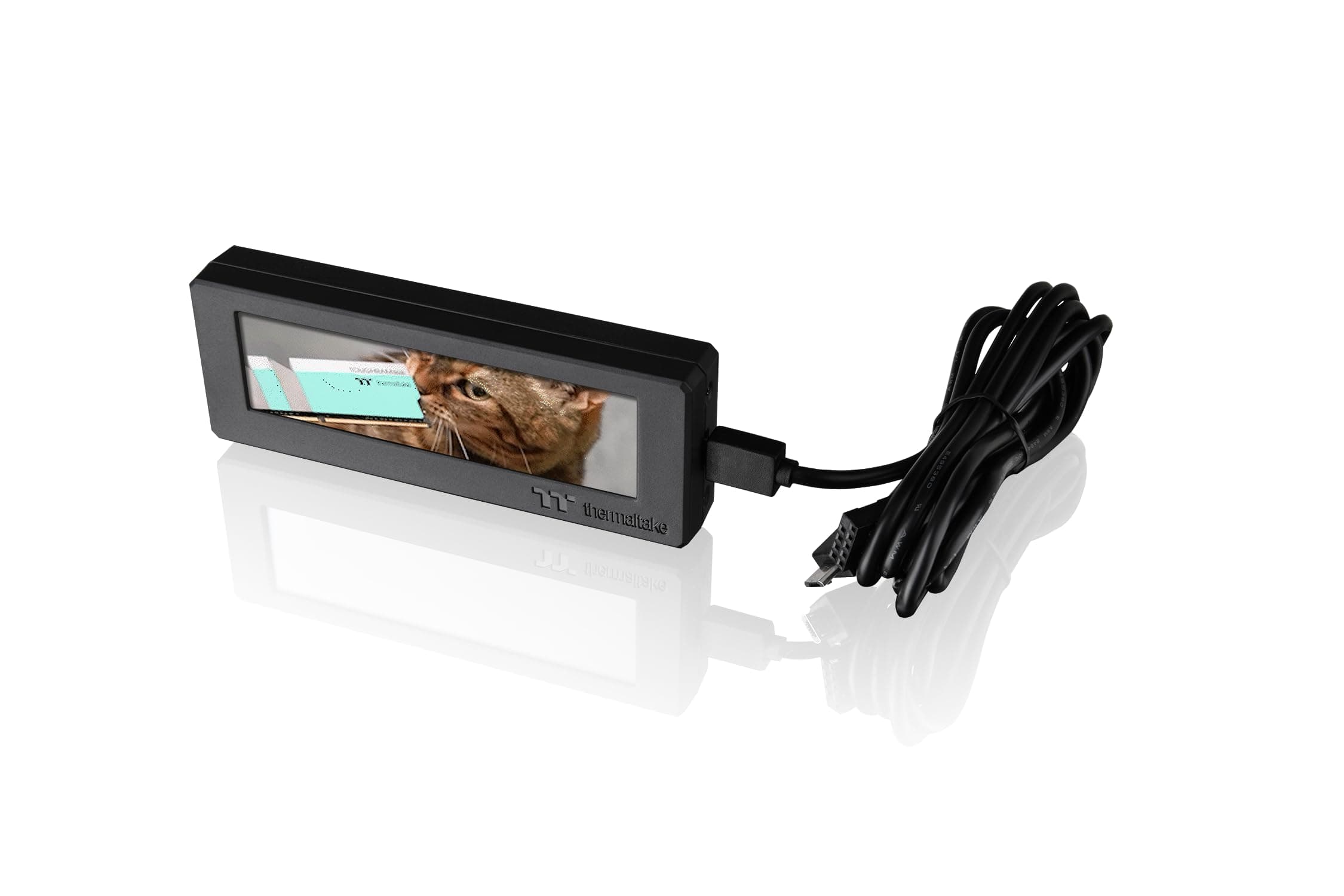
📺 Elevate your PC’s vibe with a customizable LCD that’s as bold as your workflow!
The Thermaltake Tower 300/600 Series LCD Panel Kit features a 3.9-inch TFT-LCD display with 128x480 RGB resolution, fully customizable via TT RGB Plus 2.0 software. Designed for easy installation on compatible Thermaltake chassis and beyond, it offers dynamic visual personalization and performance monitoring, all backed by a 3-year manufacturer warranty.


| ASIN | B0CVCZ95QY |
| Antenna Location | Gaming |
| Best Sellers Rank | #75 in Computer Cases |
| Brand | Thermaltake |
| Case Type | Integrated |
| Color | Black |
| Compatible Devices | Tower 300 Series, Ceres 330 Hydrangea Blue |
| Cooling Method | Air |
| Customer Reviews | 3.4 3.4 out of 5 stars (94) |
| EU Spare Part Availability Duration | 3 Years |
| Enclosure Material | Tempered Glass |
| Fan Size | 120 Millimeters |
| Global Trade Identification Number | 00841163092392 |
| Hard Disk Form Factor | 3.5 Inches |
| Internal Bays Quantity | 1 |
| Item Weight | 2.4 ounces |
| Light Color | Customizable |
| Manufacturer | Thermaltake |
| Model Name | AC-064-OO1NAN-A1 |
| Number of Fans | 8 |
| Other Special Features of the Product | Customizable LCD Display with Performance Monitoring and TT RGB Plus 2.0 Software Compatibility |
| Power Supply Mounting Type | Bottom Mount |
| Supported Motherboard | Mini ITX |
| Total Expansion Slots Quantity | 2 |
| Total USB 2.0 Ports | 2 |
| Total Usb Ports | 3 |
| UPC | 841163092392 |
| Unit Count | 1.0 Count |
| Warranty Description | 3 Year Manufacturer |
T**S
A convenient little screen.
Customizable with gifs, images, clock, screen mirror(limited usefulness*), and temps. So some of the positives: being able to adjust the brightness, looks great and is a nice addition to the overall look of the case you put it in. On that note you do not need a Thermaltake case to use this screen and the software will let you use it on any PC setup. Some of the negatives: the screen does have some poor viewing angles, it doesn't always start the software on a full shutdown (could be setup specific), overall the screen size could be larger. You do need a USB header on your motherboard, and as far as I am aware, it's only available with a black cable. I enjoy it and it does well for what I wanted out of it.
V**E
TTRGB - What a joke
Firstly, for or $89, this has to be the cheapest, lowest quality LCD screen I have ever seen. It reminds me of LCD technology from 10 years ago. It must of costed all of maybe five dollars maximum to manufacture and sold for a HUGE markup. Secondly, the software is an absolute joke. Not only does the TTRGB software plaster a GIGANTIC "Thermaltake" branding logo splash screen each time starting Windows (that is impossible to disable), the software fails MULTIPLE times to launch the LCD screen. Sometimes it would load an image, but it would be flipped upside down. Sometimes it wouldn't load anything and be just black. Its an absolute roll of the dice that the gif/image will display properly on the screen. This is the worst software experience I have ever used in 20+ years PC experience. Due to the lackluster ancient LCD panel and the broken faulty software, I can not recommend this at all.
A**R
Doesn't look good, lots of inconveniences.
Honestly this was a bit disappointing. The resolution is low and the software you must use to display images must be running otherwise you have to stare at a default splash screen. This especially sucks when your motherboard leaves the USB powered when off. This could be fixed in the BIOS on most computers, but it sucks to have to stare at a default splash screen with terrible resolution. The software itself is also terrible if this is the only thing you're using it for. It complains that there are no lights or whatever detected and has the settings for this screen buried in the menus. It was easy to install, but they could've used a better cable. One end is a USB header connection to the motherboard and the other end is a right angle and a straight USB micro B. Why two? Who knows, I ended up cutting the cable with the straight USB Micro B off to prevent having to find a place to store a long and useless cable. Given the antiquated screen, the bad software, and the annoying implementation I should not have had to spend $90 for this.
A**Z
Cherry on top for my build!
Did I need a screen in my tower, no. Did it add the cherry on top to my builds aesthetics, 110% yes! Setup was straight forward, just requires one USB header.
R**C
Fun and functional, but a little fragile
I wanted to add something fun to my new ThermalTake Tower 300 build, so I decided to add this optional LCD. The functionality is okay. It's not the greatest, but perhaps they will add more functionality over time. The main thing I wanted though was a fun animated gif on the display, which this does without issue. My main concern though is that the LCD seems to scratch pretty easily. I was trying to wipe it free of dust and noticed very minor scratching after using a cloth to wipe it. I think it would be nice if they made a little glass screen protector for this to make sure it lasts. The other wish I have is that it came in other bezel color options. It would be nice if the bezel matched the Hydrangea Blue color scheme of my tower. Aside from durability concerns though, it's a fun product that adds a bit more personality to the system, and it has been functioning without issue.
M**.
Great addition to an unusual case
This mini display is a really nice addition to the TT case. I use it to display the CPU temp but you can have it display any number of images or clock designs. The only negative is the associated software leaves a lot to be desired, TT need to fix a few bugs but this does not take away from the effect of the screen
D**A
Mediocre LCD screen totally ruined by garage software
The screen itself isn't terrible, but it's also not very good. Unless you're looking at it straight on, it will look awful. The contrast is also not very good even when using the "right" viewing angle. Now, the software, what a piece of garbage. If the screen itself worked perfectly it would be completely ruined by the absolute nightmare that is TT RGB Plus. I tried both the 2.0 and 3.0 versions of the software, it's clunky, ugly and barely functional. Really just skip this thing and put your money toward something else.
L**S
Great product
Works as advertised! Super cool addition to the set up, durable product and great graphics
R**L
Esta limitado por el software de la marca, pero trabaja como debe y se ve bien.
I**N
I only had the LCD kit a few weeks and it stopped working. To be fair, now I realize that it was faulty from the start, Amazon did a refund within minutes of contacting them. Great great service. I've re-ordered the product. The kit does finish the case with a professional look I must say.
S**E
Works great, when it works. Software needs some support.
A**X
Display gut, jedoch ist die TT RGB Plus Software ein absoluter Albtraum. Ständiges Resetten, zum Schluss ging es gar nicht mehr. Schade.
T**K
Its okay but not really worth the money. Even at half the price it would barely be worth it. The software is very limited and if you want to use non Thermaltake gifs you are unable to use any of the weather time or system readings. Also after using it for a week sometimes when waking your computer from sleep mode the display does not display info like it should so you need to restart the software. Would be better if you could customize backgrounds on the weather or system options.