We remain fully operational. Our teams are working around the clock to ensure your deliveries continue safely.

下载应用程序




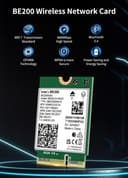
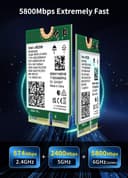
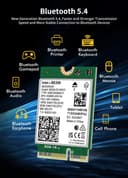


🚀 Upgrade to Wi-Fi 7: Because buffering is so last decade!
The NICGIGA WiFi 7 Wireless Card Intel BE200 NGW delivers tri-band Wi-Fi 7 speeds up to 8774Mbps and Bluetooth 5.4 connectivity via a compact M.2/NGFF form factor. Compatible with Intel CPUs and supporting Windows 10/11 and Linux, it offers a future-proof networking solution with enhanced performance, reduced power consumption, and robust driver support. Ideal for professionals seeking ultra-fast, reliable wireless connections on laptops and desktops.


| ASIN | B0CPPHCQXD |
| Best Sellers Rank | #143,267 in Computers ( See Top 100 in Computers ) #427 in Network Cards |
| Brand | NICGIGA |
| Built-In Media | BE200NGW |
| Compatible Devices | Desktop, Laptop |
| Compatible Operating System Family | Linux, Windows |
| Customer Reviews | 4.5 4.5 out of 5 stars (361) |
| Data Link Protocol | Ethernet |
| Data Transfer Rate | 5800 Megabits Per Second |
| Hardware Interface | Bluetooth |
| Item Weight | 0.06 Kilograms |
| Manufacturer | NICGIGA |
| Mfr Part Number | NIC-BE200-EU |
| Minimum Required Operating System Version | Windows 10 |
| Model Number | BE200 |
| UPC | 790885293443 |
| Unit Count | 1 Count |
C**N
My son's HP Pavilion Gaming Laptop (15-ec1073dx) comes with installed Realtec Wi-Fi card. After couple of years usage, I can now confirm the Realtec card is junk and will degrade over time making computer slow as a snail. There appears to be some confusion if this Intel AX200 Wi-Fi card works with AMD processor computer. I can confirm 100% that this AX200 Wi-Fi card works great with my sons HP Pavilion Gaming Laptop with AMD Ryzen 5 4600H Processor. Installation was simple. Before installation of the new card, install the Intel drivers for Wi-Fi & Bluetooth from the website shown in the included instructions. Run both executable files for driver installation. Remove screws and back of laptop. Locate Wi-Fi card, remove hold down screw, lift to 30 degree angle and pull card out of slot. Gently remove both Wi-Fi antennas (note locations of antenna 1 & 2), then discard Realtec card. Gently reinstall both antennas to Intel card. Insert, card into slot, then re-install hold down screw. Re-install laptop back. New Intel card is now installed and ready to rock and roll. Wi-fi connection is solid and vastly improved.
T**A
El producto llegó bien protegido en una caja y dentro un blíster conteniendo la tarjeta wifi, 2 pequeños tornillos y un destornillador. Mi hija tiene un portátil gamer Asus modelo rog strix G15 que llevaba tiempo dando problemas de conexión wifi. Probamos reiniciar router, actualizar drivers , etc y no había manera. Pensé que tendría que llevarlo al servicio técnico pero investigando un poco encontré la solución sustituyendo la tarjeta wifi. Yo no soy un experto y desde luego no tengo ni idea de informática pero al leer a otros compradores en Amazon explicando que era fácil decidí comprar este producto. Con la ayuda de un vídeo de esta reparación de YouTube fue extremadamente fácil. Nada más instalar la tarjeta conecte el portátil por cable y se actualizó . Desde entonces funciona perfectamente.
A**O
Acquistato per cambiare la scheda wireless del mio PC. Più potente e più veloce pienamente soddisfatto. Montaggio facile. Scheda arrivata ben confezionata con kit di montaggio e istruzioni.
K**S
Upgraded my Asus ROG laptop from WiFi 6E to WiFi 7. I can now see it connected to all 3 frequencies simultaneously using the MLO function on Tp-link deco be65. Also able to verify download speeds directly from main unit.
M**S
Carte utilisée depuis plusieurs mois. Aucun souci pour le moment