We remain fully operational. Our teams are working around the clock to ensure your deliveries continue safely.

下载应用程序




Buy anything from 5,000+ international stores. One checkout price. No surprise fees. Join 2M+ shoppers on Desertcart.
Desertcart purchases this item on your behalf and handles shipping, customs, and support to Taiwan.
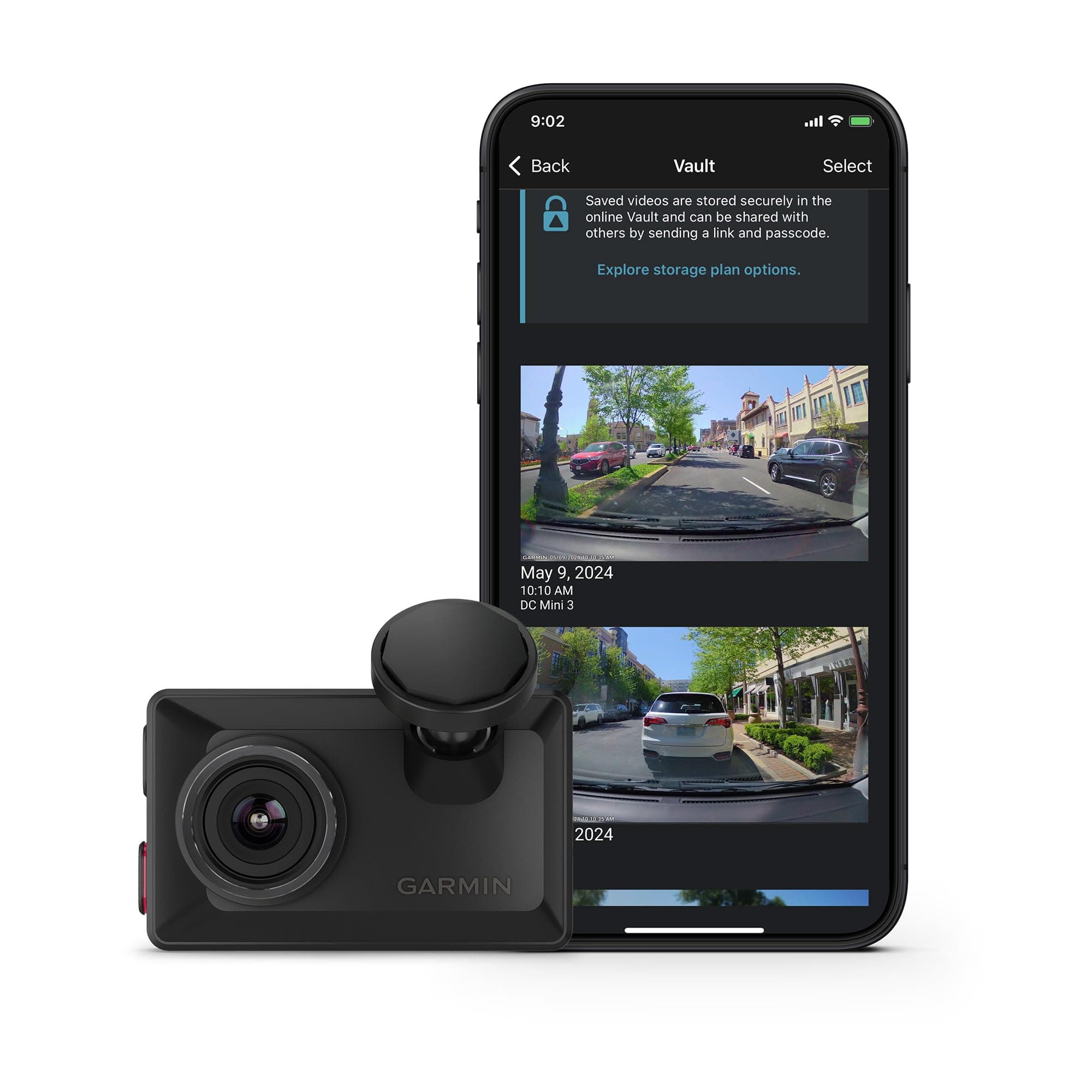
🚗 Elevate your drive with the dash cam that sees it all in 4K clarity!
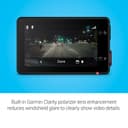
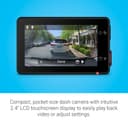
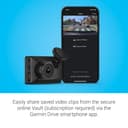
The Garmin Dash Cam™ X310 is a compact, premium dash camera featuring ultra-sharp 4K video recording, a wide 140-degree field of view, and built-in GPS for precise location tagging. Its Clarity™ polarizer lens reduces glare for crystal-clear footage, while a 2.4” touchscreen display offers intuitive control. Voice commands enable hands-free operation, and with a paid Vault subscription, users gain cloud storage and remote live view capabilities. Designed for discreet windshield mounting, it also includes driver alerts and supports multi-camera setups via the Garmin Drive app.


| ASIN | B0DDM46B9R |
| Are Batteries Included | Yes |
| Auto Part Orientation | Front & Inside |
| Auto Part Position | Front Inner |
| Battery Cell Type | Lithium Ion |
| Best Sellers Rank | #1,018 in Electronics ( See Top 100 in Electronics ) #11 in Car On-Dash Mounted Cameras |
| Brand | Garmin |
| Built-In Media | Garmin Dash Cam X310; Low profile magnetic mount, Vehicle power cable; Dual-USB power adapter; Documentation |
| Color | Black |
| Compatible Devices | Car |
| Compatible with Vehicle Type | Car |
| Connectivity Technology | Bluetooth, USB, Wi-Fi |
| Control Method | Voice |
| Customer Reviews | 3.7 3.7 out of 5 stars (87) |
| Display Type | LCD |
| Field Of View | 140 Degrees |
| Frame Rate | 30 FPS |
| Item Dimensions D x W x H | 2.8"D x 0.8"W x 1.7"H |
| Item Type Name | Dash Camera |
| Item Weight | 2.8 Ounces |
| Manufacturer | Garmin |
| Mfr Part Number | 010-02860-00 |
| Model Name | Garmin Dash Cam™ X310 |
| Model Number | A04684 |
| Mounting Type | Windshield Mount |
| Other Special Features of the Product | Bluetooth |
| Real Angle of View | 140 Degrees |
| Screen Size | 2.41 Inches |
| Supported Standards | MP4 |
| UPC | 753759317447 |
| Video Capture Resolution | 4k |
| Warranty Description | 1 year limited warranty |
R**R
Outstanding dash cam
I currently own a Garmin 57 dash cam and have been very happy with it and it goes between my personal and work vehicles. When Garmin released a 4K camera, I jumped at it. Now I have the 57 installed permanently in the work vehicle and the X310 in my personal vehicle. Garmin has the best phone app out there and it works flawlessly between the cameras. The X310 works just like the 57-menu system and supposedly it has even sharper video, although the video looks pretty much the same as the 57. I attribute this to the fact that I don't have a 4k monitor to view it on, just a regular 1080p monitor, so I'm not seeing any sharpness upgrade on my monitor. Aside from this the video is still great, colors, sharpness and all. I do like the added touchscreen making it much easier to navigate the menu, not that the button system of the 57 was hard. The x310 is a smaller footprint in thickness than the 57, the width and height, close to the same. I will admit it is a bit spendy, but it's totally worth it for the quality, the Garmin name behind it, and phone app. It's super small and fits right behind my rearview mirror so it's never a distraction. The voice commands are great, and they always work flawlessly. Overall, I'm very happy with my purchase. Nov 17, 2024 update. I recently caught an accident of a guy racing up beside me and then smashing head first into a car that was in the center turn lane. I wished I had a rear camera to see when the guy pulled out and raced up the center lane. So, I bought the Garmin Mini 3 to put in my back window. Was super simple, plugged adapter into to back 12v cigarette lighter port right by the back hatch, ran wire just up the side door seal and spiraled the wire(you wrap it around a dowel, heat the wire with a heat gun/hairdryer, let cool, take off and turn the wire wrap the opposite direction...you now a coiled wire) to allow the hatch to open an close without having wire hanging. Stuck to corner of back window, and connected to the Garmin app. Now they both work in unison and connect flawlessly every time via Wi-Fi. A caveat, if you ever need to download a video, you can do it with the Wi-Fi, it can be done, but it's a bit slow and cumbersome, ideally, taking out the card and putting in a computer is much better. If you have a mini usb phone, like the iPhone 14 or newer you can plug your phone right into the usb on the new Garmins and it’s super-fast, just like a computer. Now I have front and back videos. I'm very happy with the 4K video out the front and the 1080p out the back. Both videos are clear and sharp, very happy with the Garmin Mini 3.
W**Z
Excellent dash cam, but ridiculously overpriced
Needed a new dash cam that recorded in 4K and Garmin was one of only a few that had an option to automatically upload video clips to the cloud (via paid subscription). This cam is everything you expect from Garmin; high quality manufacturing and materials, great packaging and instructions, and easy to use and set up. Three negatives: it’s very expensive, it doesn’t include a micro USB card unlike some competitors, and it doesn’t include a suction cup windshield mount (that’s sold separately at a ridiculous price of $25). Otherwise, it works extremely well, is made extremely well, and is a very compact size with an attractive non-glare matte finish. If you want the best and are willing to pay a high price (plus another $100-150 on top for all the additional parts you’ll need), this is a great choice.
M**T
Critical Software Flaw and Relatively Overpriced
Garmin dash cams have several critical software flaws limiting their utility, and are comparatively overpriced for the hardware relative to competitors. In order to work effectively, the Garmin Drive app needs to (1) have the phone paired, (2) be manually given permission to run in the background, and (3) actively connected while driving/recording. However, most phones prohibit unrestricted background usage by default in order to reduce battery drain (which is a good practice). Without background permission, the app is unable to view all of the saved dash cam footage, only tiny clips that were triggered (by the onboard crash type sensors, manually, etc.). Likewise, if the phone is not in the car while recording, the continuous stream will be unavailable. So if someone else (e.g. spouse) is driving your car, you will then lose the ability to view the continuous streams while they were connected (and they still have to go through the same process to access the video stream on their app). In order to view all of the saved video files, you have to remove the memory card to read on a computer. Illogically, the dash cam files are saved in just 1 minute increments (most other dash cams allow setting a much larger file length/size). This means you may have to search through hundreds of files to find the right one(s) and might even need to use a video editor to stitch several together for a continuous stream. Additionally, the hardware is significantly worse when compared to similarly priced competition. Garmin products are usually well engineered and justify their brand premium (I'm a big Garmin fan and fully invested in their ecosystem) but their dash cam line is a massive software dumpster fire.
S**Y
#1 camera hands down
Finally a dashcam that doesn’t fall off your windshield! Yes pricey but excellent build quality. Ease of use. On screen touch menu, integration with phone app easily views stored videos. Lots of bonus features like lane departure and forward collision alerts. I will say the lane departure was a bit too sensitive even on lowest setting. It even detects when other traffic has started moving in front of you in case you’re distracted with whatever. I didn’t buy it for those features but they are a nice bonus. It records in great detail and many options for such a small unit. It literally hides behind my visor and I never know it’s there. It’s well worth the price. I’ve owned Vanue brand and this garmin is by far the one to go with. Say good bye to suction cups and hello to sticky magnets. Once you place on windshield be sure that’s where you want it. If you remove you’ll need to use another sticky pad as it’s a one use only. Kinda like a 3m wall mount. Then the camera has a magnet that attracts to the sticky magnet on winshield. So camera can be removed at ease but mount stays. Owning other suction cups cameras this is hands down the only way to mount a camera. A++
T**L
Garmin always delivers great products
J**O
Excelente calidad de video y diseño muy compacto.
F**C
Excelente cámara, alta definición, tamaño compacto. La última cámara me duró 15 años aguantando golpes, humedad y el solazo dentro del carro! GARMIN productos garantizados.
E**C
Pros: Works good, quality is good, small. Cons: expensive, I got into a near accident and when I went to review the footage the camera turned off and cut out the part of the accident which defeats the entire purpose of having it, you have to pay $15-20 a month just to have the easy access to footage and live camera which isn’t worth it.
F**E
Excelente funcionamiento
TrustPilot
1 个月前
2 周前