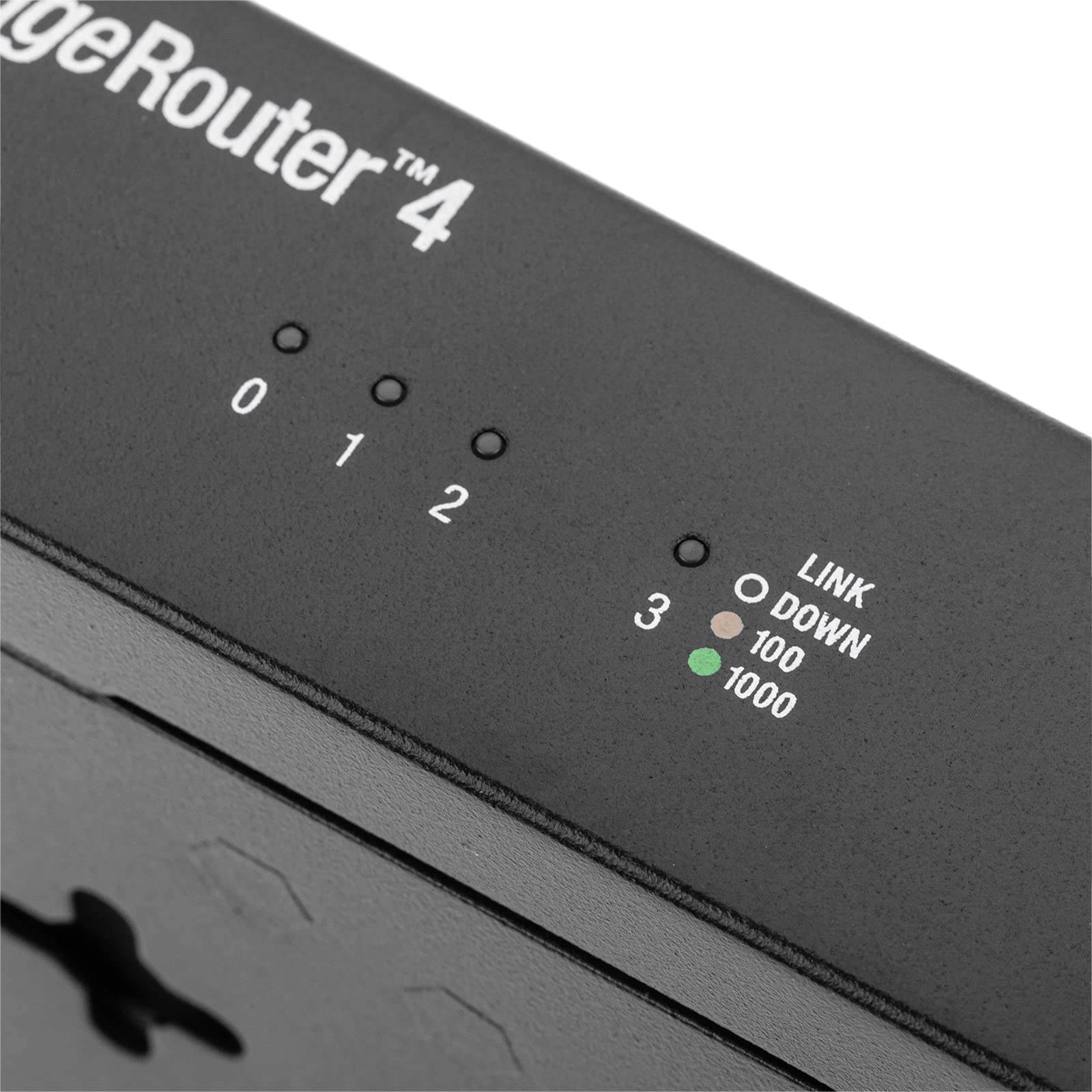
🚀 EdgeRouter 4: The power router for pros who refuse to settle.
The Ubiquiti EdgeRouter 4 is a professional-grade wired router featuring 3 Gigabit RJ45 ports and 1 SFP fiber uplink port, powered by a 1 GHz quad-core CPU and 1GB RAM. It delivers up to 4 Gbps throughput, supports advanced security protocols like IPSEC VPN, and offers extensive customization via CLI and Debian-based software. Ideal for tech-savvy professionals and small to medium businesses demanding robust, high-performance network control and scalability.


| ASIN | B078PGCGN2 |
| Antenna Location | Business |
| Best Sellers Rank | 129,262 in Computers & Accessories ( See Top 100 in Computers & Accessories ) 975 in Routers |
| Box Contents | Rack Ears, Mounting Hardware |
| Brand Name | Ubiquiti |
| Colour | Black |
| Compatible Devices | Laptop, Personal Computer, Smart Television, Tablet |
| Connectivity Protocol | Ethernet and Fiber Optic |
| Connectivity Technology | Ethernet |
| Control Method | Remote |
| Controller Type | App Control |
| Coverage | Enterprise and operator-level networks |
| Customer Reviews | 4.6 4.6 out of 5 stars (908) |
| Data Transfer Rate | 4 Gigabits Per Second |
| Frequency Band Class | Single-Band |
| Global Trade Identification Number | 00817882020633 |
| Has Internet Connectivity | Yes |
| Has Security Updates | Yes |
| Is Modem Compatible | No |
| Item Dimensions L x W x H | 22.9L x 13.6W x 3.1H centimetres |
| Item Weight | 795 Grams |
| LAN Port Bandwidth | 1000 megabits_per_second |
| Manufacturer | Ubiquiti Networks |
| Manufacturer Part Number | ER-4 |
| Maximum Upstream Data Transfer Rate | 4000 Megabits Per Second |
| Model Name | EdgeRouter 4 |
| Model Number | ER-4 |
| Number of Ports | 4 |
| Operating System | Windows |
| Other Special Features of the Product | Access Point Mode |
| RAM Memory Installed | 1 GB |
| Router Network Type | Corded |
| Security Protocol | IPSEC |
| UPC | 817882020633 |
| Voltage | 240 Volts |
| Wireless Compability | IrDA |
C**.
tl;dr full control router, no recommended for click-next users (if this is you, go to the UniFi line instead). Great value for a nice almost corporative grade router with enough power to truly handle 1 Gb bandwidth thru WAN-NAT-LAN while providing DHCP and DNS services. The Ubiquiti EdgeOS is based on the outdated Vyatta 6.3 router OS, but Ubiquiti has updated and regularly post security patches. This means this router could be configured and customized by using the unix CLI. Of course it has a web GUI, but the real power is on the CLI. If you feel comfortable on unix, you can even install extra packages and services. Now on COVID time with high VPN requirement demands, I have been able to deploy this router on a medium size business (60+ clients). The build-in VPN server can be authenticate using the intranet Windows Domain Server (Active Directory, NPS (RADIUS) , DNS, Certificate Authority). The workstations use the build-in Windows VPN client. Ubiquiti documentation is lacking on how to use the advance features. These can be better documented on the Vyatta documentation. Also YouTube has plenty amazing tutorial videos for beginners and how to start with the advanced features. Once you learn how to use this router you will be glad that you choose this over the easy click-next, but limited UniFi line.
M**Z
It is a mini server, not just a router WARNING! This review has been written over several weeks, it will be long and comprehensive as it might be. By no mean, I'm to be called a networking expert, although i know something or two around Linux and software development. My review is based on one year of extensive usage and i have not used all the features available in the router, so your experience might be different. 1- Target audience of this router ____________________________________ Ubiquity may say that this is a professional level routers line, after one year of owning and running this router, I can confirm that this router can be installed and configured by any person who ever dealt with any router before. The user web interface is as simple as it gets, add that to a wizard based configurations, it makes it even easier to fire and forget. 2- Why a wired router and not the all-in-one router? __________________________________________________________ basically, every wireless/all-in-one routers consist of: - router - switch - access point (usually bridged with the switch) and in regard to software, at minimum: - NAT (for routing traffic) - DHCP (for automatically assigning IP addresses to devices) - DNS (for translating domain names into IP addresses) - VLAN (packet tagging) - access point software (to configure your SSID, encryption, passphrase, etc.) Now, we must understand that one device to do all that perfectly is nearly impossible. Not to mention updating hardware is impossible, for example, to support WIFI6. Separating these roles and responsibilities will ensure upgrade-ability and stability exactly like HI-FI equipments, separates is always the best way to go. 3- a brief on my internet connection(s) ________________________________________ I have two internet connection: - VDSL maxing @ 30Mbps up and 5Mbps down - 4G maxing @ 50Mbps up and 20Mbps down my VDSL connection is not stable at all (that is the reason I have a 4G connection). Knowing little about networking, I had an all-on-one router that I would physically go and change its WAN connection to either VDSL or 4G :) that started my search for dual LAN router and thus, I knew about Ubiquity, in particular, the EdgeRouter X. For my situation, the EdgeRouter X was enough for where i wanted to load balance two internet connection, yet, has a decent switching chip that is capable of Gigabit routing when hardware offloading is activated and it runs the same firmware as its big brothers. The only thing EdgeRouter X falls short is hardware capacity it is nearly impossible to run additional programs/software due to this limitation, if all you want is routing, load-balancing, and simple switch, you are good to go with EdgeRouter X. 4- Why the EdgeRouter 4(or 6P): ________________________________ in comparison to ERX, ER4 specifications clearly says that it is not just a router but a full single board computer. With 1 GHz 4 core CPU, 1 Gbyte Ram, and 4Gbyte of storage, the ER4 is able to crunch billions of packets with ease. Unlike ERX, the ER4 (or ER6P) doesn't have a switching chip, although you can still bridge ethernet ports, but it will be done by the CPU not a dedicated chip, so it should be avoided. Worth mentioning that the ER4 has an SFP port as well and doesn't have/provide any Power-Over-Ethernet capabilities. So, the ER4 is a dedicated router only machine that its functionalities can be extended due to very good hardware specifications. Coupled with ES8-150W POE switch, both can give a very robust and pleasant experience. Stability of the hardware and software is phenomenal, i don't remember ever restarting the router, only restarts due to software updates or power outages. 5- Initial setup and software installation ___________________________________________ using the wizards, you should be able to get going, i used load-balancing wizard which was really easy to get the router going and all i can say is WOW! i don't have to physically switch the WAN link. but this is just scratching the surface, the software is good enough for day to day activities, backups, restore, monitor devices usages using DPI (Deep Packet Inspection, which is not and will not be %100 accurate). because the software is based on older version of Debian Linux, the sky is the limit, you can install software from Debian repo, or, like i did, install python pip and then install python packages to fit your need. also, i externalized the DHCP and DNS services off the router to a server running on the LAN to offload the router and let it only focus on the one thing it should be focusing on, routing and load balancing. the grayscale interface reflects the seriousness this line of routers represents, however, it can control 20% of the router configurations, the other 80% can be configured using the command line interface (logging in via SSH or Telnet). 6- Network Automation ______________________ being obsessed with IOT and Automation, i always wanted to control the router remotely, for example, to allow or deny devices using a mobile app. as said in point 5, i installed pip on the router, then installed python flask package which allowed my to create my own python HTTP server to control the router behavior using MQTT and Node-Red. also, i was able to receive mobile notifications once the VDSL or the 4G line goes down or up, also collecting usage statistics to graph it on Grafana. by the end of the day i would know how much internet was consumed (per ISP) and which devices consumed the most. the statistics are stored in a database for later usage. 7- Things that i love ______________________ - excellent hardware specification - reasonably priced - great routing capabilities - advanced load balancing and monitoring options - function extensibility via Debian software repo - robust and stable no matter how many users 8- Things that i would like to be improved ___________________________________________ - Dedicated screen for monitoring the Load balancing feature (for now it can be only tracked via CLI) - although it lacks dedicated switching chip, it would be nice to have port mirroring feature which can ease usage monitoring, currently i have a Netgear 5 port smart switch dedicated only for WAN to LAN port mirroring. - more frequent updates 9- Conclusion ______________ no matter you are experienced network engineer or a (wo)man that just wants things to work, you can't go wrong with ER4. Highly recommended!
V**N
Excelente equipo y práctico de configurar
M**M
This is a 'newer' generation edgerouter, which better throughput / processing capacity (ie, if you turn on full packet inspection features, you can still get good throughput performance). Overall it has the same excellent build quality of other edgerouter gear. Has of course the same core ER platform / so is familiar if you are used to that. Clearly the ER platform is not a 'novice friendly' setup. But it is simple enough to setup if you just use the 'built in wizard' config tool and actually follow the directions for doing a basic setup. After that it does require some self-education if you want to turn on and configure more features. But to some extent this just comes from - the reality that properly using more advanced features implies you actually know what they are and understand how they work at least a tiny bit, which is - inherently more technical. Anyhow. Edgerouter gear is great, amazing feature set for price point, and this is another fine example of the ER product line. This is a nice step up from ER_X in terms of capacity but a fairly modest price increase, so that is just great IMHO.
S**H
I wanted something more "Enterprise Grade" to replace my Asus AC86U router. (I have been using Asus flagship model routers for many years along with Merlin Firmware) But, Asus seems to have...hickups...with their firmware from time to time with bugs that take a long time to get fixed. I would hope that Ubquiti firmware is far more robust and tested. The EdgeRouter products is certainly for those who know how to setup network from scratch, knows CLI commands and terms and have worked with routers/switches such as Cisco etc. It is NOT a plug and play device. If you want more easy to setup and manage with a good GUI and wizards, go with the UniFi products. ( the upcoming UniFi Dream Machine is an all in one router, switch, AC AP, and controller, certainly will rival and beat out the top end Asus/Netgear etc stuff) Getting this guy all setup, I only need basic things, DHCP with Static Reservations, DDNS, Upnp....I don't need VLAN or VPN,Qos,Smart Ques...or any of the fancy stuff. I went to college for Networking back in 2012, have not done much with that knowledge in some time. It was nice to recall some of those things needed to setup this router. And, have the advanced abilities there in case I ever do wish to mess around with them. The GUI u can use...typical Enterprise...ugly, outdated looking, un-intuitive, and to me, not that logical. I still don't see why, just because its "Enterprise" that they can't make the GUI look nice and sleek and actually be enjoyable to use, like consumer products. Many other such "Enterprise/Corporate/Business" devices are like this, not just Ubquiti. But, really, no one cares cause u basically just do the initial config, then never touch it again.... I actually found that using the CLI for several of the things I needed to do was far easier, faster, and straight forward than digging around in the terrible GUI to find the setting I wanted to set or change. I like how the ER-4 has no direct port LEDs. But has them in the case else where. The Power/Status LED is a bit bright. (My networking equipment is in my bedroom, so LEDs are annoying and get covered in black tape). I have 1Gig Fiber connection. I have Eth0 as WAN. Eth1 is LAN connected to a Asus XG-U2008 unmanaged switch where all the other wired devices are connected to. ( I do not have that many devices, 9 wired, 7 wifi) My Asus RT-AC86U is now just a AC WiFi AP. (running Merlin Firmware) Since moving over to this EdgeRouter as my main router, Internet does feel zippyier, Smoother, more consistent. The ER-4 DPI (Deep Packet Inspection) Traffic Analyzer IS enabled and it is very cool to see all the stats. I do get my FULL 1Gig symmetrical and simultaneous WAN bandwidth with the ER-4, once you enable all the options for Hardware Offload AND do not use QOS or Smart Ques. Overall, it seems to be working well.
TrustPilot
2 周前
1 个月前