We remain fully operational. Our teams are working around the clock to ensure your deliveries continue safely.

下载应用程序


Buy anything from 5,000+ international stores. One checkout price. No surprise fees. Join 2M+ shoppers on Desertcart.
Desertcart purchases this item on your behalf and handles shipping, customs, and support to Taiwan.
✒️ Elevate your Surface experience—create, annotate, and innovate like a pro!
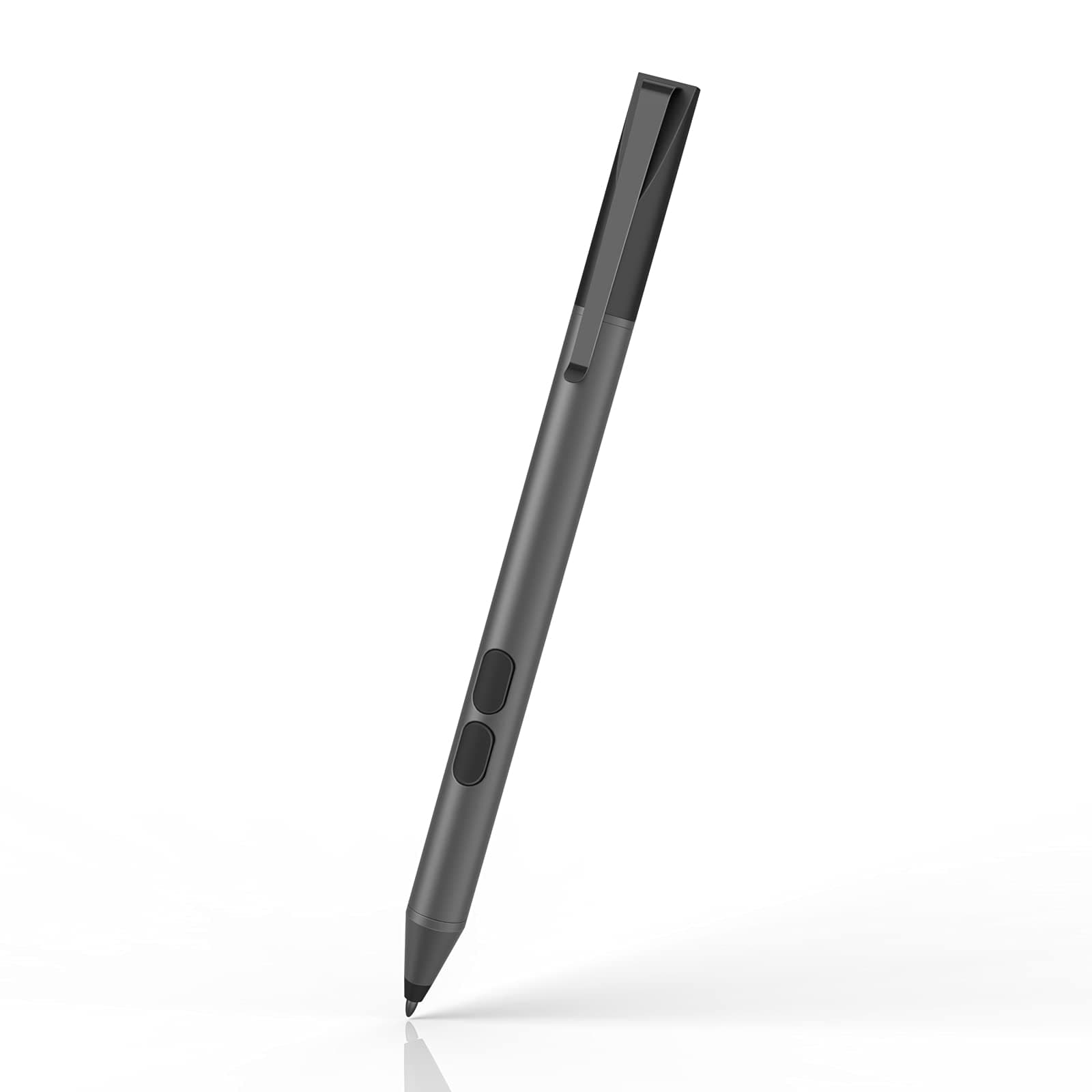
The iafer Pen Stylus is a high-performance accessory designed for a wide range of Microsoft Surface devices, featuring 1024 pressure sensitivity levels, advanced palm rejection, and an impressive 2500-hour battery life powered by a single AAAA battery. It offers full functionality including eraser and right-click, with replaceable tips and broad compatibility, making it an affordable yet professional-grade tool for creatives and professionals alike.


| ASIN | B0792Y9K3P |
| Are Batteries Included | Yes |
| Are Batteries Required | Yes |
| Battery Average Life Standby | 521 days |
| Battery Description | Alkaline |
| Best Sellers Rank | #10,763 in Cell Phones & Accessories ( See Top 100 in Cell Phones & Accessories ) #272 in Styluses |
| Brand | iafer |
| Color | Black |
| Compatible Devices | Surface Pro 10, 9, 8, 7+, 7, 6, 5, Laptop, Studio, Book, Go, Duo |
| Compatible Tablet Computer Models | Microsoft Surface Go, Microsoft Surface Go 2, Microsoft Surface Go 3, Microsoft Surface Pro 5, Microsoft Surface Pro 6, Microsoft Surface Pro 7, Microsoft Surface Pro 7+, Microsoft Surface Pro 8, Microsoft Surface Pro 9, Microsoft Surface Pro X |
| Customer Reviews | 4.3 4.3 out of 5 stars (3,933) |
| EU Spare Part Availability Duration | 1 Years |
| Enclosure Material | Aluminum |
| Item Diameter | 0.35 Inches |
| Item Dimensions | 5.4 x 0.37 x 0.37 inches |
| Item Weight | 0.02 Pounds |
| Manufacturer | iafer |
| Mfr Part Number | Surface Pen-Platinum |
| Minimum Required Operating System Version | Windows 10 |
| Model Number | SPEN surface pen |
| Number of Batteries | 1 AAAA batteries required. (included) |
| UPC | 747180989441 |
| Unit Count | 1.0 Count |
| Warranty Description | 1 year warranty |
E**C
Works with the Kobo Libra Colour
This works awesome for a Kobo Libra Colour.
S**9
Worked great...at first (UPDATED)
I ordered this pen for a Surface Pro 4. I noticed right off that the buttons were not the same as a Microsoft pen, but it worked great so I didn't care. It had good accuracy, good response, everything. Then, not a week after my Amazon warranty ended, the thing just quits. I tried new battery, I tried opening something specifically on a draw function, everything I could think of. So I came to the product page to find the warranty/support info, which told me to contact the seller. Ok... I went to the seller page No contact info. I went to find the seller site. No website results. No Facebook. Nothing. There is no way to contact them that I can find. Update! We delved through the packaging and found the battery replacement instructions. On the bottom was driac.com! They directed me to a set of instructions involving drivers, and I have my pen back!
P**N
Simple replacement for MS Surface Pro 4 tablet pen
Overall, a decent pen that comes with an extra nib and the required "AAAA" (Quad A) battery. Was recognized immediately by the Surface Pro 4, and was able to read touch sensitive parts. Unfortunately, the magnet that is used with it to hold to the side of the tablet is weak, it dropped, and bent the first tip, but the replacement was easy enough to put in. So - "DON'T TRUST THE MAGNET TO HOLD IT!" It's also only got 1024 levels of pressure, so if you're looking for an artist's pen, you probably want something else. This is fine for most of the drawing I will do on this tablet. I've had pens for older iPads, and this is much better. The feel is more like a pen (not a pencil) and the buttons don't get accidentally hit at all. It's a lower cost option than most other pens, and if I really find I need an upgrade - this can become a backup pen for the system. Overall, I'd give it a A-, as I'd like a bit more touch sensitivity and ability to tune that sensitivity - but it's worth the price I paid for it (~$34 in Apr 2022)
R**T
Good replacement
It's a good replacement for the Surface pen. It doesn't use Bluetooth, but for writing and drawing it is great. It has a precise point, making it easy to use. The buttons make it easy to erase. It's all i need. It didn't cling to the magnet on the surface very well as only the pocket clip seems to stick to the magnet.
B**N
Quality product that's easy to use
Wonderful. Solidly built. So simple to use. Pop in the battery that comes with it - positive side down - and it works. No setup, no pairing, nothing. It just works. I'm using it to make pixel art and the program recognizes when the button is pressed on the stylus and switches to erase automatically then back to draw when released. Very happy with this purchase. Would recommend to others.
J**P
As good as OEM
Works and feels just like the OEM pen that came with our Surface Go (gen 1) and my daughter loves the color. Pressure sensitivity seems right on as well.
A**N
Worked fine for a bit... then nothing but problems
I bought this Surface pen for a Microsoft Surface Pro, and for the first few months, everything worked wonderfully. But after using it to take notes throughout the early parts of the fall semester, the stylist started to lose functionality. Figuring the battery needed replacing, I went ahead and changed the battery, but the problem remained. I would be writing with the pen and suddenly the flow of text would stop. I would remove the top, take out the battery, put in the same battery, and screw the cap back on, and generally the pen would regain functionality. However, as the semester progressed, the problem only escalated, occurring much more frequently. And the "trick" to regain functionality had much less success, forcing me to remove and replace the cap multiple times before the pen would work. While I really enjoyed the Surface pen for the first few months, it has caused nothing but problems and frustration since.
R**Z
Good cheap solution for writing but not for artwork or engineering software
So I lost my original pen, and didn't want to spend almost $100 for a new one, which led me here. If you want to write on your digital notebook or do simple things with the pen, it's not the best, but a decent solution. If you do a lot more with the pen like drawing, engineering software, etc then just get the original pen instead of this. Even after calibration, I had huge lag time on anything I attempted while drawing. I'm really bad at returning things which is why I still have it but I'm giving it a 3 stars cause I feel as though the general population that buys this isn't going to be working with a lot of software that requires a quick response time.
M**E
Esta pluma tiene una sensación hermosa al tomarla. Es un poquito pesada por el material que me parece resistente, metálico. Viene con su pila AAAA incluida y puntillas de repuesto. El emparejamiento es instantáneo una vez colocando su batería. Encantada. Excelente producto.
J**N
I've been using this with the Surface Pro X for months and it works really well. The battery has lasted without a thought and it is a good and responsive pen. I don't know if there are cheaper pens, but this is definitely a good option. Thank you!
B**A
Me flipa lo bueno que es no necesita de concetarse con el Bluetooth, va super rapido y suave. Mejor lapiz y mas barato imposible
D**E
Fonctionne très bien avec la Kobo color 2 ! Jai pris la version avec le petit retour pour pouvoir l'accrocher. Pas sûre que ce soit si utile au final. Mais ça fonctionne.
K**T
great device
TrustPilot
1 周前
2 周前