We remain fully operational. Our teams are working around the clock to ensure your deliveries continue safely.

下载应用程序



Buy anything from 5,000+ international stores. One checkout price. No surprise fees. Join 2M+ shoppers on Desertcart.
Desertcart purchases this item on your behalf and handles shipping, customs, and support to Taiwan.
🚀 Elevate your smart home game with motion-activated magic!
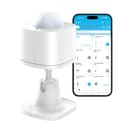
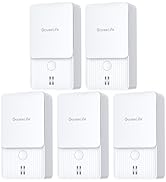
The GoveeLife Motion Sensor is a compact, battery-powered smart sensor designed for seamless home automation. It supports up to 50 Govee smart devices, enabling group control with a wireless range of 55 meters via Wi-Fi and Bluetooth. Featuring a 120° adjustable mount and up to 120 days of battery life, it automates lighting and other smart products in bedrooms, hallways, and bathrooms for hands-free convenience and energy savings.












| ASIN | B0BZ4215GC |
| Antenna Location | Home automation in bedrooms, hallways, and bathrooms |
| Battery Average Life | 120 days |
| Battery Description | Lithium-Ion or Alkaline or Lithium |
| Best Sellers Rank | 84,073 in DIY & Tools ( See Top 100 in DIY & Tools ) 155 in Home Alarm Systems |
| Brand | GoveeLife |
| Colour | White |
| Compatible Devices | Govee smart devices |
| Customer Reviews | 4.2 4.2 out of 5 stars (390) |
| Included Components | Motion Sensor, Battery, Adhesice Tape, User Manual |
| Item Dimensions D x W x H | 30D x 30W x 32H millimetres |
| Item Type Name | GoveeLife Sensor |
| Item Weight | 0.05 Kilograms |
| Manufacturer | GoveeLife |
| Maximum Range | 55 Metres |
| Model Number | H5121 |
| Mounting Type | Wall Mount |
| Number of Batteries | 1 CR2 batteries required. (included) |
| Power source | Battery Powered |
| UPC | 810127731462 |
B**L
GO GOVEE
Does what it says on the box, i have it control my GOVEE back room light and the hall light as soon as it triggers both lights come on, GO GOVEE
S**R
Great for a motion controlled bathroom smart light
I bought the Goveelife motion sensor in the hopes I could control my Govee ceiling smart light in my bathroom without the need of voice commands! Happy to say it does exactly what i wanted it to do and was so easy to set up. I currently have it set up to turn on upon sensor and then turn off 3 minutes later from the same sense. The unit is actually a lot smaller then i anticiapated which is a plus as it doesnt stick out too much in the bathroom (i do worry people perceive it to be a camera but time will tell) It comes with a 3m sticky label to attach to a surface however i haven't used this yet until i find the most ideal area. The only downside is the cost, If it was slightly cheaper then i would have multple in the house and garden.
U**N
Light
I thought it was ALEXA enabled but it is NOT.
I**N
Flawless
Set up within minutes, been a few weeks now and been working flawlessly and still showing full battery. Can link to anything else in my Govee app. Currently using it as a motion sensor for the light in my ensuite, adding the final touch to automated lighting in my apartment. No need for me to touch any switches anymore as they all turn on during sunset and turn off automatically at set times of a night. This motion sensor and the whole govee system is a true affordable gamechanger
M**Y
Small but effective
Smaller than expected, but it’s a great device.
A**R
Only good if your control center isn't a phone
Umm having owned a bunch of sonoff stuff I'm quite disappointed with this. It runs on Bluetooth / app only. So if your phone is locked or in my case "deep sleep" feature that comes with pixel phones The scenes / automations won't run This was bought to set up a night light paired with govee strips. It worked once. As soon as your phone locks the app gets pushed to background thus nothing responds. Why does this exist ?
G**N
Small and smart
Needed to replace an outdoor sensor that I have been using indoors. Much smaller than expected which is a good thing. Work well with with the ceiling lights when set up on a timer
J**S
No photocell function
No photocell sensor. Bought it to control lights on landing in low light conditions assuming such a basic feature would be standard as per the outdoor version. It doesn’t!
V**A
Tengo muchos productos Govee, porque me parecen fabulosos, sin embargo, en cuanto a este sensor, lo compré como complemento a mis luces para ahorrar un poco de energía eléctrica, y me hice no sólo de uno sino de 6, en todos ellos no se activa el comando apagar, solo me sirven para activar las luces, ya escribí con la gente de Govee y no me solucionaron el problema, es mas, ya ni me contestan a mis cuestionamientos. Espero que haya alguna actualización o que encuentre alguna solución por mi mismo para lograr que se desactiven las luces.
G**S
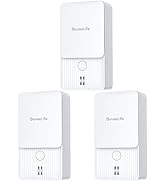
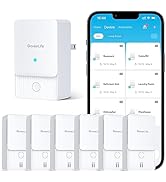
Christmas sales started popping off.. already had a tiny bit of experience with Govee lightbulbs and home automation. For the price point (especially when on sale).. it was a no brainer. The sensor is fairly small, battery already installed… had done my homework and knew I needed the Govee Distributed Gateway in order to best utilize this device; picked up a pair of Govee smart plugs that also act as the necessary hubs. By combining the two, you are able to lint the sensor to the hub/plug and truly take advantage of configuring it automation capabilities. My first one was purchased during that Holliday Sale high… as a result of realizing that for whatever reason I continuously leave the bathroom lights on.. working from home; this means they can and will be on all day and all night unnecessarily. So, this kinda just fell into my lap and everything started sparkling and “Dreamweaver” was faintly heard… it was meant to be. Setup: super freaking easy. Open box. Open App. Hit the + in the app.. bam! Added the sensor and plug hub. Skimmed an article to make sure I understood how their “ Distributed Gateway “ works and how the UI for automation setup is configured. - so I set up the automation to trigger when you step into the bathroom; kicking the lights on automatically and also after a defined time interval turns them back off. Easy peasy.. and as an additional bonus: I now can wake up in the middle of the night or early in the morning and just walk into the Ian’s not have to worry about finding the light switch when I’m not even fully awake; definitely don’t have to worry about hitting the lights on my way back to bed either! Works so well, that I have purchased a second one and configured automation similarly to turn on and also kill the lights in my home office/studio/workbench/tinkering hobby lab. - as I am always busy and strive to take on every task that comes my way. Knowing that I have an extra pair of motion “ eyes “ without relying on cameras to do the same thing that might become a security risk had I gone with a completely different non-Govee solution. Would I or have I suggested this to any one I know OH YES I HAVE!!! *** would I purchase again? — ALREADY HAVE ( in under a 3 weeks) — Planning on picking up a couple more And the special extra I got out of the smart plug.. allows me to control them via the app as well as verbally;via Google Home Assistant. Can’t beat those collective multiple abilities…. And I’m already seeing a noticeable difference in my power bill. Thanks Govee!! For pick him up the ball when others have dropped it and building such an amazing larger ecosystem and GoveeLife. Bringing the larger vision of home automation and such a huge variety of great products and products that allow for such a a flexible application of your offerings and you just can’t beat how easy it is to get the hardware configured. Gone are the days of 15 minute setup per unit and all the frustration that came while dealing with very well known competitor’s products; which unfortunately are slowing all dying out in my home ecosystem. A very pleasant experience. Things work and are accepted openly when they do just one thing: exactly what it says it does with extremely easy setup.
C**L
This things so easy to use and makes anything possible with smart homes. I set this up for my bathroom to have my govee air cleaner to turn on because my friends stink up the bathroom without turning on any fans, lol. But like i said, super easy to use, hasn’t died and i’ve had it for a while, it’s super small and not visible. You can put it anywhere you want. It also triggers ASAP and is super quick to start up the air cleaner.
K**B
I have a few Govee color changing bluetooth bulbs in my room for various lighting effects. I've realized that as it's gotten more complex, switching it manually all the time has become a chore. I bought this and was able to create a useful setup with about an hour. For instance: Now, if I leave a room, and no motion is detected for a short time, it turns the lights off. If I walk back in, it turns them back on. I aided this by setting the lights on a schedule based on what I do most days. Somedays I work in office and have lights get increasingly bright until I'm awake. If I'm working from home, I'll set routines, and then the sensor acts as backup to make sure to follow routines based on room motion. When it notices me working late it automatically institutes a wind down routine at a certain time, lowering lights and triggering calming sounds. It's a simple tool, but really helps you do more if you have an existing Govee setup that links devices together in a distributed gateway. It took me a little trial and error, so it takes some familiarity with the Govee app to get the best out of it. I do wish it was rechargeable! I first set it to it's most sensitive setting and the battery died considerably within a week. After that I set it to least sensitive and it hasn't died but at times has required me waving arms to turn lights back on after I've sat still for a long time and it thinks I'm gone, which makes me consider two in a big room might be ideal.
W**4
This sensor from Govee is a great accessory for smart home devices. Setting up the sensor was very easy. I used double sided, wall safe 3m tape to stick it to the wall in the bathroom above the closet door. It's large enough to be noticeable but small enough to be more discreet depending on your preferred mounting location. It's easy to adjust the angle to point wherever you need it. Using the Govee app made it easy to connect and configure. The battery lasted me almost a year with daily use. NOTE: If you are buying this with the hopes of easily integrating it into another existing smart home setup (for instance, if most of your devices are controlled by Alexa) you will need to know that this sensor is not a standalone sensor for use with other hubs. You must use the Govee app to set up and configure it and it will only control the devices that are connected in your Govee app. I was unable to find a workaround to make it control other non-Govee smart home devices.