

Desert Online General Trading LLC
Dubai, United Arab Emirates
Desert Online General Trading LLC
Dubai, United Arab Emirates


🏡 Elevate Your Smart Home Experience!
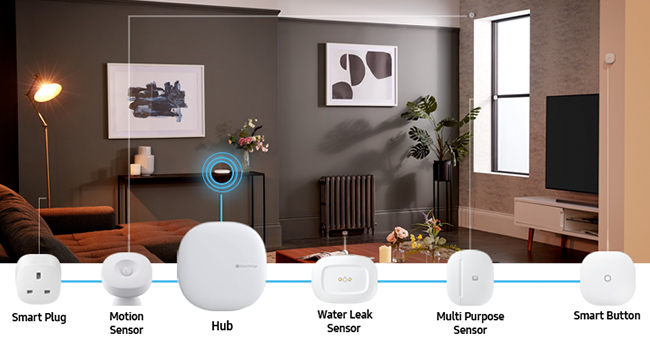
The Samsung GP-U999SJVLGEA SmartThings Hub is a cutting-edge device that wirelessly connects and controls a wide array of compatible smart devices. With support for Alexa, Google Assistant, Zigbee, and Z-Wave, it offers seamless automation, real-time monitoring, and voice control capabilities, all while ensuring an easy setup process.




| Manufacturer | Samsung |
| Part Number | GP-U999SJVLGEA |
| Product Dimensions | 12.6 x 12.7 x 2.9 cm; 156 g |
| Item model number | GP-U999SJVLGEA |
| Colour | White |
| Style | Hub Only |
| Voltage | 230 Volts |
| Item Package Quantity | 1 |
| Included Components | hub |
| Batteries included? | No |
| Batteries Required? | No |
| Item Weight | 156 g |
L**R
The best Smart Hub available
I have been using Smartthings 3rd Gen for seveal weeks now and it's performing really well.I did some research on different smart home hubs and I am still of the opinion this is the best one available. It has support for the popular Zigbee and Z-Wave standards as well as a great community. It has an extensive list of supported accessories and without much difficulty, it's even possible to get 'non compatible' devices working with it via 3rd party Device Handlers.Since purchasing the Smartthings hub I have added several motion sensors, door sensors, LIFX/Philips bulbs all around my house and they are all working reliably together. I have also been able to incorporate several other non officially compatible devices using my existing RM Pro wireless/IR controllers which I had been using to control device around the home (dumb devices that have a remote control I can record) - Smartthings can communicate with the RM Pro and therefore many other not so smart devices via a Device Handler which I setup using an account I created on the Smartthings IDE website. Incidentally, I also have other Zigbee devices working via Device Handlers as well which by default are not supported natively. Getting such devices working with Smarthings are not exactly plug and play but really not too difficult and is a great example of the Smartthings community and the openness of the platform.My Smarthings setup works really well, it is reliable and controls devices around my home quicky and consistently. For example, lights come on within about 1 second of opening a door or walking in front of a motion sensor. The only issue I have experienced was with the Smartthings app where on one ocassion (for about a day) I could not edit existing automations or create new ones (however the existing automations continued working fine during this time). I did contact the Smarthings Technical Support via their live chat as I thought I had done something to break it. They were great and went away to investigate it. Within a couple of hours they emailed me back to confirm it should be working ok and it certainly was working again. This was due to some issue on their side but regardless, I was very pleased with their support.This is a great system and anyone looking for a smart home hub need look no further. Recommended!
K**N
First Impressions are looking good. Updated review 26/12/19
My initial reason for this purchase was to use it with my Yale Conexis L1 Lock.Setup to my network was simple and pairing the lock was also easy and straight forward as long as you follow the instructions. I can now unlock the door (via Smarthings phone app) to anyone I need to, no matter where I am in the country. This is useful when the family forget their Tags and are locked out. You can add the Smarthings app to any member of your family’s phone and as long as it’s logged in on the main account they can unlock the door from their phone.After reading through the Smartthings community forum I have now added a new app and device managers for the lock. This now gives me notifications of each Tag/Card that opens the door.There are plenty of Smartthings compatible devices (sensors. Lights etc) you can buy that are pretty much plug in and connect.I have some Hive products so I have added the ability for the Hub to connect to my Hive lights and heating.To make this work It’s takes a bit of easy technical instructions to follow from the Smartthings community.Once you’ve set this up you can set automations for lots of things.I have a Hive light coming on in the hallway when the lock is unlocked between sunset and sunrise. This is simple automation but there a lots of other options which I am going to explore and put into place.Will update review when I explore more.Update 26.12.19Things seem to have got smarter.All my smart home devices were either Lightwave or Hive. The hub now supports Lightwave products so these can be paired directly.Also my Hive lights/plugs and motion sensors have been paired directly as zigbee types.I have also some SmartThings devices which as have added.I can now run automations between all my devices.Definitely getting better.
J**N
Great, so far
Nice unit, well built and so far after a couple of days, seems reliable.I bought this because I needed Wi-Fi connectivity which wasn't available on the V2 unit. This V3 (2018) unit has both 2.4GHz and 5GHz WLAN connectivity which removes the need for cabled Ethernet connectivity which might restrict where you could place the hub in your house. I'm currently running on 2.4GHz and this doesn't seem to have any impact on the communication with various Smartthing devices dotted around the house.I initially had a major issue getting the hub to connect to my Wi_fi network. One reason was lack of clear instructions showing the process. The paper user guide was next to useless. The other was not realising that there are two phone apps (Smartthings and Smartthings Classic) which have different capabilities. I ended up using the Classic version allowed the hub Wi-Fi to be set-up correctly. Once I was over this hurdle, the hub has worked flawlessly with both network connectivity and device connectivity.If you are not techy, I don't think this type of product would be suitable for you. It is great for geeks however!
TrustPilot
1 个月前
1天前