


🚀 Elevate your wellness game—track smarter, sleep better, live fitter!
The Fitbit One Wireless Activity Plus Sleep Tracker is a sleek, black wearable designed for professionals who demand accurate, 24/7 tracking of steps, stairs, calories, and sleep. Featuring Bluetooth 4.0 for seamless syncing with over 150 devices, a water-resistant design for sweat and rain, and a battery life lasting up to 10 days, it empowers users to monitor and improve their health effortlessly. Its silent vibrating alarm and social features like badges and challenges make fitness engaging and personalized, perfect for millennials seeking data-driven motivation and community support.


| ASIN | B0095PZHPE |
| Additional Features | Activity Tracker, pedometer, sleep_monitor |
| Age Range Description | Adult |
| Band Color | black |
| Band Material Type | Silicone |
| Battery Average Life | 20 Hours |
| Battery Cell Composition | Lithium Ion |
| Battery Cell Type | Lithium Ion |
| Battery Charge Time | 1 Hours |
| Best Sellers Rank | #306,987 in Electronics ( See Top 100 in Electronics ) #752 in Wearable Tech Wristbands |
| Brand | Fitbit |
| Closure Type | Buckle |
| Color | Black |
| Communication Feature | Bluetooth |
| Compatible Devices | Smartphone, Computer |
| Compatible Phone Models | iPhone |
| Connectivity Technology | Bluetooth, USB |
| Controller Type | IOS |
| Customer Reviews | 4.1 out of 5 stars 9,333 Reviews |
| Display Type | Digital |
| GPS | No GPS |
| GPS Geotagging Functionality | No GPS |
| Global Trade Identification Number | 00898628002304 |
| Human Interface Input | Buttons |
| Item Dimensions | 0.25 x 0.75 x 2.25 inches |
| Item Height | 2.25 inches |
| Item Weight | 0.02 Pounds |
| Manufacturer | Fitbit |
| Metrics Measured | Sleep Duration |
| Model Name | Fitbit One |
| Model Number | FB103BK |
| Operating System | Android, Apple_iOS, Apple_iOS, Android |
| Screen Size | 4 Inches |
| Shape | Rectangular |
| Special Feature | Activity Tracker, pedometer, sleep_monitor |
| Sport Type | Running, exercise_&_fitness, exercise_&_fitness, outdoor lifestyle, running, outdoor lifestyle |
| Style Name | Modern |
| Supported Application | Alarm, Fitness Tracker, Pedometer, Sleep Monitor, Time Display, calorie_tracker, distance_tracking |
| Target Audience | Unisex Adult |
| UPC | 898628002267 |
| Unit Count | 1 Count |
| Warranty Description | 1 Year Parts and Labor |
| Warranty Type | Limited |
| Water Resistance Depth | 10 Meters |
| Water Resistance Level | Waterproof |
| Waterproof Rating | IPX4 |
| Wearable Computer Type | Activity Tracker |
| Wireless Communication Standard | Bluetooth |
| Wireless Compability | Bluetooth |
| Wireless Provider | BASE, du |
C**E
Life-Changing Gadget 2.0 Video Review!
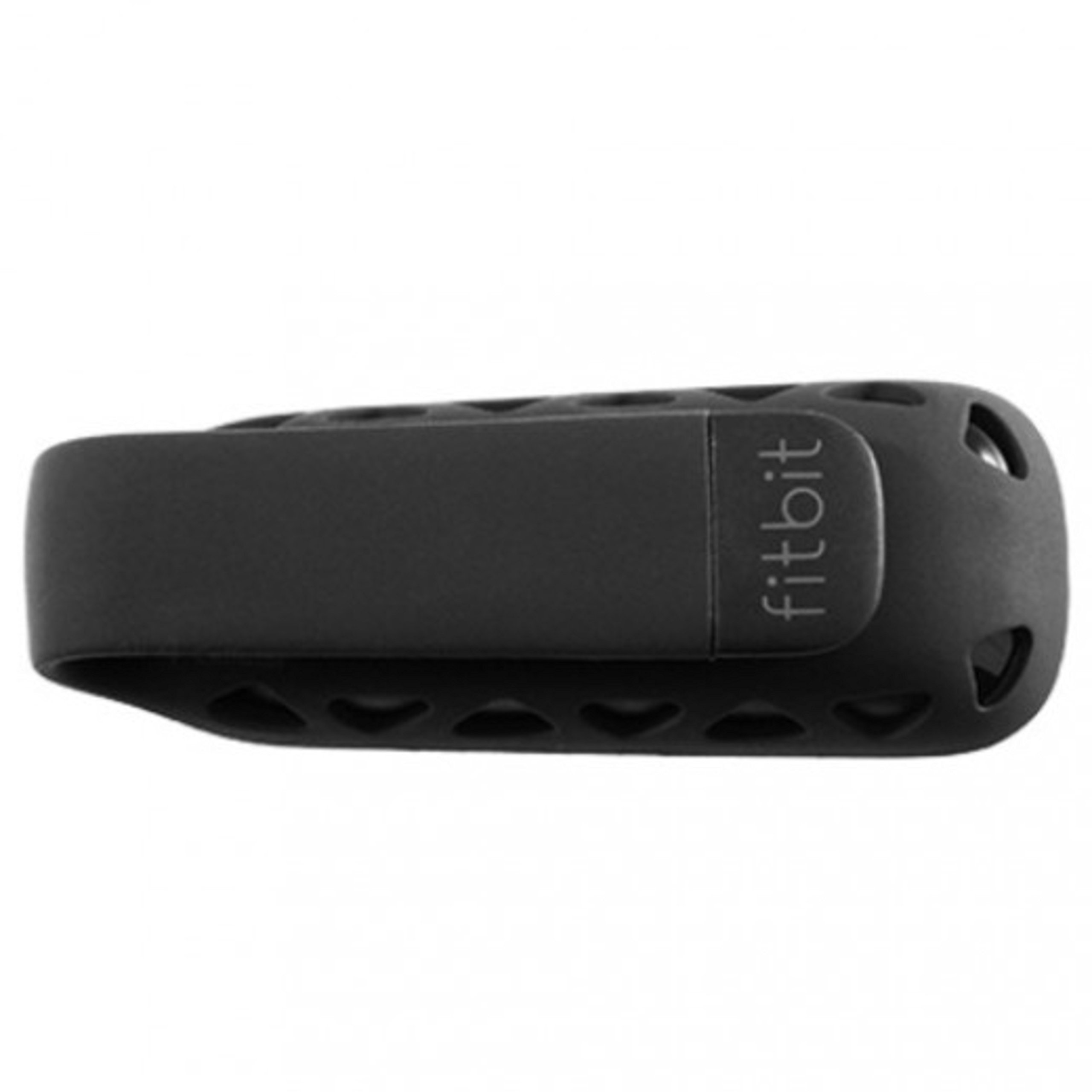
I upgraded from the Ultra. You can read my comprehensive review of the Fitbit Ultra at Fitbit Wireless Activity/Sleep Tracker, Black/Blue . First, I am sold on Fitbit because I've lost over 30 pounds since starting with the Ultra approximately a year ago. I don't work for the company and have received nothing from them for my enthusiasm -- I just find this is something that really works for me. IMPORTANT Before you read further or miss this: You have to have a phone that has Bluetooth capability for this new Fitbit to sync with your phone. If you're upgrading from the Ultra to this Fitbit One for the sync capability, you'll be disappointed if your phone can't sync. If you've got an iPhone, Bluetooth capability is currently only on the iPhone 5 and 4S. You can still upload your data to the computer with a different phone, but the Fitbit One will not sync with your phone. How the Fitbit Works: You have a few choices on where to wear the Fitbit (typically waist, pocket, chest pocket or bra), and you keep that Fitbit on you for 24 hours. Whereas the Ultra had a built-in clip, this one has to use the included silicone clip. The upside of this is that the silicone is unlikely to crack, which is something several owners of the Ultra complained about. The downside is that the Fitbit could possibly come out of the silicone case if the case were to get pulled on clothing or some other object. Whereas you used to be able to buy a lanyard to secure your Ultra, in the case of the One, you would only be securing the silicone case and your Fitbit would be lost. Time will only tell whether the silicone case idea is an actual improvement over the Ultra's design. On receiving your Fitbit, there's a booklet says to charge your Fitbit for 5 minutes. The charge is supposed to last for about a week. When the Fitbit battery is completely depleted, charging is to take approximately two hours. If you're like me, you'll find yourself just popping the Fitbit into its charger whenever you know you'll be sitting at the computer a while. Unlike the Ultra, which used one USB port on your computer, this Fitbit will use two: One is a small piece that communicates wirelessly with your Fitbit. The other is what I believe people are referring to as a "dongle" -- it's a USB with a short cord: You snap your Fitbit into the end, and that's how the Fitbit charges. I should also mention installing and pairing the device was virtually hassle-free. Since I was upgrading the Ultra, I just synced my Ultra by putting it in the cradle and then unplugging that USB. The instructions for the Fitbit One are clear. You download the software from their web site. Pairing the device with the software on my computer was easy. I was asked what kind of device I was pairing as well as whether I'd still be using the Ultra. What will the Fitbit One do? The Fitbit One is a very accurate step counter. It also shows calories burned and distance walked. There's a cute (not too girly, guys) flower that you make "grow" the more activity you do. And it tracks your sleep. The included wrist band attaches with a very fine Velcro-type material, making it a perfect size for men and women. This Fitbit One wrist band also has holes in it apparently to help ensure that the band doesn't feel hot on your wrist. Included in the band is a little pocket. At night, you slip the Fitbit into the pocket and press and hold the button, which puts the Fitbit in sleep mode. You have a choice between normal and sensitive setting, adjustable from the web site. When you awake, you just press and hold the button again to tell Fitbit that your sleep time is over. New to this Fitbit One is a silent alarm function. Basically, you can set vibrating alarms from either the Fitbit web site or from your Bluetooth-enabled phone. When I tried it out while awake, it was a soft little vibrating that I commented was as likely to wake me as "an ant wearing socks, tiptoeing across the floor." But I kept a (somewhat) open mind and still set an alarm for 7:30 a.m., which would give me enough time for an 8-hour sleep. Much to my happiness, I awoke to the soft little vibration on my wrist. My assessment on this is that I know that if I'm particularly tired, sick or know I'm going to get less than 8 hours of sleep, I cannot trust this as I've had to set an alarm across the room sometimes to wake up. If I have to be up early for something important, I will still need to set a traditional alarm. Depending on how deeply you sleep, your mileage may vary. Once you press the button to indicate you're trying to fall asleep, the Fitbit begins recording sleep data by noting how often your wrist moves. Wrist movement is interpreted as awake time. On the web site, this information is reflected as a sleep efficiency percentage. Now, it's not extremely accurate, because Fitbit doesn't know the difference between your lying there still and your being asleep. However, you'll probably realize soon that if you're lying there, reading a book, just move your hand every one in a while. Later, in the morning, you can adjust your sleep times through the web site to cut off any unnecessary activity at the beginning. What is Fitbit Not Good at? It's very step-oriented, so that means it's not going to accurately record your use of an elliptical machine, Pilates, weight lifting, rowing machine, swimming (don't get it wet!) or anything else that doesn't result in a typical stepping motion. However, you can manually record these activities on the web site, and it will overwrite the data for that period of time. I am finding that the web site food database is still inferior to other sites like MyNetDiary or Lose It, particularly since those allow scanning of barcodes for easy recording of food intake. However, a happy discovery is that Lose It can sync with Fitbit's web site, so I can record my food on Lose It rather than doing so through Fitbit's site. This is a good time to mention that there are also many other apps that Fitbit has partnered with that will sync your data. As with the Fitbit Ultra, the Fitbit One will: ---Count stairs climbed (hills count) and translate those into floors. It's just one more way to challenge yourself. On the web site you can earn badges for how many stairs and floors you've climbed. The site also gives you interesting little messages about what that climbing equals, such as "you've just climbed the world's tallest snowman," and if you're the curious type, you can click the message to learn more. ---You've got a clock! Just press a button at your waist and look down to see the time. ---There's a stopwatch. Training for a race? Just trying to beat your previous times? You can use the stopwatch to record an activity. ---Righty and lefty friendly. I'm right-handed, but I like to wear the Fitbit at the left side of my waist. The words were backwards, but I learned that through the web site I could change the direction of the words. ---Give it a name. You have 8 characters to input a name or other info. That's not enough for a full phone number with area code. However, you if you search the Internet for "short email address," there are a number of email address services that would fit that 8-character allotment and allow you to forward any email to your regular email address. This might come in handy if you (heaven forbid) were to lose your Fitbit. ---Friendly little chatter. So you're sitting on the sofa and you realize you should really get up and move your body. You stand up, and a blinked message catches your eye: GO GO GO or Hello! or I LIKE YOU. I found this annoying after a while, and I disabled it through the web site. Through the web site you can actually disable any of the features you don't want to see on your Fitbit. Is the Fitbit One Smaller Than the Ultra? Yes and no. As mentioned, the One fits inside a silicone clip. You really don't want its slippery little body moving around in a pocket, so you'll be using this clip. With the clip, the Fitbit One is actually larger than the Fitbit Ultra. Without that silicone clip, it is, indeed, smaller. Please check out my photos and you'll see a size comparison. As I stated on my Fitbit Ultra review, use of the Fitbit web site is 100% free. In fact, you can start using it before ever owning a Fitbit device. That's what I did before my previous Fitbit arrived. The site has an active Community of users trying to be healthier as well as device support. If you have questions about the Fitbit, I think the forum on the web site is probably going to get you a faster answer than emailing the company. So over a year later, after starting with Fitbit, owning and wearing a Fitbit has been one of the best decisions I've made. I went to a Quantified Self meetup, and one of the users asked why I'm still wearing the Fitbit if it's already established a habit of exercising. The answer is this: The Fitbit allows me to add gamification to something I don't enjoy (exercise!). It challenges me to reach my goals. If I have a period in which I've gotten few steps, I feel an internal nagging that I want to get that number back up where it belongs. It helps me analyze my sleep and see how that affects other factors in my life. After writing the update on my previous review for the Ultra, I actually DID re-invest in the Premium membership (49.99 on the web site) in order to get the Trainer feature back. I needed some help with goal-setting, and I wanted to be able to download my data in a CSV format. The fact that you cannot download your data without the Premium membership is a small annoyance to me, as I believe you put that data into the site and deserve to be able to download it without paying for a Premium membership. Another disappointment is that the custom trackers that I created through the Premium membership are not included in the CSV download. However, overall, I'm back to finding that Premium membership adds enough value that it's worth it to me. I'll have to reevaluate this when it comes time for renewal (be sure to disable auto-renewal if you don't want to be charged automatically). So again, no, you don't have to pay anything to use the Fitbit web site and get the basic features. The Premium membership just adds some extra perks that you may find helpful in taking your health to the next level. Has Fitbit been a fast way for me to lose weight? Nope. I lost the 30+ pounds over a period of a year. However, it's been a painless, sane and lasting way to lose weight. I attribute the weight loss to the awareness the Fitbit has brought me. Because I'm more aware of my activity (or inactivity), I just naturally make better decisions on a daily basis. If you're motivated to do so, you could lose weight quickly with the Fitbit by always tracking food intake and energy expenditure. I've found that making a gradual and permanent lifestyle change has been the best for me. I can't wait to see what new goals I'll be reaching for and achieving over the next year! UPDATE in MAY 2013: Please note that Fitbit now reportedly works with more than just the iPhone. I also wanted to let you know that I'm still happy with the Fitbit and wear it every single day. However, this one has nearly been lost on a few occasions due to the silicone case getting caught on clothing, causing the Fitbit to flip out. I am a very fastidious person who is careful about things (always puts my keys in the same place, etc.), so if this is an issue for me, it may be for others. I wish they hadn't changed the holder, but I understand the need to since the previous version was starting to crack at the stress points. IF this is a big concern for you, I would recommend preordering the FITBIT FLEX, which is one you wear on your wrist. The upside is that you'd have it on 24/7 and can wear it in the shower, etc., and the downside for me is that I don't want to see it on my wrist every day. Hope this helps anyone trying to make a decision. Again, I'm very happy with the Fitbit One, but I am having to be very careful with it to prevent losing it. UPDATE in DECEMBER 2013: My Fitbit had its first structural failure this month, and I wanted to update you with the problem. The silicone case has a place on it where two pieces are attached. This is the side that slides into your clothing, making it a weak point. One day I noticed the two pieces separating, and I pushed them back together. The other day I pulled my Fitbit out of my pocket and found the small piece was missing. Thankfully, later I found it and will try to glue the two pieces together. That section is a poor design because it's under stress when you remove the Fitbit from your clothing. I've added a picture above showing the two pieces. As far as whether I still love the Fitbit, yes, I do; however, I still think the silicone case is a poor design. There have been numerous occasions where I've almost lost the Fitbit due to it popping out of the silicone case. Hopefully, the company will improve on this design in their next release.
S**E
I've bought two, mine was so great hubby wanted one!
Update 9/2/16: Years later mine is still going strong as well as my husbands. However he left the household leaving it behind so I was able to set it up for my teenager daughter to use it and it was an easier process than I thought it would be. Not only did I buy one for myself, but after seeing it in use and how it could motivate a person my husband asked to get one as well so we purchased two from Amazon about a month apart. Both times this item shipped quickly with my Prime account. I do read that some reviews say that all of the numbers are skewed and incorrect, but after reading lots of online reviews from different products of this type both on this site and on other websites NONE of these devices are 100% accurate for anyone...and anyone who says so is probably just not aware or lying to themselves or you because they are brand loyal. I've had no issues with it miscounting major steps or stairs. I did notice that it does sometimes count steep hills as stairs, but I think it works on altitude so that makes sense. And honestly, who cares...count it I worked hard to get up that steep hill count it! :0) I would be interested to find out how many stairs it counts as a flight, as I seem to rack up more flights at work than at home. I think my work staircase may be steeper or go higher than my home staircase because I always get more flights while at work than at home even if I only go up them once at work. Also it only counts going up, not down. Again that is understandable because your muscles work harder going up. As for counting how many steps my feet take each day I clip mine every day to the inside of my bra in the gap between cleavage. I'm not sure that would work for all women, but it works perfect for me and I have never had it come unclipped and should it accidentally it would fall into my bran and I wouldn't lose it. The instructions say you can clip it to your waistband or put it in your pocket as well. I was afraid of it falling off and losing it, but I think the clip would be strong enough to keep it there with no problems. I'm just used to putting it where I do now. I liked the location so much that my husband decided he liked the location too, but being a man with no bra he got creative. We had an extra lanyard around that has a keyring that a badge clip was attached to. He took off the badge clip and now he just slides his fitbit clip onto the ring, puts it around his neck and slides it under his shirt. The shirt keeps it close to his body so it's not swinging around and still gets an accurate count. We've compared our numbers when waking around together and they are always very close, slightly off because we have different strides. He's also worn both, one clipped to his lanyard and one to his waistband and he got the same numbers on both after a walk. So we feel that him using it this way is okay. I've also seen reports of people saying it's sensitive and picks up things like wiggling around, driving/riding in a car, etc. I've watched mine and I've not seen it add extra numbers for any of these types of activities unless I was actually moving my feet. It did count dancing if I was moving my feet and stepping around, but if I was just swaying in places or wiggling my hips/upper body it did not count any of that. I've even stood and shook the thing and if I shake hard enough I can get it to count numbers, but I had to do it pretty vigorously. I bought it for the steps and stairs, so these are the features I use most. I did think the sleep function was interesting, I wasn't getting it for that but now that I am seeing my sleep tracked it has helped me to notice patterns where some days I might not have been sleeping enough. I like how it will still track your sleep as long as you are wearing it even if you forget to set it before you go to bed. If I forget I can just go to the app or website and tell it what time I went to bed and what time I woke up and up pops my sleeping data for that missing night. The website was a little hard to use at first, it took some learning and just clicking on things to figure out how it worked so for people not proficient in computers they may have a hard time using it. I use the app on my iPod so I use the iPhone version, my hubby has a Samsung Tab 3 tablet so he is using the Android version. They are both different looking, but have similar functions and are pretty simple to use. There are a few things you can not do on the mobile apps that you have to log into the computer to do but it is not too much. Mostly a few setting options and setting goals are unavailable on the apps. I do like how the app will have a battery indicator you can check and the website will send you emails reminding you when it is time to charge. These both came with dongles and I have both plugged into the computer. When I first set up the second I had to have one of the kids take mine to the other side of the apartment so that it would pick up the new one, but once that was one they are both syncing and functioning just fine on the same computer. As long as the computer is on, our information stays pretty current and if we did want to push a sync to see info we can do that as well. I can not sync mine with my iPod but it is because I have an iPod 4 and it's blue tooth connectivity is not as good as the newer devices so not the fault of this product but rather the fault of my device. My husbands however can sync just fine via blue tooth which is nice if we go on a trip and want to get updated info without carrying our dongles with us, they are small and I would be scared of loosing it! The wristband for sleep is a good size and made well to change size for different people. We both have larger wrists and it's plenty big with a bit of room to spare. The way it is made with velcro it can easily be sized down to a smaller wrist as well so those concerned with wrist size I think would be just fine. It works on velcro and not buckles, snaps, strech, etc which is sometimes a hassle to get the sizing right on. There are also options to track your food, calories and other exercise. I do occasionally log other exercise, but often I forget to log food, water and calories. If you are tracking calories the device itself will tell you how many calories you are burning, the website is where you would track weight, food, water intake, and exercise. You can also track some other numbers on the website if you are tracking blood sugar for diabetes, blood pressure, etc. So there are options on the website I don't use. Lastly this device syncs nicely with lots of other fitness websites so if you don't want to use the Fitbit site and trackers you can sync it to another website. It is a process however because somethings you can sync via the Fitbit site/app and others you have to go to the other websites/apps and sync through them. So it was a learning curve on that so again someone with little technology skills may have difficulty with this. Lastly you have a profile on the Fitbit website and you can make it public or private letting your friends see various things. I like having the options to make decisions on each thing. I don't mind strangers seeing how many steps I take each day, but I don't want anyone but friends seeing weight and no one cares what I ate if I was tracking food! These are all settings on the website to make certain things visible and others not. There is also an online community that you can use, but I found it clunky and more annoying than anything. Some of the other fitness websites are better so I rather just sync my info and use those. Overall I think it was a great decision to buy these for both of us as it's increased both of our fitness. I know I can never get in as many steps as he does right now, but it still allows us to be competitive and also challenge ourselves. I know there are days that I forget it at home and multiple times I'll say things like ohhh man I'm not getting credit for these stairs today. (or walking a lot, etc.) It is also good at showing us how some days we feel very active, but are not as much as we think. And other days we feel like we didn't do much but were super active. We find ourselves parking further out just to try to get a few more steps in, or taking the stairs instead of an elevator just to get more stairs! I am really surprised by how it's changed my point of view on things! I'm not a fitness guru, I don't have a regular workout or exercise routine, and I don't walk a bazillion steps a day. So don't think this is just for those people or the super obsessive. This is a great little device to give you that extra little motivation that might just be the difference between no activity and some activity!
D**E
Need Motivation? Get a Fitbit!
I got my Fitbit One on May 29, 2013, so I've had it for 2 and a half months. I wear it all the time except when I'm showering. Quick Spoiler Alert: I Love My FitBit! It's my little Jiminy Cricket Conscience, reminding me to be more active. Fitbit is really tiny! The pictures don't show how small it is. It's smaller than my thumb. The clip that is built into the holder feels like strong sprung steel, so it's pretty secure. I wear mine on my bra, but you can also wear it on your pants. I used to have old fashioned pedometers that would come off at times, especially in the restroom when it would get jostled around a bit. If you decide to wear it on your pants, you can always get a little tether, which would be nice insurance. When I put it back on after a shower, it says Hi! I know that's sort of silly but it still makes me smile. It's a nice, friendly touch. I use the included wristband to wear it at night to track sleeping. The wristband is pretty comfortable, but I've had a problem with the velcro. It's not like regular velcro, and doesn't hold as well after a couple weeks. I've just sewn on stronger velcro on top of the strip and it's totally fine. Also the Fitbit has slipped out of the little pouch (which is made of thin fabric so you can read it while on your wrist if you want). I realized recently that instead of sliding it into the pouch and having the end near the opening, I turn it 90 degrees so it is parallel to my wrist and doesn't come out while I sleep. I use a separate phone app to track my sleeping as well. The phone app is pretty amazing, but honestly, the Fitbit is rather accurate too, just in a different way. I've had a couple issues with it. If I reach over to pet my dog while I'm falling asleep, using my left hand (you wear it on your nondominant wrist), it counts the movement as actual steps. And when I am trying to fall asleep, I usually force myself to lie very still to help me relax. But I'm afraid Fitbit will think I'm actually asleep. So every few minutes I'll slightly move my arm to tell it I'm still awake. This seems to work. One thing I've learned is I actually usually fall asleep much faster than I had realized! This was really helpful, since I have insomnia. Basically for sleep, it decides if you're asleep, restless or awake. It tallies all of this for you, which can really give you a lot of information. My app is way more complicated, but I still use it for a few of the charts. But if you need basic information, this is perfect. I'd be okay with just having the Fitbit, if I weren't such a numbers geek and into quantifying myself. :P One more thing about sleeping, you have to tell Fitbit when you are in bed and ready to go to sleep. To do this, you just push the button for a couple seconds, until the timer starts counting. Then when you wake up, you push the button for 2 seconds again to tell it to stop. For the first little while, leave yourself a note so you get in the habit of doing it. After awhile it's no big deal at all. And if you forget, you can tell Fitbit when you were asleep, so it's pretty forgiving. For counting steps, it's as accurate or more so than old fashioned boring old pedometers. I am quite pleased with it. Make sure to set your step length and fill out your information! My mom got one the same time I did and she didn't bother, and it was way off. It only takes a few minutes to set it up properly and the directions are pretty easy. There are issues with stairs, though. I have a single flight of stairs down to my garden. I like to walk up and down and up again to do several flights of stairs in a row. Fitbit uses an altimeter to figure out you're going up stairs, so I guess it gets a bit confused if you go up, then down, then up, etc. The way I found around this is to add about 40 steps out into my garden at the bottom of the stairs before going back up. This works most of the time, but sometimes, alas, it doesn't count all the flights I take. It's better than a regular old pedometer though, by far! One other time it was inaccurate was when we drove up a mountain and then hiked up and down really steep trails. It thought I was going up lots of flights of stairs, which was fine. It counted my steps, but the estimation of the flights of stairs seemed way off (overestimated). You can go in and manually correct it on your log though. It's not perfect, but it's the best I've found so far. Also, driving up the mountain threw it off too. You can get an app for Android that you tell it when you're driving, and it tells Fitbit, which is handy. Get it if when you drive it thinks you're taking steps. I don't have this problem normally, but driving up steep hills seems to be an issue, easily solved with the app. When you want to exercise during the day, you can tell Fitbit. This is helpful and makes it more accurate, so right before you start, push the button for 2 seconds to start the timer. Then push the button again for 2 seconds to stop it when you're done. Then go tell Fitbit what exercise you were doing. There are several screens you can scroll through on the Fitbit. The last one is a flower. As you take more steps during the day, you get more leaves on the flower. It's a nice little graphic that is kind of sweet. Don't worry, guys, you won't lose your Man Card for having one of these. FitBits are so awesome. You can talk QS (Quantified Self) stats with all your friends! To sync up your Fitbit, you put a little USB dongle in your computer and usually it syncs itself. I think it seems to sync, when you are within about 15-20 feet of the dongle, about every 20 minutes, but that's a rough guess. If you want to force it to sync (to set a silent vibration alarm, for instance- go to Settings on the web interface), you can do that. Fitbit has great directions for everything. Sometimes it gets confused about syncing. Taking the dongle out and putting it back in helps, as does forcing a sync sometimes. That has fixed it every time for me. Now, about the web interface. You go to Fitbit.com, register to get an account, and you get a dashboard with all kinds of dials and widgets. It's pretty intuitive. The beta version is much prettier than the regular, so you can use it instead. Make sure you set up your account, settings and all that good stuff! That is how Fitbit knows how many calories you are burning, etc. The great thing about Fitbit, and I did a lot of research before buying one, is that you can actually connect it to all kinds of different apps and other sites. Endomondo is a great one, and MyFitnessPal is invaluable. You'll see all the different ways to connect on the website when you are logged in. If you use MyFitnessPal, which I highly recommend, you will log your food and exercise in MFP, NOT Fitbit! The interface for food is much more intuitive and easier to use in MFP. It's also easier to put in your measurements and weight in MFP. The account is free and they work beautifully together. There is another website called FitBolt that I learned about, I think through Fitbit. It's pretty neat, but the interface is a bit buggy and requires some patience. If you work at a desk, every 40 minutes (editable), it tells you to either stretch or do an exercise. You can choose either or both. I work at home, so it's easy to do 30 seconds of plank or pushups, but I guess for some it's not practical. But the stretches are meant for people stuck to their computers. It connects to Fitbit, and after you tell FitBolt that you did the exercise they suggested, they tell FitBit and you get credit for that, and Fitbit will tell you how many calories you burned. Then MFP will tell you how many extra calories you earned! They all work together. Endomondo also works the same way. Just make sure if you log an exercise in one app that you don't then log it in another. Let them talk to each other and Fitbit will work it out. Ok, so those are the details of how to use it. But do I like it? Do I actually use it? You bet I do! I love it! It's very motivating. I hardly ever look at my Fitbit itself except when remembering the exact minute I start an exercise so I can log it in MFP accurately, when I then have FitBit use the timer. Mostly I have FitBit open in a tab in my browser, and MFP in another tab so that they are in my mind. It's so inspiring when I am active! And when I am really sedentary (it's so easy!), I can see that in the charts. So then I'll go do some jumping jacks or run up and down the stairs or something, anything, to get in some activity. So it really STILL keeps me motivated. Seeing those charts and getting rewards for the first 10 flights of stairs in a day, is awesome. Oh! And there's a social aspect to it as well! You can become friends with other users and have friendly competitions to see who can take more steps in a day or week. That's really helpful for some people. I find it helpful to have a FitBit buddy. For the price, this tiny little thing is just awesome. Yes, it sometimes gets confused, but less than a boring old pedometer that does a heck of a lot less. The sleep data is really nice, too, which is why I got the FitBit One. If you find data motivating, and want to see your progress on nice charts, get it and let it motivate you to move more. My mom has one, as I mentioned. She doesn't use all the features (like sleep) like I do, but she also finds it motivating and will take the dog for a walk just to get in steps. She's in her late 60's and anything that keeps her active is well worth the money! And the same goes for me!
B**W
More trouble then its worth. It's like a trainer and a nutritionist that doesn't listen to you.
I got the fitbit one to exercise and keep track of my food intake. This tries to do both, but doesn't really do either. My Complains with the exercise monitoring: 1) Driving adds steps and stairs climbed. Which increases my daily calorie burn, which is not going to be accurate because of this. I drive my car almost everyday, which means my fitbit log is going to be off almost every day. I can go into the dashboard and erase the steps/stairs added while driving, but this is incredibly tedious, especially when I driving multiple times a day. There should be a pause or hold button, but there isn't one. You just have to go into your dashboard manually every time you get in your car. And I'm usually too busy working or doing some errands to make a note that says from 12-1230 I drove to work, etc... Could be fixed with simple hold option, but there isn't one so they get dock'ed one star. 2) Calories burned shows way too much. It shows sitting down and watching t.v. as an activity of burning calories. Sitting does not burn any more calories then sleeping, but with fitbit it adds calories burned. While that might make me feel good in the short term, I would rather it be honest and accurate. Another issue is I'll put it in at the beginning of work, and log it at the end of the day and it will say I burned 5000 calories that day. On top of that it will say my daily calorie burn naturally is 2000 calories. That is not accurate. I've talked to my doctors and they have told me that it is way off. Fitbit asks for your weight and age. Doesn't take in account height, muscle mass, water weight or your actual specific caloric burn. It just generates it for you. If there was an option to add these features or adjust what my actual calorie burn is according to my doctors I wouldn't complain, but it forces you into a group. Again a simply feature that could be fixed. 3) Doesn't really keep track of weight lifting and calories burned from that. Yes you can put in the dashboard that you lifted weights for an hour, but it will just show calories burned at that time, not what calories your burning from adding muscle. It's especially annoying when you lift for an hour and half and your exhausted and then you get little reminders saying get up, or that you're behind, when you're not. 4) Can't be used with running or elliptical. If you put it on your waist or on your ankle the calories are way off, so you have to take it off when you exercise, and again remember what you burned, or how long you did what. Which is fine if I just run at the same speed for an hour, but if I'm changing speeds/incline it's not going to be a set number. And again, like a lot of my complaints, if I have to remember or make a note of my calories or how much I just exercised, whats the point of the fit bit? My Complains with food log: 1) The food menu on the dashboard has a lot of pre-measured nutritional information. This is great when I'm going out to eat, or I buy something prepackaged. I can just look it up, and put it in, but when I cook something myself, I have to type every bit of nutrition information in manually because the choices they give are off. I.E. I'll cook eggs that have no sodium and low calories, but the option for scrambled eggs shows higher calories and lots of sodium. I don't know how they can fix this, but the fact that I now have to type down every little bit of information after every meal is a pain, and what happens if I forgot a meal, or I'm too busy to type it. It's basically not doing anything that a pen and paper doesn't already do for me. Also when you start typing in your food it starts to autofill and at least half the time it deletes what I wrote and I have to put in the information again. Maybe if the foods were accurate or typing in food was easier I wouldn't be bothered by it, but it's just another annoying detail. 2) Food Groups Matter- Fitbit just puts in calories eaten, not what type of foods. 2000 Calories from healthy protein, fruits and veggies is different then eating 2000 calories from ice cream. In terms of fat/sodium/sugar often times the healthier food eaten is shown as being worse then the unhealthy food. I.e. A hamburger with 600 calories might show less sugar/sodium then 600 calories from fruit and veggies. This is crucial when trying to loose weight/maintain energy. I wish fitbit would have an option to show healthy foods eaten from unhealthy ones. If there was a food pyramid or pie chart that separated it into categorizes that would be so helpful. That it kept log of dietary fiber, sugar, fat, carbs, protein and separated into those categories (MAYBE BY WEEK/MONTH INSTEAD OF JUST DAY) instead of just a very broad calories eaten. And again I can do this manually, but if I'm doing it manually, whats the point of having a fitbit? Fitbit Dashboard/Program Complaints: 1) The stupid badges are pointless. I'll put my fitbit on at work and after work when I get home an log in and it will show I walked 23,000 steps and get the badge. Yay, way to go me, but I didn't get any stairs climbed today. So I get a frown face. A) I'm an adult- a frowny face/smily face is not going to get me to exercise and B) When I've walked that many steps, done that much distance, much more then I needed, I don't need to climb stairs. Overdoing one, cancels the other out. But instead I get the little reminders and faces. Wish there was a button that said leave me alone until tomorrow, or something. Also would be nice if there were other badges, like pushups/situps/crunches, instead of just steps/distance/stairs. 2) Doesn't keep track of measurements. Waist, arms, thighs, chest. I've lost size in these areas, but my weight shows the same. I just wish it did that as well. Would have been a nice feature. 3) Also wish it kept a log of alcohol/caffeine. I'm trying to decrease my coffee intake, and it would be nice to use fitbit to do that. Not something I expect from fitbit, but it would have been nice. So a lot of my complaints are things that can be adjusted manually in the fitbit dashboard, but if I have to adjust all these things, and then pull out a calculator or measuring cup to keep track of everything, whats the point of having a fit bit? A pen and paper would be easier at that point. I would give a higher rating, but a lot of these problems could be fixed relatively easily, and yet the makers of fit bit aren't doing anything about it. Maybe giving them badges would motivate them to do these...
A**S
Surprisingly Accurate
I got this as a gift for Christmas, and have been using it for a week or so now, so figured I'd leave some feedback on how it's working. This is a longer review, so here's some pros and cons: PROS: --- Small; easy to clip to a pocket or hide inside of clothing. --- Easy-to-use, simple app interface with reliable syncing. --- Very accurate recording of steps taken and floors climbed --- Does not appear to register car driving --- Long battery life of at least 5 days --- Goal setting helps to encourage you --- Makes for fun competition between friends through the app CONS: --- Small; VERY EASY TO FORGET INSIDE OF CLOTHING --- Is not very accurage on sleep tracking; not particularly useful in that regard --- Records "calories burned" as a total combination of activity and estimated "resting state" calories burned --- Somewhat pricey for a glorified pedometer with social connectivity At it's heart, this is a pedometer, meaning it tracks walking and running. From what I've done so far, the One appears to record that pretty accurately. Now, I haven't done any consistent testing, but between a quick accuracy test (where I walked 20 steps, then checked it) and reviewing the recorded activity later in the day, it appears to work correctly. Does it record every step faithfully? I'm almost certain it doesn't. Out of hundreds or thousands of steps in your day, is it recording WELL? Yes, it appears so. I work in an office setting, where I spend most of the day seated, so this is easy for me to check; I can remember when I got up for a drink, bathroom, or for lunch, and on the activity graph of the app, this appears to be reflected correcly (in other words, there's a spike of activity each time I get up, and a large spike during my lunch break, but few if any steps recorded outside of this). A nice addition to being a pedometer is that the One records floors climbed. It does this by using an altimeter and measuring the impercible changes in air pressure resulting from a change in elevation, with a combination of measuring steps taken. In other words, no, it does not think you climbed a floor or two when you take an elevator. HOWEVER, I noticed that on one day, while driving to and walking around various one-story retail stores, the One had thought I had climbed about 3 or 4 floors that I definitely had not. For reference, it was well below freezing outside, and many stores have a small hurricane of warm air blasting into the entrance of their building ... so I imagine the resulting change in air pressure from outside to inside, combined with a clear indication that I was walking made it think I had climbed a set of stairs. Not a big issue, and that's a very specific circumstance. Perhaps one of the bigger selling points is that the One also records your sleep acitivity if you wear it at night. The concept is kind of cool ... but seems mostly gimmicky. First, you put the One into a soft elastic felt wrist band. This alone is pretty clever; the One slips into a little pocket, and the band is linked together using a very fine toothed Velcro-like material. The whole thing is so comfortable that after a couple of minutes you can forget you're wearing it. However, contrary to what I had thought, the One DOES NOT have a heart-rate sensor, so it records sleep activity primarily by sensing how much the One is jiggled. In other words, as is the case that I've observed so far, it often thinks you're asleep shortly after it senses no more motion ... which is a pretty big assumption to make, and typically inaccurate. For myself, I typically disregard the first cluster of activity recorded, and chop off about 30 minutes or so from the total time asleep it indicates. After that, you should get an accurate picture of your sleep activity, which typically shows blocks of time asleep, with brief periods of "restlessness". All in all, it's neat to see, but without using an EKG or at least a heart rate monitor, the concept of the sleep tracker on the One is not very accurate, and mostly a gimmick. And of course, the element that truly makes the One so appealing is that it you can easily sync it via Bluetooth with your Android or iOS phone to upload the data to a central website / app. I have seen some reviews about the Android app not working correctly, but at the time of this review I have had no issues at all. Initial account creation can be handled entirely from your phone, and if you choose to do a "manual sync" (where the One only syncs with your phone app when you OPEN the app), then it typically syncs and updates in less than 15 seconds. So far, I had ONE occurence where it couldn't sync, but this was fixed with a Bluetooth on/off cycle by my phone, per the suggestion from the FitBit app. Otherwise, it has not crashed at all, and you can review all your previous recordings easily and naturally from within the app. SOME FINAL POINTS / COMPARISONS: I also have Runkeeper, which tends to be very accurate because it uses your GPS to measure not only EXACTLY where you've been, but also verify that you have traveled the indicated distance (rather than using a set of assumptions and algoriths, as is the case with a pedometer like the FitBit One. HOWEVER, it should be noted that something like Runkeeper is very intensive on your phone's battery life, and it generally will not work indoors or in any situation where it can't get a stable GPS signal. The One is appealing it that it's a clip-it-and-forget-it type measuring device; once you attach it to yourself, you can pretty much just go about your business as you normally would and not worry about it until you need to change your clothes, and it will faithfully record everything. The downside to that is ... of course ... that it CANNOT be turned off at all. Driving: shortly after getting this, I saw some reviews about people concerned about it recording steps taken while driving. I experimented with this and initiated a manual recording period with the FitBit One while driving to work. Later, I checked the app to see if it had picked up anything during the 10 minute drive: it had not. It appears the programming is good enough to either not detect or disregard most movement during a typical city drive (now whether rougher, rural roads would result in something different, I do not know). FINAL WORDS: I didn't expect a whole lot from something like a pedometer, but between some of the extra features, the Bluetooth connectivity with a smartphone, the easy to use, straightfoward app, and the simplicity of the whole thing, it's a prettty cool device. There are innaccuracies, and the sleep tracking isn't particularly useful, and the price is a bit steep, but so far I actually really like competing with my girlfriend's stats using our FitBit One's.
N**.
Amazing motivating tool.
I love my Fitbit. I've tried so many pedometers, so many! Wrist ones, pocket ones, phone ones. You name it. This is my favorite pedometer of all time. (So far anyway.) For me it's the one that's come closest if not accurate to how many steps I take. Even the Flex wasn't this accurate. I love the fact that I can wear it anywhere. I've even left it in my bra strap when I've had to dress up fancy and can't wear it on my belt. The sleep tracker is good but trying to put it on my wrist every night was uncomfortable and took too much time. Although, I felt it was pretty interesting data, I sort of gave up on that. I love love love the fact that it counts flights of stairs. Most days I cannot beat my 10k step goal so seeing the flight goal beat at 20 a day makes me feel accomplished. I enjoy that so much. Especially, when we go places with tons of stairs. I never take the elevator (within reason) so I look for stairs. The one thing I have a difficult time with is the clip. Twice now I've had the end break off and leave two sharp metal daggers poking out. One of the guys at work cut the protruding points off for me but they were on there well. It took some doing. Fitbit did warranty clip for me already so I couldn't really ask for a second one. All that being said, Fitbit is awesome. It really gets me motivated to get more steps. Which adds more activity into my day and even if it's not exercise per-say it's still better than nothing. I get up from my sedentary job at least once an hour to walk around the building to make sure I get some activity. Another feature I forgot about is the active minutes. Using my eleptical machine I can get up to an hour of active minutes. It's great to see my little running man turn green from activity. It makes me want to go further and further with my exercise. I think everyone should have a Fitbit. It's a wonderful tool for motivation. You just want to make those numbers go up and up. The best part about it is that most of the people I know now have a Fitbit and it's great to try to compete with them and see who can get the most steps a day. I've had this for at least 3-4 years and when I forget it at home I get frustrated. You can sync this with your smartphone through blue tooth, so if you're not near the dongle you can still update your steps. I do that on the weekends and just leave my dongle at work. The battery lasts for quite awhile on this unit which is awesome. I'd say it lasts for a good week. It may depend on how active you are. One thing I should say to watch out for is to make sure you take it out of your pockets before washing your pants. I've had several friends lose theirs to just such an instance. I did accidentally go in my pool with this but the good news is it still worked perfectly when i got out. I suppose dunking in the pool is a lot different than washing it for an hour submerged in water. I'd say, give this a shot if you're looking for something to try to get you fit or motivated.
T**1
Fitbit One and why I changed to the Holistic Wrist (Jawbone Up)
UPDATE: If you'd like to see my review of Jawbone UP24, you can see it here: http://www.amazon.com/review/R2ZEG4YLT0HZ9Y/ref=cm_cr_rdp_perm (copy & paste if it won't click) UPDATE: Several people asked me about the Fitbit Flex. I just got one today. I compared it to Jawbone UP here http://www.amazon.com/review/R1CVXEEYIAIR0W/ref=cm_cr_rdp_perm (copy & paste link if not clickable) --- A couple weeks ago I received my Fitbit One Wireless Activity Plus Sleep Tracker, Black after a few months pre-order wait. I had it two full weeks, got to know and learn it, and lost it swiftly. The fact that I lost it so easily made me decide to try Jawbone Up-- thinking that if I lose my arm, I've got larger issues... My review will be a comparison of these two devices for those trying to decide between the two. Early spoiler: I recommend Jawbone Up over the Fitbit One for most people. UPDATE 3/20: Android app is now available as well as the iOS app. My review is based on the iOS app but I do have an android and will try it soon. Hardware itself The biggest frustration I had with the Fitbit One was that I wanted to use it for daytime activity monitoring and for sleep monitoring. Using it for both activities included moving the device from my belt clip, taking it out of the rubber clip, putting it in the wrist strap, and reversing this process each day. It felt like a chore after a few days, and some mornings I even forgot to put it back on my belt after showering & changing. These issues aren't faced with the Jawbone Up because you can leave it on your wrist at all times-- even in the shower. No annoying loss, no annoying moving it from clip to pouch to clip, no forgetting it at home in the morning. The Fitbit met it's ultimate demise after only its second fall off of my belt. It's so light and in rubber, it didn't even make a sound when it left me and met the ground. It was never found. Long live my FitBit One on however many belts it ends up on before it's lost again terminally... Battery Life & Charging Battery life on the Fitbit One can be as much as 14 days. The Jawbone Up is rated for 10. Both devices include a USB dongle for charging, and charge in about the same amount of time. Both charged fine when I used my iPhone charger to USB for their dongle. Syncing The Fitbit One bluetooth sync's wirelessly to an iPhone if you want, or to a PC. The fitbit comes with a charging dongle, a bluetooth adapter-- which must be used as it won't work with most or all other bluetooth adapters already built in to a PC. Plan to use up one or two USB slots for the Fitbit One. It's not a constant sync-- you have to initiate the sync if you want it to sync "now". The Jawbone Up syncs by removing the cap and plugging in to the headphone jack of the iPhone. At first this felt like it may be a step back from the Fitbit One, but ultimately it's simpler and I waste less battery having bluetooth activated on the phone all the time. It's simple, works reliably, and you can sync to multiple devices if you want. Wearing The FitBit One is quite small and the rubber belt clip is smooth and small. Many users simply drop the device in the pocket, but I'm not one to let that happen and risk loss-- ironic because I lost it via the belt clip. I also have some belts that it would't clip on, so I found myself doing creative things like clipping it inside my change pocket. The Jawbone Up is basically a bracelet-- and a stylish looking one at that. I found that the fitment guide on the back of the box ran a little large, so I originally bought a medium. After wearing, it felt too tight. I returned it for a large. I have so far been very happy with the large size. I recommend using the print out PDF from the Jawbone site as it clearly marked me as large when the plastic guide on the box made me think medium. They recommend going "up" a size. From a daytime perspective, the wrist band of the Up hasn't bothered me at all, and actually I see it and it reminds me to move! I never saw the Fitbit One, and thus thought about it less often and had fewer reminders. More about reminders in functions/software! I do wear the Jawbone Up in the shower, and have had no issues with that so far. It feels sturdy without feeling stiff. You can manipulate it by squeezing to fit tighter, looser, reverse which side meets which, etc. It isn't a "bendy straw" style where it holds shape. It always holds the wrist shape. The rubber on rubber is what lets it grip more or less. It doesn't feel heavy or annoying. Software Aside from the functionality of wrist vs belt clip, the software is really what differentiates the Jawbone Up from the Fitbit One for me. The Jawbone Up software is infinitely more useful, visually appealing and informative for me than the Fitbit One software. The Jawbone software tracks your performance over time and so does the Fitbit One-- but the Jawbone analyzes your data and makes observations-- "Hey you had 2x your normal amount of deep sleep last night-- did you do something different?" and other observations like that. You can also compare your sleeping data to your day's activities. The ability to view, review, and drill down/compare your data is easier/simpler/more automated and more enjoyable on the Jawbone Up than on the Fitbit One. Fitbit supports some more social features-- like sharing to Facebook. Both support having friends in the system who also have the device that you can view/cheer on, etc. As far as food logging goes, I'm not a huge user of this feature yet. What I do know is that the Jawbone Up supports scanning barcodes on food to capture what it is and content. The interface to browse and add food is far more visually appealing in the Jawbone Up than in the FitBit software. About sleep monitoring: I don't know if it's accuracy or philosophy, but from a span perspective both units were accurate. I actively tell them when I am about to drift off and when I'm done sleeping. From there, the data varies. The Fitbit One would say that I woke up some 20 - 40 times per night! Maybe each time I roll over it thinks that qualifies as awake, I don't know. The Jawbone Up rates that much less, but also gives me info on "deep sleep vs light sleep and awake times" which I find more useful than just knowing how many times I was awake. I've found this analysis interesting because some nights I'll feel like I slept all night, but don't feel rested in the morning, and the Up will conclude that I didn't have much deep sleep at that night. That allows me to look back at my day before and contemplate why: too much caffeine too late? Too little exercise? Too much food to late? etc. Helpful data to influence how you live your days. Both of these devices sync your data to a website. I personally rarely visit either of these, and don't plan to, thus my lack of review on that regard. In the iPhone age I only go to a PC when it involves a lot of typing, for the most part. Functions & Added Benefits -- most of my conclusions here are about the Jawbone Up. Fitbit One: It has an altimeter. This is how it guesses how many flights of stairs you've climbed. It also counts dual propeller flights I found accidentally on a recent business trip. If your'e a person who is not interested in tracking sleep or want to spend the least, this device could help you start getting an idea of your day & night activities. Jawbone Up: -A "power nap" feature that utilizes data from your normal light sleep cycle at night to determine optimum number of minutes for a power nap under 30 minutes. You can initiate a power nap by a series of button presses on the wrist band. -An inactivity reminder: The wrist band can vibrate you every so many minutes that you're inactive, and you can configure this in the iPhone app -A wake up alarm, at a custom time and you can additionally have it wake you at "an optimum time around your alarm" depending on your sleep cycle Both devices allow you to customize your stride or calibrate the distance walked. I'm still only in my first week of owning the UP, and I prefer it over the Fitbit One. To me, the Jawbone Up is more of a "holistic life data device" due to the software and the fact that you can wear it all the time. The FitBit fits more in the fitness data device for me, because of the lack of insight the software provides on the phone and the fact that it isn't as simple and easy to wear all the time. I'm an IT guy who spends too much time in front of computers, a lot of time traveling, and generally not feeling like I am active enough. I wanted these devices to help me improve my awareness of wellness, activity and sleep results. For me, the Jawbone Up was the right answer all along. You might know that a year ago the Jawbone Up was released and recalled within a month. There were some technical reliability issues and the company took the opportunity and almost an entire year to rework the device, refund all customers and let them keep the potentially failure-likely device. They have some impressive videos at their website about how they re-worked the device. Both devices are good devices and neither had any critical flaws. n that, I hope this review may have helped you decide which fits your needs most. I plan to respond to any specific questions below so feel free to ask! Update: I have received a lot of comments that are quite negative about Fitbit's customer service. You might want to browse the comments on that. I lost my Fitbit so I never had a chance to deal with customer service.
D**N
I *adore* this! More than a pedometer
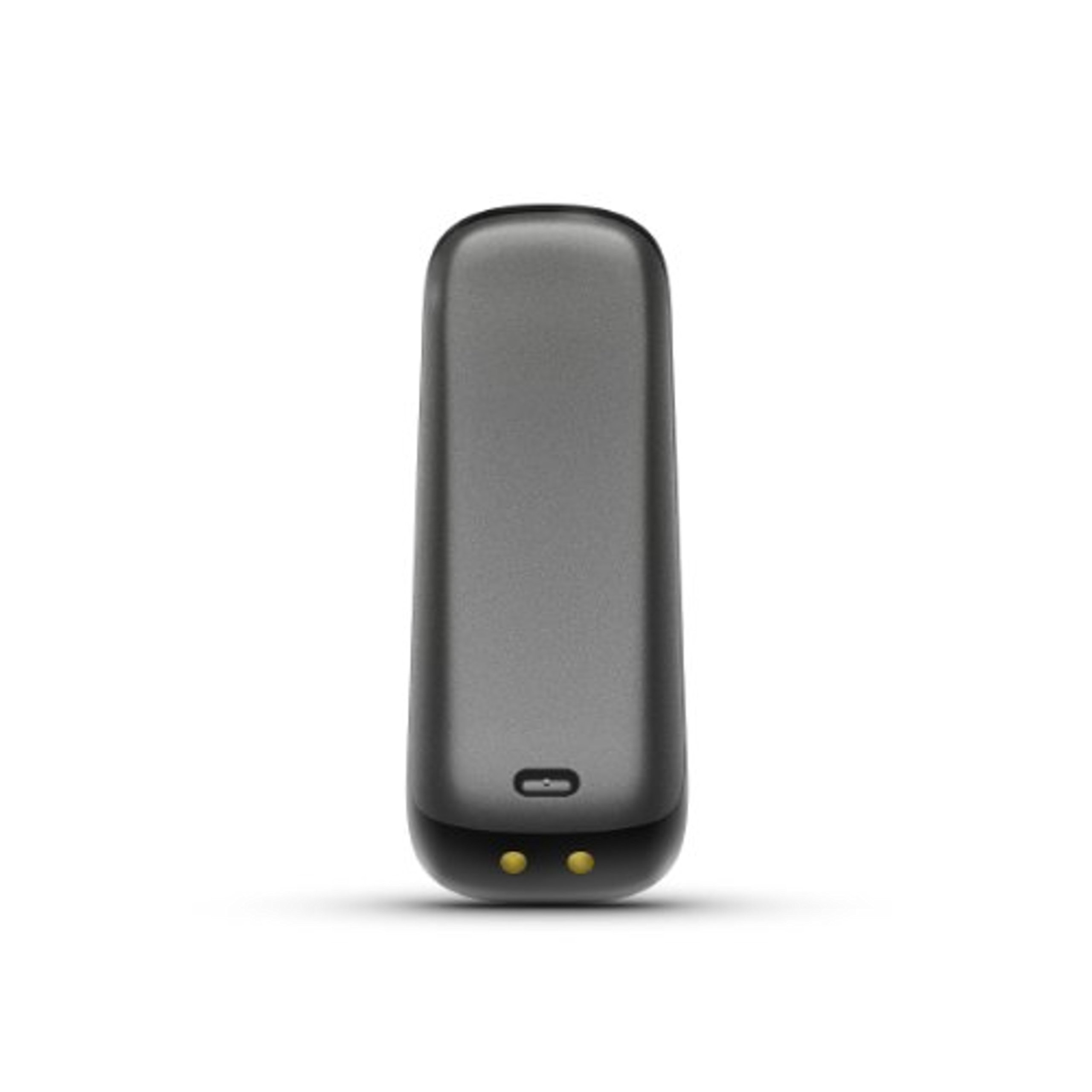
My husband gave me the FitBit One-- and I didn't even know I wanted one until I had mine. Now I can't imagine going a day without it. I even carefully plan the downtime required to charge the device (every 4-5 days) so that I won't miss recording activity. The FitBit both motivates and records, making it an ideal companion for fitness and weight loss programs. Combined with the website and wireless syncing, it's much more than a pedometer. After seeing mine in action, my husband wanted one. And then my mother. And my sister. The device itself resembles a small flash drive, and its smooth, curved plastic shell slips easily into a pocket. It also comes with a silicone case with a clip for attaching to a belt, waistband, or inside a bra, and a stretchy wristband to hold it while it monitors your sleep. The included tiny USB "dongle" equipped with Bluetooth must be plugged in at all times in order to automatically sync the information the FitBit gathers. You don't have to measure your strides when setting up the FitBit; the device takes care of that. You simply go to the website, enter your height, age, and weight, and the device is set through the Bluetooth connection to the "dongle." Is it accurate? Pretty much. It accurately reflects how many times I go up the stairs, for instance, and how far I've gone on the treadmill. Other activities may not be as accurately measured, although you can log the information on your FitBit dashboard, and the extra calories and activity level gets transferred to your device. Daily information is stored both of the FitBit and on the web server (provided that you are close enough to your smart phone or home dongle.) If you want to see the stats recorded for the day on the device, you press the button, once for each kind, and the FitBit illuminates the numbers. Otherwise, the device remains black. The best part of the FitBit is the website, which displays graphs, numbers, and accomplishment badges. You can input daily activity goals, weight loss goals, food eaten, and ounces of water drunk. The FitBit automatically counts calories burned (based on weight and activity), steps taken, and flights of stairs climbed. You can also manually set it to measure the quality and length of sleep. I especially like the graph that displays calories burned over the course of the day, thus showing me when I'm most active, although I found the sleep records to be the most revealing. I downloaded the free FitBit app for my iPhone 5 to get all my information on my iPhone, and I can enter food/water/etc. on the go. I tend to use the FitBit mostly outside its case and in my pocket, although I have to be careful not to forget about it. More than once, I've tossed the FitBit into the hamper along with my jeans, realizing (fortunately!) a few minutes later what I had done. The FitBit is sweat- and rain-proof, but I doubt it can go through the laundry. I'm giving this device 5 stars because I love how well -- and how automatically -- it works, but it's not perfect. I don't like that a USB port on my computer is permanently taken up because the dongle doesn't seem to get enough power from my (powered) USB hub. A WiFi version would be much better. And the silicone case is a bit awkward because 1. its tight fit also means difficult insertion/extraction and 2. the FitBit doesn't easily fit into the sleep wristband when it is in the case, requiring me to take it in and out of the case on a daily basis. (That's one reason why I usually don't use the case and instead slip the FitBit into my pocket.) But, hey, I don't expect any device to be perfect. The FitBit is closer to perfection than I imagined possible. UPDATE: The iPhone app takes a couple of extra steps to make sure that the FitBit syncs in the background. The app does run down the phone battery when running in the background. Whether you are already active or just now embarking on a fitness or weight loss plan, the FitBit is an excellent tool to keep track of activity and to motivate you to accomplish more. On days when I feel like skipping the treadmill, I think of the FitBit and how it will record a lower level of activity -- and on I go. -- Debbie Lee Wesselmann
TrustPilot
2天前
1天前



