We remain fully operational. Our teams are working around the clock to ensure your deliveries continue safely.

下载应用程序


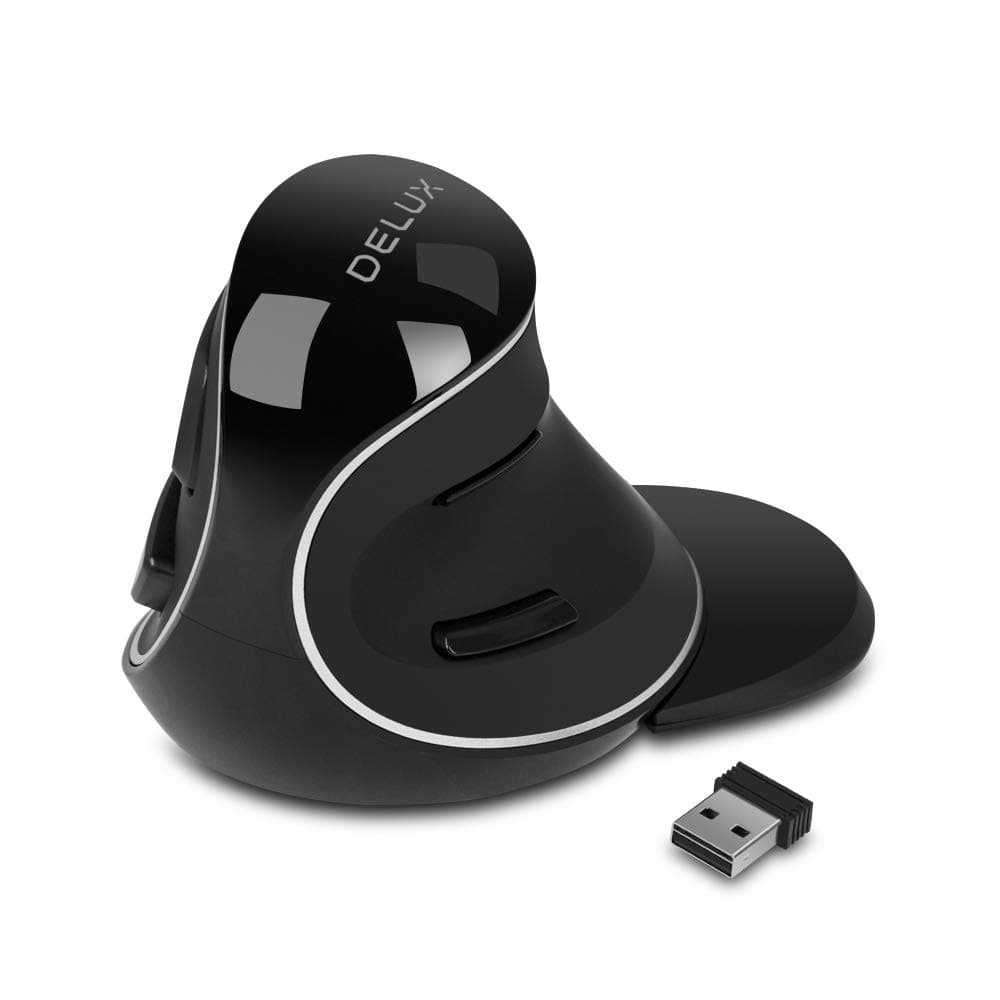

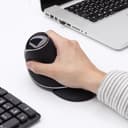
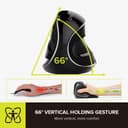


🖱️ Elevate your workflow with comfort and precision—because your hands deserve the best!
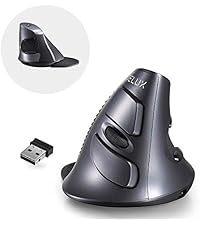
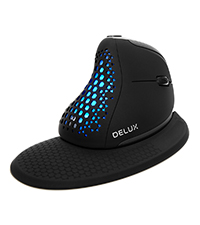
The DELUX Ergonomic Vertical Mouse (M618Plus Wireless) is designed specifically for large hands, featuring a unique vertical ergonomic shape that reduces arm discomfort. It offers a stable 2.4G wireless connection with a 33-foot range, 3 adjustable DPI settings up to 1600 for precise tracking, and silent clicks to maintain a quiet workspace. The removable wrist rest provides added comfort, and compatibility spans most Windows systems and laptops. Powered by a single AA battery (not included), this mouse combines durability with professional-grade comfort and comes backed by a 1-year warranty and responsive customer service.




| ASIN | B07G5BH3D4 |
| Additional Features | ➤Ergonomic Vertical Design ➤2.4G Wireless Connection ➤Powered by a Single AA battery ➤3 Adjustable DPI Levels ➤Removable Wrist Rest ➤Widely Compatibility ➤Silent Clicks ➤Plug and Play ➤7*24 Hours Customer Service and 1-Year Warranty |
| Antenna Location | Office |
| Are Batteries Included | No |
| Are Batteries Required | Yes |
| Best Sellers Rank | #356 in Computer Mice |
| Brand | DELUX |
| Built-In Media | ➤M618PLUS Wireless Ergonomic Vertical Mouse ➤Removable Wrist Rest ➤2.4G USB Receiver ➤User Manual ➤Reliable Customer Service |
| Button Quantity | 6 |
| Color | 2.4G Wireless |
| Compatible Devices | Laptop, Personal Computer |
| Connectivity Technology | Radio Frequency |
| Customer Reviews | 4.2 out of 5 stars 2,070 Reviews |
| Enclosure Material | Plastic |
| Hand Orientation | Right |
| Hardware Platform | PC |
| Item Dimensions L x W | 4.21"L x 3.74"W |
| Item Weight | 180 Grams |
| Manufacturer | DELUX |
| Model Number | DeLUX-M618Plus Wireless |
| Mouse Maximum Sensitivity | 1600 Dots per Inch |
| Movement Detection | Optical |
| Movement Detection Technology | Optical |
| Number of Batteries | 1 AAA batteries required. |
| Number of Buttons | 6 |
| Operating System | Windows |
| Power Source | Battery Powered |
| Range | 33 feet |
| Special Feature | ➤Ergonomic Vertical Design ➤2.4G Wireless Connection ➤Powered by a Single AA battery ➤3 Adjustable DPI Levels ➤Removable Wrist Rest ➤Widely Compatibility ➤Silent Clicks ➤Plug and Play ➤7*24 Hours Customer Service and 1-Year Warranty Special Feature ➤Ergonomic Vertical Design ➤2.4G Wireless Connection ➤Powered by a Single AA battery ➤3 Adjustable DPI Levels ➤Removable Wrist Rest ➤Widely Compatibility ➤Silent Clicks ➤Plug and Play ➤7*24 Hours Customer Service and 1-Year Warranty See more |
| Style Name | Modern |
| Unit Count | 1.0 Count |
D**3
Perfect Ergonomic for Large hands
* REAL ergonomic mouse, for large hands * Reasonably priced * replaceable battery, so not throw away CAVEAT: I'm no gamer but I don't think it's a gaming mouse. I don't think any vertical mouse is though. This mouse has been perfect for me and it's not my first Delux mouse. Hand size is extremely important when trying to buy and ergonomic mouse even though few reviews actually talk about that. Now, "ergonomic" is more a marketing term for some mice but this actually is. I love it having the "old fashioned" battery because as it is, it's not a throw away product the way more expensive ergonomic mice are. I know that lithium is supposed to last, but they don't in many mice, and the charging port can/will become unusable (it's just a race for which goes out first)
A**.
Great mouse for office work / Resetting the wireless pairing
The mouse is comfortable, the size (L) is perfect for me. I don't think i will be able to go back ever again to the regular mouse. Also the customer service is great, very quick on responding to my questions. This mouse stop working and my return window expired. I follow all the troubleshooting suggested by Amazon. After that i call to the Amazon Tech services and they toll me that the manufacture has a guarantee on the mouse do i contact them. I explain my problem (mouse unresponsive) they sent me this little trick: The reason for mouse's not working is the wireless pairing needs to reset. Here is the steps: 1. Take the 2.4G Receiver out of the computer, 2.Turn on the Power of the mouse 3.Press and hold the middle and right buttons at the same time for 3 seconds 4.Plug the dongle into the computer port Living this comment here to make sure another user like me can find an answer later on when his mouse stop working. Thanks
G**M
Definitely takes the strain off.
So this is the second one I've gotten. Same model. The scroll wheel is smoother than the one I bought years ago. And I wouldn't of had to replace it except the scroll wheel eventually gave out. Years of use though, it's understandable. Got stuck scrolling up. It works great though. The only issue I've had, (and continue to have even with this new one), is that if you hold the right button and then hit left button, it changes the DPI. Nothing quite as bad as having your sensitivity change on you after sharpshooting. If you keep playing with it, it does go back. You just have to recreate the same button presses until you get the setting you like. Think it's something in the microchips that the inputs activate same spot for DPI setting. Other than that this thing is excellent. Would've gave it five stars across the board. Battery life, comfort, (give yourself two weeks to adjust), connectivity with the 2.4ghz wireless models, just everything. Oh, and if you can find a DELUX brand model with the adjust DPI button anywhere other than the bottom, go with that one. Bottom location is a pain.
J**Y
Best mouse ever!! Arm pain totally gone!
After getting my first job in 20 years, my wrist and forearm were in horrible pain after only 2 weeks from all of the clicking on my old school mouse. I tried borrowing another mouse that was more ergonomical, but still saw no changes. So I went out on a limb and ordered this weird joystick looking thing! When it came, everyone in my household was in awe of this weird looking contraption and I was a bit nervous about trying it out. But after a week, I'm head over heels in love with this thing. My arm pain is completely gone and the mouse is extremely comfortable and easy to use. HIGHLY recommend it! I don't have a "desk" per se since I work at home...and whether I'm working at the kitchen table, in a recliner or sitting on my bed even, this thing is fantastic!
S**A
Heaven for the wrist
I loved the fact that it is the same as its wired sibling. The battery life is amazing so the ergonomic angle to which you use. I had both the wired and wireless versions. The only down sides I felt after using it for over an year 1. I had few instances when there was a little lag or missed clicks. 2. My biggest complaint is the scroll wheel. It spoiled after few months of use. I wish they add a better wheel sensor like the one in the wired version. I don't know if that is a quality control issue or that unit I have that had an issue. But when you scroll up it goes down and and sometimes up and down very irritating and annoying. I also don't know if I really can do anything about it now.
M**R
Good for large hands. Really like that it uses AA battery instead of USB charging.
1) So far I've only had this for 2 days, so battery life is not tested - but not an issue no matter what... Because it uses a single AA battery. Whenever it gets low, there is no need to charge it up - just swap the battery and good to go. 2) Reasonably comfortable to use. I am mostly used to conventional (horizontal) as compared to vertical like this one. I have huge hands. This is properly sized grip as to height for me for a vertical mouse. I do wish it was slightly longer (not taller) but compared to two previous times (a couple of years ago) when I tried a vertical mouse, this is definitely the best fitting one I've had and I'm already quickly getting used to it. 3) As others have pointed out, the forward/backward buttons are positioned above and below where the thumb is supposed to go - and not with much room to spare. If they spaced this out by an additional half-inch or so, that would be nice - but it's ok as is. 4) Not noted in photos... the USB receiver is located under the battery cover and stored inside the mouse. I thought it had not been delivered in the package and had a bit of trouble finding where it is. But it is there. Hope someone who sees this avoids the "WTF they didn't include the receiver" moment that I had.
T**4
Disposable mouse that falls apart and company that doesn't back their products or poor worksmanship
I had high hopes for this mouse after reading good reviews. Although it does have decent ergonomic hand position, when it was actually working, the on/off function was very glitchy. I had to manually turn it off and on, or even pull out the battery sometimes to get it to reset and start working again. Anyone that works from home and on a schedule or with back to back meetings knows this isn't ideal when you're troubleshooting a wireless mouse instead of joining your meeting and having to explain to your boss why you were late over troubleshooting a glitchy mouse. It should be noted that this mouse only had light usage too from being located at my secondary workstation. I'm usually not one to leave poor reviews, but after enduring the glitchiness of this mouse functioning and hoping it wouldn't get any worse (which it did), then the poor quality of manufacturing and assembly became even more apparent. Even with the low usage of the mouse, the USB receiver had been removed only a few times, and the next time I went to remove it, it completely came apart and half of it was stuck in the USB drive. You can see where the receiver was put together with very poor quality connection that didn't hold up (nothing broke, it just came loose and apart). Thankfully, it didn't mess up the motherboard and I was able to carefully wiggle it out without causing very expensive damage to the motherboard/USB hardware. Hopefully this doesn't happen to anyone else, because they may not be so lucky if it does cause damage to an expensive laptop or desktop computer. In addition to the disappointing product experience and poor quality, the customer service experience was also poor. I contacted DELUX customer service to explain what happened, and their response was that I was out of luck and if I wanted to purchase another USB receiver separately, I can do so. For that cost, I might as well just buy a new mouse that actually works 100% of the time. No acknowledgement or apology for almost causing very expensive computer damage, due to their products poor quality. Needless to say, I will never be purchasing or recommending any DELUX products again and risking damage to my expense computer equipment. With as many other great wireless ergonomic mouses that are on the market, I recommend choosing otherwise and I hope I can save someone the same experience as I had.
A**N
Takes Some Getting Use to, but Excellent in the end
Prior to purchasing this, I had an Anker ergonomic mouse that I had no issues with. The USB plug for that mouse broke when removing from my computer, leading me to try another brand. I will admit that the shape and angle of this mouse threw me off a little at first. It's definitely more of a joystick style than ergonomic. The reason I like it enough to 5 star it is that if I hold it as designed, it's comfortable and prevents any discomfort in the wrist, but it also can be held lower down at a more common ergonomic angle and it both functions as needed and prevents discomfort. I have larger hands, so the extender piece is nice, as it gives me additional real estate to wrest my wrist. Buttons are nice and responsive and I actually find myself using the page back and forward buttons for web browsing as they are easier to access and more responsive than other mice I've used.
TrustPilot
1 个月前
1 个月前