We remain fully operational. Our teams are working around the clock to ensure your deliveries continue safely.

下载应用程序


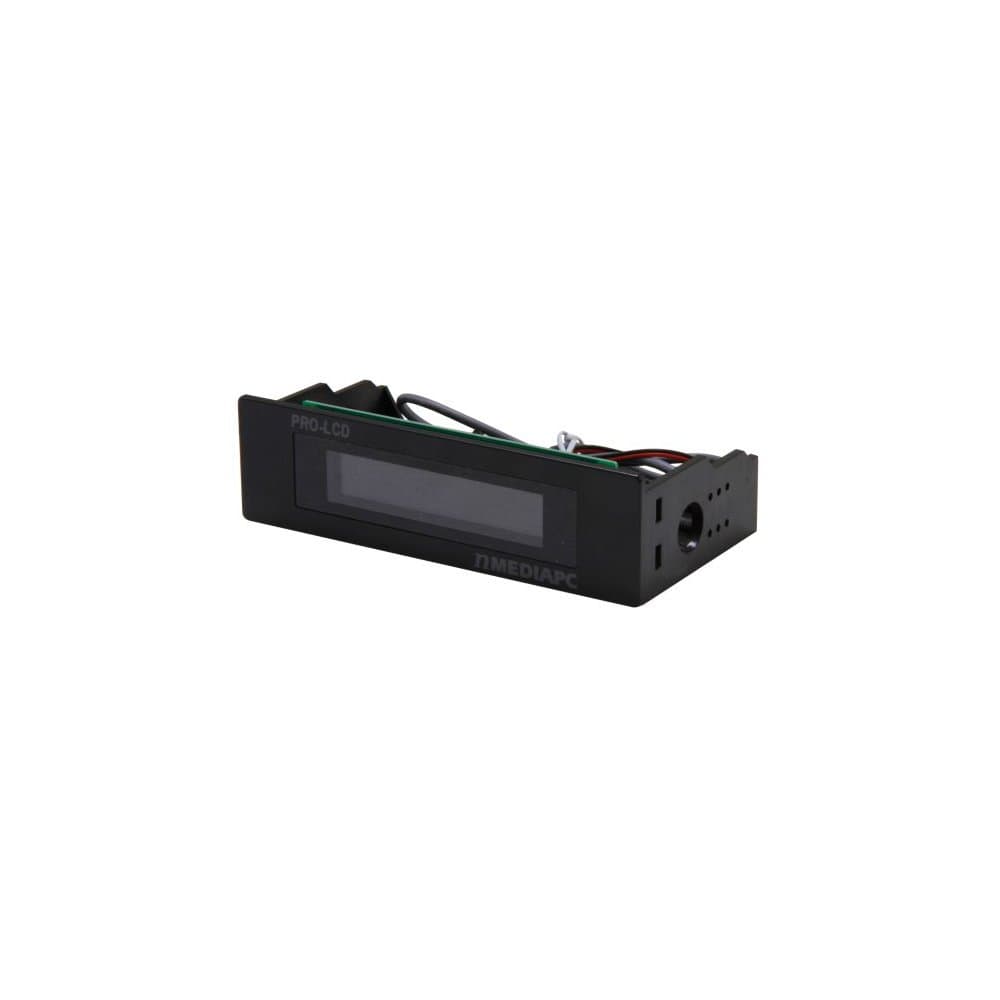
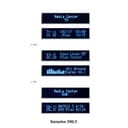
nMedia Black Aluminum Panel 5.25in Internal Bay With 20X2 Media Center Programmable LCD Display Review: Looks Great in my Computer - This works great in my computer, not had to hook up if your semi-computer mechanical. I work on my own computers so putting it in and connecting was no problem. You can program the Blue LCD front screen to give you what info you want. Like anything else, after it in and working for awhile I soon forgot about it. If you have empty 5 inch bays in the front of your computer and want to fill them up, this fits great, looks great, and works great. Review: Not the best, very old feeling (not used, just old technology) - Not the best, very old feeling (not used, just old technology). It will not fit in a Dell XPS tower. I tried to make it fit and found out I should have just sent it back.
| ASIN | B00BPA79LC |
| Customer Reviews | 3.7 3.7 out of 5 stars (21) |
| Date First Available | March 5, 2013 |
| Item Weight | 6.4 ounces |
| Item model number | PRO-LCD-B |
| Manufacturer | nMediaPC |
A**B
Looks Great in my Computer
This works great in my computer, not had to hook up if your semi-computer mechanical. I work on my own computers so putting it in and connecting was no problem. You can program the Blue LCD front screen to give you what info you want. Like anything else, after it in and working for awhile I soon forgot about it. If you have empty 5 inch bays in the front of your computer and want to fill them up, this fits great, looks great, and works great.
S**W
Not the best, very old feeling (not used, just old technology)
Not the best, very old feeling (not used, just old technology). It will not fit in a Dell XPS tower. I tried to make it fit and found out I should have just sent it back.
R**E
I like the display for basic system information
I like the display for basic system information. System Mechanic diags say it is a bit of system hog. It was designed for older systems as the 40 page printout speaks of XP, VISTA. It does run with Windows 8.1 but with limitations as it downloaded at the website like an add-on. The text describes WINAMP (no longer an option) as the only other option for audio outside of Windows MEDIA Player. My intent was to play with the thing to see the range of display possibilities. My interest was to make a display for an old style radio and hide a very powerful home media system in it like others I have seen. I have a MSI ATX A88 motherboard running it. I haven't succeeded in getting the graphic to run the equalizer. Temperature of the CPU and fan controls only show Motherboard monitoring. I expected that to work to display those features. I may have to go with a Raspberry Pi or other to display a mock radio display for the antique radio idea. Internet radio as part of changing media should be addressed much the same way the as a CD or DVD is reasd and the Title displayed. No luck there but this does most of what a media display should do especially for $30.
D**R
Great LCD display, with a few minor set backs.
So my honest review on this product: So basically I feel altogether this is a pretty neat product. I am able to basically display system information, somewhat get alerts, and do other cool things with this product. I will simply state the pros and cons Pros: 1) Bright LCD screen and is able to display information neatly and visible on the screen 2) Inexpensive solution, great addition if you have an extra drive bay slot open and you want to fill it. 3) Good Windows Drivers and somewhat simple to use software 4) Works (with several steps requires) with Linux systems Cons: 1) It works with Linux, but using Gentoo it was a real pain to setup. You basically need to configure lcdproc, with the lis driver, which in a lot of distributions that compile (like Gentoo and Arch) is broken. You have to symlink a library for it to see that libftdi is installed, or edit the configure. 2) There is a lot of real estate surrounding the screen that could have been used better. You could had made the screen bigger, or have an extra line to display stuff on 3) The display is deeply embedded into the window, so if your computer is on the floor, you cannot see the screen very well unless you move your head closer to the floor. I don't know how the technical aspects of that would had been though. Other thoughts: So altogether as I said, this is a great product, does what it says, and if you use Windows should be fairly simple to install and configure. I only docked 1 star as a combination of the cons mentioned. I still recommend buying this.
Z**Y
Looks great on my HTPC
This thing looks great on my home made home theater PC case. it is programmable with a few programs that you can find online and is easy to install
D**R
works with linux as a general LCD display!
works with linux & lcdproc! here's how i set it up on RHEL 6 using scientific linux 6, should be exactly the same for centos 6. i've been using mine 24x7 for 2 years without issue. ----------------------------------- /etc/sysconfig/lcdproc/LCDd.conf ----------------------------------- [server] # driver module location, end with a / DriverPath=/usr/lib64/lcdproc/ # driver to use for nmediapc display Driver=lis # where we should listen Bind=127.0.0.1 Port=13666 # who we should run as User=nobody # display a startup splash screen Hello=" hotpastrami diy" Hello=" router project" # display a shutdown splash screen GoodBye=" hotpastrami diy" GoodBye=" router project" # time to display a screen WaitTime=10 # disable LCDd info screen ServerScreen=no # should we have the backlight on? Backlight=on # scroll speed, 5 keeps it readable but moving TitleSpeed=5 # Set the communication speed [default: 9600; legal: 1200, 2400, 9600, 19200 or 115200] Speed=9600 # Set the firmware version (New means >= 2.0) [default: no; legal: yes, no] NewFirmware=no # Reinitialize the LCD's BIOS [default: no; legal: yes, no] Reboot=no # nmediapc display driver configuration [lis] Size=20x2 ----------------------------------- /etc/sysconfig/lcdproc/lcdproc.conf ----------------------------------- [lcdproc] Server=localhost Port=13666 ReportLevel=0 ReportToSyslog=false [SMP-CPU] Active=false [Iface] Active=true Interface0=eth1 Alias0=RCN unit=byte transfer=false load=false [Memory] Active=false [Load] Active=false LowLoad=0.10 HighLoad=1.3 [About] Active=false [Uptime] Active=false [Battery] Active=false [CPUGraph] Active=false [ProcSize] Active=false [MiniClock] Active=false TimeFormat="- --+( %H:%M )+-- -" [BigClock] Active=false [CPU] Active=false [ProcSize] active=false [Disk] active=false [TimeDate] active=false [OldTime] active=false [root@902b34d8b451 lcdproc]#
D**S
Great product cheap price! !
Works great!!!