We remain fully operational. Our teams are working around the clock to ensure your deliveries continue safely.

下载应用程序



Buy anything from 5,000+ international stores. One checkout price. No surprise fees. Join 2M+ shoppers on Desertcart.
Desertcart purchases this item on your behalf and handles shipping, customs, and support to Taiwan.
🚀 Elevate your Ethernet game—because buffering is so last decade!
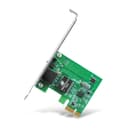
The TP-Link TG-3468 is a high-performance PCI Express network card delivering ultra-fast 10/100/1000Mbps Gigabit Ethernet connectivity. Designed for professional and home desktops, it features dual-profile brackets for versatile installation, supports advanced network protocols like Wake-on-LAN and IEEE 802.3x flow control, and offers seamless compatibility with Windows 7 through 11. With a 2-year warranty and TP-Link’s industry-leading support, it’s the reliable upgrade your wired network deserves.


| ASIN | B003CFATNI |
| Best Sellers Rank | #5 in Internal Computer Networking Cards |
| Brand | TP-Link |
| Built-In Media | TG-3468 |
| Color | Green |
| Compatible Devices | Desktop |
| Compatible Operating System Family | Windows |
| Customer Reviews | 4.6 4.6 out of 5 stars (14,015) |
| Data Link Protocol | Giga, IEEE 802 1p |
| Data Transfer Rate | 10000 Megabits Per Second |
| External Testing Certification | FCC, CE, RoHS, BSMI, VCCI |
| Global Trade Identification Number | 06935364001049 |
| Hardware Interface | Ethernet |
| Item Dimensions L x W x H | 6.3"L x 5.31"W x 1.1"H |
| Item Part Number | TG-3468 |
| Item Weight | 3.52 ounces |
| Manufacturer | TP-Link |
| Mfr Part Number | PCI-E |
| Minimum Required Operating System Version | Windows XP |
| Model Number | TG-3468 |
| UPC | 767531764145 840460604796 |
| Unit Count | 1.0 Count |
| Warranty Description | 2 year - parts & labor |
T**O
EZ quick XP install !! Amazon is selling/shipping current version of card (v4.6).
TP-Link manufactures quality networking gear. Over recent years, I have relied on a TP-Link modem and I currently running TWO TP-Link routers, one as a 'root' router, the other as an 'extender/bridge' router. Always rock-solid and reliable. (I retired the TP-Link modem only because TP-Link does not manufacture a stand-alone DOCSIS 3.1 modem.) Note that there has been, over the years, four versions/itinerations of this (1 Gigabit PCI-Express) card. Sold and shipped by Amazon, I received Version 4.6 of the card. So Amazon is selling (direct) and shipping current stock. You can check the version of the card by looking at the label on the outside of the box … or at the sticker on the card. Oddly, the MAC address is not given on either the box or the card; if you need it, you will have to snag it out of your router's DHCP list. Installation into a WinXP SP3 w/ circa-2007 Intel mobo was quick and straightforward: All the drivers come in the box on a mini-CD but to be sure I would be current, I instead downloaded the most current Version 4 XP drivers from the TP-Link support webpage for the card. That was a .ZIP file; I extracted all the files into a temporary folder. Powered down the computer. Snapped the card into a vacant PCI-Express x 1 slot on the mobo. Powered back up and got the "Welcome to the Found New Hardware Wizard" pop-up. The XP driver install instructions provided by TP-Link (at their website) were very close, but not entirely 100% spot-on; if I recall correctly, from the pop-up I followed the path: InstallFromAListOrSpecificLocation Don'tSearchIWillChooseTheDriverToInstall HardwareType (choose NetworkAdapter) Don't bother to choose a specific adapter from the given list, instead click on HaveDisk, then Browse (to the .inf file in the temporary folder), then Open it. Click on OK. Ignore incorrect driver warnings and click ContinueAnyway. (I think the warning is being 'thrown' by the fact that the TP-Link card is built on a Realtek chip & drivers.) Bam! Device and drivers installed. Device is named 'TP-Link Gigabit PCI Express Adapter.' The three needed driver files were dropped into the Windows/System32 folder. Swapped the Ethernet cable onto the card. Opened ControlPanel/NetworkConnections. Disabled the mobo Ethernet port, renamed it 'Mobo Ethernet.' Enabled the TP-Link Ethernet port, renamed it 'TP-Link Ethernet.' Deleted the temporary folder. Rebooted the router, just to be sure. Up and running !! I didn't pick up the download speed improvement I was hoping for, but I've definitely excluded the Ethernet port as a speed constraint. (Paying for 1Gb, pulling 220Mb … time to get a techie out here to test the speed at the coax connector!) In any case, this card is very inexpensive … and it is also a quick, easy solution under XP and older mobos.
D**S
Easy Installation with no software needed for Windows 10/11
Easy installation of 10 minutes (you can find step-by-step instructions on YT for your brand/model of PC). Just make sure your PC has the matching type of expansion card slot for what you are buying (e.g. PCIe x1, 16, etc. AND that there is nothing ALREADY in that slot; check your computer's manual to find out; if you don't have the manual, download it from the company's support web site. I've included an image of a "typical" System Board [commonly called a "motherboard"]. Sys Board configurations vary and this is simply to give an EXAMPLE. Your board may be different, but it gives you an idea of what to look for regarding PCI-Express slots.). There should be no software installation required if you have Windows 10/11. Closed my PC, plugged all the cables back in, turned it on and after Windows detected it, it started "talking" to the other PC's in the house with a fast download/upload speed on the Internet. It's plain, simple with no bells-and-whistles and works great. WARNING!!! UNPLUG YOUR PC's electric power cable before attempting to open it and make sure you DISCHARGE ANY STATIC ELECTRICITY you might have in your body before touching anything in your computer or wear an anti-static wristband (about $6 on Amazon). WORD OF ADVICE: If it requires a lot of force to remove or install a component, 9 times out of 10, it either isn't supposed to be removed or doesn't belong where you're trying to put it.
E**Z
Perfect Fix for a Dead Onboard NIC
My onboard Ethernet controller failed, and relying on Wi-Fi resulted in inconsistent speeds and higher latency. I installed this TP-Link 10/100/1000Mbps PCIe NIC as a replacement and it performed exactly as expected. The card was detected immediately, drivers installed without issues, and link speed negotiated at a full 1 Gbps. Throughput is consistent, latency is low, and the connection has been stable under sustained load with no drops or packet loss. Excellent build quality for the price and a reliable solution if your onboard NIC dies or you need a dependable wired connection. Highly recommended for a straightforward gigabit upgrade or replacement.
J**T
Good budget-friendly NIC
This network interface card works really well. I have used it for about a month and it handles traffic well. I haven't had any compatibility issues with it. Note if using this on Debian PCs, it does use proprietary drivers. Works great with Ubuntu and Windows. I would recommend this for someone looking for a budget-friendly NIC.
B**Ć
Works as described, plug and play. Immediately recognized by Windows 11 and working at full speed (1 Gbit/s).
M**5
Nachdem ich ständig Probleme mit meiner integrierten Netzwerkkarte auf meinem Gaming-Mainboard hatte, entschied ich mich für den TP-Link Gigabit PCIe Network Adapter (TG-3468) - und ich wurde nicht enttäuscht. Die Installation des Netzwerkadapters war ein Kinderspiel. Dank des 32-Bit PCIe-Interfaces konnte ich ihn problemlos in meinen Computer einbauen. Die mitgelieferte Low-Profile-Halterung ermöglichte es mir sogar, den Adapter in meinem platzbeschränkten Gehäuse zu verwenden. Seitdem ich den TP-Link Gigabit PCIe Network Adapter verwende, sind alle meine Verbindungsprobleme verschwunden. Die Verbindung ist stabil und zuverlässig, und ich genieße jetzt unterbrechungsfreies Gaming und schnelle Downloads. Der Adapter unterstützt verschiedene Betriebssysteme, einschließlich Windows 11/10/8.1/8/7/Vista/XP, was für eine breite Kompatibilität sorgt. Die Gigabit-Geschwindigkeit dieses Adapters ermöglicht eine ultraschnelle Datenübertragung. Ich habe eine deutliche Verbesserung meiner Internetgeschwindigkeit und eine reibungslose Nutzung meiner Netzwerkdienste festgestellt. Die TP-Link-Marke steht für Qualität und Zuverlässigkeit, und der Gigabit PCIe Network Adapter ist da keine Ausnahme. Ich kann diesen Netzwerkadapter jedem empfehlen, der nach einer stabilen und leistungsfähigen Verbindung sucht. Er hat meine Erwartungen übertroffen und ist eine Investition, die sich definitiv gelohnt hat.
T**S
Needed an additional network card for a PC used for security (Dell Optiplex desktop). This one comes with a full size and a half size bracket (I needed the half size to fit the case and PCI express). Changed the bracket, installed and worked first time without issue.
K**N
Bought this to revive an older desktop that had a flaky onboard NIC. Plugged it in, booted into Windows 10 — detected instantly, no driver needed. Ethernet came up at full gigabit speed and it's been rock solid since. No weird compatibility issues, no disconnects, no driver hunting — just clean, stable performance. I’ve tested sustained transfers over LAN and this card keeps up no problem. Also appreciate that it comes with both full-height and low-profile brackets. I used the full-height one, but it’s nice that it’s not an afterthought. Honestly, for the price, there’s no reason to mess around with Realtek garbage from no-name brands. TP-Link nailed it. It does exactly what it says, quietly and reliably. Would absolutely buy again if I needed more.
K**様
いいね