We remain fully operational. Our teams are working around the clock to ensure your deliveries continue safely.

下载应用程序




📸 Print your story instantly—because memories deserve to be seen, not just stored.
The KODAK Dock Plus is a compact 4x6” photo printer designed for smartphone users who want quick, high-quality prints at home. Featuring an integrated docking station that charges your phone while printing, it uses advanced 4PASS dye sublimation technology to produce vibrant, durable photos in under a minute. With Bluetooth connectivity and a dedicated app for easy editing, this printer combines professional-grade output with effortless operation, making it ideal for preserving and sharing your most cherished moments.


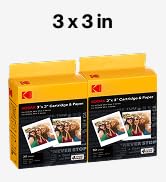


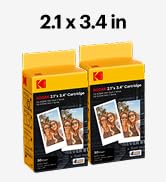


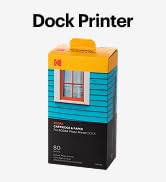

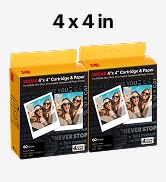


| ASIN | B088PRX3BD |
| Additional Printer Functions | Print Only |
| B&W Pages per Minute | 1 ppm |
| Best Sellers Rank | #1,219 in Office Products ( See Top 100 in Office Products ) #2 in Desktop Photo Printers |
| Brand | KODAK |
| Built-In Media | Inkjet Cartridges, Paper |
| Color | Yellow |
| Color Depth | 36 bpp |
| Color Pages per Minute | 1 ppm |
| Compatible Devices | Smartphones, Tablets |
| Control Method | App |
| Controller Type | Android, iOS |
| Customer Reviews | 4.2 4.2 out of 5 stars (12,741) |
| Dual-sided printing | Yes |
| Duplex | simplex |
| Global Trade Identification Number | 00192143002628 |
| Hardware Interface | USB Type C |
| Ink Color | Yellow, Magenta, Cyan, Black |
| Item Dimensions D x W x H | 4.5"D x 8.5"W x 2"H |
| Item Weight | 2 Kilograms |
| Manufacturer | Prinics Co., Ltd. |
| Maximum Copies Per Run | 1 |
| Maximum Copy Resolution Black and White | 1200 dpi |
| Maximum Copy Resolution Color | 1200 x 1200 |
| Maximum Copy Speed Black and White | 1 ppm |
| Maximum Media Size | 4 x 6 inches |
| Maximum Print Resolution Black and White | 300 dots_per_inch |
| Maximum Sheet Capacity | 20 |
| Maximum print Resolution Color | 300 Dots Per Inch |
| Model Name | Dock Plus |
| Model Number | CAR-PD460Y |
| Model Series | Kodak Dock Plus |
| Number of Drivers | 2 |
| Number of Trays | 1 |
| Other Special Features of the Product | Borderless Printing, Docking |
| Output sheet capacity | 50 |
| Paper Size | 4 Inches |
| Print media | Glossy photo paper |
| Printer Connectivity Type | Bluetooth, Wireless |
| Printer Output Type | Color |
| Printer Type | 4PASS Dye Sublimation |
| Resolution | 300 x 300 |
| Scanner Type | Portable |
| Specific Uses For Product | Home decoration, gifts, holiday presents, printing photos, sharing with friends and family, Office, School |
| Total USB 2.0 Ports | 1 |
| Total Usb Ports | 1 |
| UPC | 192143002628 |
| Unit Count | 1.0 Count |
| Warranty Description | 1 year |
| Warranty Type | Limited Warranty |
A**Y
Great product!! Worth the money
Absolutely love this printer. After reading hundreds of reviews on this size and different brands, I chose this one and it did not disappoint. The 4pass is awesome, pictures turn out perfect and it's very easy to use, especially with the wireless feature. Wish the app had more border options but the printer works great!
M**Z
"Photos with professional studio quality from the comfort of my home"
This is an excellent option if you are looking for a simple and high quality way to print souvenirs from home. The Kodak Dock Plus is an instant photo printer designed to produce 4x6-inch photos (postage size) directly from your smartphone. The truth is that I loved it and I enjoy it a lot creating beautiful memories
A**L
Great little photo printer!
Easy to use. Very good quality photos. Perfect for personal travel journal.
T**S
Very poor instructions. For something so simple, instructions should have been easy.
For something you might think should be simple... print a picture from my phone, Kodak made it incredibly difficult. First, the instructions are so TINY I had to scan them into my computer and enlarge them. Even then, at the largest I was able to clearly make them, they were so small they were difficult to read. I suggest buying a microscope with this product to read the instructions. Then again, the tiniest instructions were just the safety precautions, so I suppose you can get by without reading those. The instructions leave so much out. "Just launch the app, choose photo, select print number, select printer icon." Right. Very little in those steps matched what we experienced on our phone. In the instruction images, step 3 has a hand pointing to the lower right icon that says “copy.” The instructions call that “Select print number.” I can’t imagine how those relate. The instructions just leave it there. There is an extraneous asterisked note: "*Select SNS if you want to print the photo from it." Nothing else about SNS in the instructions, just a random phrase in the "Printing in the App" portion. Nothing in the text above that linked to the asterisk. First, don't download the app until you have the printer connected to your phone through your Bluetooth configuration. Otherwise, on Android, you'll repeatedly be taken to the system app settings page instead of the app. You'll have to uninstall the app, turn off the printer, turn on the printer, connect the phone to the printer through Bluetooth, and reinstall the app to get it to work. In the app, the Bluetooth icon starts red. When the App's Bluetooth icon is YELLOW, it's ready to print. Yellow doesn't indicate to me something is ready. Green or blue would have been more appropriate for "ready" or "go." For some reason, the phone's native photos received a warning about low resolution. So far, only photos received from another phone seem to be full resolution. We didn't notice a difference in print quality, however. If you get a "jam..." good luck. On the second photo we tried to print we received a paper jam. It didn't look crumpled or mutilated, it was just half-way through the printer. We followed the instructions on "Paper jam." The printer made a bunch of noises. The paper stayed in place. We had to remove the paper tray and the ink cartridge and pull very hard to get the paper out. It ruined the paper in the process. It appears we can only load one page into the printer at a time or it "jams." We don't want to waste the paper, so we're hesitant to load more than one sheet at a time. Finally, the printing process is slow and cumbersome. It prints the photo in four SLOW passes. Yellow forward and back, Magenta forward and back, Cyan forward and back, and a clear coat pass called "Protect" forward and back. I expected more advanced technology at this stage in the game. We're very disappointed in this printer. If I had known how poorly designed it is, we'd have paid a bit more money and chosen a better product.
M**Y
Kodak Dock photo printer
It took awhile to get the printer working. Not sure if it was the internet or the printer. Overall we got it to print.
P**A
Kodak dock plus, awesome little photo printer!
Great little picture printer. Easy to use, print quality is ver nice!
C**T
Great Poto Printer
Love this photo printer. Easy to set up and use. Great quality 4x6 prints. So glad I bought this one. You get 2 ink cartridges and 50 4x6 photopapers.
M**N
Easy to use
This item is simple and easy to use. The picture quality is surprisingly clear and good.
A**R
Had a defective piece which I got because it was printing some lines. Had contacted the service center replacement is on its way. So upgraded the rating. Hopefully it works fine
A**W
This printer is small and compact. Very easy to use. Printer quality is good.
C**A
Fácil de montar y de usar. Muy intuitiva. Ojo,no os asustéis que la máquina viene con tinta incluida para los primeros usos..pero solo da para 10 fotos. Luego ya compras tinta para X FOTOS que hay distintas opciones. Era un regalo para una abuela y le ha encantado poder sacar ella misma sus fotos. Tiene opción para recortar, poner filtros, escribir, usar marcos... Todo genial, un acierto
C**0
Parfait !
H**O
スマホから簡単に写真が印刷できて大変便利