We remain fully operational. Our teams are working around the clock to ensure your deliveries continue safely.

下载应用程序




🌐 Stay Wired, Stay Winning — The Ultimate USB Hub for Power Users
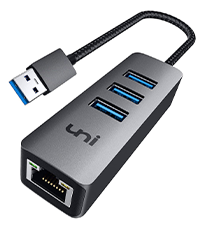
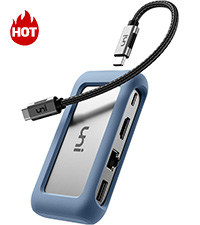
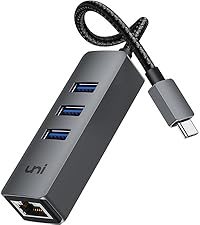
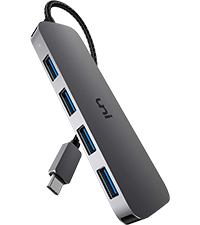
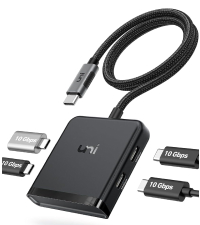
The uni USB to Ethernet Adapter is a sleek 4-in-1 USB-A hub featuring three USB 3.0 ports with up to 5Gbps transfer speeds and a 1Gbps RJ45 Ethernet port for ultra-stable wired internet. Its durable aluminum design and plug-and-play compatibility across major operating systems make it the perfect productivity booster for professionals seeking reliable connectivity and expanded USB options on iMacs, PCs, Chromebooks, and more.






| ASIN | B0871ZHCKK |
| Additional Features | 1Gbps High-Speed Ethernet, Plug and Play |
| Best Sellers Rank | #64 in USB Computer Network Adapters |
| Brand | uni |
| Color | Grey |
| Compatible Devices | Desktops, Keyboards, Laptops, Mouse, Printers |
| Customer Reviews | 4.6 out of 5 stars 6,677 Reviews |
| Data Transfer Rate | 5 Gigabits Per Second |
| Enclosure Material | Aluminum |
| Global Trade Identification Number | 00782913938891, 00850047622198 |
| Hardware Interface | Ethernet , USB 3.0, USB 3.0 Type C |
| Item Dimensions L x W x H | 5.1"L x 2.4"W x 0.7"H |
| Item Weight | 48 Grams |
| Manufacturer | uni |
| Mfr Part Number | UNIEHUB02 |
| Minimum Required Operating System Version | Windows 10 |
| Model Number | EHUB02 |
| Number of Ports | 4 |
| Operating System | Chrome OS, Linux, Windows 10, Windows Vista, Windows XP |
| Special Feature | 1Gbps High-Speed Ethernet, Plug and Play |
| Total USB Ports | 3 |
| Total Usb Ports | 3 |
| UPC | 850047622198 782913938891 |
W**T
Great perfomance with minimial cost.
Great device. Nice to take advantage of the wired network throughput. When I was looking for a device, I was worried about giving up a USB port, but this device expands your USB count with three additional ports. I would recommend this for its low cost, great performance, and increasing the USB port count.
L**K
GREAT PRODUCT
I have 5 of these. They do produce 950 mbps internet speed. the LED lights on them is nice so you know you have a connection. Also the Usb ports work good for a dongle for my tv remote. Only one i will buy
A**R
Cheapest way I've found to connect an iPhone to Ethernet
I do not have WiFi or good cell service where I live, so to connect to the internet for downloads like app updates and audiobooks, I like to have a way to connect my iPhone via Ethernet. Apple sells a "Belkin Ethernet + Power Adapter with Lightning Connector," which would be less complicated to use, but it's $100. With this one, I have a USB-to-lightning adapter that I click onto the USB end (which then plugs into the iPhone), and a USB-to-USB cord that I use on one of the three USB ports and connect to a regular iPhone charger (the iPhone does not provide enough power to run Ethernet on its own). It's a bit of a set up, but I am able to download my audiobooks, update my phone and apps, etc. It's compact and looks nice, too, which is a step up from a bulkier one I purchased 5 years ago for my first iPhone. For anyone who wants to try this out for themselves, I'm currently using an iPhone 12 mini; as a warning for people with older phones (I had a first gen. SE until recently), after an iOS update, the Ethernet simply stopped working. It was the iOS, not the hub; as soon as I upgraded my phone, the Ethernet started working just fine. I'm not sure how old is too old to use with Ethernet, but I'm glad I upgraded when I did, because the phasing out of Ethernet for older phones caused me a month or two of problems before I was able to upgrade my phone entirely. As for the hub itself, aside from use with my iPhone, I'm glad to have it as an option for adding extra USB ports for my laptop (Surface Laptop Go) if I need them. Overall, I recommend it.
R**O
Good item and connectivity
It does the job so far. Get a bit hot so not sure why but so far so good for the price
T**P
Working great
PROS: Plugged it in and it immediately connected to the internet. No need to go looking for drivers, Windows 10 recognized it by default. The speed is the same as wireless (which is to say that they both max out the cable internet connection I'm using here), latency is slightly better, and actual performance is vastly better. I always had "spotty connection" problems with GeForce Now despite only being a few feet from my wireless router, but that went away as soon as I switched to wired. USB ports work as expected. The cable is nice and flexible. Some I've seen are so stiff the adapter doesn't want to lay flat on a desk. CONS: USB 3.0 devices like this *will* interfere with a Logitech wireless mouse unless you can plug the Unifying Receiver into a port on the opposite side of the laptop, or if that's not possible, use a USB extension cable to move it far enough away. I didn't test my Razer mouse that has a Bluetooth option, but I suspect that it wouldn't be a problem for laptops that have it built in... if you use a BT dongle, interference seems likely. It gets rather warm, but that is common too. Being made out of aluminum didn't seem to make much difference in that regard.
T**A
Reliable and Fast Connection!
I use the uni USB to Ethernet adapter for work and it's been a game-changer. Plug-and-play setup no drivers needed and it provides a super stable, fast internet connection. Great build quality and compact design make it easy to carry around. Highly recommend for anyone needing a solid wired connection, especially when Wi-Fi is spotty!
N**E
A needed adapter.
Newer laptops do not have a eternet port. This adapter made it possible to connect to the internet when wifi would not work. The adapter also has 2 additional USB ports. It arrived quickly, packaged well and priced well.
M**Y
Yes, it did need a driver for Windows 7. And a working driver hasn't been located yet ...
Current (3/23/22) information shown on the product page for Amazon: "Operating System Linux, Windows Vista, Windows XP, Chrome OS, Windows 10" no mention of Windows 7. Further down ... "【Wide Compatibility】Compatible with Windows 10/8.1/8/7/Vista/XP, Mac OS, Chrome OS, Android, and Linux." claims Windows 7. and after: "【Exquisite & Compact Design】Plug and play, no additional drivers / software required. " -------- Actual behavior: When initially plugged in to a Windows 7, service pack 1 laptop, Windows initially recognizes it as a USB to Ethernet adapter but lacking driver. Less than a minute later, that disappears and in device manager it moves someplace else, appearing as USB mass storage device. The Uni web site doesn't show any obvious link to download a driver, which agrees the belief (text above) that it isn't required. A lookup of the USB vendor ID points to Realtek as manufacturer of the chipset actually in this device. A driver from their website is rejected by Windows 7 as not digitally signed by Microsoft. This device works immediately in Windows 10 and Ubuntu Linux 20.x, probably because they already have "class" drivers that they can't fit to this device. Windows 7, on error, falls back to the wrong driver (USB mass storage). Edit 6/9/22: This was previously working as expected on two Windows 10 machines, 1 desktop & 1 laptop. Now ... it still works on the laptop. For the desktop, when plugged in it appears briefly in device manager as a "network adapter", then this disappears and it becomes a USB Mass Storage device under "Universal Serial Bus controllers" in the device tree. Right click and try to update driver - response is "Windows has determined that the best driver for this device is already installed", "Search for updated drivers on Windows Update" ... a dead end. Uninstall the device, disconnect, reconnect, no change in behavior, does not become a network interface. Also - I have more than 1 of these things. Tried another - same results for each machine. So this device has some host software compatibility issue that makes it a hit or miss. Subtracting 1 star.