We remain fully operational. Our teams are working around the clock to ensure your deliveries continue safely.

下载应用程序


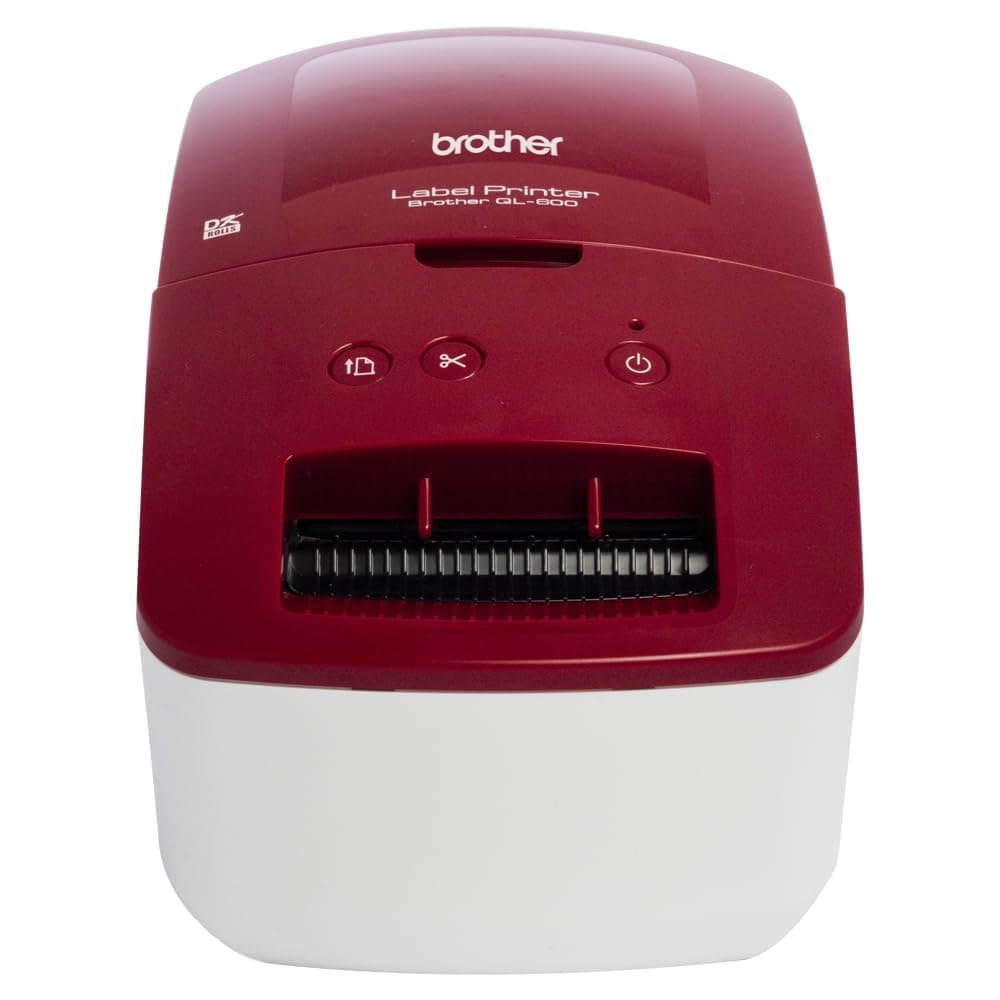
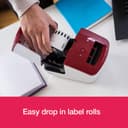
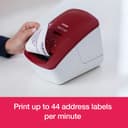
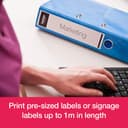
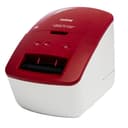
🏷️ Elevate your labeling game—fast, flawless, and fiercely professional!
The Brother QL-600R is a compact, USB 2.0 thermal label printer designed for professional-quality address and custom labels up to 62mm wide. It delivers fast printing speeds of up to 44 labels per minute with 600 dpi resolution, supports continuous roll labels up to 1 meter, and includes P-Touch Editor software for seamless PC and Mac integration. Ideal for busy professionals seeking efficient, high-quality labeling without the hassle of ink cartridges.


| ASIN | B08GM9VC9Z |
| Additional Printer Functions | Print Only |
| B&W Pages per Minute | 71 ppm |
| Best Sellers Rank | 115,927 in Stationery & Office Supplies ( See Top 100 in Stationery & Office Supplies ) 259 in Label Makers 472 in Labels & Labelling Equipment |
| Box Contents | Brother QL-600R; Cables: USB |
| Brand Name | Brother |
| Color Depth | 1 bits |
| Colour | Red,White |
| Compatible Devices | PC |
| Control Method | Touch |
| Customer Reviews | 4.5 4.5 out of 5 stars (150) |
| Display Type | Touch-enabled LCD, LED, or OLED |
| Dual-sided printing | No |
| Duplex | Automatic |
| Hardware Interface | USB 2.0 |
| Ink Colour | Black |
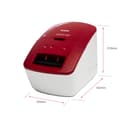
| Item Dimensions D x W x H | 5D x 8.7W x 6H centimetres |
| Item Type Name | Label printer |
| Item Weight | 1120 Grams |
| Manufacturer | Brother |
| Maximum Copies Per Run | 5000 |
| Maximum Copy Resolution Black and White | 203 dpi |
| Maximum Copy Resolution Color | 600 dpi |
| Maximum Copy Speed Black and White | 44 ppm |
| Maximum Print Resolution Black and White | 203 dpi |
| Maximum Sheet Capacity | 44 |
| Maximum Supported Paper Size | 62 mm |
| Maximum print Resolution Color | 600 dpi |
| Model Name | QL-600R |
| Model Number | QL600RZU1 |
| Model Series | QL |
| Network Connectivity Technology | USB |
| Number of Trays | 1 |
| Other Special Features of the Product | Compact |
| Output sheet capacity | 44 |
| Paper Size | 105 millimeters |
| Print media | Unknown |
| Printer Output Type | Monochrome |
| Printer Type | Thermal |
| Resolution | 600 x 600 |
| Scanner Type | Automatic Document Feeder |
| Total USB 2.0 Ports | 1 |
| Total USB Ports | 1 |
| Warranty Type | limited warranty |
P**W
Quality product, software could be improved.
Bought this as an as new Amazon Warehouse Events deal item and was very pleased with the overall quality. It is important to choose the appropriate model you require, some have restricted label widths, only connect via usb etc but the basic QL-600R version suited my needs perfectly. Labels both Brother and generic are readily available and given it is a thermal printer there are no ink cartridges to purchase. I was somewhat surprised that on opening the (damaged Amazon Warehouse) box the instructions had a prominent coffee mug stain evident. This was soon explained when I tried to download the software and drivers from the Brother website, it was a case of if at first you don't succeed try try and try again! Even the successful download took ages. The P touch Editor software is pretty expansive with loads of options, formats, texts, fonts, clipart etc but is a bit clunky and is not always intuitive, keep in mind it is for all model versions and may not let you perform some model specific functions. Now it is up and running the label quality including adhesion is excellent, I have my relevant label templates saved and the somewhat tedious set up now forgotten, hence 5 stars... nice bit of kit!
K**T
So much more versatile than my Dymo 450
I bought this label printer because my Dymo 450 broke and this one was on offer at a really good price. I did not know the capabilities of it prior to purchase, but soon discovered it could do so much more than my old Dymo. It does all the standard sizes of labels you would expect, but also does circular labels and custom length labels. The software is also much easier to use than the Dymo software. I highly recommend this label printer.
A**S
A great label printer
Works perfectly for what I need it to do, prints clearly and is excellent value for money vs other similar products. Took me a while to get going, and wasted a lot of the 'paper', but once set up it is very simple. I just wish it was wireless.
K**Y
versatile, user freindly, once installed
software took an hour or two to install, once done perfect, easy to use, easy to edit labels, saving them, altering them etc. very fast at printing multiple labels, and no inkjet refills to buy.
A**A
Small and useful label maker
It is amazing. We started a small business recently and we bought this fabulous printer for our post labels. It is easy to work with and different layout which it uses post are really useful. It is small and it doesn’t need too much space. Thanks from brother for their good quality which never changes.
P**S
Good little machine
Found it hard to upload onto the computer. But once I found how to do it, I love it
G**.
Excellent BUT
We have had a few of these. They are cheap enought to replace. One BIG problem. If a ticket gets stuck, it will be almost impossible to get out. Once this happens you cannot dismantle it and unjam it, its down to a sharp instrument and trying to pick out the mashed up ticket. Really naughty of Brother. But the alternatives are far to expensive.
M**O
Just what I needed for shipping labels (Mac, WordPress)
It's basic but it works on my old 2011 Mac mini. Prints fast. Software pretty clunky but does the trick. There should be at least a couple of different add-ons that allow you to use this with WordPress/Woocommerce for printing shipping labels. Search Google because the one I use is not in the WordPress search.
TrustPilot
2 个月前
5天前