We remain fully operational. Our teams are working around the clock to ensure your deliveries continue safely.

下载应用程序




👓 Shield your screen, sharpen your focus, and join the eye-care elite!
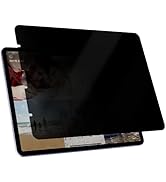
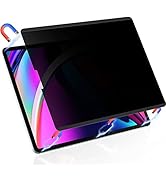
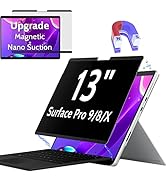
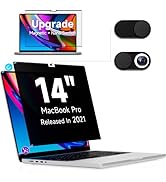
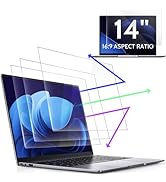
This 3-pack of 14-inch anti-blue light screen protectors from Peslv offers professional-grade eye protection with a 99.3% blue light blocking rate and advanced German anti-glare technology. Designed for 16:9 aspect ratio laptops from top brands like Lenovo, HP, Dell, Acer, Asus, and Samsung, each ultra-thin protector features precision die-cutting for a perfect fit and a matte finish that reduces glare without sacrificing screen clarity. The included nano-silicone layer ensures easy, bubble-free installation, making it a must-have for professionals and gamers seeking to reduce eye strain and enhance visual comfort during extended screen time.







| ASIN | B09TP9B76V |
| Best Sellers Rank | #167 in Computers & Accessories ( See Top 100 in Computers & Accessories ) #3 in Laptop Screen Protectors |
| Brand Name | Peslv |
| Clarity | 99.99 |
| Color | Blue Screen for Laptop |
| Compatible Devices | 14 inch laptop screen - 16:9 aspect ratio |
| Compatible Phone Models | 14 inch with 16:9 aspect ratio laptop screen |
| Customer Reviews | 4.0 4.0 out of 5 stars (2,715) |
| Finish Type | Matte |
| Included Components | Nanofiber Cleaning Cloth *1 |
| Item Dimensions L x W | 12.2"L x 6.89"W |
| Item Hardness | 5H |
| Item Type Name | Laptop Screen Protector 14 Inch 16:9 Aspect |
| Manufacturer | Peslv |
| Material | Polyethylene Terephthalate |
| Model Name | 774829216026 |
| Model Number | 774829216026 |
| Number of Items | 3 |
| Screen Size | 14 Inches |
| Screen Surface Description | Matte |
| Special Features | Blue Light Block |
| UPC | 774829216026 |
| Unit Count | 3.0 Count |
| Warranty Description | 3 years warranty |
J**N
Duller finish but less glare
I originally wanted to protect the screen on my new lenovo thinkpad with a glass protector but they're all glossy and I wanted to keep the anti-glare finish. After some research I decided on this one. The material was thicker and stiffer than I expected, not a film but more like a sheet of hard plastic. This improves protection so I'm pleased. The sizing fit my 14" 16:10 screen perfectly, about 1 mm gap at most between edges. The finish is more matte/dull than the original anti-glare, and further reduces glare. This comes at a cost of slightly reduced text crispness. Pick one: crisp text and glossy/reflective, or softer text and low reflectivity. Screen colour remains rich and beautiful. The product claims to reduce blue light but I don't notice a difference in colour, which is perfect for me. I've attached several photos of the screen taken in a sunny indoor location with the protector attached. You can see some glare on the left side but overall it's pretty minimal for the amount of sun it's receiving. Application Directions and provided stickers for alignment were adequate. Perfect application is always a pain but it's straight-forward. I messed up the first one. I cleaned the screen thoroughly, first with a little dish soap and warm water using a microfibre cloth, then the alcohol pad. I couldn't see any dust so I started applying the screen. Of course about 2/3 of the way through there were several dust bubbles so I aborted and started with a new sheet. The second screen went on almost perfectly. Because the material is stiff it's difficult to maneuver at the end and the application sticker popped off and the last 1/8th of the screen came down before I could squeegee the bubbles. It sticks well so I couldn't lift it back up without risking damaging the finish. I managed to get all but one small bubble out which stubbornly refused to move to the edge of the screen using the squeegee. The next day I worked on it by gently rubbing in circles with my clean dry fingers and it seems to have disappeared. I did this with the screen on for a while to warm up, this might've helped. Be very careful doing this, don't apply much pressure and support the back of the screen with your hand to prevent flex. My advice for application is to place a thin piece of clean plastic (e.g. guitar pick) on the screen edge on opposite side of where you begin to apply the screen. That way if it drops suddenly, there is something to prevent it from closing too early, leaving trapped bubbles. Overall highly recommended if you want extra protection. Remember, there are drawbacks to all screen protectors, and application is finicky so be prepared to use more than one protector to get it right.
S**L
FLAWLESS!! Easy installation with zero bubbles. Screen looks fantastic, cuts a lot of glare.
WOW has matte protection come a long way. I was very worried about the rainbow and sparkly effect matte protectors have on screens. I was very surprised to see if this has very minimal of either of these issues. Installation was easy to qualified minutes and I took my time. The instructions could use a little bit more clarity but when you read it two to three times first it becomes clear what you need to do. My installation was flawless, not a speck dust or anything else. The cut of screen glare is spectacular! Tips: SEE MY CRUDE DIAGRAM FOR THE VISUAL OF HOW TO APPLY 1. Make sure your screen is very clean and dust free. 2. Make sure you use the sticky tabs to hold the protector down on 1 side as you will be lifting the other side for installation. Make sure your tabs are parallel to the top edge of the screen. Think along the lines of a door hinge. If your "hinge"is crooked, when you lift it up to apply, it will be off angle. 3. Peel off the under layer ( this will static cling stick to your hand! I had to shake it off as my other hand was holding up the protector). While you are holding up the far end of the protector, slowly lower it like a bent page of a book while working the squeegee from the side where you applied the tabs. If you get a bubble, just lift the protector just enough to wear the bubble is and then work the squeegee across again. 4. Peel off the protective top layer and you are done! No more 15 min screen sleeping sessions !!!! Mac screens with the anti-reflective coating are major pains to clean. Why I did not do this sooner it's beyond me.
X**N
Very good customer support!
I ordered this for my Thinkpad X1 Yoga Gen 6 as it seemed like a really good option. It was not. You absolutely needed to remove the screen before closing the laptop because the top magnets would magnetize to the keyboard side and come off of the screen, even with the stickers on the bottom. This didn't work for me as I didn't want to take it off every time I closed the laptop. I contacted their support through Amazon's chat feature, and they got back to me asking if I would like to try the 16:10 non-magnetic privacy screen they offer with just the normal clear adherence strips. I said yes and they were kind enough to send me that right away. I have since put that one on, and it works perfectly and stays on the screen wonderfully. The 5-star review is really for the second screen and their customer support. Very good experience.
R**T
Seems great so far, 3 screens for a low price - but I'm not sure if its really blocking blue light?
First, this is for the Blue Light Screen Protector Bought it for my Macbook Pro M4 2024 14" I was feeling intimidated to install it and let it sit around for a few weeks. Lol. Finally did it yesterday. The instructions in the booklet were confusing and had grammatical errors (they should hire me, a Native English speaker) However, I just saw there is a video available here on the Amazon site under the product. Anyway I kind of figured out a way, having done screen protector installations on my iphone before. Pretty easy. Got a few bubbles the first time, but then I just lifted it up and used my fingers to push down on the edge touching the screen while the edge advanced right to left, to the edge of the screen, if that makes sense? I hope it does. So far it looks great! My only wonder is "Is it really blocking blue light?" and if so, is it really blocking 99% as it claims? I'm trying to find out a way to verify it. If anyone has verified it objectively please let me know. Oh and it seems to be a great value for the money. You get 3 screens and this is a pretty inexpensive price. I did not order the privacy option, so I cannot comment on that. The quality seems good.
B**.
two reflective and has a very low privacy level (very wide viewing angle)
T**E
I have 3 devices so I decided to order from this supplier - good price! The product is very nice as what we need 👍 but I have received only 2 pcs 😩 instead of 3 pcs as indicated in the description. 🥲
R**I
Facil de instalar, a tela realmente fica mais confortavel e protege contra acessos indesejados.
B**M
Le quedó muy bien a la pantalla de mi PC, es mate como se indica, trae aditamentos e instrucciones para que puedas instalarlo sin inconvenientes.
F**S
Good quality. My eyes don't hurt as much now when I'm on my laptop. 3 pieces so cut one into pieces for my phone. A little tricky to apply but doable. Very important to clean screen perfect before application.