We remain fully operational. Our teams are working around the clock to ensure your deliveries continue safely.

下载应用程序


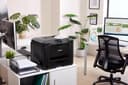
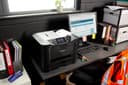
🖨️ Power up your home office with speed, economy & smart connectivity!
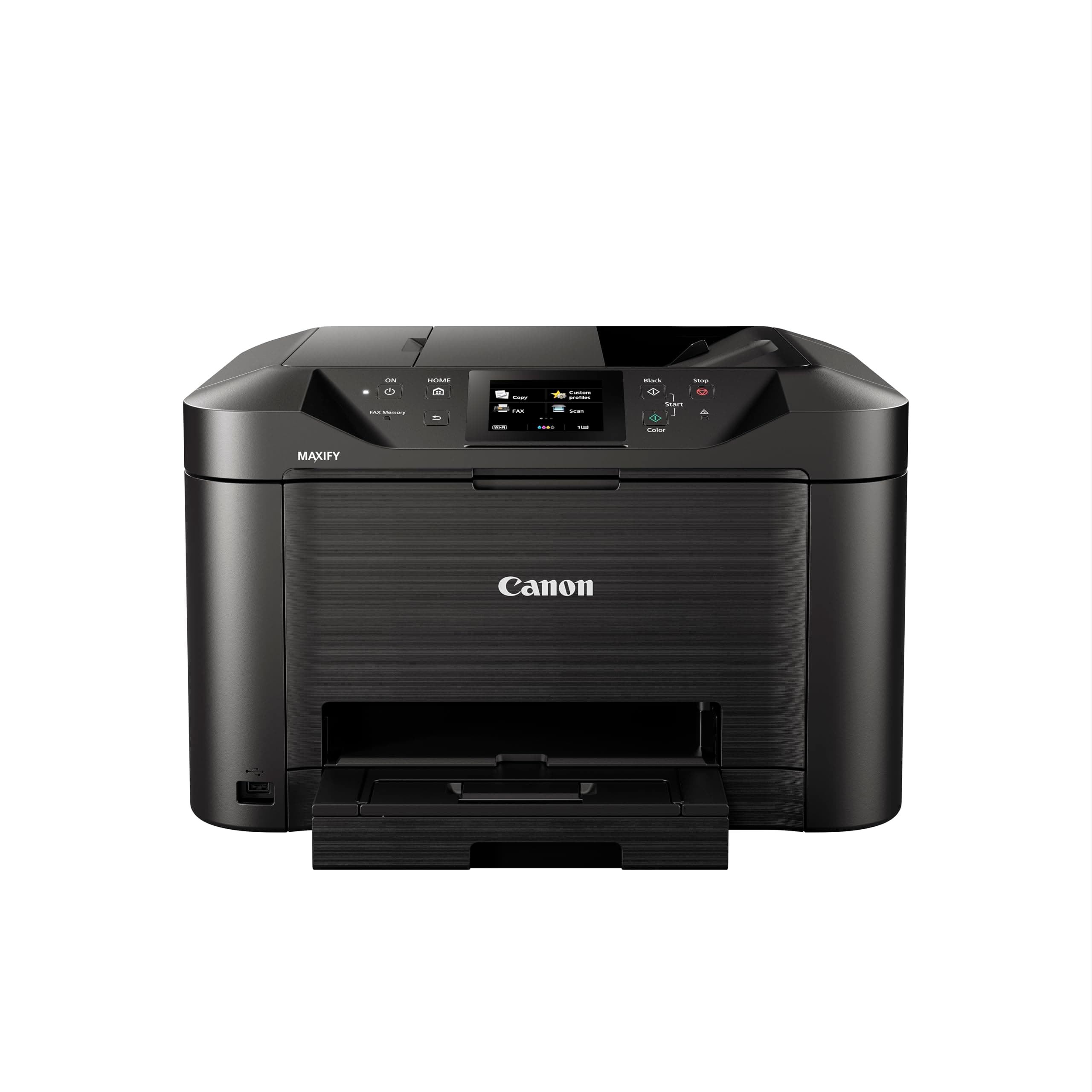
The Canon MAXIFY MB5150 is a robust all-in-one inkjet printer designed for small offices and home workspaces. It delivers ultra-fast printing speeds of up to 24 pages per minute in black and white and 15.5 ppm in color, combined with a large 250-sheet capacity and 50-sheet automatic document feeder. Featuring single-pass duplex scanning, economical high-yield cartridges, and versatile media handling, it supports wireless printing via Wi-Fi, Apple AirPrint, Mopria, and cloud services for seamless mobile productivity. Its intuitive 3.5-inch touchscreen and durable build make it a reliable, cost-effective powerhouse for professional environments.


| ASIN | B01GZ1QA2E |
| Additional Printer Functions | All In One |
| B&W Pages per Minute | 15 |
| Best Sellers Rank | 32,199 in Computers & Accessories ( See Top 100 in Computers & Accessories ) 87 in All-In-One Printers |
| Box Contents | Fax/phone line cable, MAXIFY MB5150, Manuals, Power cable, Set up CD for Windows (Mac drivers available online), Setup Ink Tanks |
| Brand Name | Canon |
| Color Depth | 24 NA |
| Color Pages per Minute | 20 ppm |
| Colour | Black |
| Compatible Cartridge | PGI-2500XL BK, PGI-2500XL C, PGI-2500XL M, PGI-2500XL Y |
| Compatible Devices | Laptops, PC, Smartphones, Tablets |
| Control Method | App |
| Controller Type | Android, Apple Airprint |
| Country of Origin | China |
| Customer Reviews | 4.3 4.3 out of 5 stars (402) |
| Display Type | LED |
| Dual-sided printing | Yes |
| Duplex | Automatic |
| Global Trade Identification Number | 04549292052299, 04549292052312 |
| Hardware Interface | USB 2.0 |
| Initial Page Print Time | 6 Seconds |
| Ink Colour | Black |
| Item Dimensions D x W x H | 39.4D x 46.3W x 29.1H centimetres |
| Item Type Name | Multifunction Printer |
| Item Weight | 11.4 Kilograms |
| Manufacturer | Canon |
| Maximum Copies Per Run | [A large number] |
| Maximum Copy Resolution Black and White | 600 dpi ou potentiellement plus élevé |
| Maximum Copy Resolution Color | 4800 x 1200 dpi |
| Maximum Copy Speed Black and White | 24 ppm |
| Maximum Print Resolution Black and White | 600 dpi |
| Maximum Sheet Capacity | 250 |
| Maximum Supported Paper Size | A4 |
| Maximum print Resolution Color | 1200x600 dpi |
| Model Name | Canon |
| Model Number | MB5150 |
| Model Series | TS |
| Network Connectivity Technology | Networkable, USB, Wi-Fi |
| Number of Drivers | 1 |
| Number of Ethernet Ports | 1 |
| Number of Trays | 1 |
| Other Special Features of the Product | Auto Document Feeder, Auto-Duplex, Double Sided Scanning, Envelope Printing, Touch Screen |
| Output sheet capacity | 150 |
| Paper Size | 210 x 297 |
| Power Consumption Size | 25 Watts |
| Print media | Envelopes, Glossy photo paper, Labels, Paper (plain) |
| Printer Output Type | Colour |
| Printer Resolution Horizontal Max in Color | 1200 Centimeters |
| Printer Type | Inkjet |
| Processor Count | 1 |
| Product Warranty | 2 Year Manufacturer |
| Resolution | 4800 x 1200 dpi (color), 600 dpi (black and white) |
| Scanner Type | Flatbed |
| Series Number | 5150 |
| Specific Uses For Product | Home, Office |
| Total USB 2.0 Ports | 1 |
| Total USB Ports | 1 |
| Unit Count | 1.0 Count |
| Warranty Type | Limited Warranty |
| Wattage | 25 watts |
R**N
Great printer, excellent scanner but it's a big beast
I bought this primarily as a I needed a reasonably priced double-sided scanner with a sheet feeder. It does this job admirably, and the inkjet printer also works absolutely fine. No problem setting it up on my Mac and accessing it via WiFi. My only criticism is that the lid of the flatbed scanner bangs down with some force and I imagine it could break unless you're very careful. One point to bear in mind is that it's pretty big and heavy, especially for a home setting. Check the dimensions and weight before you buy!
M**S
CANON MB5150 Multifunctional Inkjet Printer
This is our third Canon printer over 20 years and always been happy with the quality of build and durability. The attraction of the MB5150 features duplex scanning/printing with economical ink use, the speed of scanning/printing I consider good for home office use. For our family could not find a better machine at this size with all the functions we required. Set up I consider very straight forwards drivers simple download direct from the Canon site, back up CD provided in box. Set up wirelessly connected by Wifi to our home hub communication very good. Using Windows 10 & 11 plus android tablet all working well with our new printer. Menu options on the machine are instinctive all touch screen. Have tried out all printing and scanning functions, both are duplex. Quality up to 600 dpi both scanning and printing. Quality of print even at 200 dpi is good colours accurate and set well without fade or runs. Scanning quality is also very good. Tried scanning a colour document then printed comparison to the original very good. The Canon IJ Scan utility tool is very good giving many options and allow adjustments before scanning documents or photo's. Before printing again able to adjust settings from laptop to vary quality and if duplex printing required. Machine also able to print card I believe up to around 270 g/s2 I used 200 gsm on duplex printing worked very well. Surprisingly does not mention on Canon site ability to print card. Hopefully with the larger ink cartridges and published stats should be very economical on cost. I have no need to use the 'old school' fax function so have not tried this out, leads and adaptors provided. Printer lead to PC not provided in box, though already have two of these from previous printers.
O**.
Good unit but has some flaws
Good so far but I haven’t really stretched it much yet. I primarily purchased for its double sided document feed scanning in order to digitise old paperwork and free up clutter. The printer side of it was just a bonus considering how much cheaper this was compared to a dedicated scanner with the same features. My main gripe comes from the fact that it is compulsory to install the supplied ink cartridges during the setup process, whether you want to or not. I had no intention of using the printing part for a few months so this feels a bit wasteful to me, as they are now likely to dry out and stop working. In an attempt to mitigate this I have automated a task to print a page once a month using all colours. It claims to have a quick first print but in my experience it’s always felt very slow to get going even from “sleep” (not fully shut down), with lots of clunks and whirring noises whilst it gets ready. Edit 2nd Dec 24: I just timed it, it took 2 minutes 21 seconds to print the first page - definitely not quick by my definition of the word! My final issue is that the “scan to network folder” option relies on SMB1, which is now very old and insecure. This was one of the additional features I was most keen on as it would save a few steps of migrating the scanned documents to my home server (Synology NAS), which does allow you to enable SMB1, but heavily advises that you don’t due to the security issues. It’s disappointing that a relatively new product still uses such an old interface with known issues. Otherwise, it’s bigger than I expected it was going to be, but that’s on me for not checking the measurements. In terms of connectivity, having the ability to print wirelessly from your phone is quite nice and it was simple enough to set this up.
G**K
Seemless
Really good, does everything it says "on the tin".
A**Y
Great all rounder
Not going into details here,just to say it works brilliantly and definitely worth the money.
A**Y
Soundly constructed with excellent performance.
Very happy with the performance of the printer and it looks and feels soundly constructed. The print speed is very good. I have yet to have a need to scan an item, being so recently acquired, but I feel confident that it will live up to the task in an efficient manner.
M**H
Fantastic
Fantastic printer for the price.
R**O
Es más grande de lo que me imaginaba, no es tan rápida como dice pero va muy bien de momento. Aún probé escáner ni el fax. Impresión a dos caras perfecta. Lo malo es que me hizo una limpieza de cabezales poco después de iniciarla innecesariamente y es un derroche absurdo de tinta.
J**U
Parfait fait le job
M**E
Stampante ottima nella stampa e nelle modalità di collegamento. Utilizzo la stampante sia con cavo lan, wi-fi e collegamento con cavo USB, quindi testata a 360°.
M**R
Katalogdaki ürün, itina ile paketlenmiş. Beklenenden 7 gün önce teslim aldım. Teşekkürler. Kargo ücreti biraz pahalı oldu sadece.
M**R
Nach ständigem Ärger mit Sensibelchen von HP und Falschangaben bzgl. der Funktion bei Epson, hab ich Canon ausprobiert - super. Leicht einzurichten, kann alles, tut alles. hab mich durch einen Wust von Eigenschaftsbeschreibungen gewühlt, letztlich hat dann doch ein Punkt gefehlt. Dieser kann auch automatisch (! - man muss nix "von der anderen Seite einlegen aber nicht umdrehen" oder dergl. kryptische Anweisungen befolgen) doppelseitig scannen, kopieren und drucken. Das erleichtert den Einzug von sehr vielen Dokumenten. Außerdem ist er schnell und bedienfreundlich, auch mit den Apps.