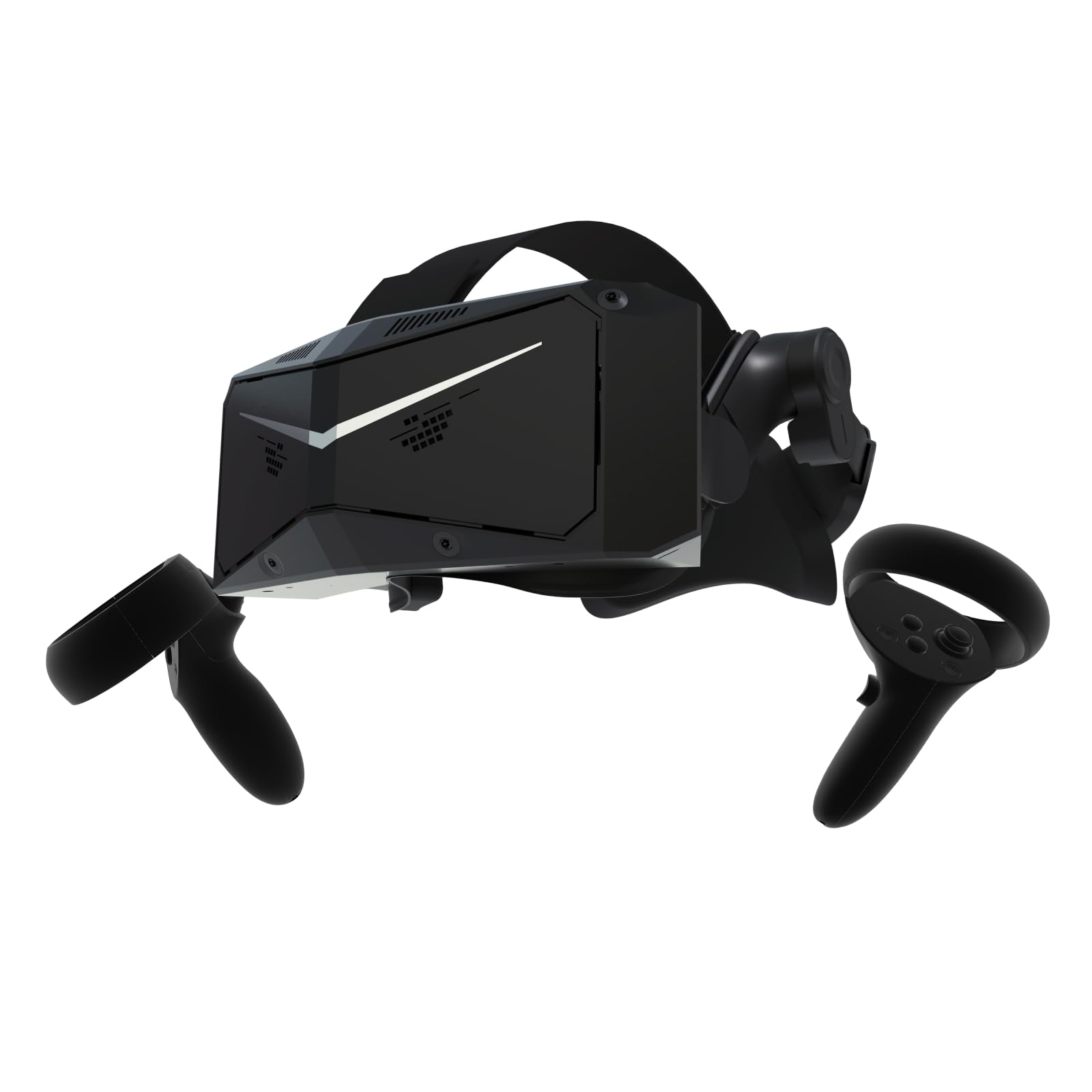
🚀 Elevate your VR game with crystal-clear visuals and pro-level comfort — don’t just play, dominate!
The Pimax Crystal Light PCVR headset delivers ultra-high 2880×2880 per-eye resolution with AI-enhanced upscaling and a wide 130° field of view, optimized for Steam VR titles like flight and racing simulators. Its lightweight design and adjustable refresh rates (up to 120Hz) ensure comfortable, smooth gameplay. Featuring easy plug-and-play setup with inside-out or Lighthouse tracking, it offers flexible partial payment options and dedicated customer support, making it a premium choice for serious VR enthusiasts.


| ASIN | B0D49YV587 |
| Additional Features | 3D Spatial Audio, Adjustable Headband, Lightweight |
| Age Range Description | Adult |
| Best Sellers Rank | #11,378 in Mobile Phones & Communication Products ( See Top 100 in Mobile Phones & Communication Products ) #63 in Mobile Phone Virtual Reality (VR) Headsets |
| Brand | Pimax |
| Built-In Media | Cable |
| Color | Black |
| Colour | Black |
| Compatible Devices | Personal Computer |
| Compatible devices | Personal Computer |
| Connectivity Technology | USB |
| Connectivity technology | USB |
| Connector Type | USB Type A |
| Controller Type | motion-sensing controller |
| Country of Origin | China |
| Customer Reviews | 3.0 out of 5 stars 264 Reviews |
| Display Resolution Maximum | 2880 x 1600 |
| Display Type | LED |
| Field Of View | 130 Degrees |
| Included components | Cable |
| Item Weight | 815 Grams |
| Manufacturer | Pimax |
| Model Name | 14-day Trail |
| Model Number | Crystal Light Partial Payment Version |
| Operating System | Windows |
| Platform | SteamVR |
| Refresh Rate | 120 |
| Resolution | 2880 x |
| Screen Size | 6.0 |
| Sensor Technology | Accelerometer Gyroscope Proximity Magnetometer |
| Special features | 3D Spatial Audio , Adjustable Headband, Lightweight |
| Specific Uses For Product | Gaming, Video |
M**E
JUNK avoid
JUNK. 1. My headset is defective and will randomly show a pink staticy screen for a second and then show a blank screen (or extremely dim, I can see like shadows..) until the Pimax Play software is restarted - turning the headset on/off again doesn't fix it. 2. The tracking is appalling and just judders all over the place, lags.. It'll be fine for a minute or two then go completely unplayable. This seems to be caused by the Pimax Play software which uses up all of my CPU - a 5700x3D. Not the best around but it's still pretty good. I did some research to try and fix this and apparently it's a known issue, the Pimax tracking algorithm is bad. It needs more than a 5700x3D while Meta have been fine on a lil mobile phone chip since the Quest 1. It's really sad as the image quality is fantastic in this thing. It's very, very clear and sharp while approaching the colours and contrast of an OLED screen. It's a pretty big headset but I find it not too bad comfort wise. I could deal with having a faulty headset but the whole tracking situation renders this as junk.
S**E
Unmatched visual quality
The main selling point of this headset must surely be the visuals. I have upgraded to this headset from a Reverb G2 and while the quality jump isn't as much of a leap as the Rift S to the G2 it is still noticeable. The screen door effect is completely gone. Text is easy to read (even steam gauges in DCS). Aliasing is still visible, however, this can be eliminated with super-sampling and foveated rendering. Eye tracking feels like black magic to be honest! Somehow the area I look at gets up-scaled without any noticeable delay. The FoV feels a bit wider than the G2. Formation flying certainly feels a little easier. Inside out tracking (i.e. without lighthouses) is a must for me as I have limited space. I mainly use the headset for seated VR games (racing and flying sims) and for this the tracking is more than sufficient. You'll need to spend time tweaking settings in games to get the most from the headset but that should be expected with the number of pixels your GPU will need to drive. There are plenty of guides from the community about getting the most out of the headset for different games and these are well worth reviewing. Pimax's software has been easy for me to use and I had no issues getting firmware updated. One downside to this headset compared to the Reverb G2 is the sound quality. I would have docked 1/2 a star for this but Amazon only does whole numbers and 4 stars doesn't feel right for my experience with this product. Replacing the stock speakers with the DMAS module is easy and the sound quality through these is great. I have not experienced the sound lag which other reviewers have mentioned. It's possible Pimax fixed this in a software update before I got my headset or just a difference between different people's PCs. Each VR headset I have owned has suffered from USB bandwidth issues and this one is no different. If you have a large number of peripheral devices plugged into your PC then you will need to think about getting yourself a PCIe USB expansion card to solve this problem. The G2 had similar issues with specific USB chipsets so I already had one of these. I have all my peripherals connected to the USB expansion card and the Crystal connected directly to the motherboard. The specific USB expansion card I'm using is the Startech PEXUSB3S42V. The Crystal includes 2 batteries and a charging dock. I regularly manage 3 - 4 hour VR sessions with a single battery so I don't believe there is an issue there. The batteries clip to both the headset and the charging dock. I've had no issues here either. Lastly, weight. The headset is heavier than the G2. However, the strap is nice and easy to adjust. It has a dial on the back to adjust size like the Rift S had. The rear of the headset should be slightly below the crown of your head and fitted properly the headset is comfortable to use. Pimax do sell a top strap on their store which is well reviewed. Third party options such as the apache comfort strap are also well liked.
N**.
Amazing Visuals! Pretty Decent Everything Else
This is my third headset - I also own an OG Vive, and a Valve Index. I am running an RTX 4090 and a 12900k. Pros: -Visual clearity is unparalleled. Gone are the days of looking through screen doors. The colors are vibrant and pop. The blacks look great - I know the index is a poor comparison for black levels, but really, they are very very good. -FOV is good! I’ve never used and 8k so I can’t compare to that, but vertically is feels like it’s more than my Index and horizontally about the same as my Index (if not the same, slightly more). -Dynamic foveated rendering is a game changer. I bought this for cockpit flying and I always had pretty low frame rates (in Microsoft Flight Simulator especially) and just dealt with it. With DFR enabled I now get consistently higher frames and am actually able to bump up my graphics settings so I’m not only getting a smooth flying experience, but the games look better too. -Inside out tracking is really pretty good! If using this just for cockpit flying, there is no need for lighthouses. The inside out tracking hasn’t left me feeling the need for anything better. I do have the lighthouse faceplate so I can use my Index controllers. -Support from Pimax for their product seems good. They are constantly making improvements with firmware updates and they seems they are receptive to community issues. -Pimax as the manufacturer and seller may have been a con previously - they have been known for their poor customer service which caused me to hold off from purchasing a 5k or 8k- from what I have seen, they have had good support for their product, and when I made the purchase, there was mistake on their end, but they still honored the deal that was agreed upon - which is a HUGE deal. Good for them! That’s how you get return customers. -The facial interface blocks out light very well. With most other headsets I have tried, I can usually see down around my nose (which I actually like for using my phone or typing something so this may be a con for you) but this facial interface blocks most light very very well and helps with immersion. -Automatic IPD adjustment is a really nice feature I could live without but makes life a whole lot better. It is great to know it is set correctly every time you put the headset on and very convenient for sharing the headset. -Good microphone. Not the best but it is good and better than other headsets. Neutral: -The controllers are okay. They look and feel like Quest controllers. They work as intended and they track pretty on par with other inside out tracking headsets. It’s nice to have them there just in case. I hope to use my Index controllers when I get the lighthouse faceplate in. -Having a battery is meh. The battery is a con for most people. I used this headset all weekend and didn’t need to swap the battery out. It seems with the firmware updates they have had pretty much fixed the battery issue when using the usb hub. This is a neutral point for me because I’d rather it not be there, but it doesn’t really affect me at this point. Works fine! It is NOT as difficult to remove as people say. Once you find the best method it is fairly easy. -Comfort is fine WITHOUT glasses. The Index is more comfortable. I do wear glasses and use prescription lenses although they haven’t arrived yet - I get pressure from my glasses being pressed into my face which gets old over time. I do not believe the weight is that big of an issue. I don’t notice it being heavier than my Index although it is by a small amount. I am using this mostly for cockpit use - if I were using it for active games like Pistol Whip having the weight of the front of the HMD might be a con. I didnt have any serious discomfort in Onward though due to the weight. I am getting a thicker facial interface because my prescription lenses will be very close to my eyes. -This was FAIRLY EASY to get connected and working on my computer. Using it with SteamVR works pretty easily, but using OpenXR is better. Like many other headsets, it make take some fiddling with its software or a third party software to work well with some programs. This would be a con but it is very common in the world of VR so I am leaving it here as a note. Cons: -Audio quality is TERRIBLE. Maybe worse than the Quest 2? Maybe equal? I haven’t compared 1 to 1. Coming from the Index it is abhorrent. I have the DMAS headphones on order and cannot wait to swap these out. They work. Sound comes out of them. They will do the job for me until I get replacements. This would be neutral but $1700 is a lot to not include a decent audio solution. A plus is that they are easily swapped but it adds to the price. -Foam material. This is a MINOR con. The material for the face gasket is like a porous foam material that I am not a large fan of. It will absorb sweat and oil and get yucky. Valve did it right with the Index and even with that I put a silicon cover over it. This face gasket would be fine if I could find a silicon cover available. -I am seriously missing the system button that I had on my Index to get into my desktop view. The button could be used to select and open files like you would with a mouse. This came in very handy when in a cockpit and you didn’t want to or couldn’t lean forward to grab your mouse. Pimax should have some sort of software that allows you to bring up a desktop view while in game and should add a button so that you can interface with your desktop. It’s not a deal breaker, but it will force you to remove your headset more than I have in the past. Is the headset worth it? If you are coming from another high end headset that released in the past couple of years, or are playing very active VR games (I will still use my Index for active games) maybe not. For me, YES! The difference in my VR experience flying or racing is night and day. I am coming from a headset that was released about 5 years ago - I expect that this headset will get last me another 5 years. The technology has come so far since then. Visuals (including FOV) are most important to me and this headset comes out on top for consumer VR. Audio is also a bit deal - the DMAS headphones have great reviews and should fix that issue for me. I am mostly using this headset sitting and the comfort is completely acceptable with no serious concerns when you are wearing it properly. I also have the hardware to run the headset at high settings. I feel like my cons are fairly minor compared to the pros. I am thrilled with this purchase and at the time of this review, am thrilled to have this Pimax piece of hardware.
Y**B
La VR Next gen pour la simulation !!!
Fan de VR depuis mon premier Oculus, ayant eut plusieurs casques VR comme le rift, le Samsung odyssey+, le pimax 5k+, le reverb G2 , le quest 2, le vive pro 2 , le pimax 8KX , ayant eut un varjo Aero en prêt pendant un peu plus d'une semaine j ai pu me rendre compte qu'il était pas fait pour moi (fov trop petit et logiciel pas assez complet) Du coup je me suis décidé a commander le crystal. Je l'ai reçu très rapidement 2/3 jours max et j ai pu enfin le mettre sur ma tête Et la je n'ai pas été déçu !!! Je précise que je suis joueur uniquement sur simulation voiture et aérienne. L'image est vraiment incroyable, la première chose qui saute aux yeux c'est la netteté qui est affolante, on a enfin atteind la qualité et netteté en VR comme sur un écran et je dirai que je préfère maintenant l'image en VR ! , le sde a complètement disparu, la netteté la précision d image est folle. Dans DCS par exemple on peu tout lire , même dans un cockpit comme le M2000 on peut lire les Petites écritures et les fréquences sur la jambe du pilote c est incroyable. La netteté de loin est aussi folle, fini les tas de pixels on distingue complètement les adversaires fini de confondre un arbre avec un mig lol Mais autre chose que la netteté saute aux yeux c est la clarté, l'image est incroyablement clair, les contraste et couleurs sont d une beauté !!! Il suffit de lancer un jeu comme PC2 ou AMS2 pour voir une image avec des couleurs incroyables. Fs2020 n'est pas en reste non plus , les verts des forêts de l herbe, le bleu du ciel et de la mer quel bonheur Le fov est plus grand que celui de l Aero alors pas le double non plus mais suffisamment en vertical pour que je ne me sente pas frustré ! J avoue que j avais une grande crainte concernant la batterie (2 sont livrées) et le hub alimenté de pimax fait un excellent travail la batterie ne bouge pas ou quasiment pas ! A moi les longues cessions VR ! Le son est correct mais sans plus , mais pour moi ce n est pas un point important car je joue avec un système 5.1 qui sera toujours meilleur que n'importe quel système audio d un casque VR. Le poid du casque ne pas du tout choqué car je viens d un 8KX du coup pas de problème pour moi et en simulation ce n est pas ce que je regarde en premier. Le crystal à un tracking inside (ne nécessite pas de base station) et c est très appréciable car le tracking est reconnu de suite , fini de bouger le casque dans tout les sens pour le faire détecter lol On lance pimaxplay et le tracking se fait tout seul Le confort est très bon et je suis habitué a la forme du pimax mais c est très subjectif car nous avons tous une forme de visage différents La sangle est très bien faite et la mousse repose très bien sur le front et évite les pression sur le nez. J ai apprécié aussi que pimax ne mette pas un ventilateur comme sur le varjo Aero qui me souffle dans les yeux et me fais pleurer les yeux a les assécher. L ipd est en réglages automatique, la aussi c est une excellente chose car fini de commencer a jouer avec le mauvais idp et de s abîmer les yeux.... Ça + la netteté fini de se tuer la vision. Le fdr f (Suivis des yeux) fonctionne très bien et permet un gain de fos très appréciable. Alors concernant le logiciel pimaxplay il y a encore plus d options et de possibilités Non ce n'est pas une usine a gaz il suffit juste de lire et prendre un peu le temps. On peu très bien jouer en 2 clics où alors pour les utilisateurs avancés changer pleins de réglages Choix de la fréquence 72, 90 , 120hz , le rendu etc Et surtout il est super stable on peut jouer en 2 clics et il ne plante jamais, je dis car ceux qui ont connu pitool au début c étais difficile a imaginer. Le support de pimax a énormément changer la aussi. Si on a des questions sur le casque, il suffit d ouvrir un ticket et les gars du support vous réponde rapidement !! La aussi ce n' était pas le cas au début ....mais maintenant on voit que pimax à concentrer ses efforts sur ses anciens points négatifs. Bien sûr que pour profiter d'une image comme celle du crystal il faudra une grosse configuration PC, mais c est valable aussi pour un triple écran si on veut jouer en triple 4K sur tout les jeux simulation il faudra un très gros pc. Parlons aussi
D**N
Head Tracking, Light Leaks & Room Boundary Issues
I use VR primarily for DCS, IL Strumovick, MSFS and some car games like Dirt Rally, etc. Before buying the PIMAX Crystal Light(PCL) i had the OCULUS Rift (2yrs) and then the HP G2 Reverb (3yrs). Both of these units where comfortable, and both fitted well enough that there were no light leaks and they were comfortable. The Reverb took some time to get configured well, and once sorted out it was reliable. Conversely, the PCL is uncomfortable, it has light leaks, the soft foam face plate it too soft so the actual plastic behind the foam presses on your forehead, its quite uncomfortable. There are soft rubber flaps around the crown of the nose area to stoplight leaks but they are too long and for me they rub on the bottom of my eyelids causing irritation. Also when putting the headset on the flaps can be upturned and are really uncomfortable. Obviously all of the above problems can be associate to different head shape, so these may not be an issue for you. Also, I could live with those issues as obviously its hard to make a VR fit all heads (even though for me the previous 2 headset fitted well) but the next issues shouldnt happen on released commercial products. The room boundary once set up continuously moves, sometimes it s up in the sky and almost in another room, other times it moves straight up above you. Once it does that you need to stop the game, which is hard to do, go back to the PIMAX client and reset the room. My room is well lit and its not cluttered. The next annoying thing is that when in DCS, if I look over my shoulder to see if there's a bogie behind me the headset looses track and next thing I know I'm sitting about 5 meters below the FA/18. It happens a lot. Luckily I have a view reset button on the stick. If you watch the official PIMAX setup videos, they talk about these issues and say "we are working on these issues". PIMAX, if you haven't got these headsets sorted out then don't release them, we aren't BETA testers (unless you want to give them to us for free). I'm so disappointed, I had high hopes. BTW, I have watched many videos on setting up the PCL for DCS, there are about 3popular ones (pretty much the same content in each), however the tracking issues still remain. On a good note, the image quality is markedly better than the Reverb.
TrustPilot
2 个月前
1天前



