We remain fully operational. Our teams are working around the clock to ensure your deliveries continue safely.

下载应用程序




Buy anything from 5,000+ international stores. One checkout price. No surprise fees. Join 2M+ shoppers on Desertcart.
Desertcart purchases this item on your behalf and handles shipping, customs, and support to Taiwan.
🚀 Plug in. Power up. Level up your productivity game.
The Acer USB Hub 4 Ports is a sleek, portable USB 3.0 hub featuring four high-speed ports with up to 5Gbps transfer rates. It includes a dedicated USB-C power input to maintain stable data transmission when multiple devices are connected. Compatible with a wide range of operating systems and devices, this plug-and-play hub is designed for professionals seeking efficient workspace expansion and reliable performance on the go.


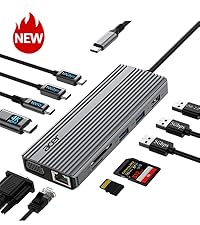

| ASIN | B0CN3F9Y1Z |
| Additional Features | Anti-Slip, Fast Data Transfer, Heat Resistant, Indicator Light, Plug and Play |
| Best Sellers Rank | #1 in USB Hubs |
| Brand | acer |
| Color | Black |
| Compatible Devices | Desktops, Gaming Consoles, Laptops, Tablets, USB Flash Drives |
| Customer Reviews | 4.6 4.6 out of 5 stars (14,174) |
| Data Transfer Rate | 5 Gigabits Per Second |
| Enclosure Material | Acrylonitrile Butadiene Styrene (ABS) |
| Hardware Interface | USB, USB 3.0, USB Type C |
| Item Dimensions L x W x H | 4.13"L x 1.18"W x 0.35"H |
| Item Weight | 1.6 ounces |
| Manufacturer | acer |
| Mfr Part Number | ODK350 |
| Minimum Required Operating System Version | Windows 11 |
| Model Number | ACER-UH501 |
| Number of Ports | 4 |
| Operating System | Chrome OS, Linux, Windows 11 |
| Total Usb Ports | 4 |
| UPC | 195133227902 |
| Warranty Description | 1 year manufacturer |
A**R
I should have purchased this product ten years ago!
Convenience, quality, and affordability, and above all, safety!
K**A
Very practical and easy to use
I bought this 4-port USB hub for my laptop and it was super useful. It was just connecting it and that's it, without installing anything. USB 3.0 ports work fast for memory, keyboard and mouse, and it is also compact to take anywhere. In general, it is a simple, practical accessory and fulfills its function very well. I recommend it if you need more ports on your laptop.
B**R
It works as advertised.
It worked with everything I plugged into it. However I noticed that you have to plug each item into the extender with about a 5 second wait between each plug in. It seemed to get confused when items are plugged in rapidly one after the other. When I added external power the plugged in items seemed to work a little more smoothly and quickly. Other than that I have no complaints as of yet. only had it 3 days.
A**H
Almost perfect- headset difficulty’s
I’ve been using this Acer USB hub for a few weeks now, and overall I’m really happy with it. I bought it mainly because my laptop doesn’t have enough USB ports for all my schoolwork gear and gaming accessories, and this hub has made things so much easier. Setup and use Right out of the box, it was completely plug-and-play — no software, no setup. I just plugged it into my laptop and started connecting my devices. The size is perfect for portability; I toss it in my backpack when I go between school and home, and it doesn’t take up much space on my desk either. Performance For most of my devices, the hub works flawlessly. My mouse, keyboard, flash drives, and external hard drive all connect instantly and run smoothly. File transfers are quick, and I didn’t notice any lag or drop in performance. The USB 3.0 speeds feel solid, which is great when I’m moving large files for class projects or videos. Build quality It feels well-made for the price — not cheap or flimsy. The cord is thick enough that I’m not worried about it bending or breaking easily, and the ports hold connections snugly. It’s clearly built to handle everyday use. The one issue The only thing keeping this from being a 5-star review is my headset. For some reason, when I plug my USB headset into the hub, it either doesn’t get recognized or the microphone cuts in and out. When I plug it directly into my laptop, it works perfectly fine. It’s not a huge deal since everything else works great, but it’s a bit annoying since I use the headset for both online classes and gaming. From what I can tell, the hub might not deliver enough power or stability for certain audio devices, which isn’t uncommon for smaller, bus-powered hubs like this one. Final thoughts Aside from that minor issue, I’m really happy with this hub. It does exactly what I need — adds a few extra ports, keeps everything connected, and is simple to use. For everyday accessories and school use, it’s a great buy. Just be aware that some more sensitive or high-power devices (like headsets or external hard drives) might work better plugged directly into your computer. Overall rating: 4 out of 5 stars Would I recommend it? Definitely — especially if you just need more USB ports for regular devices and don’t plan on using it for audio or power-hungry gear
B**Y
Nice usb
Works great for adding add ons to my pc with out having to plug into the back of the pc would recommend
J**C
Instant solution
Photo 1 shows the problem I had. If I needed to reset my wireless input, I had to unplug both the Bluetooth antenna and the tiny little tp link wireless adapter from the back of my desktop computer. Just grabbing the little guy was hard enough. I ordered this item. It came the next day! I plugged it all in, and it worked immediately, solving my problem. I totally recommend ordering this right away if it might solve your problem of making a usb port more accessible or adding additional usb ports.
L**L
Great investment for your computer
We have 3 of these that we use. They work well. The 4' cord length works the best.
J**Y
Great usb hub
This Acer hub is super convenient and has become a staple on my desk. I use it to run my desktop fan, a mouse, and a flash drive all at the same time without any issues. It is surprisingly compact, so it doesn't take up much room, but it still feels sturdy enough to handle having multiple things plugged in at once.I haven’t had this fail on me for a while now, and it stays connected perfectly without any lag or devices dropping out.
B**E
USB-A→USB-Ax4のモデルを入手。 これまで、ポータブルHDDやBD/DVDドライブを使用するとき、他のハブやポートバーで動作不安定を払拭できず、2,3個を故障させもしましたが、どうやらデバイスの消費電流の多さが問題と認識してこれに換えました。セルフパワーの電源をUSB-Cから供給するので、(専用ACアダプタの容量が今一な他社セルフパワーハブと違って)充分にドライブできるようです。4TBポータブルHDDのウイルスチェックとBD再生という、比較的高負荷な動作も安定しました。
N**G
Simple as that. Four ports of 3.0 goodness. Nice long cable so you can place it in a convenient location (i.e. mine goes around from one side of the TV to the other), which also has a reusable velcro tie on it in case the length is too long and you want to restrict it a little (or store the unit). I've plugged this hub into my router so I can supply both a m.2 SSD (via an enclosure adapter) and the printer across the network (the router only has a single port.) This works great and I can access my network drive at the same exact blazing fast speeds as before, and also use my printer with near instantaneous response. At the back of the hub is a USB-C port intended for power delivery to the hub, which is needed if you have a bunch of high draw devices. Would be nice if the manual talked a bit more about this though - it says 5V IN, but it's USB-C... is 5V 0.5A enough? (what your computer provides) - 1A, 2A, ...? Does it work with PD so it could take like 18W maybe? I'm likely overthinking this, and the answer is probably "it depends on your devices you have plugged in", but would be nice if it explained that in a bit more detail. Also a very minor thing, but it would be nice if there was like a micro switch, or timer mechanism that turned off the indicator light after some time. I know this is a very nit-picky thing, but so many hubs have these bright indicator lights which means the room stays lit at night or in the dark that I think it's a bit unnecessary. I'm not letting those above points retract from my overall ranking though, as the hub itself works exactly as intended and at fast speeds. The rest is "nice to haves" that depend on your exact scenario.
A**L
Best usb hub u will fine just buy it
S**D
I’m very happy with this Acer USB Hub. The build quality feels premium and sturdy despite being ultra-slim and lightweight. Data transfer speed is fast, and all four USB ports work smoothly without any lag or disconnections. The 2ft cable length is very convenient and gives enough flexibility for desk setup. I also like that it supports both USB-A and Type-C power (5V 3A), which makes it reliable even when multiple devices are connected at the same time. I’ve used it with my laptop for mouse, keyboard, and external devices, and it performs consistently well. Plug-and-play setup with no drivers required, and it works perfectly with Windows and Linux. Overall, it’s a good-quality, reliable USB hub from Acer, and definitely worth the price. Highly recommended for anyone needing extra USB ports.
N**I
PCのUSB増設にとても最適です。スマートで使いやすくコードも長さがあるので、使いやすいです。