We remain fully operational. Our teams are working around the clock to ensure your deliveries continue safely.

下载应用程序


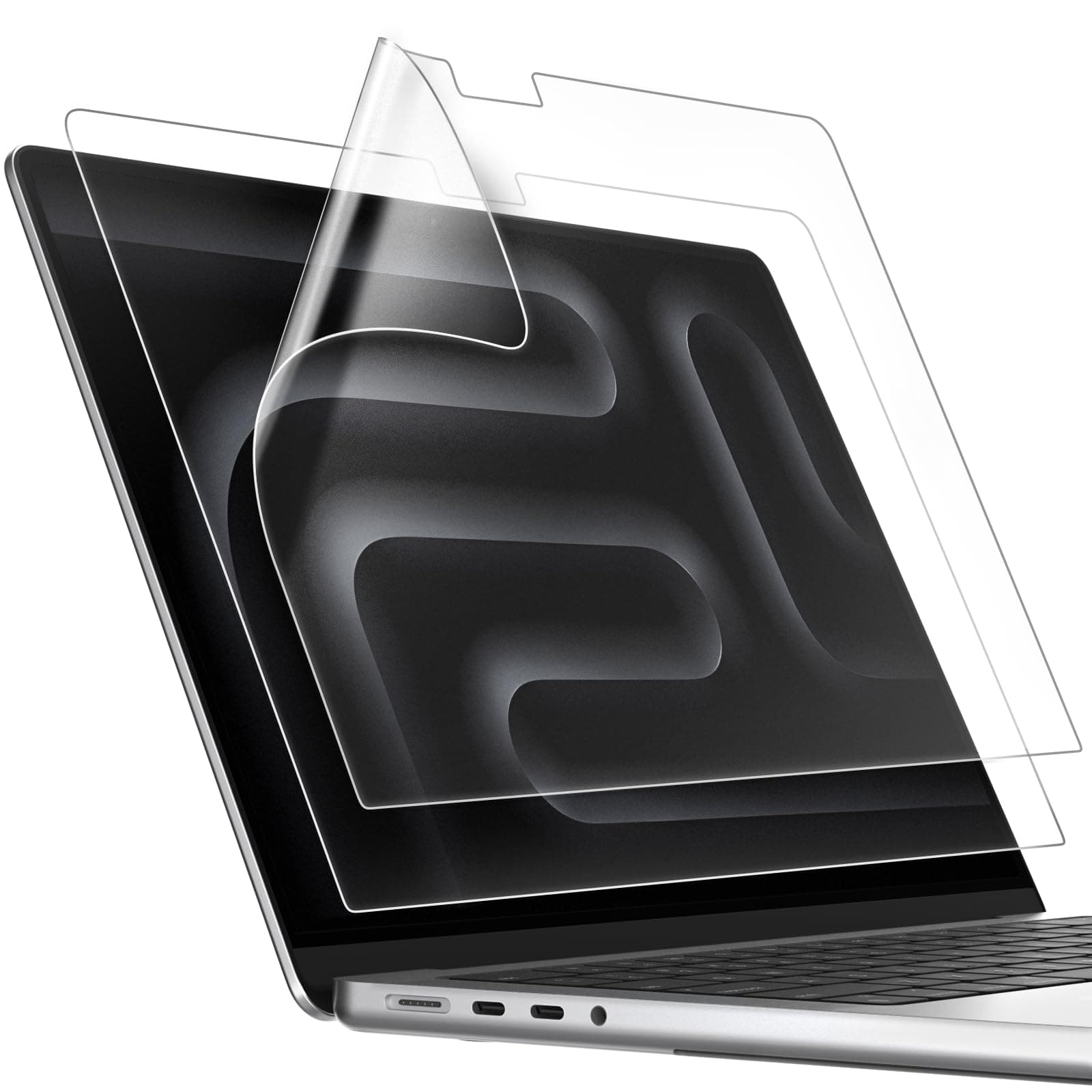

🛡️ Elevate your MacBook’s screen game—see clearer, work smarter, and protect like a pro!
The JETech Screen Protector for MacBook Pro 14-inch (M1-M5, 2021-2026) is a premium 2-pack PET matte film designed to reduce glare and fingerprints while protecting your screen from scratches. With precise compatibility, easy bubble-free installation, and a durable oleophobic coating, it ensures a clean, comfortable viewing experience and long-lasting screen defense.


| ASIN | B0CPHTD66C |
| Best Sellers Rank | 762 in Computers & Accessories ( See Top 100 in Computers & Accessories ) 1 in Laptop Screen Protectors |
| Brand Name | JETech |
| Clarity | 1 |
| Colour | Transparent |
| Compatible Devices | MacBook Pro 14 Inch (M1-M5, 2021-2026) |
| Compatible Phone Models | MacBook Pro 14 Inch (M1-M5, 2021-2026) |
| Country of Origin | China |
| Customer Package Type | [probable] |
| Customer Reviews | 3.9 3.9 out of 5 stars (5,785) |
| Finish Type | Matte |
| Included Components | 2×Screen Protector |
| Item Dimensions L x W | 30.8L x 20.2W centimetres |
| Item Hardness | 3H |
| Item Weight | 43.6 Grams |
| Manufacturer | JETech |
| Material | Polyethylene Terephthalate |
| Model Name | JETech Screen Protector |
| Model Number | 1601- |
| Number of Items | 2 |
| Part Number | 1601- |
| Product Warranty | 1 year manufacturer |
| Screen Size | 14.2 Inches |
| Screen Surface Description | Matte |
| Special Features | Anti Glare, Scratch Resistant, Screen Protection |
| Water Resistance Level | Not Water Resistant |
A**I
Great for keeping the screen clear
A bit tricky to install but once done correctly, it is a good fit. Amazing quality and antiglare with no more recurring obsessive cleaning of the screen for dust or fingerprints. An ease of mind after fitting it to the screen.
M**O
Good quality, dims the screen glare, very easy to bubble
Luckily you get 2 in a pack- because as the other reviews suggested- it is SUPER easy to bubble these- but that is probably more user error than product error- solid screen protectors dont bubble as easily but can interfere with closing the laptop- so I found these a happy middle ground. There arent reflective so it dims some of the glare which is great.
Y**N
Damaged my MacBook 😭
I ordered this screen protector as it is really hard to find a screen protector to fit older MacBooks that aren’t privacy screens. I wanted something to reduce glare as I watch a lot of tv shows and find it distracting seeing my reflection in the screen 😅 Overall the screen protector is ok, the sizing/cut outs are good and the anti-glare aspect works well. However, I agree with other reviewers that the clarity/colour saturation is reduced. As you can see in the images there is almost a grainy appearance to the screen - it is what I would imagine the ‘paper feel’ screen protectors for iPads looks like. The reason I am so disappointed with this screen protector is the application. I won’t lie I read other reviews talking about how difficult it is to apply but I just assumed they weren’t following the instructions 😂 But no! This is awful to apply, because it is a large screen protector it is very difficult to line up correctly without one part bending and sticking itself down. I followed the instructions but still had to remove the first protector and use the second one which was a waste of money 😑 Even after using the second one there are still a number of bubbles because if you have to lift it even slightly bits of dust fly underneath it. This product could really do with a plastic guide similar to what you get with some phone screen protectors. The absolute worst part of this was the wipes provided for removing dirt. Not only did they leave a residue which was difficult to remove with the cloth they actually caused the rubber seal around my MacBook screen to start disintegrating!!! You can see the wipe and cloth are covered in black and there were bits of rubber all over my desk 😭 Never have I had this issue before and I have used screen cleaning wipes/other screen protectors in the past. I’m actually quite worried as when I looked up what the purpose of the rubber gasket is it said it’s to prevent dust entering the MacBook when it is closed but also helps keep the screen secure!! I would have had no issue paying more for a better screen protector but sadly there aren’t many options, I had hoped despite this product being on the cheaper side it would still be useful. If it had only slightly reduced the clarity I could have accepted that but the fact it has actually caused damage to my laptop that cost more than £1000 is ridiculous!!! I would not recommend purchasing this 😔
F**T
Great finish & elevates the look of the MacBook, but only if you can install it perfectly!
PROS: Great matte/anti-glare finish, diffuses the light very finely and although it still causes some of the rainbow 'graininess' you usually get with matte finishes, it's generally to a minimum and very tolerable. especially compared to the larger grain ones for iPad which uses the grittiness for Apple Pencil traction. (NB. Often online you can tell if the texture is fine enough to not interfere with the screen underneath by looking at images of windows/lights reflecting off the screen protector, the more blurred it is/ the harder it is to make out the outlines, the better it will look.) I love not being distracted by light reflections/ my own reflection on the screen when I'm working, and I find the matte finish gives a cleaner look and is more immersive than a shiny finish which is often marred by fingerprints. It's very thin and I've not noticed any problems closing the screen or any signs of damages (I use a keyboard cover as well.) CONS: The installation process: - The biggest con is that the result is ENTIRELY dependent on your ability to apply it without any air bubbles / dust underneath. You do get 2 screen protectors and 2 install kits (alcohol wipe, cloth and sticker) and a squeegee, so you have 2 attempts to get it right. Instructions are vague one-liners on a printout, but try and follow them. Don't do what I did on my first attempt, which is to peel off the whole back and try to place it in one go onto the screen. Unless your home is literally dust & lint free like TSMC's microchip manufactory plant, you WILL get dust specs sticking to your screen protector the moment you peel the backing off due to the static electricity that's generated in the process. Plus, even if you don't get any dust sticking, when you go on to lining it up with your Macbook's screen, the static will cause the edges you aren't holding to keep magnetising to the screen at random places once you hold it close enough, making it really difficult to align. How I achieved a dust free installation: - Wash your hands/make sure they aren't sweaty or oily. - Lay your Macbook with the screen flat on the table and the keyboard/body pointing up. - Clean the screen (alcohol wipe --> cloth --> sticker to pick up dust), then with the backing still on align it to your screen. - Use 2 pieces of cellotape and tape the screen protector's edge, do this on the edge with the pull tab for the backing (so now can fold on a hinge like a book (this was the left side for mine), this way it is aligned and you don't have to worry about alignment when you take the backing off. - Peel the backing off until it's roughly ⅓ of the way off, folding the loose backing onto itself, then lower the exposed sticky side onto the screen making sure it's taut against the cellotape. - When there is a speck of dust between the screen protector and the screen, no matter how hard you squeegee there will always be a bubble formed around the dust particle there. If you see any specs of dust, lift the screen protector up and grab it with the sticker (usually the dust is on the screen protector surface and not the laptop screen, so slide the sticker with the sticky side up and press the screen protector down where roughly the piece of dust was to grab it) - if you see an airbubble (without a dust particle trapped underneath), you can lift the screen protector up slightly to let the air bubble out then lower it slowly again (to save you the trouble of using a lot of force to press it out later and risk damaging your screen) - keep doing this and slowly work your way down, as you go you can retract more of the backing, this way you don't have a lot of the sticky side exposed at once and decreases the likely hood of getting dust. - for the corners, as long as it hasn't completely suctions onto the screen you can usually lift it up with a piece of tape to grab any dust particles near the edges. (don't use your fingernails since you'll crinkle the screen protector or transfer dust from your nail onto the bottom of the screen protector) Other cons: - The size of the cutout is slightly smaller than the macbook screen, with about a 1mm clearance on all 4 sides, I feel like the screen protector should have been more precisely cut. - This is the first screen protector of all the ones I've installed where the actual protector has this weird pull tab cut out from the actual protector, (it's located on the bottom left - see the red outline I drew on the last picture), which is completely useless and even damages the protector when you go to rip it off, as it leaves 2 divots where it was connected and causes the underneath to not stick properly. - I swear the alcohol wipe they give you took off like a line of the anti-reflective coating on my MBA, so if you have something gentler like non-alcohol lens cleaning solution then I would suggest using that instead.
S**V
Looks good and glare is gone!
Immediately, wow! I have the 13.3 inch Pro. I wish I took a before picture because the difference is amazing. The fit is perfect, it adheres well, and the glare is gone! The only thing I would suggest is using your own microfiber cloth. The orange cloth provided leaves lint on the screen which created bubbles on my first application. But since this is a 2 pack, I took it off and placed the second one. So I essentially used the first one as a dust sticker lol. With any screen protector, if there’s no dust then there is no bubbles.
M**T
No glare reduction and blurs the camera lens
I bought these so I could work outside. No noticeable reduction in glare whatsoever so really they’re a bit overpriced for what they are. Seems fine as a screen protector but it also darkens and blurs the web cam lens so you looked blurred on a zoom call. Application attracted a few dust capsules despite my best efforts.
M**D
جدا ممتازة
F**R
Super
M**1
Kutudan 2 adet çıkıyor. Uygulaması zor fakat 2 adet geldiği için ben birini feda ettim. Tozlu bir ortamda uygulamayın. Mümkünse steril bir ortamda yavaşça uygulayın. Ekranı mat hale getirdi ve bilmeyenler için Macbook Air 15 ekranı parlak. Mat olması sayesinde yansımayı önlüyor. Tavsiye edilir.
W**N
Duradero y practico, protege de manchas y ralladuras la pantalla de mi macbook pro.
S**E
Instructions were very clear and straightforward, even for me. It's a bit thinner than I expect, but it's not a big deal.
TrustPilot
2天前
2 周前