We remain fully operational. Our teams are working around the clock to ensure your deliveries continue safely.

下载应用程序


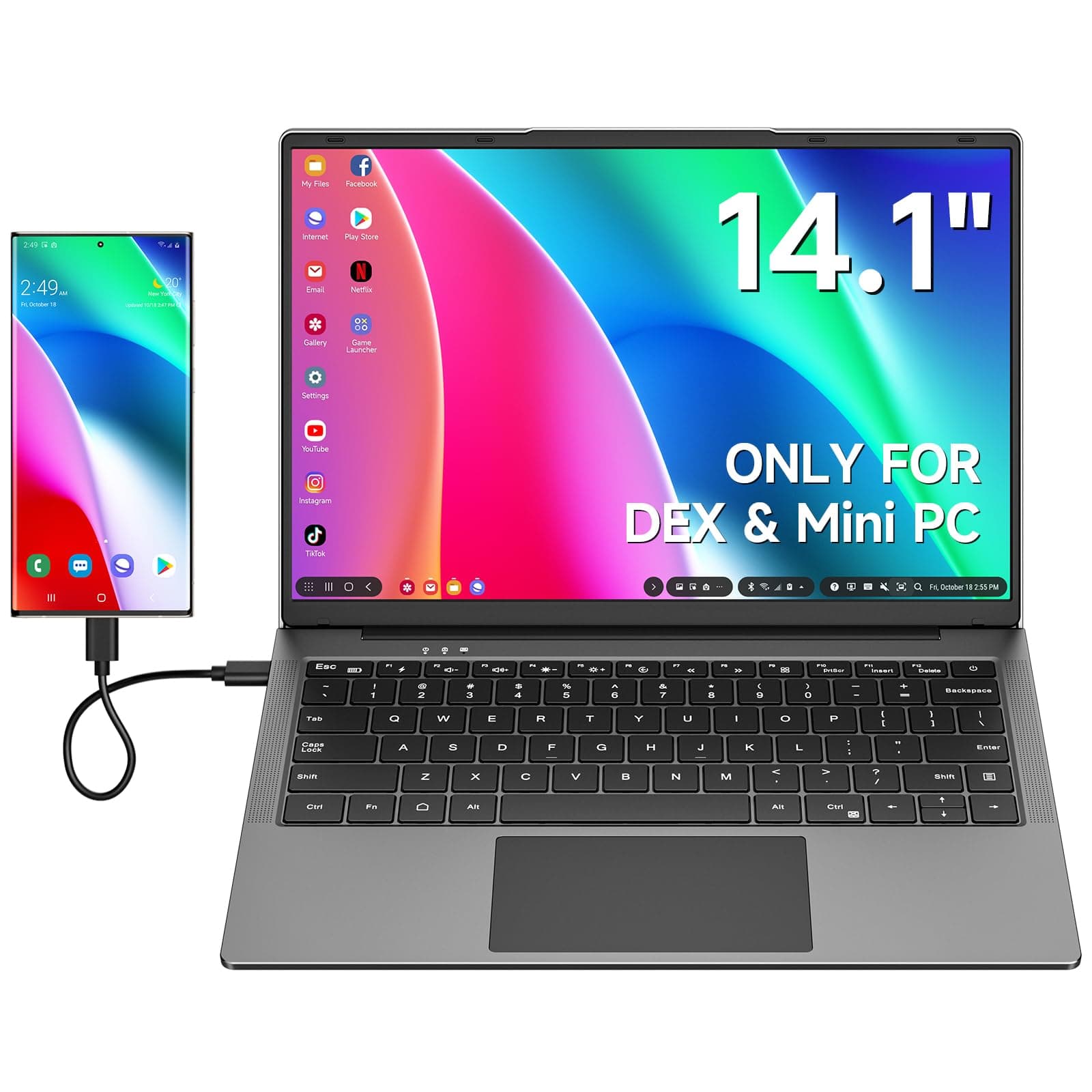

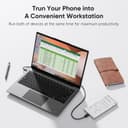
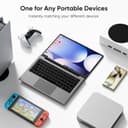


🚀 Elevate your mobile workspace—power, precision, and portability in one sleek lapdock!
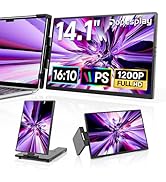
The Dopesplay 14.1" Lapdock is a portable monitor with a built-in US-layout keyboard, designed for Samsung DeX, Mac Mini, Steam Deck, and USB-C laptops. Featuring a 1920x1200 UHD display with HDR, 178° viewing angles, and multi-port connectivity (HDMI, USB-C, USB-A), it offers seamless plug-and-play functionality. Lightweight at 1.23 kg, it includes smart troubleshooting steps to fix common issues quickly, making it an ideal mobile productivity and gaming companion.



| ASIN | B0CSSRVW8G |
| Adaptive Sync | G-Sync Compatible |
| Aspect Ratio | 16:10 |
| Best Sellers Rank | 68,746 in Computers & Accessories ( See Top 100 in Computers & Accessories ) 1,185 in Monitors |
| Brand Name | Dopesplay |
| Colour | Black |
| Colour Gamut Value | 45 |
| Compatible Devices | Samsung mobile phones, Android phones, MINI PC, laptops, PC, Mac, Surface, PS4/5, Xbox, Samsung Dex, Steam Deck |
| Contrast Ratio | 1000:1 |
| Customer Reviews | 3.7 3.7 out of 5 stars (128) |
| Display Technology | LED |
| Display Type | LCD |
| Hardware Connectivity | HDMI, USB |
| Has Color Screen | Yes |
| Image Brightness | 250 candela_per_square_meter |
| Item Dimensions D x W x H | 1.3D x 36.2W x 22.6H centimetres |
| Item Weight | 2.7 Pounds |
| Manufacturer | Dopesplay |
| Maximum Display Resolution | 1920 x 1080 Pixels |
| Model Name | DR1461 |
| Model Number | DR1461 |
| Native Resolution | 1920x1200 |
| Network Connectivity Technology | HDMI, USB |
| Picture Quality Enhancement Technology | HDR |
| Pixel Pitch | 0.22 |
| Processor Count | 1 |
| Product Features | Monitor with Keyboard & Battery |
| Product Warranty | 12 months |
| Refresh Rate | 60 Hz |
| Resolution | UXGA Wide |
| Response Time | 3 Milliseconds |
| Screen Finish Type | Glossy |
| Screen Size | 14.1 Inches |
| Shape | rectangular prism |
| Specific Uses For Product | Business |
| Total HDMI Port | 1 |
| Total USB 3.0 Ports | 1 |
| Total USB Ports | 1 |
| Total Video Out Ports | 1 |
| Unit Count | 1.0 count |
| Viewing Angle | 178 Degrees |
| Voltage | 12 Volts |
| Warranty Type | Limited |
L**E
Suitable for gaming PCs and Raspberry Pis. Very good value for money!
This is one of the best things I've ever bought on Amazon. I wanted to use a powerful desktop gaming PC while lounging on the sofa, this thing is exactly what I wanted. I plug in a pair of long HDMI and USB-C cables into it and it works great. Considering the price, the quality is very good. It has a good screen, and I like the keyboard. There's something about this keyboard that allows me to type faster than usual, I like it a lot. There's USB ports on the device that I can plug things like a mouse or memory stick into so that I don't have to plug them into the PC box itself. The trackpad is alright, but I recommend disabling is with Fn + Right Ctrl and using a mouse instead. I have a laptop tray that I rest the thing on with a mousepad next to it. If you don't disable the trackpad it's easy to accidentally touch it while typing which can lead to mistakes. Of course for gaming you would want to use a proper mouse anyway. Be aware that this is a US keyboard layout not UK, but it doesn't really take long to get used to that. I also like that it has a headphone jack. My gaming PC supports audio over HDMI, so I can plug my headphones into the audio jack to hear my game. Another thing I use it for is controlling my Raspberry Pi. It works very well for this purpose. Just be aware that you will need a HDMI to micro HDMI cable for that. Overall I'd say this thing punches well above its weight when you consider the price. All my dreams have come true!
Y**Z
Good way to turn other devices into laptops
Works great for Steam Deck but lacks USB-PD passthrough, so doesn't charge the host device fast enough. Decent size and very light to carry around, display quality is good too with no issues with visibility.
M**E
Limited battery life
Only lasts 3 hours at a reasonable brightness. Needs a much bigger battery. Display Brightness Level and Controls not great.
J**Y
Working from one device though the lapdock is very useful and portable.
This is a decent lapdock, light but well made. The only thing I would go for if I got another one would be touch screen, on a normal laptop it doesn't bother me but for some stuff, being made for the phone, it would be helpful..but not essential. To have a keyboard and a bigger screen and a few apps open to work from is so much easier than working off the phone but keeping all your info in one place on your phone and using the lapdock is very convenient.
H**H
Nice idea, doesnt work properly
This SHOULD be an amazing piece of tech. In a world where many peoples phones have all the computing power necessary for their regular needs an expanded screen, keyboard, and mouse jack should be great. But it isnt. The arrow keys wont scroll, the touchpad wont copy or past or scroll, and when you connect a mouse that wont work properly either. Massive shame, could have been a major best seller. Refine it quickly because samsung phones arnt keeping DEX forever.
A**W
A great lapdock with only a few shortcomings
Been looking for a lapdock for a long time to fit my needs and finally found this by chance. Overall the build quality is okay, I wouldn't say it's perfect but it doesn't feel cheap. The US keyboard is a little disappointing for UK users but this isn't a dealbreaker. The screen is far better than I expected it to be, whilst It's not going to win prizes for colour accuracy, it offers good uniformity at least. The keyboard does feel spongy and flexes a little more than I'd like but it's definitely useable and doesn't struggle with rollover. Pros: Extremely convenient and portable Good battery life, though could be better Screen is adequate for anything not needing colour accuracy Plug and play with most systems Cons: Non-UK keyboard can be a little annoying Overall a great Lapdock that I would definitely recommend.
C**G
Incredibly effective!
I can't believe how good this is! I often write software programs on my phone and also run them on a laptop or a desktop. The processing speed on the phone is way faster than my other computers and I've been trying for ages to find a way of useing my phone as my main computer. Set up in very little time for my phone. Next to try a raspberry pi connection and a mac mini. I am fed up with computers not being upgraded and constantly slowing down. .....And update. Works so well with the Raspberry Pi 5. Only armchair laptop I now use.
Z**E
Bad usb c
Usb c is bad it disconnect randomly and glitches
U**.
I came across this product when I was looking to get rid of my extra devices and I was nothing short of impressed. I have been using it mostly with my samsung for its dex and the combined functionality of this lapdock and samsung dex has pretty much made my laptop obsolete for me. I am planning on going back to school and thinking of other alternatives to upgrading my old laptop which would be costly, since I recently upgraded my phone already. This turns out to be the best option for me! I could use google docs, collaboraoffice or even microsoft office apps without losing much functionality compared to a windows laptop. Pretty much all other android apps work well (probably more will be supported in the future). If you are thinking of buying one, I will list the pros and cons to this device with some tips to address them, Pros: Very affordable price compared to a laptop. Good battery life (around 6hrs with typical use) Decent display quality Performance upgrade every time you upgrade your phone!! -you already carry a very capable device in your pocket, why not make more use of it? Keep all your data organized in one device. Great for travel- no need to worry about losing your data if lapdock gets stolen/lost. Doubles as a battery pack- charges your phone while docked. Can simultaneously be plugged to power source and your phone. No need for extra pheripherals (keyboard, trackpad, sound built-in) Looks and feel like a regular ultrabook. 3.5 mm audio port- I keep a regular wired earbuds in the lapdock case to use in a pinch if my wireless ones die, eg- while flying. Your phone is fully functional as a seperate device (for calls, apps, camera etc) while plugged in. Cons: Touch pad sensitivity somewhat inconsistent, (esp with gestures) have to get used to it at first but you can always use your phone as touchpad or plug in a wireless mouse. Barrel plug for power supply, having to carry an additional bulky adapter (I was able to use a usb C PD to barrel plug adaper from amazon that works great, so now i only need to carry my USB PD adpter for all my devices)- Can be plugged in to a PD capable battery pack with the said adapter to expand the battery on-the-go. Limited IO- only one usb C port - for display only, none for data transfer (I havent found a USB c dock that works for this yet) Laptop sound quality not that great but tolerable. No webcam- you have to prop up the phone to use front camera for video calls. No dedicated battery indicator for lapdock - the fn key only works when plugged into phone. Web browser not fully optimized yet and sometimes have minor glitches (my fault for using Edge browser) Defaults to opening apps that are not fully optimized yet instead of web pages (amazon, banking apps etc)- this is a Dex problem. However, I find this a solid buy despite of these drawbacks (hopefully most will be fixed with software in the future) Hope this helps with your decision.
J**R
It does what it says. Image is great.sound is good .it will charge your phone too. Great for the ready for wired. Seems like no lag doing work or playing games. Only draw back is it's not touch screen. That was a lot more. Typing is ok not a bad key board mouse has a good response. The only complaint I have is the power brick is cheap. But it has different plugs for different country's. It is very portable ,light weight. Will make it Easter to use your phone to work. I am very happy I bought this lapdock.
C**A
Overall: worth to buy for my use scene (as a KVM console) The display: not very good but not bad, but quite acceptable. The keyboard: it seems they come all with US keyboard, even in Japan. It is fantastic for me (considering the fact that it is not easy to buy a US keyboard in Japan) , but might not a good news for those who want a localised keyboard, such as JIS. The trackpad: a little disappointing, but usable. it does not mean too much to me, since I usually works on text mode Linux. And it also comes with a USB hub, not very fast but convenient as a KVM console. Though not mentioned, the USB alt mode also works with iPad Pro (M2). It would be better if it comes with aluminium body. If you also have a Raspberry Pi, a home server, or other headless computer, this is probably the best KVM console for home or home office use you can find at the time.
A**R
This is a great way to use Samsung DeX when on the go. The screen: It's a sharp display with acceptable color reproduction. Being a 1920x1200 resolution though, a setting tweak is needed to enable the option to support the native resolution. Galaxy Store > Good Lock > MultiStar > Enable "high resolutions for external displays". Screen brightness doesn't have quite as wide of an adjustment range as I'd like. The keyboard/touchpad: The keyboard is as usable any keyboard on budget laptops. The function keys allow changing various functions of the screen and charging capabilities. The touchpad is a bit more disappointing. Pinch to zoom is not as responsive as using the phone's touchpad mode instead. Two finger scrolling jumps quite a bit and is seemingly locked to upwards swipe scrolls down, Galaxy DeX's settings has no affect on this. Thankfully there's a hotkey to disable the touchpad and prevent accidental presses while typing. I prefer using a wireless mouse with this. It's a plastic build and feels like a budget laptop with a similar weight. The built-in speakers are somewhat rough. It's nice that they exist as they are slightly better than the phone's built in audio but they are somewhat muffled. Usable, but headphones or Bluetooth speakers are a better option. The USB-C cable it ships with is about two feet in length. It is very stiff and has a right angle plug on one end. Charging speeds to the phone seems pretty slow, but it can also trickle charge the phone while off and connected to AC power. Overall, not a bad addition to mobile computing. I use it daily while traveling for work, writing reports and watching downloaded YouTube videos on the plane.
G**B
I have used it for all of 10 minutes. Initial impressions are very good. The display is bright and crisp. The keyboard and trackpad work perfectly fine. HDMI in and USB-C work with every target I have tested. I will update this review when I have completed battery life tests. Power saving is a bit too aggressive. I wish that was configurable. I wish it charged over USB C instead of a barrel jack. Yet another charger I need to keep around.