We remain fully operational. Our teams are working around the clock to ensure your deliveries continue safely.

下载应用程序








🚀 Elevate your home network to pro-level speed and security—because buffering is so last decade.
The Amazon eero 6+ Mesh WiFi System is a 3-pack router set delivering up to 4,500 sq ft of Wi-Fi 6 coverage, supporting over 75 devices simultaneously. Featuring TrueMesh technology for seamless connectivity, it includes a built-in smart home hub compatible with Zigbee and Thread devices. With gigabit speeds (AX3000) and advanced security via eero Plus subscription, it’s designed for modern homes demanding fast, reliable, and secure internet.
| Wifi coverage | Covers up to 4,500 sq ft |
| Type | Router (connects to modem as primary router) |
| Supported speeds | Supports ISP plans up to a gigabit |
| Wi-Fi connectivity | Wi-Fi 6 dual-band concurrent 2:2 (802.11ax); compatible with older wifi standards |
| Wired connectivity | Two auto-sensing gigabit Ethernet ports |
| Speed Rating | AX3000 |
| Smart home connectivity | Works with Alexa, Amazon Frustration Free Setup, 802.15.4 radio (Zigbee, Thread), Bluetooth Low Energy 5.0. |
| Electrical Rating | 100-240V AC, 50-60 Hz |
| Processor, memory, and storage | 1 GHz dual-core processor, 512MB RAM, 4GB flash storage |
| Network security and services | Profiles, WPA3 (eero Labs feature), WPA2, TLS v1.2+, VPN passthrough, IPv6, NAT, UPnP, port forwarding, DHCP, static IP, and cloud connectivity. |
| Required for setup | Supported iOS or Android device and internet service (with cable or DSL modem, if required). See requirements. |
| Temperature Rating | Operating: 0˚C-40˚C Storage: -25˚C-60˚C Operating humidity: 0%-90%, non-condensing Operating altitude: <3000m |
| Dimensions | 3.9 in x 3.8 in x 2.6 in (99.4 mm x 97 mm x 65.8 mm) Actual size and weight may vary by manufacturing process. |
| Warranty and Support | 1-year limited warranty. Free customer support is available 7 days a week. Learn more about warranty and support. |
| Software Security Updates | Learn more about these software security updates. |
| Subscription | By purchasing this bundle, you agree to Amazon’s Conditions of Use and Privacy Notice. You also agree to eero’s standard and subscription terms. See eero’s Privacy Notice for additional information. Your subscription will automatically renew and continue until you choose to cancel it in Your Memberships & Subscriptions section. You authorize us to charge your default payment method or another payment method on file at the then-applicable subscription price and any taxes upon renewal. Cancel anytime. See the Offer Terms and Conditions for important information about when you will be charged for the subscription, refund policy, and other important information. eero Internet Backup performance will vary, and you are responsible for data charges with backup connection providers. Learn more about eero Internet Backup requirements, performance, and compatibility here. |
| Legal Disclaimer | Some features require linking your Amazon account, and downloading the Alexa application or using a compatible Alexa device. Internet connection speeds and availability depend on your internet service provider; if your internet service provider does not provide you with the maximum supported speed, you will not experience that maximum speed. Maximum network speeds, if applicable, reflect combined supported speeds across wired and wireless clients. Maximum wireless signal rates are derived from IEEE 802.11 standard. Specifications assume wired Ethernet connection; your experienced speed may vary when connected to an eero device that is configured as a wireless extender. Coverage estimates are based on normal use conditions. Actual range and performance can vary, and maximum supported speeds may not be available to all customers, due to factors such as local regulations (including power limits), network configuration, interference, connected devices, device usage, building materials, and obstructions. Specifications are based on use of a Wi-Fi 6 or later generation client device that supports 160 MHz. For more information about eero performance, visit support.eero.com. Combining eero 6+ devices with older generation eero devices on the same network may result in reduced performance across the network. ‡Insurance details: Insurance Benefits under the policy are issued and covered by Lloyd’s, under a master group policy issued in the name of Cyberscout Limited, Sontiq Inc. and all subsidiaries for the benefit of members. For policy terms, explanation of benefits and exclusions view the “Summary of Benefits.” for $1Million USD Plans or $2Million USD Plans. “Family” plan insurance will cover the primary account holder and his or her household residents. |
A**X
Excellent wifi coverage and setup was a dream!
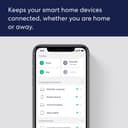
I needed this eero mesh network more than I knew. I had a "end of life" extender that was barely working, and fiber optic modem router way too far from everything else, so wifi was spotty at best. I heard many people rave about about how amazing these are, and after some research I decided to grab them. Best decision I made in a long time. Now first off the packaging for this product was exceptional. I'm saddened that I didnt take photos of just how organized and how thought out this really was. Everything included to get started, and a quick setup card inside. After downloading the app for my android phone is when the magic and simplicity of this process begins. This app explains exactly what to do, and you just do it, and in a matter of minutes your first eero device is setup. Then you goto another area to place the next one and the app figures out if it's within range and if it isn't it let's you know to move it. Then on to the last one in my setup of 3 and viola! We have a consistent wifi mesh network all setup. Easily manageable from the eero app on my phone. It really doesn't get any easier than this. This eero I got has wifi 6+ (802.11ax) which works great for my devices, the speed is significantly noticeable.WPA3 and WPA2 for security, just perfect. The 3 pack covers up to 4,500 square feet, if you need more you can always add another eero unit to your house to extend the coverage. Again easily done right thru the eero app. The only thing that you may need to do is make sure you adjust your modem/router if you need too from your internet service provider so that it won't conflict with your eero mesh network. I have fiber optic so I had to adjust for wifi pass through and disable its wifi broadcast, and a few other settings to make eero the primary network for wifi broadcast, it really wasn't that bad. This is by far the best and easiest wifi system I have ever bought and setup. Highly recommended for ease of use, spectacular capabilities, speedy wifi, amazing wifi coverage, with no dead zones.
M**3
Perfect for the non-technical user, Also great for remote workers
I hate upgrading my internet/network devices. There's always the worry about messing something up & since your network is down, it's hard to find answers, unless you google from your phone. I've been running an Apple Airport wifi system for a long time & it worked great. Since it worked well & was easy to set up, I was in no hurry to upgrade. A few weeks ago, the airport died on a Wednesday night. I work from home & had a big project due Friday, so I tried in vain for several hours to fix it, to no avail. I did a search for mesh routers, and found the this one got good reviews & was available for overnight delivery. I bought it at 10:30 PM, watched the setup video, installed the app on my phone & went to bed. When I woke up at 6, the package was here & it was up & running by 6:15 AM. I have no idea if this is a great router or not, but I do know that it's super simple to set up, literally just plug it in, open the app & follow the instructions. I know that it works as well as my Airport did & I get the max speeds both up & down from my modem. I had 3 airports to get coverage throughout my house, but bought a 2 pack of euros, as the 3 pack wasn't available for overnight delivery. I've noticed that the 2 pack gives as good of coverage as 3 Airports, so I'm not in a hurry to add a 3rd node. All in all, if you value simplicity, this is the router for you. Could not have been simpler to set up. Edited to add: I've been having occasional issues with Microsoft Teams giving me a popup saying it was having low bandwidth issues (or something like that). This is since I started my current job, and extends back to when I had the Apple Airports for wireless. I didn't think it was a 'me' thing, since others on my team have the exact same issue. I was doing some reading on it & one possible cause is when you are downloading a large file, that process can take up all of your bandwidth momentarily & that will cause issues. One solution is to enable SQM on your routers (if that setting is available). Lo & behold, that option is included on the eeros. I hadn't set this up initially because I didn't know what it was & the notice on the setting says that it may slow down certain processes, which sounded like a bad thing. In reality, it works great. It has completely solved my bandwidth issues in teams, and I can't even tell that anything is slowed down. I'm not a really technical person, so I may be missing some piece of this, but essentially it monitors your bandwidth & if it senses that one process (could be gaming, downloading a movie to your Apple TV, downloading a large work file, whatever) is taking up too much of the bandwidth, it limits that specific process to ensure that there is enough bandwidth for all of the other processes that are running, so it's not just 'first come, first served' on your bandwidth. I HIGHLY recommend this setting for anyone who works remote.