
下载应用程序




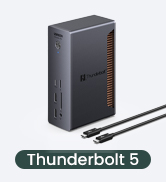
🚀 Elevate your workspace with the ultimate Thunderbolt 5 powerhouse!
The UGREEN Thunderbolt 5 Dock is a premium 13-in-1 hub delivering ultra-fast 120Gbps data transfer, support for dual 6K or single 8K displays, and up to 140W dynamic charging. Featuring 2.5GbE networking, multiple USB ports, and advanced cooling, it transforms MacBooks and Windows laptops into fully equipped desktop workstations with sleek, space-saving design.















| ASIN | B0DCNZNCFH |
| Best Sellers Rank | #26,518 in Electronics ( See Top 100 in Electronics ) #437 in Laptop Docking Stations |
| Customer Reviews | 3.9 3.9 out of 5 stars (75) |
| Date First Available | February 13, 2025 |
| Item Weight | 4.4 pounds |
| Item model number | U715 |
| Manufacturer | Ugreen Group Limited |
| Product Dimensions | 3.77 x 2.36 x 5.88 inches |
G**J
Super dock for a MacBook and no doubt any other modern device. Highly recommended.
This dock is great. I have it connected to my M4 Pro MacBook Pro and it's fantastic. Great selection of ports. So nice to have all the ports I need instead of just the USB/Thunderbolt ports on the MacBook. Provides all the power needed to charge my MacBook. Also provides a connection to my monitor and external drive. I put my MacBook on the desk and only have to plug in one Thunderbolt cable to turn it into a desktop machine. Wonderful. It's pricey, but you can't beat the performance and convenience. It's really cleaned up my desk. I can't really speak to the I/O speed. I haven't run any actual tests but so far, moving large files to and from multiple connected SSDs around seems ridiculously fast. I looked at every dock I could before I decided on this one and I'm really pleased I chose it. It's working out perfectly.
S**.
Works great with all peripherals
Works great allows me to use multiple peripherals with this one docking station
A**R
Compatibility Issue
Nice Dock with plenty of power and ports. I typically am really satisfied with Ugreen products and would have given 5 stars. However, this Dock will not work with YoutubeTv and Max using MacOS. It has an issue with HDCP (High-bandwidth Digital Content Protection) when trying to stream on an external monitor through the USB-C connection. Wish they would put a Display port on this.
A**E
Expensive Garbage, Buy Anything Else
This hub is expensive worthless crap. The hub disconnects my hard drives without ejecting them first when my Mac is sleeping. When I come back to my Mac I often see several "Disk Not Ejected Properly" error messages. Sometimes it is only one drive, others it is all the drives. I got Amazon support to send me another hub to replace this one. The replacement hub does exactly the same thing. This hub is complete useless garbage. Don't waste your time and money. This hub will corrupt and destroy the data in your hard drives. I contacted the manufacturer. Their support consisted of telling me to plug or unplug different devices to the hub to see if the problem would go away, it didn't. Since they are in China, this process took a day to get a response for each test/question. The entire process was very slow and painful, and ultimately pointless because the hubs are fundamentally flawed. Even the replacement that Amazon sent me had the exact same issues. All that the company could tell me was to send the hub back to amazon because they couldn't replace or refund it. Other cheaper hubs don't cause this problem. It isn't a problem with my cables, my uninterruptible power supply, or my Mac. Connecting the drives to a different, cheaper Thunderbolt 4 hub solves the problem. This hub either has significant quality problems or it is badly designed. Avoid it at all costs. Crushing your testicles between two cinder blocks would be much more useful and far less painful than using this poor excuse for a Thunderbolt 5 hub.
D**R
Haven’t Had Any Issues
I was using a smaller OWC TB4 hub which worked pretty reliably, but I was interested in upgrading to one with more ports and features. So I didnt really have a need but thought it would be a useful upgrade. I’ve been using it for about 5 months and haven’t had any issues. I’ve got one monitor continued to it running at 4k120hz, and a few other devices. Not much else to say beyond that. Just seems to work
H**R
Really wanted to like this dock, BUT ethernet...
I really wanted to like this Thunderbolt 5 dock from UGREEN. It seems well constructed with a good build quality. It is competitively priced and offers good number of ports. It worked well and looks good, but it has one significant flaw - the advertised 2.5GBe ethernet port did NOT deliver the advertised download speeds. The download speeds were inconsistent - averaging just over 1 GBps. I have nominal 2GB fiber internet to my router, but typically record 2.3GBps download speeds at the fiber home gateway, as well as at my computer. With a 5 GBe USB-C to Ethernet adapter plugged into one of the Thunderbolt 5 ports on the UGREEN dock, I consistently recorded 2.3GBps download speeds. But with the same ethernet cable then connected into the UGREEN dock ethernet port, I would consistently record speeds less than half that of the 5 GBe adapter. I returned the dock for a replacement and unfortunately the replacement dock had the same ethernet download results. The UGREEN website mentions that the ethernet port does share bandwidth with the other dock ports. But even with only a laptop and ethernet cable connected to the dock, the ethernet speeds were still about half that was advertised. If ethernet connectivity is not your primary purpose for the dock, it would likely serve your purposes well. But at this price point I really wish UGREEN could have delivered as advertised.
D**Y
Great thunderbolt 5 dock
I was patiently waiting for the caldigit ts5 plus but it got delayed. So I decided to go with this. And I don’t regret it. It was about $200 less and worked just as great. My only gripe is that I wish that it had some video out like hdmi or DisplayPort as a way to not have users use the thunderbolt ports as display ports. But it serves my purposes very well. I have a MacBook Pro with the M1 Pro chip with a dual monitor set up for those Mac users wondering if it would work for them.
J**O
Best thunderbolt 5 docking station
Amazing product. Work flawless and makes things with my Mac Book Pro very convenient. Build quality is amazing!
A**ー
Thunderbolt5対応で、近々PC更新予定のある方が将来性見越して買っても良い商品。 セール時の購入がオススメであるが、Thunderboltの口を3口に増やせる物の中では比較的安価。(2口増やせるものはあるが3口はまだ少なめ) 注意点としては映像出力が無いので、モニタ繋ぎたい方には不適。ThunderboltとUSB-C、USB-Aを増やしたい方向け。
紅**梅
iPad pro(M5)で 外部モニターに画面出力しつつ充電もできて、音声はDACを介してスピーカに出力したい。加えて机上でiphoneの充電や、ipadのデータをSDや外部SSDに移したい。机上に据え置けるものがいい。折角買うなら、高くてもこの先長く使える最新規格のものが欲しい。 これらの要望を満足するものを探していて見つけたのがこの商品。 そもそもこのタイプのドックはmacやwinノートPC用で、ipadで画面出力できるかは怪しかったが、この商品はipadに対応との表記があったため購入。 他にもANKERのAnker Prime ドッキングステーションがありましたが、こちらはipadに対応との表記がなかったため、除外した。 前面の差組口がアップストリームと思い込んで、Thunderbolt 5ケーブルを使用し接続してしまい、画面出力ができなかった。あまつさえ、別途Anker Nano USB-C & HDMI ケーブル(タイプC-HDMIの変換ケーブル)を購入し、試したが当然ダメだった。 説明書を読みなおし、やっと間違えに気づき、差し直したところ、問題なく表示された。 背面のtype-cダウンストリームと、type-Aの差込口はどちらも音声出力ポートとして使用できます。 そのままスピーカーに接続してもいいし、DACに接続してもいいです。 私のような使い方は稀でしょうが、差し間違えには気を付けてください。 ipadのデータを移せるか否かは、試していないのでわかりません。
S**3
Thunderbolt出力にハブをいっぱい繋げて使えています。 最初、背面USB出力にハブを接続したところ、認識しないで焦りました。(ライバル製品も同じらしい) しかし、Thunderbolt出力であればOKみたいです。 図中で使用してる製品は以下の通りです。 ① https://amzn.asia/d/8K7flRy ② https://amzn.asia/d/7HevYT6 ③ https://amzn.asia/d/bwVK8GI クラムシェルで置いた時の見栄えが良さそうなので購入しました。 接続しているSSDの切断も一切無く安定していますし、何より見た目がいいです。 因みに土台は自作なので売ってないです…
小**宮
通信速度、充電速度共に速いので気に入っていましたが、 購入して丁度3ヶ月で電源が入らなくなりました。 PCに給電されなくなったので確認したら、 ボタンを押してもコンセントを抜き差ししても電源入らず。 他に電源を入力する手段がないので、 本体が壊れたのかアダプターが壊れたのかは判断不能です。 メーカー保証は2年なので保証してもらうとは思いますが、 10年以上使うだろうと思って購入した高価な機器なので、 耐久性の無さが非常に残念です
S**T
Let‘s note FV1に繋いで利用を考えていましたが、残念ながら画面出力できませんでした。試しにVAIOやdynabookで試したところ問題なく出力出来ました。何故かLet‘s note FV1だけケーブル変えても何しても出力されません。USBポートが対応していない可能性ありそうでした。他は特に不満なく、ACアダプターも別置きですがサイズも本体より小さく許容範囲でした。他は全然気に入っていたので残念ですが、返品しようと思います。