
下载应用程序


客户支持

Desert Online General Trading LLC
Warehouse # 7, 4th Street, Umm Ramool, Dubai, 30183, Dubai
下载应用程序
客户支持
Desert Online General Trading LLC
Warehouse # 7, 4th Street, Umm Ramool, Dubai, 30183, Dubai


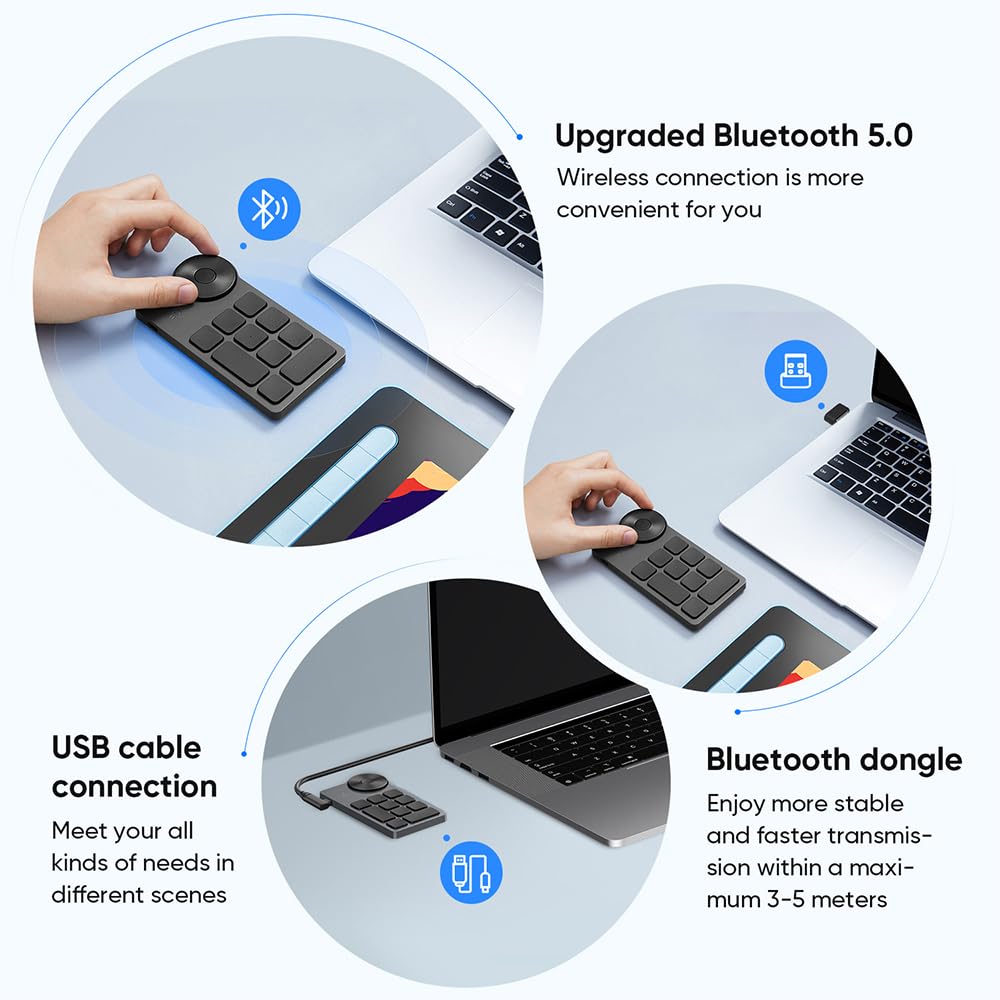


🎨 Elevate your creative flow with XP-PEN’s sleek shortcut powerhouse!
The XP-PEN Mini Keydial ACK05 is a wireless, Bluetooth 5.0-enabled shortcut keyboard designed for digital artists and professionals. Featuring a compact 75g design, a 1000mAh battery delivering up to 300 hours of use, and 10 programmable keys with up to 40 customizable shortcuts across 4 profiles, it offers versatile control for Windows, Mac, and Linux. Its precision dial with 1/24 click increments and anti-ghosting keys enhance workflow efficiency in image and video editing software, making it an award-winning tool for creative productivity.


| ASIN | B0BVW3S1QR |
| Are Batteries Included | Yes |
| Batteries | 1 A batteries required. (included) |
| Brand | XP-Pen |
| Colour | Black |
| Customer Reviews | 4.3 4.3 out of 5 stars (502) |
| Date First Available | 6 Feb. 2024 |
| Guaranteed software updates until | unknown |
| Item Weight | 75 g |
| Item model number | ACK05 |
| Lithium Battery Energy Content | 0.45 Watt Hours |
| Lithium Battery Packaging | Batteries contained in equipment |
| Lithium Battery Weight | 0.2 Grams |
| Manufacturer | XP-PEN |
| Number Of Lithium Ion Cells | 1 |
| Number of Batteries | 1 |
| Operating System | Windows |
| Product Dimensions | 10 x 8 x 2 cm; 75 g |
| Series | Keydial ACK05 |
| Standing screen display size | 7 Inches |
Z**E
Funciona perfectamente con mi XP-Pen. La tengo agregada para que gire el dibujo. Ya que mi XP-Pen los 2 giradores los tengo configurados para el Zoom y Tamaño del Pincel. Es perfecto y facil de agregar los comandos. Recomiendo hacerle una especie de Soporte. Para que esté cerca a la mano.
H**R
It's a lengthy review, because it's THAT good. If you don't want to read, buy it - you will not regret it. I have a unopened Speed Editor from Black Magic but it's quite large and I'm looking to sell it, as most of what I do in DaVinci is in the colour page (where the Speed Editor has actually zero functionality in). Ease of Use - 10/10 [just read your damn instructions people!] *WINDOWS USERS* - Make sure your program is NOT set to 'Run as Administrator' - this prevents the software (which make sure you download/follow the instructions) from recognizing it and therefore it can't give the device control, in that software. I disabled Run as Administrator, worked like a charm [this is my fault]. Windows 11 is what I use. *MAC/WINDOWS USERS* - You MUST plug in the device, to enable programming. You can't program via Bluetooth. It does come with a USB A > C cable (device using C, computer using A) to do this. A huge plus is the device does come with a Bluetooth dongle, which works perfectly. It's incredibly responsive. For some reason I was under the impression it didn't, so seeing a dongle was a nice surprise. Quality - 10/10 The device - It feels so nice. The images make it look like it's metal, it's not but it's almost like a brushed metallic plastic finish. Feels nice. The wheel clicks every 1/24th. If you get annoyed by clicks, it's not for you. Personally the click sounds so pleasing, the wheel glides so nicely and feels great. It does come pre-programmed but obviously you'll be overwriting that. The buttons - They remind me of a laptop but they're low profile, feel quite tactile and make a gentle noise when pressed. The USB cable - It comes with feels high quality one, has a 90 degree bend built in for the device and a nice cable tie. It comes with pre-printed labels (attached image). The device does include a Bluetooth dongle that is itty bitty, and so good! Functionality - 9.99999/10 Software - Absolutely *genius*. I looked at other small keyboards I could program, but I really wanted to have a scroll wheel of sorts. I'm glad I waited to purchase and happened upon this beauty. The software is so intuitive, you can either have a governing setting or you can set settings on a per-program basis (which is what I've done, so I have other presets inside Photoshop). You can also in the software ROTATE the device/interface by 90 degree increments, so I have it vertical instead of horizontal with either the wheel at the bottom or the top - are you kidding! You can export/import your presets it looks like [haven't tested], and of course save preset settings to the device (must be cabled to do this). You can also assign labels to them so if you use a button to display your legend (pictured), it shows it. It's so pleasing to look at as well. As you change presets, change wheel presets or push the function button, or even the button itself to do it's task - it displays the label at the bottom of the screen, love this (also pictured) (The reason it's 9.9/10 is that the software executes groups of commands mighty fast, and if you have a pop up that requires pushing enter, it enters the command SO fast it hits enter before that pop up is visible, so it doesn't register. You cannot insert a 'delay' between commands unfortunately, already spoke to customer service on this but I'd love to see this feature in the future) Dial - I was under the impression from the images, that the dial had multiple functions. It does not. It had four programmable functions that you rotate through via the dot in the center. You DO however get a program function for forward, and also for backwards on the wheel. For example, rotate to the right, zoom in, rotate to the left, zoom out. Push the button in the middle and you're into a new set of forward/backward settings. So technically in the wheel, you have 8 functions. (It's great. See the images attached to see 'how programmable' it is) Buttons - There are 10 buttons. If you wish to access the other three programmable pages, you have to assign one of these 10 buttons to swap into the next preset. So imo, there are '36' programmable buttons, not 40. Do I care? No. It actually helps me stay organized, one preset for Edit page, one preset for Colour page, one preset for colour coordinating clips. (See the images attached to see 'how programmable' it is) Battery Life - I haven't had it long enough to test it, but it claims to be great. Customer Service - Stellar. They have an online chat you can access (I spoke to Ann) between from 9am-4:30pm (PDT) and 6pm-3am (PDT) which is amazing. The help I received was quick, informative, super helpful and responded very quickly. Absolutely fantastic customer service.
A**R
I needed a little shortcut keyboard capable of working across both PC or Mac platforms. This fits the bill delightfully. Being a compact size, the ACK05 has a minimal footprint on your desk. If your PC is running Win 7 or later or your Mac is using OS 10.10 or later, this is a great little device to have. I oftentimes have to jump back and forth between either a PC or Mac environment in my work, so having a little keypad where one simple button press eliminates the need for me to remember which keyboard shortcuts are required for tasks across either OS is wonderful. I use this little guy all the time. Functionally, it's a pretty decent bag. Buttons all feel nice with a proper click to them that the scissor switches provide. The wheel is great for assigning with programs to access things like rotation or zoom options, though I really wish it didn't have indexer-clicks when turning it. I prefer wheels with a silent no-cllck control feel to them...but at this price I'm not going to hum about it. It works, so I'm happy. Battery life is excellent. Work with this peripheral for hours and hours and hours and it runs and runs. I basically just have to remember to plug the USB-C type cord into it at the end of the work week and It's good to go for Monday. Yes, there are flashier and more expensive shortcut keyboard devices out there but I really appreciate this one for its simplicity. I've used the $100 Xencelabs Quick Keys remote keypad before, I found it an extravagant exercise that was more flash than function. Small, slippery low-profile buttons positioned along the outer edges of the unit to make way for an OLED screen with really hard to read tiny text, and some RGB gimmickery thrown in. Battery life on that device wasn't great as I recall. The ACK05 on the other hand has easy-to-press raised buttons across its entire diminutive surface, and if you can use a sharpie and have some Avery labels on hand (I use the removable style tiny ones) you can customize your keypad to some degree. I suppose you could even use cut-to-size sticky colored post-it note paper to add color to the buttons. The ACK05 requires one of the buttons on the 10-button layout be assigned as the "key group switching" button... it allows you to set up and customize 4 possible groups of (9) keys for a possible combination of 36 potentially different shortcuts / actions. That is way more shortcuts than I need, but it's nice to know they're there if you need them. Additionally you can assign a button as "set preview" in one (or all) of the groups. This will display the currently selected groups of keys and their programmed functions on the monitor when you press it. I have that option on both groups of the two key groups I use, so I have 8 keys remaining on each group I can assign functions to. I kind of wish the center-button in the rotating wheel could be assigned something else besides "choose a wheel option: zoom, scroll, brush size or rotate"...AND that they might have included some indicator of which you were in (that would have been an appropriate use of small LEDs I'd argue) if you have the screen-dialogue subtitles shut off because they get real annoying real quick... but it's not a deal-breaker. The XP-Pen software that shipped with the ACK05 I went ahead and updated and it does a good job of making all the options for customization accessible. It was pretty easy to understand and I appreciate that you can orient the layout / buttons manager as displayed on the monitor same as how the ACK05 will physically rest on your desktop. I do not possess the technical expertise to comment on how the ACK05 might be better or worse than other keypads when it comes to the robustness or flexibility of the software and coding, but I will say its been working really well for me between my PC and Apple systems and I have thus far had no problems with it. If I had any quirks to address, it might be that I wish the buttons were a slightly lighter color than the black body of the ACK05 so they'd be easier to see...but as mentioned, that is easily and quickly remedied with application of stickers. XP-Pen does include some in the packaging, but I found it more fun to make my own. In conclusion I think the XP-Pen ACK05 is a very good deal for a handy little keypad that does work well and doesn't cost a lot of money. I've been happy with mine, it's proven to be a little workhorse that lets me get things done more easily.
K**R
Je l'utilise pour du montage vidéo et il fait très bien le travail. Il y a plusieurs options possibles. La plate-forme pour le configurer est très simple d'utilisation. Il est compacte et pratique. La batterie dure vraiment longtemps. Ça fait plusieurs semaines que je l'utilise à presque tous les jours et je n'ai pas eu besoin de le recharger encore. Il est vraiment abordable comparé à d'autre compagnie. Très satisfaite.
J**C
This thing is pretty good for the price. It's built well and feels like a quality product. It's not heavy but feels solid. The cable stayed plugged in without issue. The keys feel good to press and never had an issues with them. The software that comes with it is really great too. There are plenty of macro pads for sale on Amazon that are cheaper or have more dials and better layouts but none of them come with real software for programming then so you are stuck with what you get. This thing comes with excellent software that lets you program every key and even program the knob (between zooming or scrolling). You can set 4 different options and then switch between them which makes it like having 4x as many keys. It also has an excellent feature that lets you program the keys for specific programs, so a key can serve as a shortcut to launch your calculator when you're in word but then serve as a shortcut key for the selection tool when you're on Photoshop. Works wired or through Bluetooth. Works flawlessly on windows 11 and on the two Linux machines I used it with. It does need to be reprogrammed when switching from a Windows to Linux machine but they have the programming software for Linux on their website and it works just as good as on windows. The only thing that doesn't work on Ubuntu or Debian is the Bluetooth so it has to be used wired, which is fine. I wish they provided a way to differentiate the keys since they aren't marked. I am going to just print some labels to stick on them myself. Great product that is better than more expensive macro pads I've tried. This is the best one I've found on Amazon.
TrustPilot
1天前
1 周前