We remain fully operational. Our teams are working around the clock to ensure your deliveries continue safely.

下载应用程序



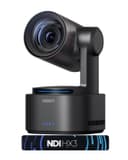
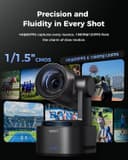
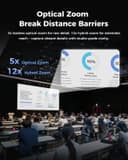


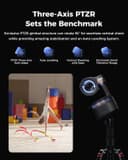
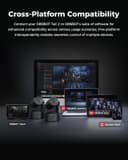


🎬 Elevate your live production game with AI-powered 4K precision — don’t just stream, captivate!
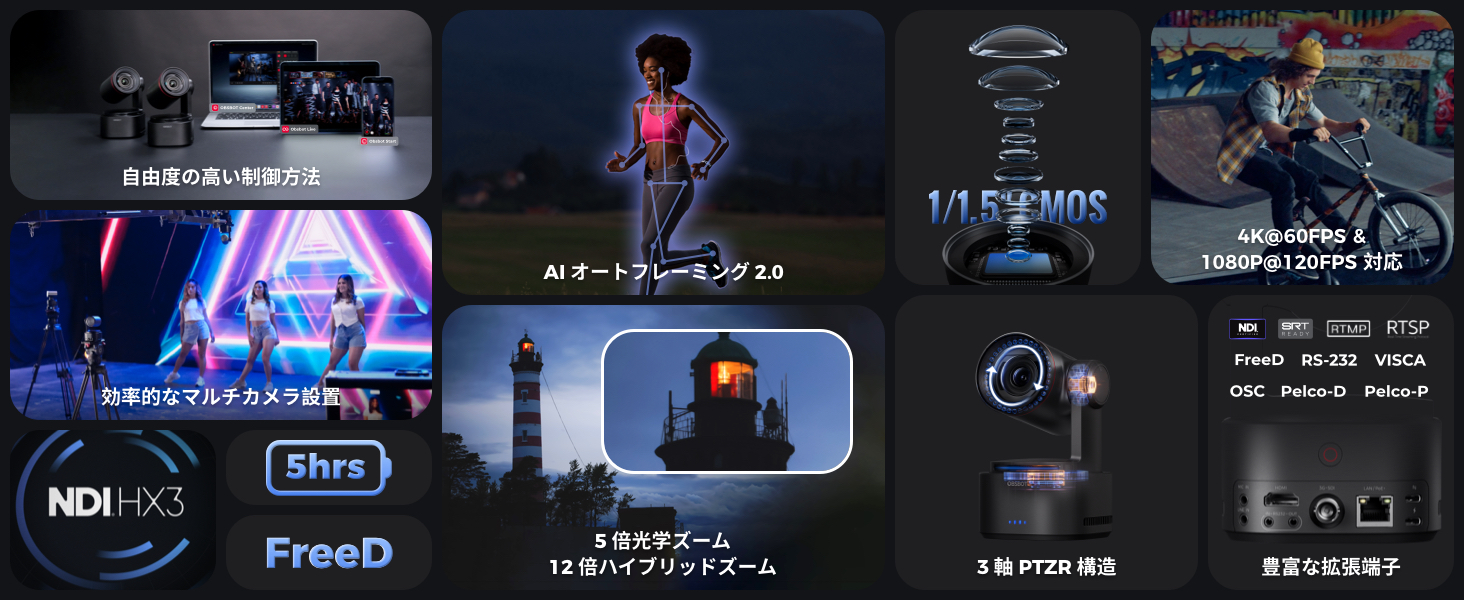
The OBSBOT Tail 2 PTZR Camera is a cutting-edge 4K@60fps video camera featuring a 12X hybrid zoom, advanced AI Tracking 2.0 for real-time subject detection and auto composition, and a 3-axis gimbal with a unique 90° rotating R axis for effortless portrait and landscape shooting. Equipped with dual native ISO and AI-ISP technology, it delivers noise-free footage even in low light. Its flexible connectivity options (HDMI, SDI, USB-C, Ethernet with PoE+) and support for multiple streaming protocols make it ideal for professional live streaming, multi-camera setups, and virtual production environments. Compact, lightweight, and powered by a built-in 5000mAh battery, it offers unmatched portability and ease of installation for the modern content creator.




| ASIN | B0GFWFTH53 |
| Amazon Bestseller | #153,318 in Computers ( See Top 100 in Computers ) #693 in Webcams |
| Are Batteries Included | Yes |
| Brand | OBSBOT |
| Built-In Media | User Manual |
| Country of Origin | China |
| Customer Reviews | 4.4 4.4 out of 5 stars (89) |
| Digital Zoom | 12 x |
| Effective Still Resolution | 50 MP |
| Features | AI Tracking 2.0 |
| Has Image Stabilization | Yes |
| Item Weight | 1 Kilograms |
| Manufacturer | OBSBOT |
| Maximum Aperture | 3 f |
| Maximum Focal Length | 110 Millimeters |
| Minimum Aperture | 1.8 f |
| Minimum Focal Length | 22 Millimeters |
| Model Name | Tail 2-NDI |
| Model Number | Tail 2-NDI |
| Number of Batteries | A batteries required. (included) |
| Optical Zoom | 5 x |
| Sensor Type | CMOS |
| UPC | 671891686521 |
| Video Capture Format | MP4 |
| Video Resolution | 4K |
| Warranty Description | 1 Year Manufacturer's Warranty |
| Wireless Compability | 2.4 GHz Radio Frequency, 5.8 GHz Radio Frequency |
口**ミ
2025年4月29日に届きました。 まだ細かく使っていないのですが、 とりあえず使ってみた感じの所感をレビューします。 ※後日また詳細はレビューいたします。ちゃんとしたレビューをするまで時間がかかりそうだったのでまずは所感を。 私はプロカメラマンとして生計を立てています。 メインは写真のほうになりますが、 動画の撮影も年に何度か行っています。(ピアノ・ダンス・バレエ・舞台・学校系行事) 基本ワンオペで複数台カメラを設置し、 同時に回して、パソコン上で同期させて編集というスタイルです。 ※ライブ配信等は知識疎いです。 ソニーのα系のカメラとソニーの4kビデオカメラを普段使っています。 場合によっては、10台程度カメラを設置し撮影しています。 その程度の状態の知識のレビューなりますことご了承ください。 ちゃんとしたPTZカメラを使うのは初めてです。(オズモポケット3を持っている程度) 試しに数時間連続して撮影してみました。スマホに接続し、Aiで人物を追う等 一連の機能を試してみましたが、私レベルの撮影であれば実践で問題なく使える機能と画質でした。 4kで撮れ画質もきれいですし、ホワイトバランスもケルビンで設定できるし、 遠隔でスマホ管理できるし、長時間録画も安定して撮れる。 20万と高額に感じるかもしれませんが、決して高くないと思いました。 ※ソニーのVLOGCAMとかでも出始めはその程度したりしますし。 これがあと複数台あれば、 相当動画撮影の幅が広がるのではないかと期待値が上がっている状態です。 実際現場等で使用したらまた追加でレビューいたします。 ユーチューブでもレビューしているかたがちらほら出てきましたので、 興味のあるかたはそちらもご覧いただけたほうがよいかと思います。 とにかく良い商品だとおもいます!
カ**ー
OBSBOT Tail 2 PTZRカメラです。 まず、特徴と良い点を挙げてみます。 - 光学5倍ズーム+デジタルズーム=最大12倍の望遠で4Kを実現 - フレームレート60fpsの滑らかな動き - かんたんに水平出しできる - 豊富なパワーサプライ(内蔵バッテリー/ PoE/USB)により、設置場所やシチュエーションを選ばない - f値1.8で明るい - 暗い場所でもノイズが少ない - AI自動追尾機能 - フルサイズのHDMI端子付き 言うまでもなく、スイッチャーなどのメインコンソールを用意して、複数のカメラを設置する用途の製品ですが、Tail 2単体でもSDカードに録画することはできます。マイクを内蔵していないため、音声の収録を必要とする場合は外部マイクを本機に接続するかたちになります。 いっぽう、本機の特徴を活かすためには、「OBSBOT TALENT」というエンコーダー/スイッチャー/レコーダー/モニターを一体化した製品を用意して、有線または無線で一括管理するのが良さそうです。無線接続はまだ試すことができていませんが、一般にネットワーク接続の安定性は機材同士の相性に大きく関わってくるので、同じメーカーで揃えて、セットアップの段階からメーカーサポートを受けられるようにしておいた方が安心かと思います。 あと、こちらも別売で、しかも決して安くはありませんが、複数のカメラを操作できる、シリーズ専用のワイヤレスリモコンがリリースされており、願わくば揃えておきたいアイテムです。 実際に使ってみると、置いておくだけで水平出しができるためセッティングに時間がかからないこと、カメラを設置して放っておくだけでそれなりの絵が撮れていること、電源をどこから取るかを考えなくてよい点が便利です。 自動追尾は、いったん見失うと自動では捕まえることができないため、陸上のトラック競技を観客席から撮るには向きませんでした。お子さんのサッカーの応援などもおそらく同じで、限界があるのではないかと思います。というわけで、こちらは近い距離の被写体で使用すべき機能です。 ちなみにマニュアルは付属しておらず、オンライン参照です。このあたり、初心者にはハードルが高いかもしれません。 総じて、さすがに価格に見合ったハイスペックと便利さが得られる製品ですが、やはりOBSBOT TALENTあってこそかなという印象が強く残ります。いずれにせよ、マルチカメラを使ってプロクラスのライヴストリーミングが可能である点に変わりはなく、ニーズに合致するようであれば、積極的に導入を検討されるとよろしいかと思います。
ダ**き
高額なカメラだけあって単純に撮影というだけであってもかなり綺麗な動画が撮れました。色々凝って使おうとした時に、コントロールやセッティングが細かくできるのは確かなんですが、ちょっと専門的かなという印象もあります。ただ普通のカメラに比べて明らかにきれいに撮影できるのは確かです。値段なりの効果はあるような印象を強く受けました。細かく使いこなしていくためには専門的な知識と共に専用のコントローラー等が必要になると思います。複数のこのカメラをセッティングしてコントローラーを備えると切り替えたりするのが便利になると思われました。私はとりあえず1台だけ使ってますが、それでも綺麗に撮影できるなという印象だったり、自動的に追尾してくれるのでホワイトボードの前で色々動きながら撮影するの大変便利に使えております。値段が高いので個人が気楽に買うというレベルの品物ではありませんが、業務用に購入すると考えた時に、撮影できる動画の質を考えるとなかなかいいんじゃないでしょうか。品物自体はかなりしっかり作られており高品質感があります。使いこなしはそれなりに難しい。単純に SD カード入れて取るだけでも綺麗な動画撮れますよ。ちょっとライティングに凝るとかっこいい絵になる。
三**長
開けたらレンズの中にゴミが💧何故 交換したくださーい
R**N
利用にあたっては、本体の他にどの付属品を使用するかの検討をお勧めします。例えば、本体を充電するには、電圧の高い充電器 (別途用意)を利用することで2~3時間でフルになりますが、そうでないとフルにするにはかなりの時間を要します。充電としては、モバイルバッテリーも利用できますので、持ち運んでの使用も可能になります。専用のアプリをスマホにダウンロードすることで、スマホ(無線)で本体を操作することができますが、HDMIでつなぐことで(モバイル)液晶モニターにも映りますので、モニターで画像を確認しながらの撮影も可能です。またPCにも専用のソフトがダウンロードできますので、室内での撮影では、こちらのソフトのほうが操作性は格段に良いと思います。私は、外(フィールド)で利用したいと考えて、別途コントローラーを購入してみました。iPadのような大きな画面のものは所有していないので、スマホの画面で「絵」と操作の両方をこなすのはしんどいと考えられたためです。別の言い方をしますと、ゲームのコントローラーのほうが操作は速いだろうという意図もあります。ですから、どこでどういう目的で使用するかによって、 「PC画面で操作」「スマホ(iPad)で操作」「コントローラーで操作」という道筋に分かれますので、最初に、方向性を考えておくことが有効活用の早道だと感じました。 なお、説明書のたぐいはあまり充実はしていませんが、アプリ/ソフトは日本語表示になつているので、練習することで把握はそれほど難しくはありませんでした。
よ**く
プラス大 映像や搭載されている機能は文句なしです。すばらしい。 プラス中 Zone機能がよくできている。ターゲットがZoneを超えると標準位置に戻るのもよい仕様。 ただ別の人がZoneに入ってきたとき(発表者が交代した時など想定)の再追尾を自動再開して欲しいですが 試験した範囲では画面上で新しいターゲットを再タップする必要がありました。 いろいろスイッチいじりましたが確証はないです。普通にできるかも。同人物は自動で再追尾します。 マイナス小 Tail Airの内臓マイクは性能がよかっただけに、Tail 2でなくなったのは残念。 マイナス大 利用規約が権限主張しすぎで安心して利用できません。専用PCにしかソフトウェアは入れたくない。
Y**U
AIで自動追尾・構図調整ができる4K対応のスマートカメラ。3軸ジンバルで滑らかな映像、12倍ズーム対応。ライブ配信や動画制作に最適、RTMP/RTSPなどプロ向け配信にも対応。
ア**ー
まず高すぎ。obsbotのアプリは中国だから中国の正月には不具合があっても復旧しないようで、正月中は使えなかった。TikTokで使おうとしたが、構図を作っても見せたくないところにカメラが向き、部屋バレ確定。ピントが合わず、ボケることも多く、TikTokでつけてる加工さえもよく外れるためこんなに高いお金を払ったことに後悔😭
A**S
I am in love with the Obsbot Tail 2. This little camera feels like having a full production crew packed into one device. The AI tracking is insanely smooth—once it locks onto you, it stays locked, even if you move around a lot. The zoom is clean, responsive, and doesn’t ruin the quality like many other compact cameras do. Battery life is another huge win. I can run long streams without stressing about plugging in or cutting things short. And the fact that it can work wirelessly makes setup so much cleaner and easier. It genuinely feels like a professional upgrade without needing a desk full of equipment. Low-light performance surprised me the most. Even in dimmer rooms, the image still looks crisp and balanced. No grainy mess, no weird color shifts. If you’re a streamer, content creator, or just someone who wants an effortless, high-performance camera that actually keeps up with you, the Obsbot Tail 2 is absolutely worth it. This thing has instantly become one of my favorite pieces of gear.
A**E
Die Hardware ist erstklassig, die Software schwer benutzbar. Die Einrichtung ist äusserst schwierig, die Doku mehr oder weniger schlecht.
T**Y
The OBSBOT Tail 2 PTZR is one of the most impressive AI-driven PTZ cameras I’ve used in this category. The combination of 4K60 recording, gimbal-level stabilization, PTZ control, subject tracking, NDI support, and a fast f/1.8 lens makes it a strong option for solo creators, streamers, and mobile content production. The AI auto-tracking is genuinely smart, especially when moving around the frame — it delivers smooth and cinematic follow shots that are difficult to achieve with traditional webcams or static cameras. The image quality is excellent for its size, and low-light performance benefits noticeably from the wide-aperture lens. However, while the hardware is outstanding, the software experience needs significant refinement — especially on macOS (tested on a Mac Studio M4 Max). During setup, I ran into multiple inconsistencies ranging from pairing delays to random disconnections. Over time, the workflow became more predictable, but the initial experience was far from plug-and-play. When everything syncs, the results are excellent — but at this price point, reliability should be stronger out of the box. Integration with the OBSBOT Remote Control also feels unstable at the moment. As I noted in my remote review, firmware bugs occasionally cause incorrect button responses (for example, accidental recording triggers when attempting to zoom). The remote control should complete the experience — and it does when it behaves — but firmware improvements are essential to make the camera–remote ecosystem feel professional and dependable. On the feature side, I genuinely believe OBSBOT is close to something exceptional. One major opportunity is AI-powered background separation or blur. Since the Tail 2 already has an f/1.8 lens capable of creating natural depth, adding smart, AI-assisted background control (like Apple’s Portrait Mode or NVIDIA Broadcast-style effects) would take this camera to a whole new level for streamers and Zoom/Teams content creators without needing a green screen. Bottom line: The hardware design, optics, and AI tracking are best-in-class, and the camera shows enormous potential. But the software and firmware need further polish to deliver a truly seamless professional workflow — especially for Mac users and remote-control integration. If OBSBOT continues to improve the software through updates (which they’ve done in the past), this camera could easily become the top choice in its category.
C**H
Me preocupaba la calidad de la imagen -Quedé agradablemente sorprendido. Las funciones operan correctamente. Tal vez la betería no tiene, ni de lejos la vida que se anuncia. Noto que se baja muy rápido. Por lo demás muy satisfecho!
P**)
Je souhaitais l’utiliser pour du live-streaming avec Bitfocus Companion et d’autres caméras PTZ, mais je n’ai pas été convaincu par l’OBSBOT Tail 2. Il ne permet pas un véritable contrôle VISCA, et il est nécessaire d’installer une application pour utiliser la caméra. De plus, j’ai dû payer une licence NDI. Je n’ai que rarement eu des expériences désagréables après un achat, mais celle-ci a vraiment été pénible. J’ai donc décidé de rendre l’appareil.
TrustPilot
1 周前
1 周前