We remain fully operational. Our teams are working around the clock to ensure your deliveries continue safely.

下载应用程序


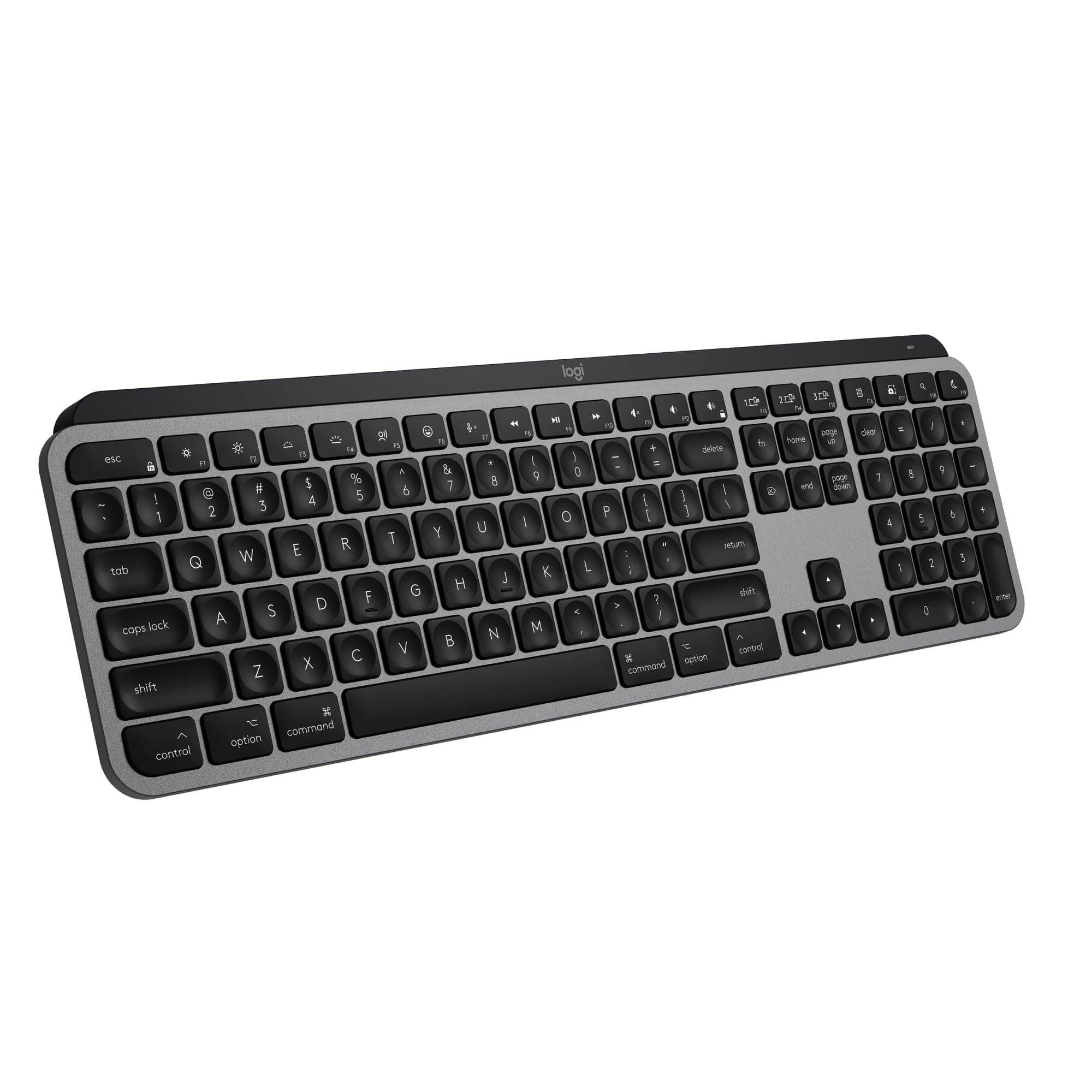





⌨️ Elevate your Mac setup with precision, power, and style — don’t get left behind!
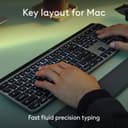
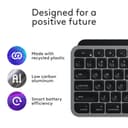
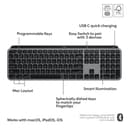
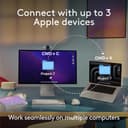
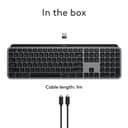
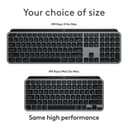
The Logitech MX Keys S for Mac is a premium wireless keyboard designed specifically for Apple users, featuring a Mac-optimized layout, 104 concave keys for fluid typing, and smart backlighting that adapts to your environment. It supports seamless Bluetooth connection to up to three Apple devices and includes programmable Smart Actions to automate workflows. Powered by a rechargeable 1500mAh USB-C battery, it combines sustainability with productivity in a sleek Space Grey finish.


| ASIN | B0BXX499PC |
| Additional Features | Low-Profile Key |
| Antenna Location | Business, Education, Everyday Use, Gaming, Personal, Student |
| Best Sellers Rank | #6,453 in Computers ( See Top 100 in Computers ) #1,910 in Computer Keyboards |
| Brand | Logitech |
| Built-In Media | Keyboard |
| Button Quantity | 78 |
| Color | Space Grey |
| Compatible Devices | PC and Mac |
| Connectivity Technology | Bluetooth |
| Customer Reviews | 4.5 4.5 out of 5 stars (1,303) |
| Enclosure Material | Plastic |
| Generation | 2nd Generation |
| Hand Orientation | Ambidextrous |
| Item Dimensions L x W x H | 43L x 13.2W x 2.1H centimeters |
| Item Weight | 703 g |
| Keyboard Description | Membrane |
| Keyboard Layout | QWERTY |
| Manufacturer | Logitech |
| Mechanical Keyboard Switch Model | Logitech Perfect Stroke |
| Model Name | MX Keys S |
| Model Number | 920-011621 |
| Number of Keys | 104 |
| Power Source | Battery Powered |
| Style Name | Keyboard |
| Switch Type | membrane |
| Theme | Productivity |
| UPC | 097855189554 |
| Unit Count | 1.0 Count |
T**D
Picked this up for my office and it's been great so far. The keyboard has a good weight to it and just feels well made. The keys press super smooth and there's no lag at all. Bluetooth connection was quick and easy. The mouse fits perfectly in my hand and feels really natural to use. Super comfy for long days. Honestly just a solid setup all around. Happy with it!
E**G
I pair this Logitech keyboard with a Mac Studio, and it works great. I used an Apple keyboard for many years with an older iMac and considered getting another when I upgraded to the Mac Studio. After doing some research, though, I decided to switch to this Logitech and haven’t looked back. The Logitech’s keys are slightly concave and have a nice feel to them. Being concave, they help keep your fingers centered on the keys. They keys are fairly quiet (though not totally) when typing. I think their noise level is comparable to the Apple’s keys. You can recharge the keyboard with a USB-C cable while still using it. With the Apple keyboard, you have to swap out the batteries when they run out. The keyboard looks nice and matches the esthetic of the Mac Studio and the display I bought. The keys are backlit when in use, if that matters to you. The backlight turns off when the keyboard is not in use. It doesn’t seem to eat up the battery any faster than the batteries lasted on my Apple keyboard. A couple of the function keys don’t work the same as an Apple’s do, but it’s not a major problem for me. Specifically, you can’t control screen brightness up or down with the function keys, and apparently you can’t map those functions to the same function keys Apple uses (although I could be wrong on that—I’ve only done a cursory investigation into it). When I first set up my new computer, I had to open the display settings in MacOS to make the brightness adjustments. For me it was just a case of set it and forget it. Also, the F3 key doesn’t provide the Mission Control function that lets you see all of your open apps and documents in a minimized view. I do use that function a fair amount, but Control + Up Arrow on the Logitech performs the same function, so I’ve not yet explored whether that can be mapped to the F3 key. Overall, I’m pleased with the Logitech keyboard and have no regrets about getting it instead of an Apple.
C**G
This is a major upgrade to the standard iMac chiclet-style keyboard (and the mouse is outstanding as well - why doesn't everything come with two scroll wheels?). The keys are quiet and responsive, and the concave shape makes for increased accuracy versus the Apple offering. The palm rest isn't worth much of anything, but I suppose it's better than nothing. The mouse has a hidden tactile button down in the thumb "tray" which you can bind to whatever you want with the legitimately outstanding Logi Options+ software you can get straight from Logitech's website. I couldn't be happier with this... good value, great built quality, super functional, and aesthetically pleasing.
R**L
update: gave this keyboard 5 stars again because I found a solution. To pair the Bolt and Unifying receivers with your MX keyboard and MX mouse requires at minimum Mac OS Mojave to install the Bolt App 1.0.7948 and LogiMgr 8.54.147 of which these older apps are no longer available from Logitech and you need to find them from 3rd party downloaders. However, short version, once paired Bolt and Unifying Receiver you can delete the Logitech apps and move the receivers (Bolt and Unifying) to another machine and they remained paired. The paired info is stored in non-volatile memory so what that means is that you can pair your Bolt and Unifying receiver on a newer Mac or your friends Mac and then just insert them into your older Mac that is running Sierra. Although it is a bit late for me as I had to patch install Mojave on my Mac mini (4 times) and searched for older versions of the Bolt App and Logi options app (for unifying pairing) with the Bolt App crashing my Mac repeatedly, the good news is that I did un-install the Bolt App afterwards but leaving the Logi Options app installed to control the speed of my MX Anywhere 3 mouse. update: All kinds of problems - reduced my overall rating to 2. So I've been pairing this keyboard with my MacBook 12" and was hoping to pair it with my Mac mini to give me a working cluster of computers as I switch between them all with my HDMI switch. This keyboard does not pair with my Mac mini mid 2010 and even though I managed to upgrade my Mac OS to Sierra. This keyboard doesn't work with the unifying USB neither and even though I probably could buy the Bolt USB I won't be able to pair it with Bolt because the Bolt software needs at least Catalina to pair and my Mac mini only max updates to Sierra OS. So sad really.... You would think all bluetooth works with ALL Bluetooth. Original Review:I have been a logitech keyboard users for more than a decade now. For a long time Logitech thought that the K380 was good enough replacement but I hated the chicklet keys. This new MX keys mini is a very good replacement for the K811 keyboard in both the size of the keyboard and the size of the keys. With the ability to connect up to three devices I currently have it connected to my MacBook 12", my iPad pro and my iPhone 8 plus; well not concurrently but selectable and switchable amongst 3 devices. I have the black version forthcoming. Currently this keyboard which is the mac version will be used for my music composition MacBook. The black one which is arriving in November will be used with my everyday Macbook 12" computer and my VR PC. The keys on this MX mini are wonderful as they feel like every logitech keys on every logitech keyboard through every generation. A soft clickable keyboard that doesn't make a lot of noise and has just the right amount of key depth to each click of the keys. I'm a touch typist and I love the feel of this keyboard as the words spills out of my brain and on to the review box without having to look at what I am typing. I will be buying several for back ups as I won't be left high and dry like the K811 and K810 keyboards that were discontinued and replaced by the k380. There is only one problem with this keyboard though and if you look at the back of the keyboard you will notice that it is actually quite thick and that is the battery and component bar that acts as a keyboard riser. So if you have a keyboard drawer that just holds your keyboard, the actual thickness is just a little over 1/2 an inch. Don't let the photographs fool you on a thin keyboard like the K811 but nevertheless it is still quite thin but has a large battery rechargeable bar. My K811 is breaking down, not only the battery doesn't last as long but some keys don't quite respond until you press it two or three times of which it is terrible because you get all these spelling errors when you are a touch typist. Once my mx mini black keyboard arrives, I will be ordering at least two more to keep for the next decade. Trust me that once you become addicted to a logitech keyboard you will never go back to the standard Apple smart keyboard. The ability to connect up to 3 bluetooth devices gives you the luxury of typing on your phone, you iPad and your mac by just a single press of a key. Yay for Logitech!!
P**L
la tecla del enter del teclado numerico, sin tocarla, con solo pasar el dedo se ejecutaba, no se si es un defecto del que me llego o es que todos son asi
TrustPilot
2 周前
5天前