

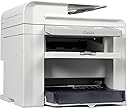


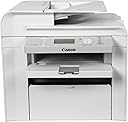

Canon imageCLASS D550
Product ID: 1167518
⚡Fast print speeds, first page ready instantly
💰Single cartridge system for cost efficiency
🔄Duplex 2-sided printing & scanning
🖨️ Work smarter, not harder—your monochrome multitasking marvel awaits!
The Canon 4509B061AA Wireless Monochrome Printer is a robust all-in-one device designed for home offices and small businesses. It offers fast duplex printing, copying, and scanning with advanced print modes like watermark and toner saver. Its single cartridge system maximizes cost efficiency, while delivering sharp, high-resolution monochrome output. Compact yet powerful, it streamlines your workflow with reliable wireless connectivity and versatile paper handling.


| ASIN | B004RFGJZ4 |
| Customer Reviews | 3.6 3.6 out of 5 stars (173) |
| Date First Available | March 21, 2011 |
| Is Discontinued By Manufacturer | No |
| Item Weight | 37.1 pounds |
| Item model number | 4509B061AA |
| Manufacturer | Canon |
| Product Dimensions | 21.9 x 21.9 x 19.4 inches |
R**K
I freaking LOVE this printer
I freaking LOVE this printer. Well, I say printer, but what I mean is printer/ copier/ scanner. It may do other stuff, but that's what I use it for. First, it's a workhorse. I don't do a ton of printing, but I do more than most, and will occasionally put through 30-40 pages a week, and I've never had a minute's problem with the printer in almost 2 years of service. Second, it's fast. It's typically done printing the first page by the time I'm ready to reach for it. Third, it's SHARP. Text comes out crystal clear, grey-scale looks crisp and precise, and images look great, even when converting from color. It copies just as sharp as bigger machines, although certainly not as fast as high-volume commercial copiers, but for a small home-office, it's more than adequate, plus it scans at incredibly high resolutions. This is a great printer, and I thank the printer Gods every day that I no longer have to play the ink cartridge game. If I had any complaints (which I don't) it would be that the toner cartridge lasts a long time. Wait, what? I know, I know. What I mean is, once you start to notice light spots or streaking in your pages from the toner being low, you pull out the cartridge, give it a vigorous shake, and then put it back in. Your next pages will look as sharp and crisp as when it was new. This will go on for another 20 pages, after which time, you'll begin to see streaking again, and you'll pull out the cartridge and shake it again, and it's as good as new again. I've done this maybe a dozen times, and this cartridge keeps hanging on. Lesser consumers would have abandoned the cartridge by now, but I'm still milking life out of this one. I just wish I didn't have to shake the s#it out of it every 20 pages or so. But at $95 for a replacement, I'm going to continue to use this one until it's ALL dead, not just MOSTLY dead. And for the record, I'm still using the factory cartridge... the 40% full factory cartridge. I expect my replacement 100% full cartridge to last until an asteroid destroys the earth. In short, this is the best printer I've ever owned. It's the perfect printer for a home office, for anything that you don't absolutely have to have in color. I love this printer. It makes my printing life complete.
R**T
I really want to like this printer....
This printer does most of what it advertises very well, but there are a few things it does VERY badly.....I use this printer in a mixed Mac/PC environment and needed a printer that prints and also scans. (NOTE: my first delivery of this printer had the scanner glass shattered and had to be returned. Cudos to Amazon for easy returns). PROS: - Works correctly on either PC's or Mac's (my suggestion is to NOT install the CD that came with the printer but rather download the latest drivers from Canon) - Prints very quickly - Good quality output - Duplex printing is very fast - No jams so far - inexpensive Cons - This thing is impossible to share; it prints when connected to either a singular PC or Mac, but regardless does not want to allow others to use it. - Is not compatible with Time Capsule/Bonjour - enabling duplex printing on a Mac is COMPLETELY counter intuitive (and undocumented!) - The secondary paper tray allows you to only stack one sheet of paper or envelope at a time (you can stack more, but then they all get sucked in when they are used) - You are unable to specify which tray to use; If something is in the secondary tray it will use that So in closing this is a printer I REALLY want to like, and am hoping that some of the issues (especially the sharing) will be fixed over time.
M**Y
Good copier
This copier has many usable functions and produces clear copies. Can be a little confusing to the casual user to make adjustments. Scanning for copies seems a little slow but the printing is quick. Appears well built and has been working well for a couple of months now.
S**N
POOR SOFTWARE AND DOC'S MAKE THIS UNUSEABLE
I BOUGHT THIS UNIT 2 WEEKS. I GENERALLY LIKE CANON AND I DID DOWNLOAD AND READ THE USER MANUAL BEFORE I BOUGHT IT. THE LISTED FEATURES SEEMED TO MEET MY NEEDS, AND I HAVE A VERY LOW MONTHLY COPY OUTPUT, SO I DIDN'T NEED ANYTHING MORE HEAVY DUTY. BUT I WAS EXPECTING SOMETHING MORE THAN A SIMPLE OFFICE COPIER. THE COPIER ITSELF WORKS WELL, AND THE ONLY COMPLAINT I HAVE IS THAT THE ADF AND COPY FUNCTION BOTH PRODUCE COPIES THAT ARE ROUTINELY OUT OF SQUARE AND PARALLEL WITH THE PAPER. ITS NOT SERIOUS, BUT IT IS ANNOYING. I USE THE COPIER FOR PRESENTATION PURPOSES AND I LIKE THE PRESENTATION COPIES TO BE CLEAN AND PRECISE. FOR MANY THIS MIGHT NOT BE IMPORTANT, BUT I WAS DISAPPOINTED. HOWEVER, THE GOOD NEWS IS THAT THE ADF DOES WORK RELIABLY. I HAVE HAD OTHER COPIERS WITH ADF's THAT NEEDED TO BE HAND FED MOST OF THE TIME. SO FAR I HAVE ONLY USED 20# BOND PAPER. I HAVE NOT TRIED OTHER WEIGHTS AND TEXTURES THAT THE MANUAL SAYS IT CAN HANDLE. THE BAD NEWS, AND FOR ME IT IS VERY BAD NEWS, IS THAT THE COPIER DOCUMENTATION IS PATHETICALLY INCOMPLETE, AND THE PRINTER/SCANNER SOFTWARE AND DOCUMENTATION THAT COMES WITH THE D-550 IS INCOMPREHENSIBLE. I AM A RETIRED ARCHITECT WITH AN M.A. AND HAVE SPENT MOST OF MY ADULT LIFE WRITING DOCUMENTATION AND SPECIFICATION FOR LARGE SCALE PROJECTS. I AM EMBARRASSED TO ADMIT THAT I HAVE SPENT OVER 15 HOURS READING THE PRINTER/SCANNER DOCUMENTATION AND TRYING TO USE THE SOFTWARE, AND I STILL CANNOT PREDICT WHAT WILL COME OUT OF THE COPIER/PRINTER WHEN I CHANGE SOFTWARE PARAMETERS. AFTER APPROX 10 HOURS I GAVE UP ON THE DOCUMENTION AND WENT TO TRIAL AND ERROR. YOU KNOW: SET UP THE PARAMETERS; PRINT IT OUT; CHANGE 1 OR 2 PARAMETERS; PRINT IT OUT; SEE WHAT CHANGED. I HAVE USED ALMOST 2 REAMS OF PAPER (BOTH SIDES) TRYING TO UNDERSTAND THE UNDERLYING LOGIC OF THE SOFTWARE. I STILL HAVE NO CLUE. THERE ARE STILL COMMANDS ON THE DROPDOWN BOXES I CAN'T EVEN FIND IN THE DOCUMENTATION. TO BE SPECIFIC - HERE IS ONE EXAMPLE OUT OF DOZENS: YOU CAN CROP A SCANNED IMAGE IN THE SOFTWARE, BUT SOMETIMES WHEN YOU PRINT THAT SCANNED IMAGE, THERE IS A VERY DARK VERTICAL LINE ON THE RIGHT SIDE OF PAGE WHERE IT WAS CROPPED. SOMETIMES NOT. ITS UNPREDICTABLE. THIS PROBLEM IS MENTIONED ONCE IN THE DOCUMENTATION, SO CANON IS AWARE OF IT. IT SAYS IT CAN BE ELIMINATED BY USING 2 NAMED FUNCTIONS. THE FUNCTIONS ARE LISTED, BUT I WASN'T ABLE TO FIND THEM ANYWHERE IN THE DROPDOWN BOXES. PERHAPS, THOSE FUNCTIONS ARE ONLY FOR COPIERS WITH A MORE COMPLETE SOFTWARE PACKAGE? HOWEVER, THE DOCUMENTATION DOESN'T MENTION ANYTHING REGARDING DIFFERENT VERSIONS OF SOFTWARE. I WAS NEVER ABLE TO FIND THE FUNCTIONS, AND I WAS NEVER ABLE TO EITHER PREDICT OR ELIMINATE THE PROBLEM. ESSENTIALLY IT RENDERED THE CROPPING FUNCTION OF THE SCANNER UNUSEABLE. THIS IS ONE OF THE SIMPLER FRUSTRATIONS. ALSO, DON'T EVEN TRY TO USE OR UNDERSTAND ANY OF THE DOUBLE SIDED PRINT FUNCTIONS FROM THE SOFTWARE. I WAS NEVER ABLE TO GET A SINGLE DOUBLE SIDED COPY WITH CORRECT MARGINS, AND PROPERLY LINED UP ON THE FRONT AND BACK AFTER THE ABOVE MENTIONED 15 HOURS OF STUDY AND USE. I HAVE A STRONG SUSPICION THAT NO ONE AT CANON KNOWS HOW TO USE THE DOUBLE SIDED FUNCTIONS EITHER. (PLEASE NOTE: I AM NOT TALKING ABOUT THE DOUBLE SIDED FUNCTION OF THE COPIER. THAT WORKS WELL. ALL OF THE ABOVE REFERS TO THE SOFTWARE THAT CONTROLS SCANNING AND PRINTING FROM THE COMPUTER). HAVING SOME EXPERIENCE WITH DOCUMENTION FOR LARGE SCALE PROJECTS, IN MY OPINION WHAT CANON HAS DONE IS JURY-RIG TOGETHER VARIOUS PARTS OF PREVIOUS, CLOSELY RELATED, SOFTWARE AND DOCUMENTATION EITHER TO SAVE SOME MONEY OR TO MEET SOME DEADLINE OR BOTH. IN THE PROCESS THEY DIDN'T BOTHER TO INTEGRATE OR STREAMLINE ANY OF THE PARTS AND ENDED UP WITH A KIND OF PUT-TOGTHER FRANKENSTEIN PACKAGE THAT SOMETIMES WORKS; SOMETIMES DOESN'T, AND SOMETIMES WORKS IN UNPREDICTABLE WAYS. I SHOULD MENTION THAT I HAVE BEEN USING A CANONSCAN 9950F HIGH QUALITY FLATBED COLOR SCANNER FOR YEARS, WITH A VERSION OF ADOBE PHOTOSHOP FOR PRINT FUNCTIONS. THE TWO HAVE WORKED TOGETHER FLAWLESSLY. BOTH HAVE BEEN A PLEASURE TO USE. INTERSTINGLY, THE SCANNER CONTROL SCREEN FOR THE 9950F IS VIRTUALLY IDENTICAL TO THE SCREEN FOR THE D-550. THAT IS ONE OF THE REASONS THAT I AM AMAZED AT HOW BADLY THE D-550 SOFTWARE WORKS, AND WHY I THINK THAT CANON MAY HAVE JUST AD-HOC'D SOME POORLY FITTED PRINTER SOFTWARE ONTO THEIR EXISTING SCANNER SOFTWARE. IF THE 9950F HAD AN ADF, I WOULD TRY TO USE ITS SOFTWARE WITH THE D-550. AGAIN, DON'T MISUNDERSTAND. THE COPIER ITSELF WORKS WELL. AND IF ALL YOU WANT IS A SIMPLE STANDARD OFFICE COPIER THAT MAKES STANDARD LETTER-SIZE ONE-SIDED AND TWO-SIDED COPIES, AND YOU KNOW YOU WILL NEVER REQUIRE ANYTHING ELSE, THEN THIS WILL WORK FOR YOU. IF YOU NEED ANYTHING MORE COMPLEX THAT INVOLVES A USB CABLE TO CONNECT THE D-550 TO YOUR COMPUTER, THEN GO ELSEWHERE.
Trustpilot
4 days ago
3 weeks ago